
Impact of Competitor Changes on App Rankings
How competitor updates—titles, pricing, reviews, or badges—can shift Shopify app rankings and how to diagnose and respond.
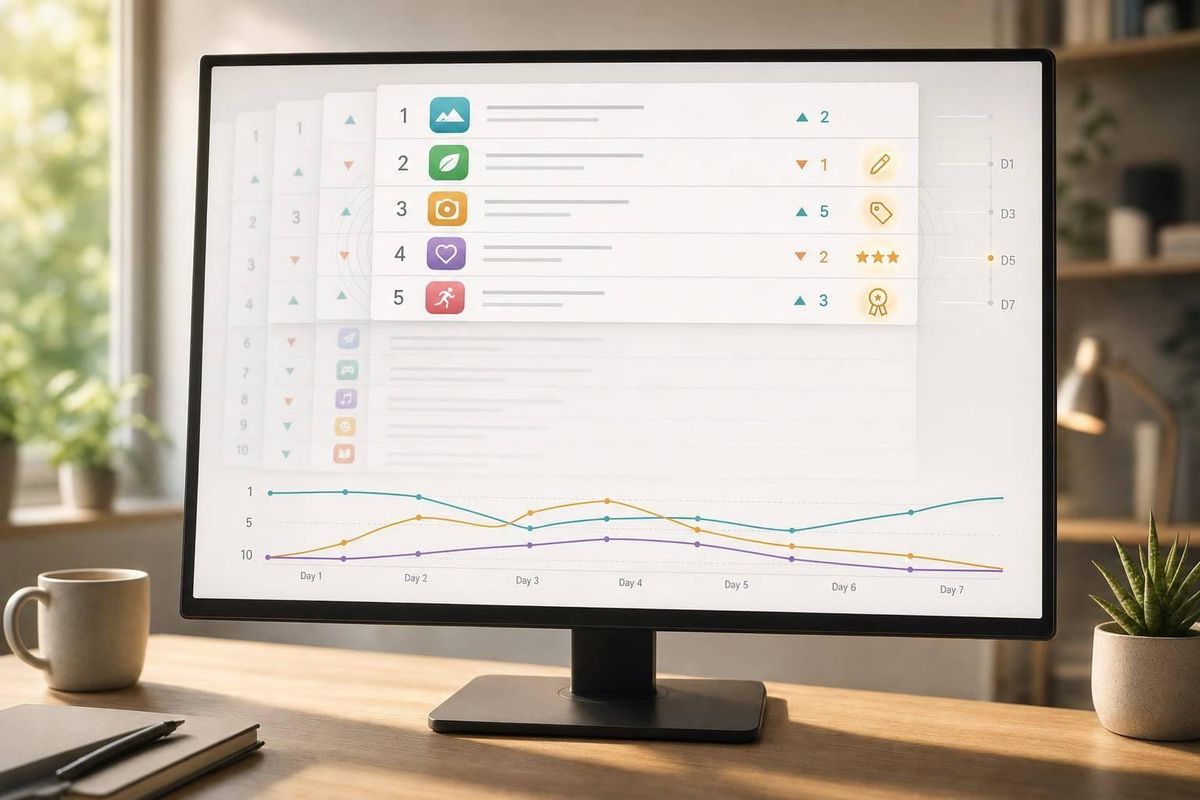
Your app can drop in Shopify search even if you changed nothing. If a competitor updates their title, cuts price, gets a wave of new reviews, or earns the Built for Shopify badge, they can move up within 24 to 72 hours and push you down.
Here’s the short version:
- Rankings are relative. If their listing gets stronger, your position can fall.
- The main drivers are simple: keyword match, install pace, and buyer confidence.
- The biggest competitor moves to watch are: title edits, screenshot changes, pricing changes, review spikes, category shifts, and badge gains.
- A drop is more likely tied to a competitor move when you lose 10+ positions for 48+ hours or slide for 5 to 7 days.
- Check the pattern first. A drop on only a few keywords often points to competitor metadata changes. A broad drop across many keywords may point to your own listing or a platform shift.
- Don’t redo everything at once. Match your response to the signal you lost, then give rankings 14 to 30 days to settle.
If I were checking this myself, I’d start with two questions: When did the drop start? and What changed on the competitor’s listing right before it? That usually gets me to the cause fast.
Competitor Changes That Commonly Move Rankings
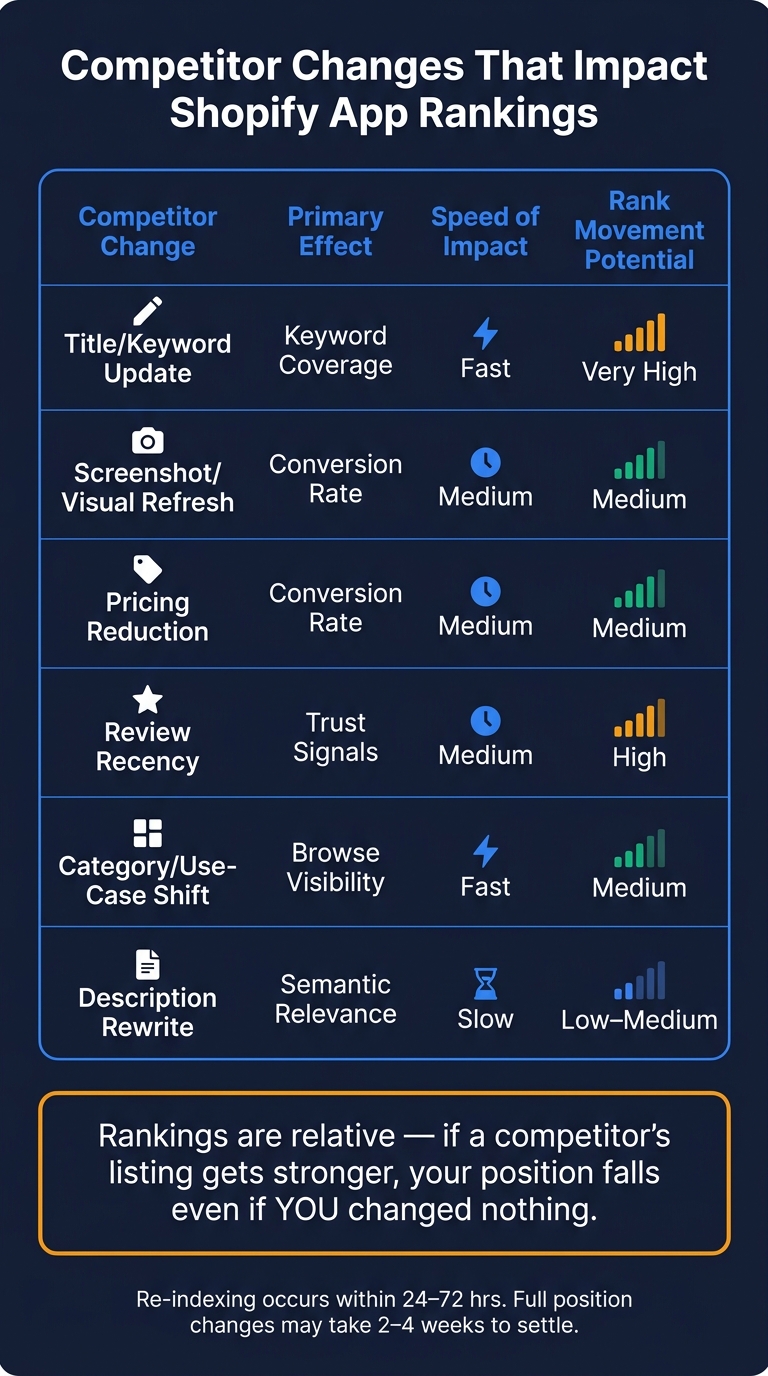
Competitor Changes That Impact Shopify App Rankings
Competitor changes move rankings through three main levers: relevance, conversion, and trust. The updates that matter most are the ones that change one of those three.
Title, Description, and Keyword Changes
The app title carries the most keyword weight in the Shopify App Store. So when a competitor adds a high-volume keyword to its title, it can climb fast and push other apps down.
Description rewrites usually work more slowly. Shopify search groups similar apps by topic, which means description changes can shift where an app shows up. If a competitor changes the topic focus of its description, it can start appearing for different searches even if the title doesn't change.
Screenshots, Pricing, and Conversion-Focused Updates
Screenshots and pricing don't index for keywords, but they can improve conversion. Clearer screenshots or lower pricing can drive more clicks and installs. And when install pace goes up, rankings can follow. That means a competitor can move up and squeeze you down without touching its keywords.
Reviews, Ratings, and Category Shifts
Review recency matters more now than total review count. Reviews from the last 90 days carry the most trust weight. In plain English: new reviews can beat older totals.
Ratings matter too. Falling below a 4.0 average rating correlates with a 40% to 50% drop in install success rates. Category or use-case shifts add another angle. If a competitor lines up better with how merchants search, it can win more category browse visibility in spots where your app used to do well.
Use the table below to separate direct ranking changes from indirect ones.
| Competitor Change | Primary Effect | Speed of Impact | Rank Movement Potential |
|---|---|---|---|
| Title/Keyword Update | Keyword coverage | Fast | Very High |
| Screenshot/Visual Refresh | Conversion rate | Medium | Medium |
| Pricing Reduction | Conversion rate | Medium | Medium |
| Review Recency | Trust signals | Medium | High |
| Category/Use-Case Shift | Browse visibility | Fast | Medium |
| Description Rewrite | Semantic relevance | Slow | Low–Medium |
Next, we'll break down why those changes cause your ranking to drop, or you can compare Shopify App Store optimization tools to see how to track these shifts.
sbb-itb-ce93587
Why Rankings Drop After a Competitor Updates Their Listing
When a competitor moves up, your rank can slip even if you haven't touched your listing. That usually comes down to three signals: relevance, installs, and trust.
Keyword Relevance and Search Matching
If a competitor adds a keyword you already rank for, they can pass you fast. Updated listings are re-indexed within 24–72 hours, although the full position change can take 2–4 weeks to settle.
There's also a less obvious factor: intent alignment. A competitor can win simply because their listing matches the way merchants search. In plain English, wording that sounds closer to merchant language can beat phrasing that feels more technical.
Install Velocity and Listing Conversion Signals
Better screenshots or lower pricing can improve conversion, speed up installs, and move a competitor higher in search. That matters because rankings are relative. If their install rate jumps while yours stays flat, they can still overtake you.
Review Activity and Trust Signals
Recent product review activity can matter more than older totals. So if a competitor gets a burst of new reviews, their trust score may climb enough to move past you.
The Built for Shopify badge adds another visible trust signal. It can help drive installs fast, and in tight categories, that can be enough to push non-certified apps lower.
Next, check whether a competitor's listing update matches the timing of your rank drop.
How to Tell If a Competitor Change Caused Your Ranking Drop
Use timing and scope to tell the difference between normal ranking swings and a drop tied to a competitor move. A good rule of thumb: dig deeper when a drop lasts 5–7 days or falls 10+ positions and stays there for 48 hours.
Use Ranking Snapshots and Historical Windows
Compare your rankings across a 7- to 14-day window before and after the suspected competitor update. You’re looking for more than a one-day wobble. What matters is a sustained downward trend across that period.
Then look at the scope of the drop. If you lose ground on just one or two keywords, that often points to a competitor metadata change. If the drop hits a large set of keywords, it more often signals an algorithm shift or weaker quality signals on your own listing.
Match Listing Changes to Signal Movement
After you confirm the drop is real, connect the pattern to the signal that likely changed. Think of it like matching footprints to the person who left them. The table below shows common competitor moves, the ranking signal each one may affect, and what to check to confirm the link.
| Competitor Change | Likely Ranking Signal Affected | Evidence to Confirm Connection |
|---|---|---|
| Title or subtitle update | Keyword relevance & search matching | Your app loses rank on the exact keywords the competitor added to their title; those losses often show up within days |
| Screenshot refresh | Conversion rate (CVR) | Your rank drops even though you made no metadata changes; the competitor’s install velocity likely went up |
| Review or rating spike | Trust & freshness signals | The competitor makes a sudden jump after a cluster of new 5-star reviews appears within 7 days |
| Earned "Built for Shopify" badge | Quality multiplier & trust | The competitor gains a broad jump across core keywords |
| Pricing change or new free tier | Conversion & price sensitivity | A rank shift follows the competitor’s price cut or launch of a free plan |
Before you pin the blame on a competitor, check your own changes first. If you pushed a metadata update in the last 14 days, the next 24–72 hours can be noisy. It’s easy to mistake that volatility for competitive displacement.
Set Up Alerts and Change Monitoring
Doing this by hand is slow and easy to get wrong. AppJubilee supports daily tracking, competitor alerts, and listing-change diffs that show what a competitor changed in their title, description, or pricing, then connects those edits to later ranking shifts.
Set alerts for keywords that drop 10+ positions below their 7-day average. AppJubilee’s competitor alerts can flag disruptive moves within 24 hours.
After you spot the trigger, you can make the right listing update and track whether rankings start to recover.
How to Respond and Build Long-Term Ranking Stability
Once you confirm a competitor update caused the drop, take a measured response, not a full rebuild.
Make Focused Updates to Your Own Listing
If a competitor pulled ahead on relevance, conversion, or trust, answer on that same front. Start with the signal that changed, not the one that's easiest to edit.
If a competitor's title or subtitle update pushed them ahead for a keyword you had been winning, adjust your own metadata to win back relevance for that term - without copying their wording. If new screenshots helped their conversion, review your own visuals for clarity and first-impression impact. If they're picking up new reviews at a faster pace, add in-app prompts after successful installs or activations.
The key here is focus. Change the part most tied to the loss, then wait. If you tweak five things at once, it's hard to tell what worked. Rankings usually need 14–30 days to fully settle after a metadata edit.
Build a Monitoring Routine
Once the fix is live, keep an eye on the affected keywords and the competitor that moved on them. After the update, check results only after rankings have settled.
Use a weekly, monthly, and quarterly cadence. Track the same signals that changed: keyword rank, competitor movement, and recovery.
| Cadence | Focus |
|---|---|
| Weekly | Scan for alerts on keyword drops of 5+ positions; check whether competitors moved up on the same terms |
| Monthly | Swap the weakest 10–20% of keywords for higher-opportunity terms; flag competitors gaining ground on those terms |
| Quarterly | Compare current rankings to a 90-day baseline; reassess difficulty as new competitors enter or update their listings |
Stick with the same cadence each time a competitor changes its listing. That way, you're not reacting on gut feel. You're looking at the same signals, on the same schedule, and making cleaner calls.
Use AppJubilee to track ranking changes, competitor moves, and recovery signals in one place.
FAQs
How can I tell if a ranking drop is temporary?
Don’t react to a one-day ranking dip. Look at the trend over 7 to 14 days instead so you can filter out normal day-to-day swings.
A drop is often temporary if it lines up with an app store re-indexing period after a recent metadata update. If that’s the case, wait two weeks before you change anything. AppJubilee can also help you figure out whether the drop came from short-term noise or a more meaningful shift.
Which listing changes affect rankings fastest?
Changes to your app title and subtitle tend to shift rankings the fastest. Why? These fields carry the most keyword weight in the search algorithm.
After an update, re-indexing often happens within 24 to 72 hours. But that’s only the first step. The algorithm can take two to four weeks to judge the new relevance and performance signals in full.
AppJubilee helps you track keyword position changes and line them up with install data.
What should I update first after losing rank?
Before you change anything after a ranking drop, figure out why it happened.
Use AppJubilee to check whether the drop links to a competitor metadata change, review sentiment, an algorithm update, or lower download velocity.
Once you know the cause, don’t make panic edits. If you need to update metadata, record your baseline metrics first, make one focused change, and wait 14 to 30 days before you judge the result.