
How Reviews Affect Shopify App Rankings
Treat reviews as ASO: recent ratings and steady review velocity (90-day window) drive Shopify App Store rankings more than lifetime totals.
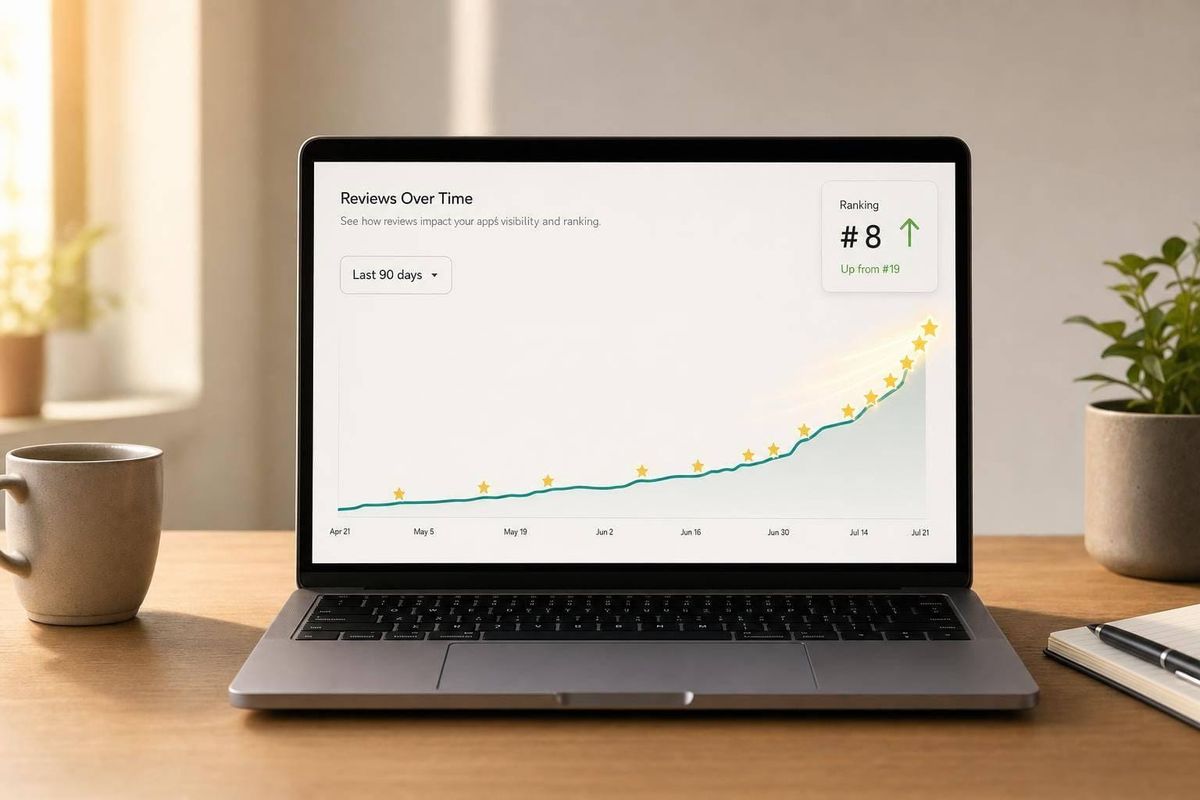
Yes - reviews can move your Shopify app up or down in search. If I want more installs, I need to watch four things: star rating, review pace, review age, and recent negative feedback.
Here’s the short version:
- About 60% of Shopify app installs come from App Store search, so rank matters a lot.
- Recent reviews carry more weight than old ones, with the last 90 days mattering most.
- A rating under 4.5 stars can hurt both clicks and installs.
- Review pace matters more than total review count. A steady flow often beats a big but inactive review base.
- Trial users can’t leave reviews, so asking too early can waste the prompt.
- Archived reviews can lower your visible count because they stop counting when the reviewing store is no longer on an active full-priced plan.
- A burst of 1-star or 2-star reviews after a bug or pricing change can hurt rank fast.
- Slow replies to reviews can make the problem worse.
If I had to boil the whole article down to a simple plan, it would be this:
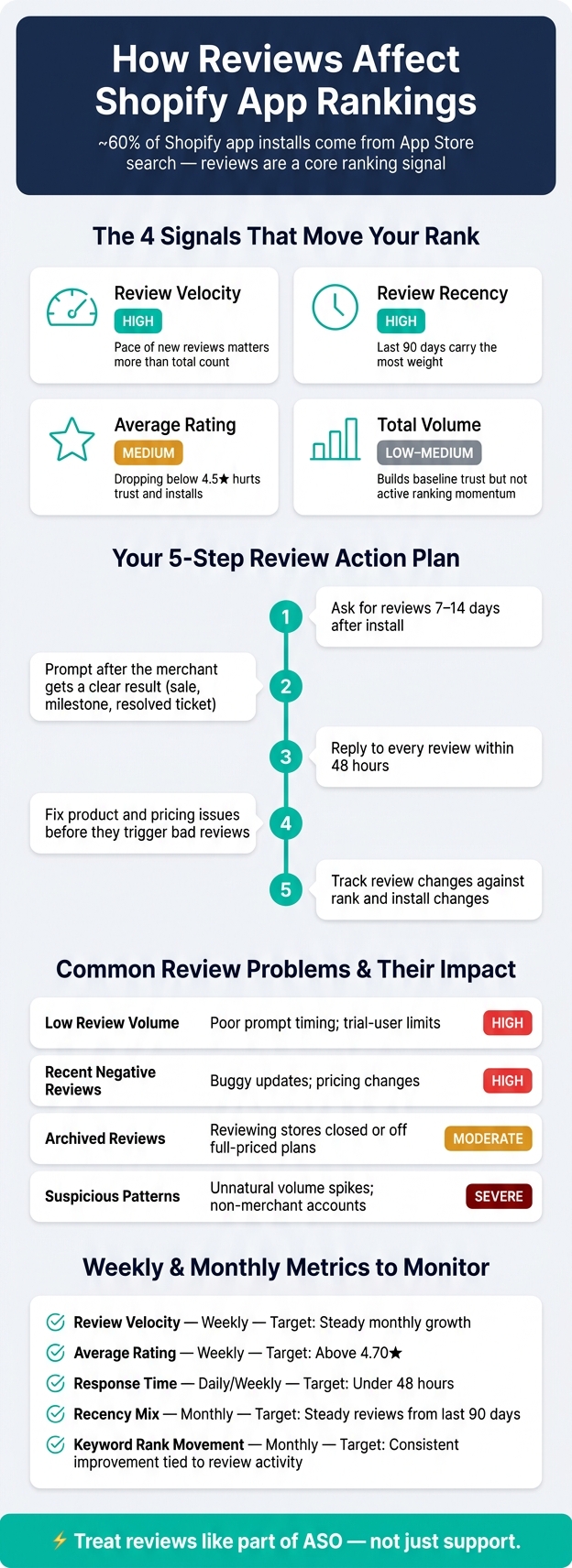
- Ask for reviews 7–14 days after install
- Prompt after the merchant gets a clear result
- Reply to every review within 48 hours
- Fix product review and pricing issues before they trigger bad reviews
- Track review changes against rank and install changes
The big idea: reviews are not just social proof. They are a search signal.
If my app has a good listing but weak recent reviews, I can still lose visibility. If my reviews improve but installs do not, the next problem is likely page conversion, not rank.
That’s the lens I’d use for the rest of this topic: treat reviews like part of ASO, not just support.
How to Build a Review-Driven ASO System for Shopify Apps
How Review Signals Influence Rankings
Shopify rewards apps that look current, credible, and actively used. Here’s how each signal plays out in practice.
Average Rating and Rating Distribution
Shopify’s overall rating is weighted toward recent, useful, and trustworthy reviews. So your displayed rating can change even when no new reviews come in. As older feedback loses weight, newer feedback matters more.
If your rating drops below 4.5, trust and installs can take a hit. And it’s not just the lifetime average that matters. A batch of recent 1-star or 2-star reviews can pull down your effective rating even if your all-time average still looks decent. In plain English: one bad stretch can hurt more than the long-term number suggests.
Review Volume, Velocity, and Recency
Rating matters, but fresh review growth is what keeps ranking momentum going. Velocity - the pace at which new reviews arrive - is the stronger signal. A steady stream of new reviews will often beat a bigger review base that has gone quiet.
Recency is tied closely to that pattern. Shopify puts heavy weight on reviews from roughly the last 90 days. Older reviews still help, but less and less over time. That’s why a short burst of reviews, followed by months of silence, usually won’t hold rankings the way a steady flow of new feedback will.
| Signal | Ranking Impact | What It Means in Practice |
|---|---|---|
| Review Velocity | High | The pace of new reviews matters more than total count |
| Review Recency | High | The last 90 days carry the most weight |
| Average Rating | Medium | Dropping below 4.5 can hurt trust and installs |
| Total Volume | Low–Medium | Builds baseline trust but does not drive active ranking movement as much as velocity |
Review Quality, Authenticity, and Archived Reviews
After rating and volume, Shopify also looks at whether reviews seem genuine and current. Not all reviews count the same. Detailed feedback from merchants who’ve used your app for weeks or months carries more weight than vague comments. A review that explains the result means more than a short line with no detail. Thin, vague, or suspect reviews do less for visibility than specific, believable feedback.
Archived reviews can also shrink your visible count and rating. Reviews from stores that are no longer on active, full-priced Shopify plans are automatically archived and removed from your total review count and overall rating calculation. Unpublished reviews - those flagged as fake, spam, or incentivized - are removed entirely and do not affect rankings. So if your review count suddenly drops, archived reviews are often the reason.
These signals explain why rankings move up or down; the next section shows the most common patterns that weaken them.
sbb-itb-ce93587
Common Review Problems That Reduce App Visibility
A lot of apps don't lose visibility because the product is bad. They lose it because their review signals send the wrong message.
In practice, these signals tend to show up in four common patterns.
Low Review Volume Despite a Strong Product
Sometimes an app is good, users like it, support is solid, and rank still goes nowhere. The usual reason is simple: not enough recent reviews.
This hits newer apps and niche apps the hardest. They can be tough to find not because they lack quality, but because review volume is too low. New apps generally need at least 10 reviews in their first 30 days to gain organic traction.
Timing is often the hidden issue. Trial users can no longer leave reviews, so prompts sent during onboarding often fail. That can look like weak engagement from the outside, even when the real problem is when the ask was sent.
Recent Negative Reviews After Product or Pricing Changes
Recent feedback can hit harder than older praise. A rough stretch over the last 30 to 90 days may drag down visibility even if the app's all-time rating still looks good.
This often happens after a buggy update or a pricing change. A cluster of 1-star or 2-star reviews can pull rank down fast.
Surprise billing is one of the fastest ways to trigger negative feedback. And if those reviews sit there unanswered, the drop can get worse, since slow developer response also hurts visibility.
Archived Reviews and Suspicious Review Patterns
Archived reviews can look alarming at first, but they are automatic, not a penalty. When a store that reviewed your app becomes inactive or moves off a full-priced plan, that review is archived and removed from your total count and rating calculation.
So if your review count drops and nothing else seems off, start by checking the archived section.
That said, archived reviews and suspicious patterns are two very different things. Archived reviews happen automatically. Suspicious spikes do not. Unnatural jumps in review volume or reviews from non-merchant accounts can trigger an algorithmic audit. The result can be review removal, ranking demotion, or even being unpublished from the store.
The table below shows how these problems usually appear in practice.
| Review Problem | Typical Symptoms | Causes | Impact |
|---|---|---|---|
| Low Review Volume | Stagnant rank despite strong product | Poor prompt timing; trial-user limits | High: Hard to discover; zero-review apps gain no traction |
| Recent Negative Reviews | Sharp ranking drop in 30–90 days | Buggy updates; pricing changes | High: Recent bad reviews outweigh older positive ratings |
| Archived Reviews | Review count drops; rating fluctuates | Reviewing stores closed or off full-priced plans | Moderate: Archived reviews no longer count toward total or star rating |
| Suspicious Patterns | Reviews disappearing; ranking reset | Unnatural volume spikes; non-merchant accounts | Severe: Risk of review removal, demotion, or unpublishing |
How to Improve Review Signals and Recover Rankings
Fix the review signal that's pulling down visibility, then rebuild recent review momentum. Start with review collection. After that, work on reducing negative reviews and watch to see whether rankings come back.
Build a Repeatable System for Earning High-Quality Reviews
Ask for reviews 7–14 days after install, once the merchant has seen a clear win. That could be a sale, a milestone, or a support ticket that got resolved.
Use neutral prompts like "Let us know how we're doing," and place them inside Shopify admin with the App Bridge Reviews API or a deep link to the review form.
The main goal here is review velocity, not just total review count. Recent reviews tend to move rankings faster than a large but static review base.
The next job is making sure avoidable negative reviews don't cancel out that progress.
Cut Preventable Negative Reviews Through Support and Release Management
Negative reviews that show up right after an update often come from bugs or surprise pricing changes. Test before launch, and explain changes clearly in update logs or in-app messages. If pricing changes are involved, use Shopify's designated pricing fields and avoid surprise billing.
When something goes wrong, fix it, reply in public with the fix, and ask for an updated review. Keep the ask neutral. No pressure, no incentives.
Shopify Reviews API also includes a built-in "Get Support" button. That gives frustrated merchants a way to get help instead of heading straight to a one-star review. Reply to every review within 48 hours. Fast replies can help rankings.
Track Review Changes Against Ranking Movement with AppJubilee
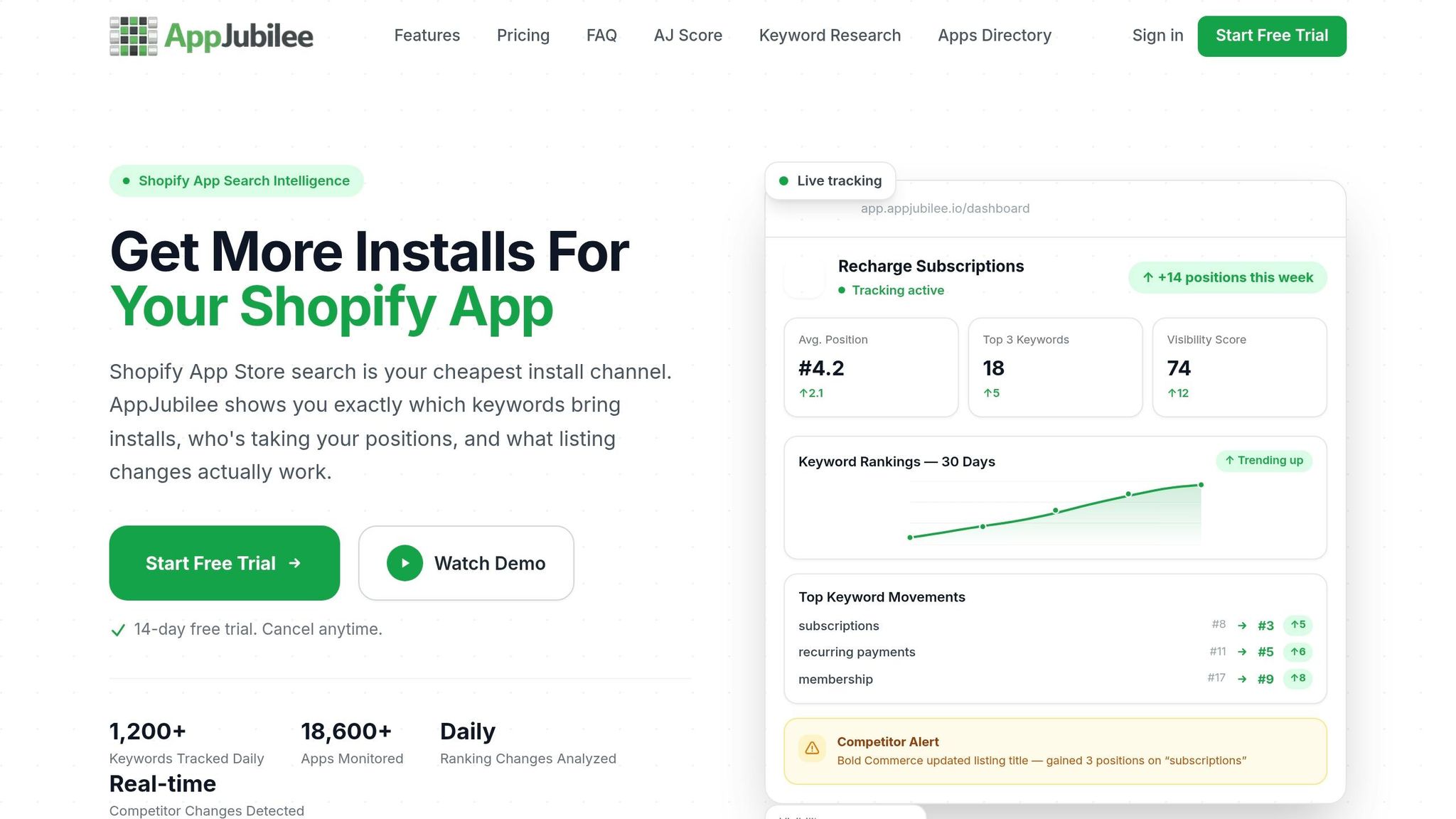
Once review inputs improve, check whether those shifts are changing rankings.
Use AppJubilee's Review Intelligence, Ranking Snapshots, and Shopify app keyword research and daily tracking to connect review changes with ranking movement and separate review impact from listing edits.
The table below shows common review problems and the usual recovery path.
| Review Problem | Main Solution | Likely Ranking Outcome |
|---|---|---|
| Low Review Volume | Implement measurable result triggers via the App Bridge Reviews API | Improved visibility for long-tail keywords |
| Stale/Old Reviews | Re-engage active users with neutral prompts | Recovery of recency weight in the algorithm |
| Recent Negative Reviews | Resolve the issue publicly and ask for updated ratings after the fix | Stabilization of average rating and rank recovery |
| Suspicious Patterns | Audit review sources and report non-compliant reviews to Shopify | Protection against demotion or unpublishing |
Measure Results and Build a Review-Driven ASO Process
Once you've cleaned up review health, the next step is simple: see if those fixes are moving rankings.
Start With the Metrics That Matter
Focus on the numbers that shape rankings. More specifically, track the ones that connect review activity to ranking shifts and install results.
| Metric | Check Frequency | Target Benchmark |
|---|---|---|
| Review Velocity | Weekly | Steady monthly review growth |
| Average Rating | Weekly | Above the store average of 4.70 stars |
| Response Time | Daily/Weekly | Track average reply time |
| Recency Mix | Monthly | Steady reviews from the last 90 days |
| Keyword Rank Movement | Monthly | Consistent improvement tied to review activity |
Review velocity matters more than static review volume.
A large pile of old reviews can look good at first glance. But app stores tend to care more about recent activity. If new reviews keep coming in month after month, that's a stronger signal than a high total count sitting still.
After you have these core metrics in place, line them up against ranking and install movement.
Analyze Review, Ranking, and Install Trends Together
Don't look at reviews in isolation. Put review spikes next to keyword movement and installs so you can spot what changed and why.
For example, check keyword position movement in the week after a review spike to see which search terms react most to recent feedback. That kind of side-by-side view helps you separate correlation from noise.
If rankings climb after a velocity increase but installs don't move, the issue may be your listing conversion rate, not your review profile. Put bluntly: better rankings don't help much if people aren't converting once they land on the page.
AppJubilee's GA4 and Shopify Partner integrations help connect review changes to keyword ranking movement and install outcomes, so you can attribute ranking gains to installs and revenue.
If rankings improve but installs do not, the issue is conversion, not review volume.
Conclusion: Reviews Are a Core Ranking Factor, Not Just a Trust Signal
Review work isn't a one-time launch task. It's a repeatable part of app growth.
The apps that keep ranking well usually treat review acquisition, response workflows, and measurement like a system they run every week, not something they revisit only when ratings slip. That's the shift that matters: stop treating reviews as passive social proof and start treating them as an input that can shape discoverability.
FAQs
How many reviews does a new Shopify app need?
A new app needs at least 10 reviews in its first 30 days to get some early traction and avoid being ignored on the Shopify App Store.
The total number of reviews still matters. But Shopify tends to care more about review velocity - how fast new reviews come in - than about lifetime review count alone.
That means steady, high-quality reviews do two jobs at once: they build social proof and help support organic growth.
Can archived reviews hurt my app ranking?
No. Archived reviews do not hurt your app ranking because Shopify removes them from your overall rating and total review count.
Once a review is archived, it no longer affects store placement. Shopify usually archives reviews that are outdated, unhelpful, or untrusted, so your best move is to keep earning new, high-quality reviews on a steady basis.
Why did my rankings drop after a few bad reviews?
Shopify’s algorithm puts a lot of weight on how recent your reviews are and how good they are. That means a few bad reviews can do more damage than many merchants expect.
If those reviews are recent, the impact can be even stronger. They can drag down your overall rating and hint at possible problems, which may hurt your search visibility.
This gets worse when negative reviews show up in a cluster. Even if your past track record was solid, a short run of bad feedback can outweigh it - especially when the reviews are detailed and come from established merchants.