
How Negative Reviews Hurt App Rankings
Recent 1–2 star reviews can cut Shopify app visibility and installs; monitor 30/90-day ratings, fix root causes, and reply quickly.
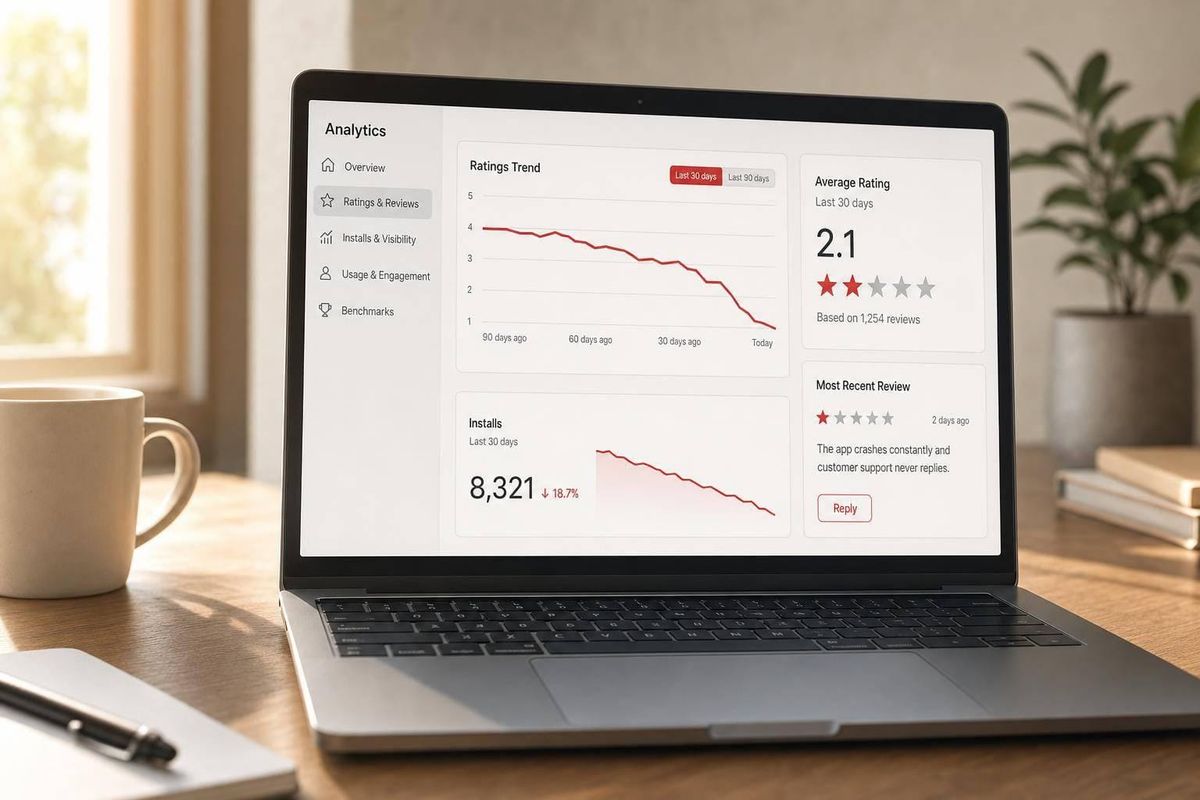
A short run of bad reviews can pull down your Shopify App Store rankings, cut installs, and make recovery harder. If your rating slips below 4.0 stars, keyword reach and install conversion often drop fast. And because Shopify gives extra weight to the last 90 days of reviews, recent problems can do more damage than older praise.
Here’s the core idea in plain English: if you get more 1-star and 2-star reviews, fewer merchants trust your app, fewer install it, and your rankings can fall. That slide can get worse when your review count is small, your low-star reviews mention the same problem, or you leave complaints unanswered.
What I’d focus on first:
- Watch recent reviews, not just lifetime rating
- Track 30-day and 90-day rating trends
- Compare review spikes with keyword and install drops
- Fix the product issue behind the complaint
- Reply to new low-star reviews within 24 hours
- Ask for reviews only after users get value
- Avoid review gating or incentives
A few numbers stand out:
- Apps below 3.5 stars lose top-10 visibility on 3x more keywords
- 79% of merchants check ratings and reviews before installing
- One 1-star review can take about 7 five-star reviews to offset
- Users update reviews after a developer reply about 38% of the time in one cited data point
- Another cited figure says 12% of users update their rating, with a median lift of +1.7 stars
In simple terms, negative reviews hurt rankings in three ways:
- They weaken your app’s quality signals
- They lower click and install conversion
- They hit harder when the reviews are recent
So if I were trying to protect rankings, I’d treat review health like a live store signal, not a cleanup task. The main job is simple: spot the damage early, fix the root cause, respond in public, and track whether rankings recover.
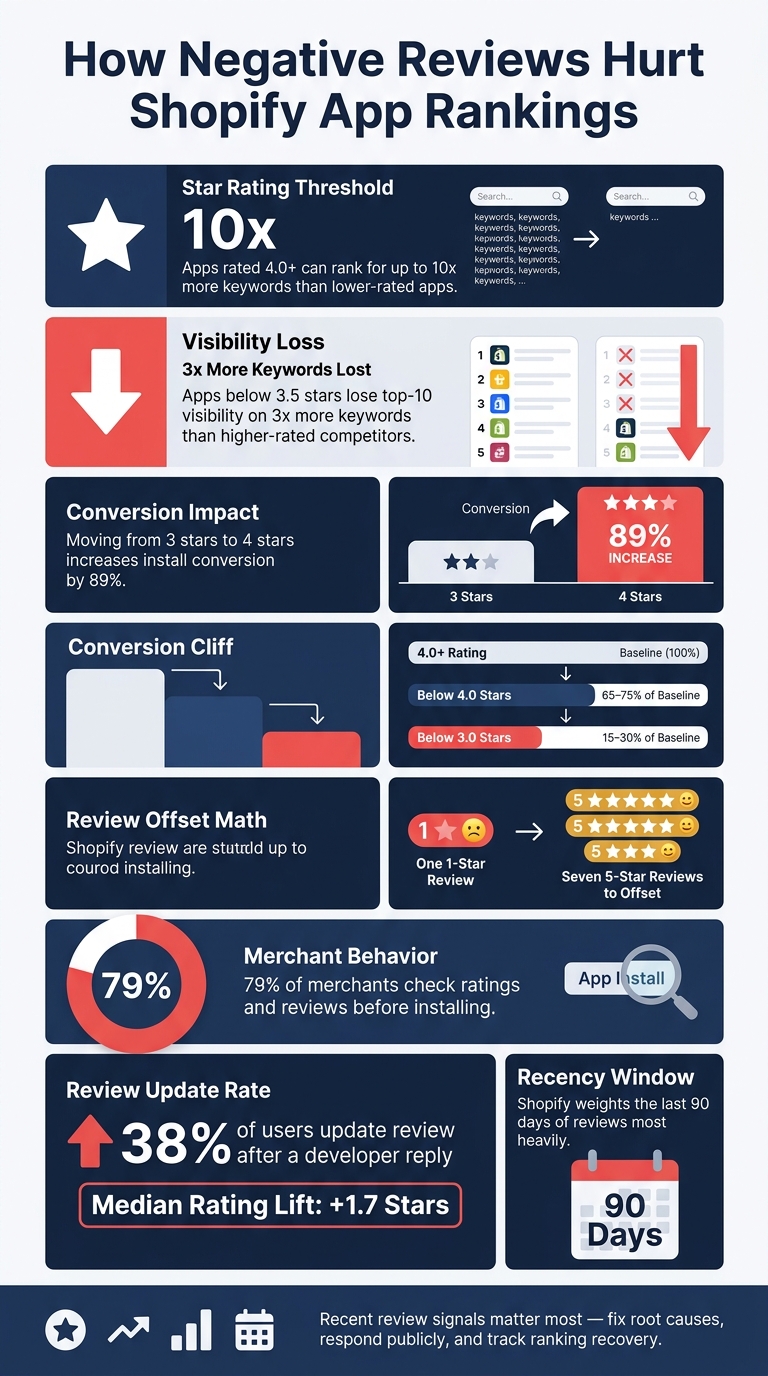
How Negative Reviews Hurt Shopify App Rankings: Key Stats
Why a 4-Star Rating Is Actually a Problem for Your App
sbb-itb-ce93587
Why Negative Reviews Matter for App Rankings
Negative reviews can drag down app rankings in three clear ways: they weaken quality signals, lower conversion, and hit harder when they're recent. Shopify ranks apps based on signals that suggest an app will satisfy the next merchant who installs it, so review quality and recency are among its strongest indicators of merchant satisfaction. The damage isn't limited to a lower star score. It can also shrink keyword reach and cut installs.
Ratings Act as a Quality Signal
Ratings send a strong signal about app quality. Apps rated 4.0 or higher can rank for up to 10 times more keywords than lower-rated apps. That gap is hard to ignore.
Falling below 4.0 is a big risk. About 92% of apps featured in the Shopify App Store hold at least a 4.0-star rating. If an app also loses Built for Shopify eligibility, it can lose visibility and the trust badge that may lift installs. In many cases, the first place this drop shows up is keyword coverage.
Poor Reviews Lower Install Conversion
Bad reviews don't just look bad on the page. They can cut installs. Moving a rating from 3 stars to 4 stars can increase install conversion by 89%. That's a huge swing from a one-star change.
A drop in activation rate can also push rankings down directly. And when 1-star reviews sit there unanswered, they can signal weak support and reduce ranking confidence. If fewer visitors install the app, ranking momentum often slips right after.
Small Review Counts Amplify Damage
Small review counts make every bad review hit harder. It takes about seven 5-star reviews to offset a single 1-star review in average rating impact. So if an app only has a small pool of feedback, one rough review can outweigh several good ones.
Shopify's 90-day recency window adds even more pressure, since recent feedback matters most. That makes it easier to spot the pattern when you track rating trends, review velocity, and ranking changes side by side with AppJubilee and other tools.
How Negative Reviews Hurt Shopify App Store Performance
Here’s how those review signals show up in search and merchant behavior.
Lower Ratings Weaken Keyword Performance and Visibility
Lower ratings shrink keyword reach and reduce search visibility. Over time, that means less long-term exposure. And the problem can snowball as ranking signals get weaker.
Negative Review Text Hurts Trust and Clicks
Negative review text can hurt both current clicks and future installs. If merchants keep seeing complaints about product review issues like crashes, billing problems, or slow responses, they start to hesitate, even if the app still shows up in search. That hesitation leads to fewer clicks and fewer installs.
Unanswered 1-star reviews also send a bad signal. They suggest weak support, which chips away at trust. From there, a loop starts to form: poor reviews reduce installs, lower installs weaken ranking signals, and weaker rankings mean fewer new merchants find the app.
Once you can spot these patterns, the next step is measuring whether they line up with ranking drops.
Healthy vs. Damaging Review Signals
Not every negative review is a crisis. One 1-star review out of 200 ratings looks very different from three 1-star reviews out of 15. The table below gives you a quick way to separate normal criticism from review profiles that need attention.
| Profile Factor | Low-Risk | High-Risk |
|---|---|---|
| Average rating | 4.0 or above | Below 4.0, trending down |
| Recent review velocity | Steady stream of recent reviews | Stagnant or declining |
| Complaint patterns | Isolated, varied issues | Repeated themes such as crashes, billing problems, or slow responses |
| Developer responses | Consistent and timely | Missing or delayed |
A small amount of criticism is normal. What hurts rankings is the same unresolved complaint showing up again and again.
Use these signals to tell whether review changes are likely to affect rankings, or whether you’re just looking at normal noise.
How to Measure Review Damage
To measure review impact, track recent rating trends, review volume, and keyword movement. Start with the signals that changed. Then see whether those changes lined up with ranking shifts.
Track Average Rating, Review Velocity, and Low-Star Share
Don't lean on lifetime rating alone. It can hide recent damage.
Instead, track your 30-day and 90-day rolling averages along with weekly review volume. Watch weekly review volume closely because sudden drops often show up before ranking loss.
It also helps to track the share of recent 1-star and 2-star reviews. When that number jumps, it's often the first clear warning sign. Round-number thresholds matter too. A drop from 4.0 to 3.9 usually hurts conversion more than a drop from 4.5 to 4.4. And apps rated below 3.5 stars lose visibility on 3x more top-10 keywords than higher-rated competitors.
Compare Review Events with Keyword and Install Changes
After you have the review data, line it up against keyword rankings and install trends. If a cluster of 1-star reviews shows up around a certain date, check whether keyword positions or install volume changed in the 48 to 72 hours that followed. In many cases, install volume drops before rankings do.
That side-by-side view helps you tell whether reviews were the trigger or just background noise.
Separate Review Causes from Listing Changes
Before you pin a ranking drop on reviews, rule out other causes. If the timing doesn't match the review pattern, look at pricing, listing, or product changes instead. Check whether you changed pricing, edited metadata, or shipped a new release around the same time.
| Cause | Key Signal | Merchant Complaints |
|---|---|---|
| Review-driven | Spike in 1–2 star ratings | "Worst update", "Hate the new UI." |
| Performance-driven | Crash logs or freeze reports | "Freezes", "Won't open", "Crashes." |
| Listing/pricing-driven | Conversion drop, no bug complaints | "Too expensive", "Used to be free." |
Also check whether the drop is limited to one region. If it is, that usually points to a local issue instead of a broad ranking change. And if competing apps in your category are dropping at the same time, the cause is more likely a seasonal shift or an algorithm update than your review profile on its own.
When you know the cause, you can fix the right problem instead of chasing every bad review.
A Step-by-Step Process to Reduce Damage from Negative Reviews
Start with the reviews most likely to hurt rankings now: new 1-star and 2-star reviews, especially ones tied to bugs, crashes, or onboarding friction. That gives you a simple triage system and helps you decide which complaints can still affect keyword visibility and installs.
Sort Reviews by Severity, Recency, and Ranking Risk
Begin with 1-star and 2-star reviews from the last 30 to 90 days. In that set, put bug reports and UX confusion ahead of personal preference complaints. Why? Those users are more likely to change their rating after a developer response.
Put reviews that mention crashes or performance issues at the top of the pile. If crash rates go above 1.09% or ANR rates go above 0.47%, rankings can drop automatically. So in many cases, those reviews are a warning sign that something technical needs attention fast.
If negative reviews spike right after a release, check for patterns by app version, OS, or device model.
Fix Root Causes and Respond Publicly with Clear Next Steps
Group the flagged reviews into a few buckets: bug, onboarding, performance, billing, and feature request. Then reply to every 1-star and 2-star review within 24 hours. Keep the response direct. Name the fix, and tell the user what happens next.
When a fix is live, say which version includes it. For example: "Fixed in version 2.5.8." That kind of reply shows anyone reading the review that the problem didn’t get ignored.
This matters more than many teams think. Users who get a developer response update their review 38% of the time. And one 1-star review takes about 7 five-star reviews to cancel out.
Map Each Review Problem to an Action Plan
Once each issue is grouped, assign one owner, one fix, and one recovery metric. That keeps the work clear and avoids the usual mess where everyone sees the problem and no one owns it.
| Review Problem Type | Recommended Action | Expected Timeline | Metrics to Watch |
|---|---|---|---|
| Critical Bug/Crash | Ship hotfix; reply to all affected users | 24–72 hours | Crash rate; review update rate |
| UX/Onboarding Friction | Analyze session replays; simplify steps | 1–2 weeks | Conversion rate |
| Performance (Lag/Battery) | Optimize background processes; provide workarounds in reply | 1–2 weeks | Average star rating |
| Billing/Subscription Friction | Direct to private support channel; clarify value prop in description | Immediate | Support ticket volume; churn rate |
| Feature Request | Add to roadmap; reply that it's logged for review | Monthly/Quarterly | Feature sentiment; retention |
Use this table to connect review fixes with rating recovery, then watch whether rankings start to recover too. The aim is simple: fix the review issues most likely to move rankings back up.
How to Rebuild Rating Health Without Shortcuts
Once you've fixed the root causes, the next job is to rebuild rating health without gaming the system. That means asking for reviews at the right time, smoothing out friction early, and staying inside Shopify's review rules. If the big problems are already handled, these moves help keep your rating from sliding again.
Ask for Reviews at the Right Moment
Timing matters a lot.
Don't ask for a review during onboarding or right after first launch. Instead, ask after a clear win, like a completed task, a milestone, or a support issue that got resolved.
A good rule of thumb: ask merchants only after they've already seen value. In practice, that usually means merchants who have:
- been active for 7+ days
- completed multiple successful sessions
- had a crash-free recent experience
If you ask too early, you're asking people to judge potential. If you ask after a good outcome, you're asking them to rate an experience they've already had.
Cut Friction in Onboarding and Support
Small frustrations often turn into public reviews when users feel stuck and ignored.
Use in-app feedback to catch that friction before it spills onto your listing. Route unhappy users to private support, while still keeping public reviews open. That setup stays in line with Shopify's policies and gives you a shot to solve the problem one-on-one.
Speed matters here too. Fast, personal replies within 24 hours can lead to rating updates. 12% of users update their rating, with a median lift of +1.7 stars. That's a big swing from simply replying like a person and fixing the issue.
Quick support can stop a minor complaint from turning into long-term review damage.
Avoid Manipulative Review Tactics
Shopify draws a hard line on review manipulation. Incentivized reviews, positive-only asks, and gating prompts that screen out unhappy merchants are all prohibited.
And this isn't just about playing nice. There is a compliance risk. These tactics can put your Built for Shopify badge at risk, and that badge requires a minimum recent rating threshold, at least 5 reviews, and 50+ net installs from paid plans.
The plain approach is still the best one: fix what's broken, reply to negative reviews with specific and useful help, and ask for feedback when merchants are honestly happy. Every reply and every product fix sends a signal to the next merchant who lands on your listing.
Using Review Intelligence to Track Impact and Prevent Future Drops
Once you fix the problem, don't just move on. Keep a close eye on review and ranking signals so the drop doesn't creep back.
Connect Review Changes to Ranking Movements
Put review spikes and keyword rankings on the same timeline. That side-by-side view makes it much easier to spot what's actually driving the drop.
Focus most on the last 90 days, because recent reviews carry the most weight. Also, track branded and non-branded keywords separately. They often move for different reasons, and mixing them can muddy the picture.
Filter reviews by app version too. That's one of the easiest ways to isolate issues tied to a specific release instead of lumping everything together.
With that timeline in place, you can separate review-led drops from changes caused by listing edits or product releases.
Use AppJubilee to Monitor Review Impact Over Time
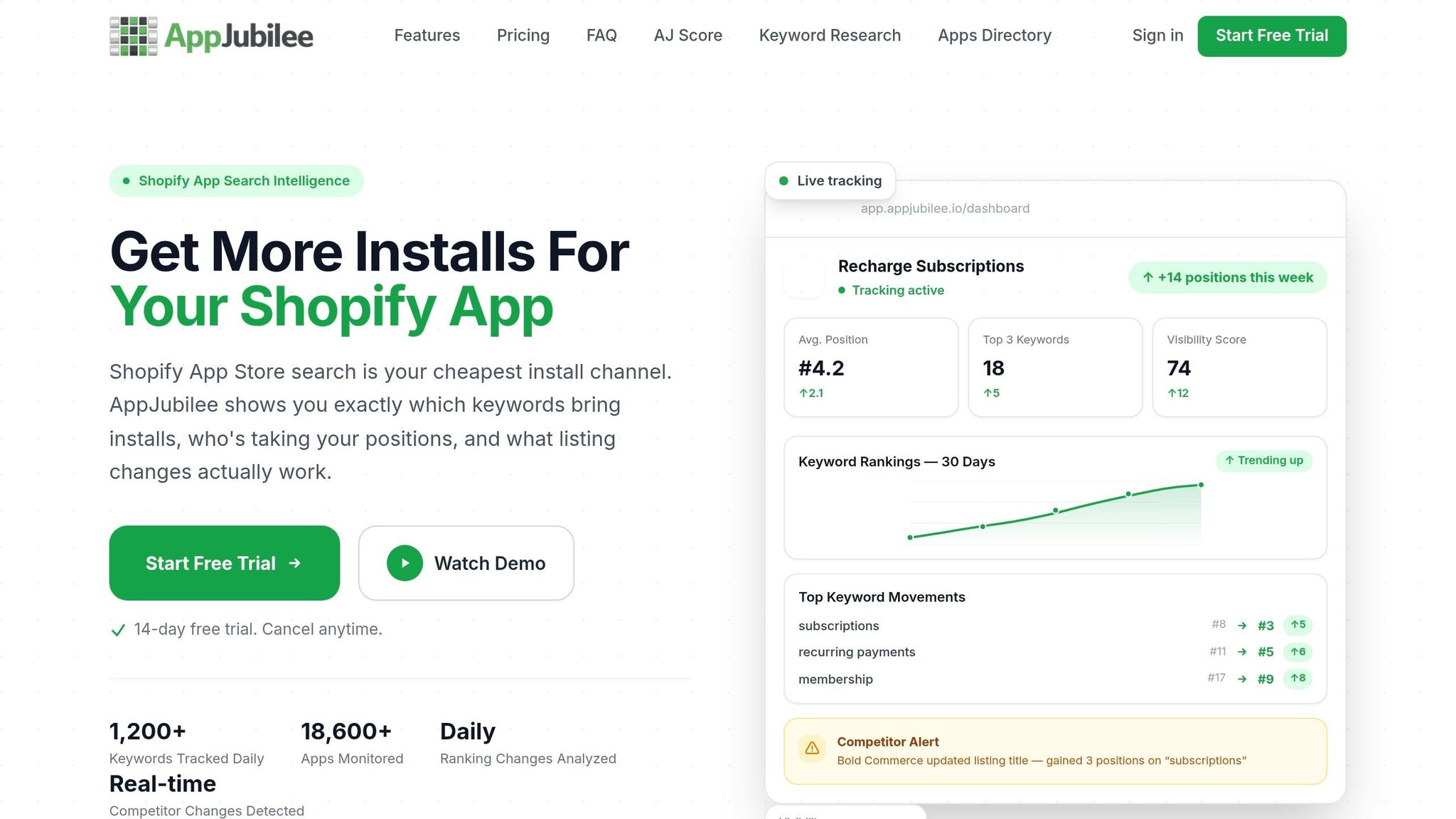
AppJubilee's listing change impact tracking tags updates to your title, description, pricing, and creative assets, so you can compare those changes against review spikes and ranking shifts.
Its review intelligence also highlights repeat complaint themes and rating patterns over time. That helps you see whether a dip is tied to one bug, one release, or a pattern that's been building for weeks.
Then bring in GA4 and Shopify Partners data. That gives you a clearer read on whether weaker reviews are cutting installs and hurting conversion after visitors land on the listing.
Set Alert Thresholds and Assign Ownership for Fast Response
Alerts help you catch trouble before it spreads to installs. Use clear thresholds, and make sure each signal has an owner.
| Signal | Alert Threshold | Response Window | Owner |
|---|---|---|---|
| Average rating drop | >0.2 points in 7 days | <24 hours | Product Manager |
| 1-star review spike | 3+ reviews mentioning "crash" or "bug" | <12 hours | Customer Support |
| Core keyword decline | Drop of 3+ positions for top-5 terms | <48 hours | Marketing / ASO Lead |
| Unanswered negative reviews | Any 1–2 star review older than 24 hours | <24 hours | Customer Support |
| Review velocity slowdown | >30% drop vs. 4-week average | Immediate | Product Manager |
A fast public response tells merchants the app is being maintained and that negative feedback isn't being ignored.
Conclusion
The data is clear: review drops hurt both rankings and conversions. Negative reviews lower visibility, weaken trust, and reduce installs. If a rating falls below 4.0 stars, conversion can drop to 65%–75% of baseline. If it slips below 3.0 stars, conversion can fall to just 15%–30%. That means fewer installs and less ranking momentum.
The good news is that this damage can be reversed. Recent signals matter most, so strong positive momentum over the last 90 days can outweigh older negative signals faster than many developers expect. The path is pretty simple: find the reviews doing the most harm, fix the root causes, respond in public, and watch for recovery in rankings.
Key Takeaway for Shopify App Developers

Review recovery works best when product, support, and ASO move together. In practice, that comes down to three actions:
- Fix product issues
- Respond publicly
- Track ranking impact
Treat review health as a live ranking signal, not a one-time cleanup.
FAQs
How fast can bad reviews hurt rankings?
Bad reviews can hurt app rankings fast. App store algorithms look at recent feedback and live user behavior, so a spike in negative reviews can drag down your visible score and weaken conversion rates and install velocity in 24 to 72 hours.
AppJubilee helps developers track review trends and listing changes, so they can spot problems early and fix them before the damage spreads.
What rating drop should I worry about first?
Put your attention on any dip that pushes your rating below 4.0 stars. For a lot of users, that’s the line between “I’ll try it” and “I’ll pass.” If your app falls under that mark, installs can drop, and it may hint at a ranking hit too.
You should also keep a close eye on the 3.5-star threshold. Once you slip below it, your app can lose visibility for more top-10 keywords than apps with stronger ratings.
Can replying to negative reviews help recovery?
Yes. Replying to negative reviews is a smart recovery move.
It shows people that your team is paying attention and willing to help. That kind of active support can soften a bad first impression, improve your average rating over time, and even help your app show up better in store search.
There’s also a clear upside in the numbers. Responding to a negative review can raise that specific rating by 0.7 stars, and users are six times more likely to update their rating after a response.
If you want to keep tabs on all of this without getting buried in manual work, AppJubilee can help track these interactions and review sentiment.