
Why Shopify App Teams Miss Market Gaps
Weekly system to track keywords, reviews, competitor moves, score gaps, and assign owners for Shopify apps.
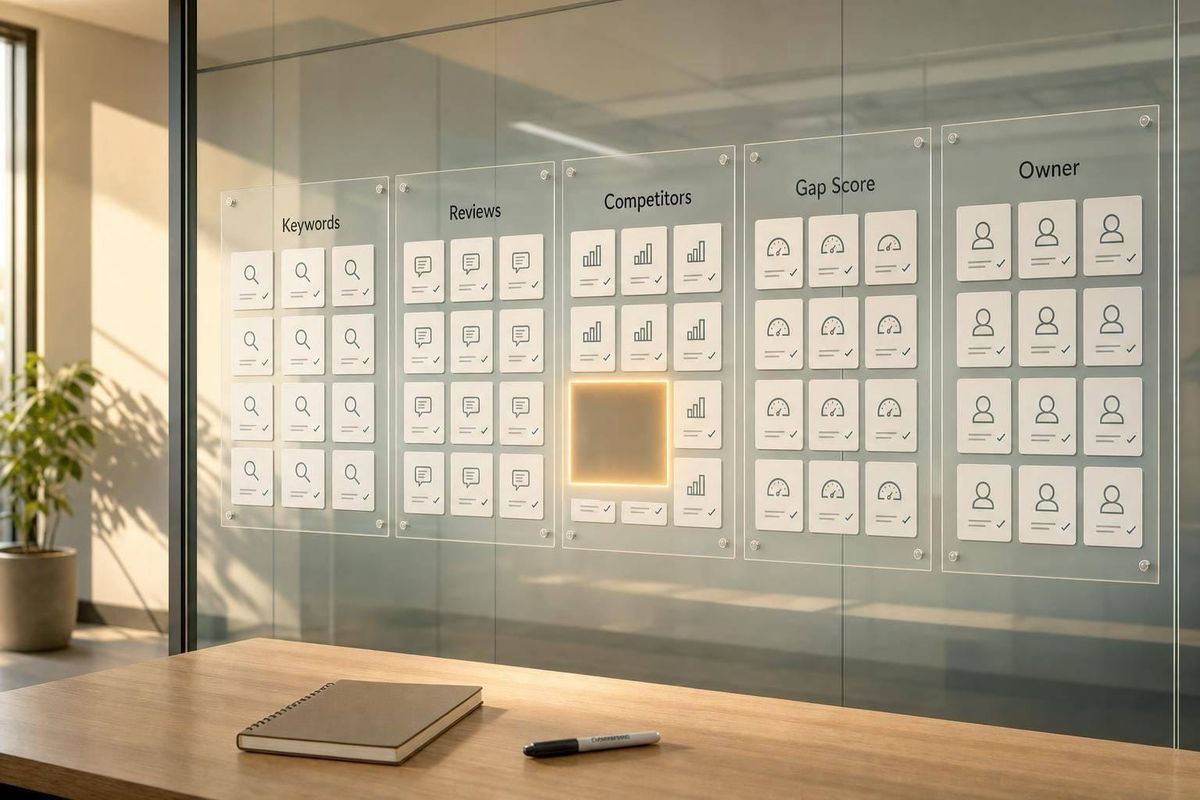
Most Shopify app teams don’t miss gaps because the data is hidden. They miss them because their process is loose. In a store with 17,891 active apps and 7,003 new apps launched in the last 12 months, I’d say the teams that win usually do four things well: they track signals often, keep data in one place, score ideas the same way, and assign the next step right away.
If I had to sum up the article in plain English, it’s this:
- Weak tracking means keyword shifts, review themes, and competitor moves get missed
- Scattered data keeps search, feedback, and analytics data split across tools
- No scoring system turns every request into a top priority
- Slow follow-up leaves strong ideas sitting in Slack, docs, or notes
A market gap is just a mismatch between what merchants want and what apps offer. In this piece, that shows up in four main forms:
- Keyword gaps: merchants search for something, but current apps don’t meet the need
- Feature gaps: the same missing feature keeps showing up in reviews
- Category gaps: one merchant group is served well while another is left with weak choices
- Pricing gaps: features exist, but only in plans many merchants can’t afford, such as $19 to $49/month
Here’s the short version of the fix: I’d use a weekly workflow to log signals, score them, and assign action items. That means daily rank checks, product review theme tracking, competitor watchlists, and one shared template with an owner and due date for each gap.
| Problem | What goes wrong | What to do instead |
|---|---|---|
| Weak tracking | Teams check too late and miss rank or review shifts | Track keywords, reviews, and competitor edits on a set schedule |
| Scattered data | Patterns stay split across spreadsheets, inboxes, and dashboards | Put each signal into one shared record |
| No scoring | The loudest request wins | Score by demand, merchant pain, effort, and revenue upside |
| Slow follow-up | Good ideas sit with no owner | Assign one next step, one owner, and one due date |
The core point is simple: gap analysis works when it becomes a weekly system, not a once-in-a-while exercise.
From there, the article explains how to turn raw signals into a repeatable workflow and how AppJubilee supports the tracking, scoring, and follow-up side of that process.
Four Reasons Teams Miss Market Gaps
Most teams don't miss market gaps because the signals aren't there. They miss them because their day-to-day habits make those signals hard to spot, hard to connect, or easy to ignore.
Weak tracking hides early keyword, review, and competitor signals
The most common problem is simple: teams track too loosely.
They check a small set of target keywords once a month. They look at reviews only after support flags a problem. They scan competitor listings right before a launch. That kind of routine misses early movement.
Search rankings can shift from week to week. A competitor can quietly change a title and start taking a keyword cluster you've been chasing for months. Review patterns also build over time. It might start with three mentions of missing multi-location support, then seven, then fifteen. If no one is reading reviews on a steady schedule, that pattern slips by.
New reviews can move keyword rankings within 7 days. Most teams miss that window because they aren't watching closely enough.
Use:
- Daily alerts for ranking changes, rating drops, and competitor updates
- Weekly and monthly reviews to spot patterns before they turn into bigger problems
Scattered data hides patterns
Even when teams collect signals, the data usually sits in different places.
Keyword rankings live in a spreadsheet. Review themes get marked in a support inbox. Feature requests land in a project tool. Install and revenue data sit in the Shopify Partners dashboard or a GA4 report. No one has tied them together.
That creates a familiar mess. One team sees search demand. Another sees support pain. Product sees merchant requests. On their own, each signal looks small. Put them side by side, and they can point to an unmet need.
But that only happens if someone can see all of it at once. When data is scattered, teams don't read the evidence. They argue from opinion.
Without scoring, every idea looks urgent
When there's no shared way to rank opportunities, the loudest person usually wins.
A keyword gap, a repeat review complaint, a competitor's new feature, and a request from one big merchant all get pushed into the backlog with the same weight. Nothing gets ranked, so everything feels urgent. Decisions end up driven by recency or internal pressure instead of likely upside.
A simple RICE or ICE-style score can help. For Shopify apps, a practical scoring model should look at signal volume, merchant value, strategic fit, competitive differentiation, and implementation effort.
Slow follow-up leaves good signals stuck in notes
This one happens all the time.
A signal gets spotted. Someone drops it in Slack. People agree it's worth looking at. Then it sits there for three weeks because no one owns it and no deadline was set.
That's how good opportunities vanish.
When ownership is fuzzy, due dates are missing, and handoffs between marketing, product, and support are loose, even strong signals rarely move from insight to action fast enough. Here's what that looks like next to a more structured setup:
| Unstructured follow-up | Template-driven follow-up | |
|---|---|---|
| Time-to-action | Signals linger in Slack threads or notes for weeks | Each gap gets paired with next actions and target dates immediately |
| Accountability | Ownership is implied; work gets dropped | Named owner, status, and due date visible to the whole team |
| Result | High-value gaps are acted on too late or not at all | High-scoring gaps move from insight to experiments within days |
Templates fix the handoff issue because they make the next move plain. Instead of letting a signal die in a note or chat thread, a workflow template pushes it into one shared process.
sbb-itb-ce93587
How Workflow Templates Fix the Gap Analysis Process
A single workflow template can fix weak tracking, scattered data, weak scoring, and slow follow-up at the same time. Instead of dealing with loose notes and half-finished ideas, the team gets one place to log what matters and compare signals side by side using specialized tools.
A standard template creates one shared record
Most teams keep gap-related information all over the place: docs, tickets, spreadsheets, and inboxes. A workflow template pulls that into one shared record.
Each record should include signal type, source keyword or competitor, review theme, current state, desired state, evidence, owner, and due date. When all of that lives in one place, the team can filter by keyword, competitor, owner, or timeline instead of digging through scattered notes.
Scoring models turn raw signals into ranked opportunities
Once gaps are logged the same way every time, the next step is deciding what to act on first. A scoring model cuts out guesswork and helps teams avoid roadmap calls based on hunches.
Score each gap on demand, merchant pain, competitor weakness, effort, and revenue potential, then rank opportunities by total score. That gives the team a clearer view of what deserves attention first. Even then, ranked gaps still need a named owner to move.
Assigned actions make gap analysis work in practice
A scored gap with no owner and no deadline is just a well-organized note. The template should require a clear next step before the record is complete.
Assign one next step, such as a listing update, keyword test, or merchant interview. Each action needs a named owner and a target date - no exceptions. That setup fixes the slow handoff problem by making the next move obvious the moment a gap is logged, turning insight into action. With that in place, teams can run the same review every week.
Building a Repeatable Gap Analysis Workflow for Shopify App Teams
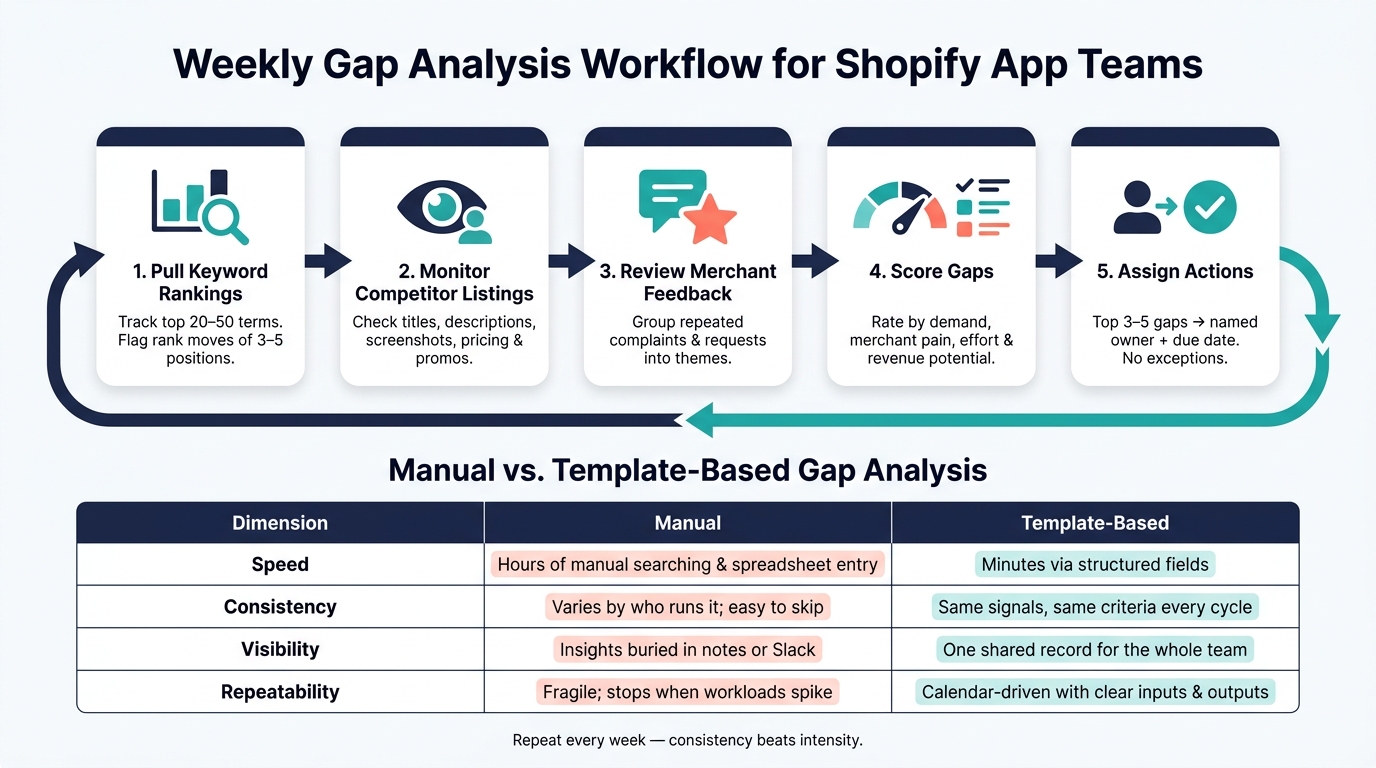
Weekly Gap Analysis Workflow for Shopify App Teams
Once the template is set up, the weekly loop turns missed signals into ranked actions. Without a fixed schedule, gap analysis usually slips into a one-time project.
Weekly workflow: collect signals, score gaps, assign actions
The weekly loop deals with the four common failure points - weak tracking, scattered data, no scoring, and slow follow-up - by running the same sequence every single week. That's what turns raw signals into ranked opportunities.
Start by pulling keyword ranking changes for your top 20–50 terms. Watch for rank moves of 3–5 positions, because those shifts often matter more than absolute rank. Then check competitor listings for updates to titles, descriptions, screenshots, pricing, or promos. Review recent merchant feedback and group repeated complaints or requests into themes. After that, update gap scores in the template using your scoring model. Finally, turn the top 3–5 opportunities into tasks with named owners and due dates.
That setup makes the process faster, steadier, easier to see, and easier to repeat:
| Dimension | Manual | Template-Based |
|---|---|---|
| Speed | Hours of manual searching and spreadsheet entry | Minutes via structured fields and consistent inputs |
| Consistency | Varies by who runs the review; easy to skip | Same signals, same scoring criteria every cycle |
| Visibility | Insights buried in notes or Slack threads | One shared record accessible to the whole team |
| Repeatability | Fragile; often stops when workloads spike | Calendar-driven routine with clear inputs and outputs |
What to track every cycle to avoid blind spots
Track every core signal. Skip one, and you create a blind spot.
At a minimum, track keyword rankings with daily snapshots and a weekly review. Track category visibility and competitor messaging, including title, description, screenshots, and key benefit statements. Add review sentiment grouped by theme and tagged as positive, neutral, or negative. That helps you spot friction that ranking data alone won't show.
Teams also tend to miss pricing and plan changes, along with the impact of listing updates. Track those listing changes and measure what happens next in rankings, clicks, and installs. Pull install, click-through, and retention data from Shopify Partners or GA4 so you can connect ASO changes to outcomes.
This closes the loop from signal to outcome.
Using AppJubilee to Support Gap Analysis and Close the Loop
A weekly workflow only works if your signals stay current, live in one place, and are easy to act on. That’s where AppJubilee helps. It keeps the loop moving instead of letting ideas, rank shifts, and follow-up get scattered across tools.
How AppJubilee supports tracking, scoring, and follow-up
AppJubilee is built for Shopify app teams, and it lines up with the same three workflow steps.
For tracking, it monitors 1,200 keywords daily. That matters because rank changes can slip by for days or even weeks when no one is watching closely. AppJubilee also sends competitor alerts when a rival changes its title, description, screenshots, or pricing. Those alerts come with severity levels, so your team can focus on the moves that need attention first instead of treating every change the same. The goal is simple: feed each input into the same template, score, and action queue.
For scoring, AppJubilee helps you connect listing edits to ranking movement. Its listing change impact tracking shows before-and-after rank shifts across tracked keywords after you update a title or description to target a gap you think exists. That gives you proof, not just a hunch. You can also use review intelligence to spot repeat complaint themes and sentiment trends across both your app and competitor apps, which gives your scoring model the structured inputs it needs.
For follow-up, GA4 and Shopify Partners show whether a gap-focused change led to installs, clicks, or retention rather than just better rankings. You can use that same template to mark growing paid interest as a momentum signal too. This is especially true for high-competition advertising keywords. If paid competition starts climbing around a keyword, the gap may be heating up fast.
Conclusion: Teams that find gaps fastest use systems, not hunches
Teams tend to spot more gaps when tracking, scoring, and follow-up happen inside one repeatable system. AppJubilee keeps the data layer current and centralized, so that system doesn’t stall the moment the week gets busy.
FAQs
How often should we run gap analysis?
Run gap analysis on a regular schedule, not as a one-time task. Do a full keyword research pass and copy update every 3 to 6 months. Then check in weekly to watch rankings, competitor moves, and install momentum.
For upkeep, refresh your listing every 30 to 60 days. After any listing change, review performance at 3, 7, and 14 days so you can see what moved and what didn't.
What should a gap scoring model include?
A strong gap scoring model should rank keywords based on difficulty, reach, and business impact so teams spend time on what matters most.
It should show difficulty levels, flag core keywords where 40% or more of competitors rank, use position-weighted importance, and factor in conversion rates, install velocity, and review sentiment so the model stays tied to merchant needs.
Who should own the next step after a gap is found?
The team that can update the app listing should take the next step. In most cases, that’s the ASO or marketing owner.
They should update the listing based on the scored opportunity, with a close focus on the Core Keyword and any other high-priority gaps. After that, check performance again after 3, 7, and 14 days to confirm the impact and make changes if needed.