
Competitor Benchmarking for Keyword Strategy
Compare manual, spreadsheet, and automated methods for Shopify App Store keyword benchmarking to scale your ASO efficiently.

Want to improve your app's visibility on the Shopify App Store? Start by analyzing your competitors. Around 65% of app downloads happen after a search, making keyword strategy crucial. Instead of guessing, learn from competitors to refine your approach.
Here’s how:
- Manual Tracking: Free and simple but lacks depth. Rankings change often, and it’s hard to get accurate data or track trends over time.
- Spreadsheets: More organized than manual tracking. Lets you log data like search volume and keyword gaps, but requires constant updates and relies on external tools.
- AppJubilee: Automates the process. Tracks rankings, identifies keyword gaps, and provides historical data. Costs start at $49/month but saves time and delivers actionable insights.
Key takeaway: Manual methods work for beginners, but tools like AppJubilee are better for scaling and staying competitive. Apps using competitor keyword analysis grow 2.4x faster than those relying on brainstorming alone.
Quick Comparison:
| Feature | Manual Tracking | Spreadsheet-Based | AppJubilee |
|---|---|---|---|
| Accuracy | Low | Medium | High |
| Competitor Coverage | Limited (Top 5) | Moderate (8–12 apps) | Extensive (Category-wide) |
| Insights | Basic | Keyword gaps, trends | Automated alerts, trends |
| Historical Data | None | Limited (manual updates) | Multi-year tracking |
Choose the method that fits your app's stage and resources. For scaling, automation is the way forward.
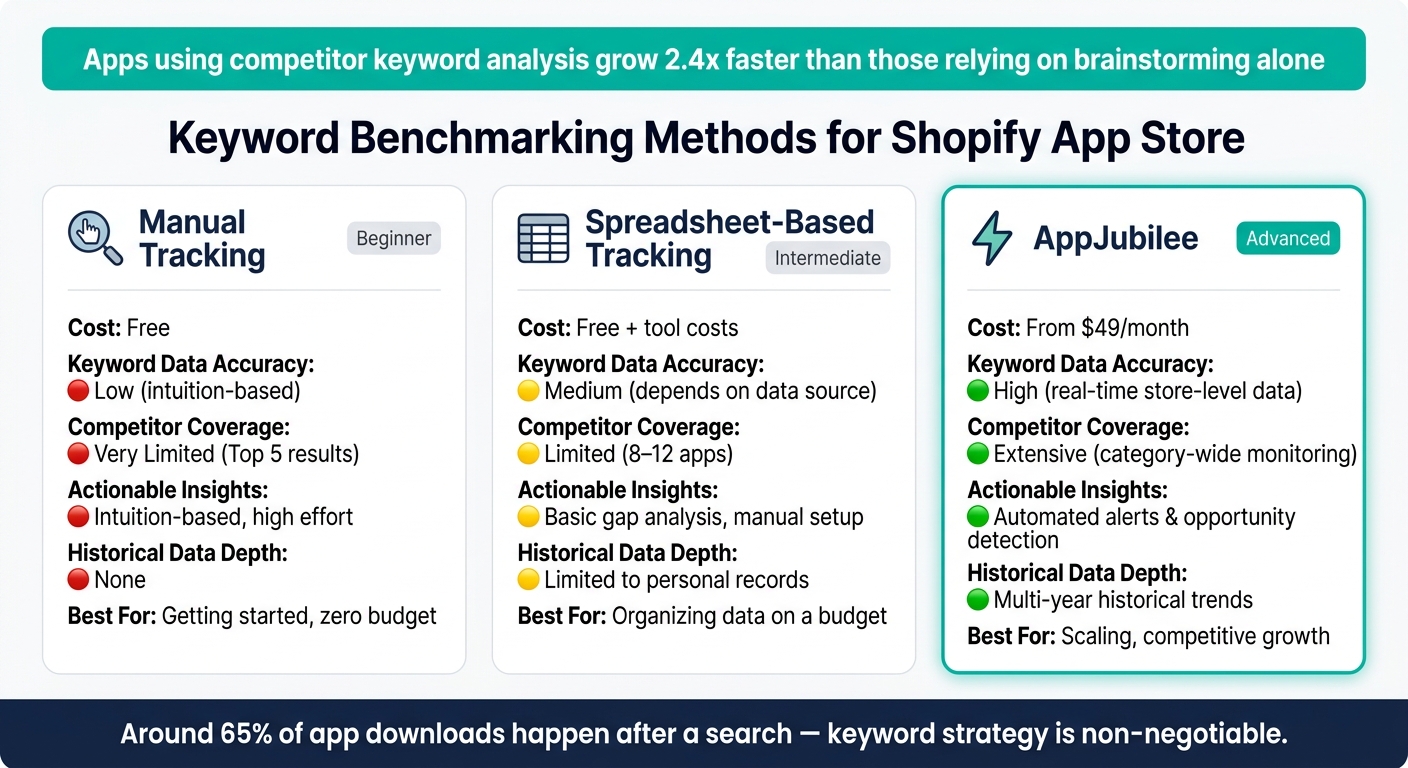
Keyword Benchmarking Methods: Manual vs Spreadsheet vs AppJubilee
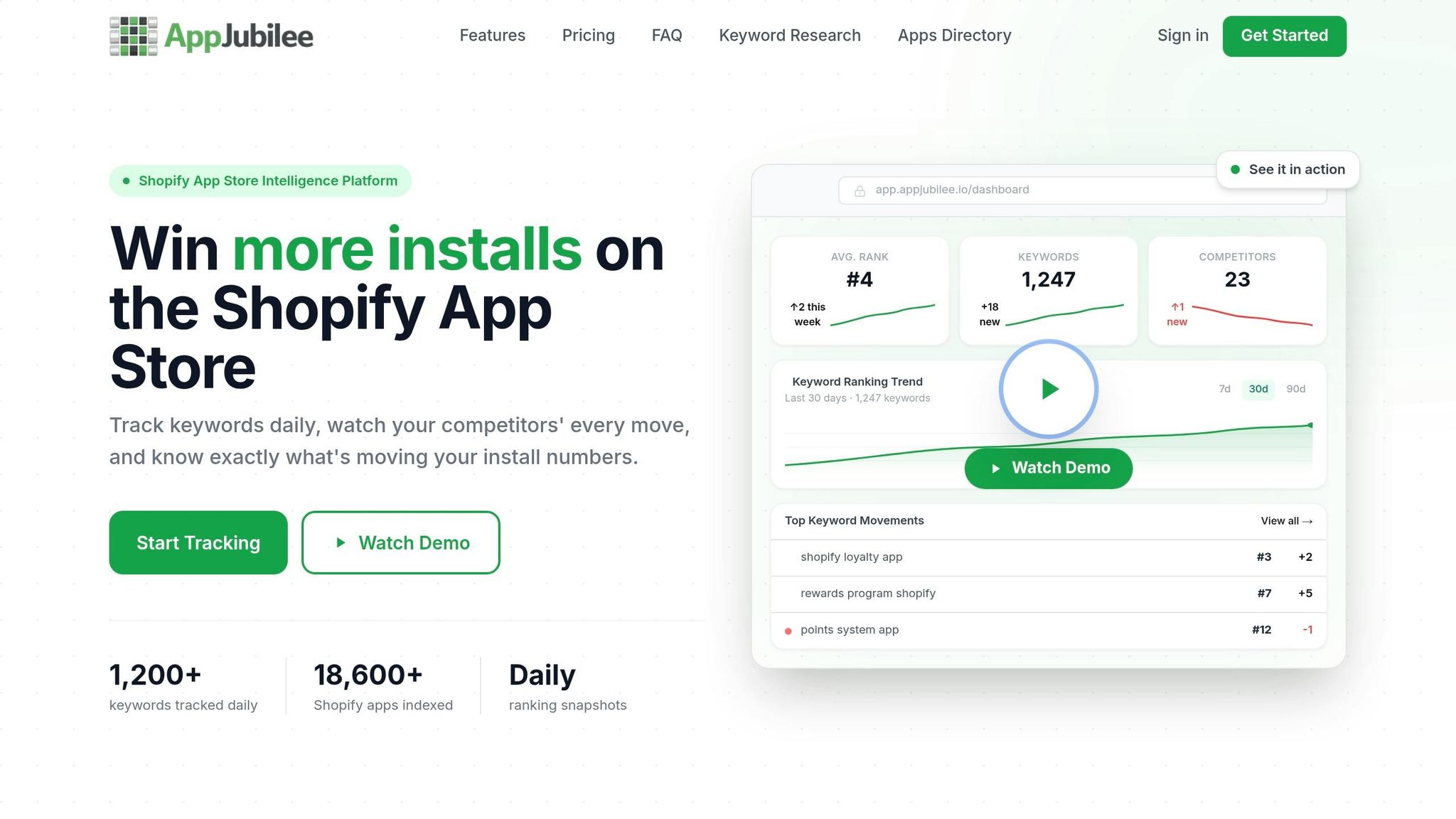
AppJubilee Keyword Intelligence for Shopify App Store - Demo
sbb-itb-ce93587
1. Manual Tracking
Manual tracking means scouring the Shopify App Store for target keywords and jotting down rankings manually. It’s free and requires no setup, making it a simple entry point. However, its limitations become apparent pretty quickly. While it’s a good way to grasp the basics, it lacks the depth and reliability needed for competitive keyword optimization.
Keyword Data Accuracy
The biggest drawback? You’re flying blind without key metrics. Critical data like search volume, ranking difficulty, and impression share are inaccessible without specialized tools. For example, tracking a high-competition term like analytics manually makes it impossible to gauge true volatility or ranking history. This leaves you with a vague idea of rankings but no way to determine if a keyword is worth pursuing. Plus, results are influenced by your device, location, and account history. What you see might not reflect what merchants across the U.S. encounter.
"Obtaining accurate, real-world keyword metrics is challenging without specialized tools." - SplitMetrics
On top of that, app store rankings can change hourly. A snapshot taken on Monday morning might already be outdated by Tuesday.
Competitor Coverage
Manual tracking often focuses on the big players - those with the highest reviews or rankings. But the real gold lies with mid-tier apps ranked between #10 and #50. These apps often use aggressive, replicable keyword strategies that can offer actionable insights. However, keeping tabs on even 8–12 competitors across categories quickly becomes overwhelming without automation.
"Tracking all the possible options one by one is almost impossible and extremely time-consuming." - MobileAction
Actionable Insights
While manual tracking can provide some qualitative insights - like changes in app descriptions, screenshots, or titles - it doesn’t explain why rankings shift. Are the changes due to metadata updates, a spike in reviews, or increased downloads? Without that context, it’s tough to refine your keyword strategy effectively.
Historical Data Depth
Manual tracking is all about the present. Without detailed logs, spotting long-term trends is nearly impossible. This makes it hard to benchmark competitors or identify patterns in keyword performance. Automated tools, on the other hand, can offer historical data spanning over a year. Manual notes, by comparison, rarely go beyond a few weeks. These gaps often push users toward more structured methods, like spreadsheet-based tracking, to fill in the blanks.
2. Spreadsheet-Based Tracking
Spreadsheets take manual tracking up a notch, offering a more organized way to manage competitor keyword data. Instead of relying on memory or scattered notes, you can structure your findings into clear columns and tabs - like search volume, keyword difficulty, and ranking position. However, keep in mind that the accuracy of your spreadsheet depends entirely on the tools providing the data, such as Google Keyword Planner, Ahrefs, or Semrush.
Keyword Data Accuracy
Even free tools like WordStream can provide search volume estimates that hold up against paid alternatives. That said, app store rankings change daily, so if your spreadsheet isn’t updated regularly, last week’s data might already be outdated.
Competitor Coverage
Spreadsheets make it simple to track multiple competitors, but there’s a catch: they often lead to an overfocus on industry leaders. While tracking big players can be tempting, their rankings often stem from brand power rather than strategic metadata. To uncover actionable strategies, focus on mid-tier competitors - apps ranked between #10 and #50. These targets require the same effort to track but often reveal insights that are more practical and achievable.
Actionable Insights
A well-organized spreadsheet can highlight real opportunities. For example, identifying "keyword gaps" - terms where competitors rank but your app doesn’t - is a practical way to refine your strategy. You can also tag keywords by search intent or align them with customer lifecycle stages (Awareness, Consideration, Decision) to keep your approach well-rounded. For larger keyword exports, tools like ChatGPT can help streamline the process:
"For larger lists of keywords, I export the lists and use ChatGPT to classify them into categories for further analysis." - Sam Ficek, Strategic SEO Consultant
This level of organization not only identifies gaps but also sets the stage for deeper historical analysis.
Historical Data Depth
Spreadsheets offer unlimited potential for storing historical data - provided you’re diligent about exporting and archiving. For instance, Google Search Console only retains data for 16 months. By manually archiving, you can build a more comprehensive record. Tools like Google Sheets’ =TREND() function can even help forecast future keyword performance based on historical trends. However, consistency is key. Without regular updates, your historical data may lack the depth needed to uncover meaningful patterns.
3. AppJubilee
AppJubilee simplifies competitor benchmarking for Shopify app developers by automating the entire process, eliminating the need for tedious manual spreadsheet updates. This approach aligns perfectly with the goal of refining your keyword strategy through competitor analysis.
Keyword Data Accuracy
Forget about manually updating spreadsheets - AppJubilee provides real-time ranking data with pinpoint accuracy. Its proprietary algorithm combines multiple signals, such as ASA popularity, keyword density, category rank, and user ratings, to generate reliable ranking estimates. With continuous updates, your keyword data remains fresh, giving you the edge in optimizing your app store performance.
Competitor Coverage
Instead of manually hunting down competitors, AppJubilee does the heavy lifting for you. It identifies your app's ranking keywords and highlights other apps that perform well for the same terms. Its Keyword Gap analysis breaks down the keyword landscape into three clear categories:
- Keywords unique to your app
- Keywords shared with competitors
- Keywords owned exclusively by competitors
This automated segmentation translates into actionable insights, helping you make smarter, more strategic decisions.
Actionable Insights
Features like Listing Changes & Impact Analysis connect metadata updates to ranking changes, while Competitor App Watch alerts notify you of significant shifts in the competitive landscape - all without requiring manual tracking.
Historical Data Depth
AppJubilee ensures you never lose track of historical trends. Unlike spreadsheets that depend on manual archiving, it continuously captures ranking data over time. This allows for year-over-year comparisons, helping you spot trends like rising, declining, or seasonal keywords. By tying ranking shifts to listing updates and market changes, AppJubilee offers a seamless way to track performance and adjust strategies accordingly.
Pros and Cons of Each Approach
Each method comes with its own set of strengths and weaknesses.
Manual tracking stands out for its zero-cost nature and ability to capture qualitative details, like how competitors frame app descriptions or choose screenshots. However, it lacks the depth needed for analyzing metrics such as search volume or keyword difficulty. This limitation makes it challenging to refine your keyword strategy on a larger scale. As Leo, an ASO & Content Strategist, puts it: "The era of guessing keywords is over. To win in 2025, you must adopt a Competitor-First Strategy."
Spreadsheet-based tracking offers a way to organize keyword data, making it useful for creating initial lists and mapping user intent. The downside? It requires constant upkeep. App Store metadata should ideally be refreshed every four weeks to measure the impact of updates accurately. Manually maintaining data for multiple competitors is time-consuming and lacks automated notifications for major changes, making it hard to keep pace with a dynamic competitive environment.
AppJubilee eliminates manual work through automation, streamlining competitive tracking. However, the trade-off here is cost - plans begin at $49/month - and a brief learning period to understand features like Keyword Gap analysis and Competitor App Watch alerts. That said, apps leveraging systematic competitor keyword analysis see their organic rankings improve 2.4x faster than those relying solely on internal brainstorming, making the investment worthwhile for developers serious about boosting app store visibility.
Here’s a quick comparison of these approaches:
| Feature | Manual Tracking | Spreadsheet-Based | AppJubilee |
|---|---|---|---|
| Keyword Data Accuracy | Low – based on intuition | Medium – depends on data source | High – uses real-time store-level data |
| Competitor Coverage | Very limited (top 5 results) | Limited (shortlist of 8–12) | Extensive – category-wide monitoring |
| Actionable Insights | Intuition-based; high effort | Basic gap analysis; manual setup | Automated alerts and opportunity detection |
| Historical Data Depth | None | Limited to personal records | Multi-year historical trends |
While manual and spreadsheet methods may work for beginners or those with a narrow focus, scaling up to track more competitors or manage multiple app listings quickly becomes overwhelming. Automated tools like AppJubilee offer a scalable solution, saving time and providing deeper insights into the competitive landscape.
Conclusion
Choosing the right method for keyword benchmarking can have a big impact on your app's visibility in the App Store. The best approach depends on where your app is in its lifecycle and the resources you have available.
Manual tracking is a good starting point for understanding your competitive landscape. However, it’s tough to scale and can lead to missed opportunities. Spreadsheet-based tracking adds some organization but quickly becomes overwhelming as you juggle data for multiple competitors.
That’s where tools like AppJubilee come into play. With features like automated keyword gap analysis, daily ranking updates, and competitor alerts, it eliminates the scalability issues of manual methods. In fact, apps using structured competitor keyword analysis see their organic rankings improve 2.4x faster than those relying on brainstorming alone. At $49/month, the Starter plan offers a cost-effective alternative to the time-intensive manual tracking process.
If your app is just starting out, manual research is a practical first step. But as growth becomes a priority, transitioning to a data-driven platform can give you the edge you need to close the gap with competitors.
FAQs
Which competitors should I benchmark first?
Start by examining direct competitors - apps that offer similar features or cater to the same audience. These competitors often rank for keywords directly relevant to your app, making them a valuable source of insights. Next, take a closer look at top-performing apps within your category. These apps can reveal high-traffic keywords and strategies that resonate with your target audience. Finally, analyze apps that rank well for the specific keywords you're targeting. This approach helps you identify gaps in your strategy and uncover niche or long-tail keywords to refine your efforts.
How often should I update my keyword benchmarking data?
You should update your keyword benchmarking data regularly, aiming for at least once a month. This practice keeps you informed about trends, competitor moves, and shifts in app store rankings. By doing so, you can ensure your keyword strategy stays effective and competitive in a constantly changing landscape.
What should I do with a keyword gap once I find it?
Identifying a keyword gap is just the beginning - it’s what you do with that insight that can make all the difference in boosting your app’s visibility. Start by analyzing the keywords your competitors rank for but you don’t. This can uncover opportunities to target terms that are relevant to your app.
Prioritize low-competition, long-tail keywords - these are often easier to rank for and attract more specific audiences. Once you’ve identified these terms, weave them naturally into your app store listing. This includes your app title, description, and other metadata fields.
Don’t stop there. Regularly monitor how your keywords are performing. If certain terms aren’t delivering results, refine your strategy and explore new keyword opportunities. By staying proactive, you can maintain a competitive edge, especially in niche markets.