
Consent vs Data Requests for Shopify Apps
Explain how Shopify apps must separate consent management from data-subject requests, track syncs, and meet 30-day webhook deadlines.
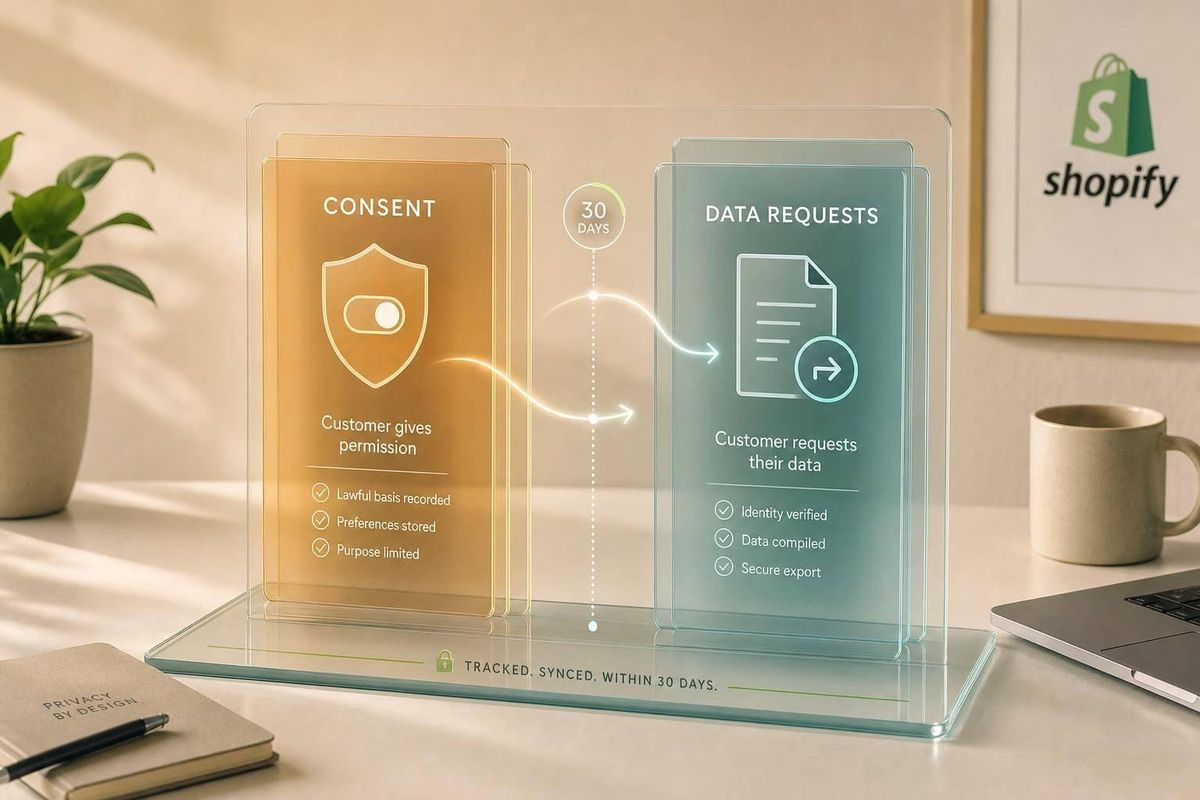
If I mix up consent and data requests while building or comparing Shopify app tools, I leave a privacy gap. One workflow asks, “Can I use this data for this purpose?” The other asks, “What data do I have, where is it, and what must I do with it?”
Here’s the short version:
- Consent management is about permission
- Data subject requests (DSRs) are about legal rights
- A consent log does not prove I handled a delete, access, or correction request
- A delete request does not create consent for marketing or tracking
- Shopify privacy webhooks such as
customers/data_request,customers/redact, andshop/redactmust be handled within 30 days - The same customer data may sit in Shopify, my app database, a CRM, an email tool, review software, support systems, logs, exports, and backups
So the job is simple to state, but hard to do well: I need two separate workflows tied to the same identity map.
What I need to track
For consent, I need records like:
- customer or profile ID
- consent category
- purpose
- status
- source
- privacy notice version
- UTC timestamp
- sync status for each downstream system
For DSRs, I need case records like:
- request date
- request type
- identity check result
- systems searched
- data found
- action taken
- exceptions
- completion proof
sbb-itb-ce93587
Quick comparison
| Area | Consent management | Data request handling |
|---|---|---|
| Main question | Can I process this data for this use? | What data do I hold, and what must I do with it? |
| Trigger | A person opts in, opts out, or changes a setting | A person or agent asks for access, correction, or deletion |
| Main output | A permission record | A completed case record |
| Scope | One purpose at a time | All in-scope personal data |
| Timing | Should update right away | Must meet Shopify and legal deadlines |
| Proof | Choice, notice version, timestamp, sync results | Search record, actions taken, system-by-system completion |
My takeaway: consent is a preference workflow. A data request is a case workflow. They may touch the same systems, but they should never be treated as the same task.
The rest of the article explains how to keep those workflows separate, how to sync them across connected tools, and what proof I should keep for each one.
Consent management for Shopify apps
Consent management means recording permission for a specific purpose before any processing begins. So if your app wants to run analytics, send marketing email, or personalize content, it needs a recorded yes or no tied to that exact use. That permission - and every later change to it - is what consent management tracks. Downstream tools still need separate updates.
What a consent record must include
A consent record is a structured event that shows who made the decision, what they chose, when they chose it, and what notice they saw. At a minimum, each record should include:
- Customer ID or profile ID
- Consent category, such as analytics, marketing, or personalization
- Purpose
- Current status
- Source, such as a storefront banner, checkout, or preference center
- Privacy notice version in effect at the time
- UTC timestamp
The notice version matters because it shows what the person saw when they gave consent. If you store a version ID with the decision, you can rebuild the context later instead of guessing based on the current policy text.
One thing to keep straight: a consent record proves what the person chose. It does not prove that every downstream system has already updated. If someone withdraws marketing consent in your database, that doesn't automatically mean your email platform has suppressed the contact or that your CRM field has changed. Those are separate sync events, and they need their own tracking. The record still has to move into the tools that rely on it.
Tracking consent, opt-outs, and legal-basis rules
Skip the idea of a single consent = true field. A customer may allow analytics but reject advertising and promotional email. Shopify's Customer Privacy API matches that setup. setTrackingConsent accepts separate category values for analytics, marketing, and preferences, so apps can read and update tracking choices at a more detailed level. Headless or custom storefronts follow a different path and need separate testing.
When a customer withdraws consent, treat that as a new, timestamped event instead of editing the old one. In practice, that means keeping an append-only event history: marketing granted on March 3, 2026, then withdrawn on April 12, 2026. Don't just overwrite one status field. That history gives you the full decision trail for audits.
After you record the withdrawal, a few things need to happen:
- Stop the affected processing
- Sync the change to each dependent system
- Log whether each sync succeeded or failed
Not every processing activity depends on consent. Order confirmations and security notices usually rely on contract or legitimate interests. Each purpose should have its own documented legal basis, and the consent ledger should show that clearly.
When someone asks to access, correct, or delete data, you're no longer in consent tracking. At that point, the work shifts to request handling.
Data subject requests for Shopify apps
A data subject request (DSR) is a formal privacy request that asks you to provide a copy of personal data, fix it, or delete it.
Put simply, a DSR is about data you already have.
That sounds simple on paper. In practice, it can mean digging through old records across your CRM, email platform, review tool, and support system, then showing that you finished the job on time. That’s why DSRs affect both your recordkeeping and the systems you need to update.
Shopify webhook requests and required actions
Shopify uses three privacy webhooks: customers/data_request, customers/redact, and shop/redact.
Here’s what each one means:
customers/data_requestrequires a data exportcustomers/redactrequires deletion or anonymizationshop/redacthandles shop-level data removal
The webhook is just the starting signal. The hard part is making sure the result flows through every connected system. Your app must complete the required action within 30 days. And if your app sends data to CRM, email, review, or support tools, those records are in scope too.
How request types differ in practice
Access, correction, and redaction each lead to a different workflow.
An access request means gathering everything your app holds on that customer and sending it in a readable format. A correction request means fixing wrong data everywhere it shows up. A redaction request means deleting or anonymizing identifiable data while keeping only non-identifiable aggregate data.
Each request type also needs its own paper trail. Record:
- when the request came in
- how identity was checked
- what data was affected
- which systems were changed
- when completion was confirmed
Identity checks matter most for requests that come in outside Shopify’s automated webhook flow. If someone emails in a request, for example, you need to confirm that the person asking is the same person tied to the data.
This is where the gap between consent work and DSR work becomes plain: each one leaves a different evidence trail. The next section shows how consent and DSR workflows differ in practice.
Consent vs. data requests: a side-by-side comparison
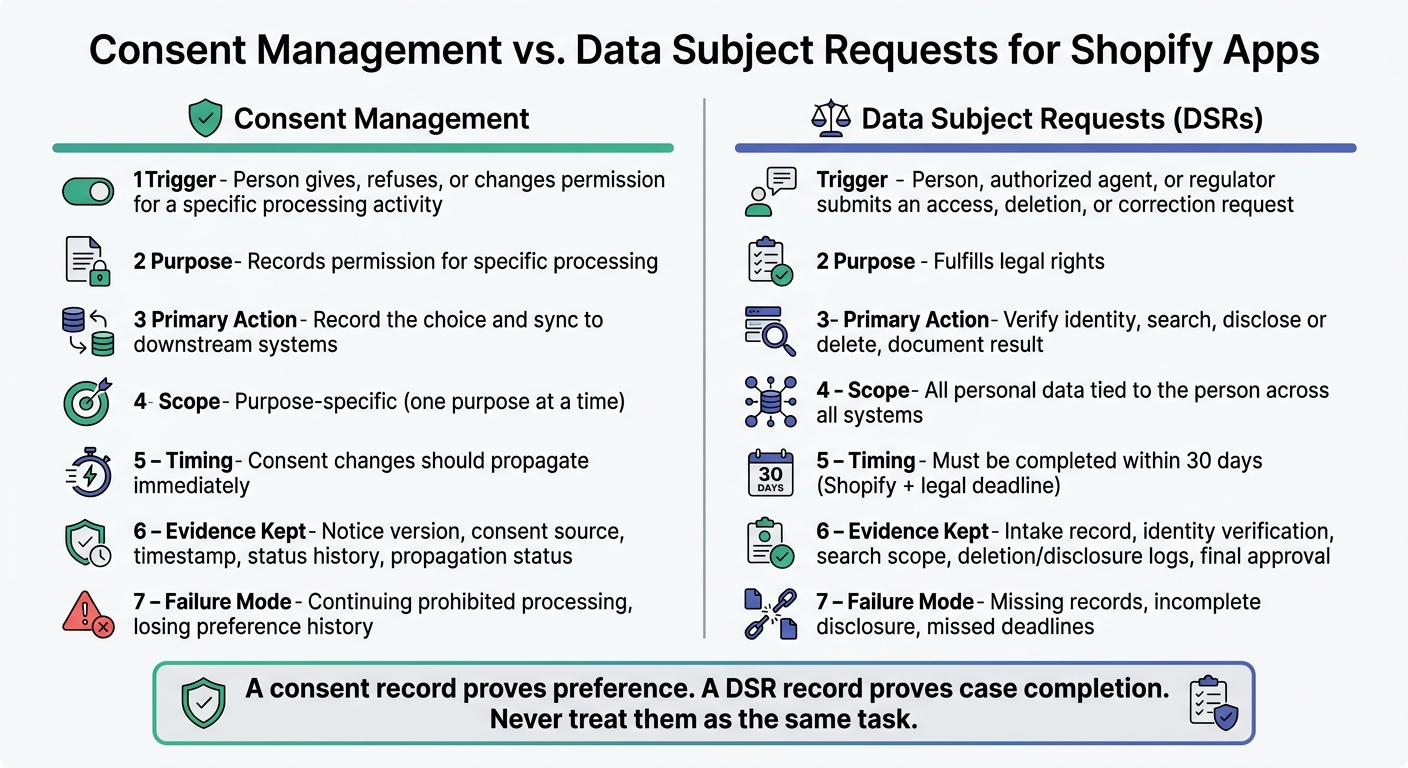
Consent Management vs. Data Subject Requests: Key Differences for Shopify Apps
A consent log shows permission. A DSR record shows what someone asked for and what your team did about it.
In Shopify apps, that difference matters a lot. The same customer data often sits in a CRM, email platform, review tool, and support desk at the same time. So while these two workflows may touch the same person and the same systems, they do different jobs.
Here’s how they compare:
| Comparison point | Consent management | Data-subject request handling |
|---|---|---|
| Trigger | A person gives, refuses, changes, or withdraws permission for a defined processing activity | A person, authorized agent, or regulator submits an access, deletion, correction, or similar privacy request |
| Purpose | Records permission for specific processing | Fulfills legal rights |
| Primary action | Record the choice and sync it to downstream systems | Verify, search, disclose or delete, record exceptions, and document the result |
| Scope | Consent is purpose-specific | Can cover all personal data tied to the person or store across the app and processors |
| Systems affected | Consent tool, storefront banner, or cookie manager; CRM; email service; analytics; advertising; and personalization systems | App database, backups where applicable, CRM, email platform, review system, support desk, logs, and subprocessors |
| Timing | Consent changes should propagate immediately | DSRs must meet Shopify and legal deadlines |
| Workflow owner | Privacy, marketing operations, product, or data governance teams | Privacy or legal operations, supported by engineering, security, customer support, and system owners |
| Evidence | Policy or notice version, consent source, timestamp, status history, purpose, channel, and propagation status across CRM, email, review, and support systems | Intake record, identity-verification result, request type, search scope, exported disclosure, deletion or correction logs across CRM, email, review, and support systems, exceptions, timestamps, communications, and final owner approval |
| Completion condition | The current preference is recorded, honored, and confirmed across in-scope systems | The request is fulfilled, denied with a documented legal reason, or otherwise closed with required notices and evidence |
| Failure mode | Continuing a prohibited processing activity, losing preference history, or applying consent to the wrong purpose | Missing records, incomplete disclosure, deleting data that must be retained, failing to process a Shopify webhook, or missing a legal deadline |
Where teams mix up the two workflows
This is where things go sideways.
Teams often treat unsubscribes, tracking opt-outs, and consent history as if they also cover deletion requests or full privacy-case handling. They don’t. One is about preferences. The other is about rights handling.
A simple way to think about it:
- A consent change is a preference-propagation event
- A data request is a case-management event
They may use the same identifiers and system maps. But they need separate statuses, owners, deadlines, and completion rules. Put both under one workflow, and it’s easy to miss one.
What complete evidence looks like for each process
The proof you keep should match the job you’re doing.
For consent, complete evidence should let an outside reviewer confirm what the person agreed to and whether that preference was honored everywhere it had to be. In plain English, consent evidence proves preference propagation. That means keeping the notice or policy version shown to the person, the source, the exact purpose and channel, the status history, timestamps in a consistent format, and a propagation record for each downstream system.
An unsubscribe record by itself is thin proof. A stronger record would show that marketing email consent was withdrawn through the account preference center, the CRM was updated, email suppression was confirmed, and review and support systems were not used for marketing.
For data-subject requests, the evidence needs to prove case completion across connected systems. That includes the intake date and channel, identity-verification method and outcome, every identifier used in the search, which systems and subprocessors were checked, what was found or not found, exceptions with documented legal reasons, the exported disclosure or deletion instruction, Shopify webhook receipt and acknowledgment details, and final owner approval.
If one system wasn’t searched, or one integration failed, that’s not proof of completion.
That’s why consent sync and DSR handling should stay separate, even when they touch the same records.
Connecting Shopify data across CRM, email, reviews, and support
Once consent and DSR workflows are split, the next job is to sync those signals across every system that holds customer data.
CRM sync and email tools
Map Shopify customer IDs, CRM email addresses, and email-platform contact IDs so consent updates and deletion requests reach every linked record. That map is what allows a consent update or DSR action to hit every stored copy of the same person’s data, not just the record where the request first came in.
Send the latest consent update to every connected tool so no downstream system keeps an old preference. This is a consent propagation task, not a DSR task, so keep those workflows separate even when they touch the same systems.
When someone withdraws marketing consent, stop promotional messages only. Keep transactional emails, like order updates, active.
Review data and support records
The same rule goes past marketing tools. Include exported review, analytics, and support records in the same privacy inventory and retention rules as your core app data. These systems sit inside the same privacy scope; they’re not side cases.
A practical privacy workflow and where AppJubilee fits
For each downstream system, log:
- System name
- Action taken
- Timestamp
- Outcome: succeeded, failed, or needs manual review
A log that only says "sent" is not enough.
That same retention logic applies to any exported analytics or review data your team stores in-house. If your team stores exports from AppJubilee in your own systems, treat them as in-scope records for privacy and retention handling.
Conclusion: Build separate but connected privacy workflows
Consent controls future processing. Data requests cover what your app must do with data it already has.
Those are not the same job, so don’t mix the records. A consent record shows that someone made a choice for a specific purpose. A data-request record shows the search, the action taken, and the completion status across every system. If consent changes, that does not wipe out past records. And if data is deleted, that does not create marketing permission.
Across CRM, email, reviews, and support, you need to trace the same customer through one shared ID map. That means linking Shopify customer IDs to CRM contact IDs, email subscriber IDs, review-author IDs, and support-ticket IDs. If that link is missing, consent updates and deletion requests can miss connected systems.
Shopify requires apps to complete the applicable action within 30 days of receiving a customers/data_request, customers/redact, or shop/redact webhook.
Use:
- identifier mapping
- audit logs
- sync checks
- completion evidence
Only close the request after every applicable downstream system reports success, or after you document a legal retention exception. Don’t close it when the Shopify webhook acknowledgment is sent.
Keep the workflows separate, but tie both to the same identity map. That setup keeps consent enforcement accurate and data-request fulfillment complete.
FAQs
Do I need separate tools for consent and DSRs?
It comes down to your compliance needs and what your Shopify app can actually do.
A lot of apps focus on consent banners and tracking rules. Some also handle consent logs and DSR requests.
So before you rely on one app for everything, check whether it gives you one dashboard for both consent management and DSR tasks.
If it doesn’t, you may need a separate tool to handle more complex DSR workflows.
How do I match one customer across all connected systems?
Use one shared identifier across your CRM, email tools, review platforms, and support records. In most cases, that means a customer ID or verified email address.
That persistent key helps your systems stay in sync. When a customer submits a privacy request, the related consent logs and data actions can follow that person across each connected platform.
The big win is simple: you get one source of truth for cleaner data handling and compliance across your Shopify ecosystem.
What happens if a downstream system fails to sync or delete data?
The source material does not say what happens if a downstream system fails to sync or delete data.
Put simply, no stated outcome is given.