
Localized SEO for Multilingual Shopify Apps
Tailor Shopify app listings, keywords, URLs, and visuals by locale to boost visibility, installs, and trust.
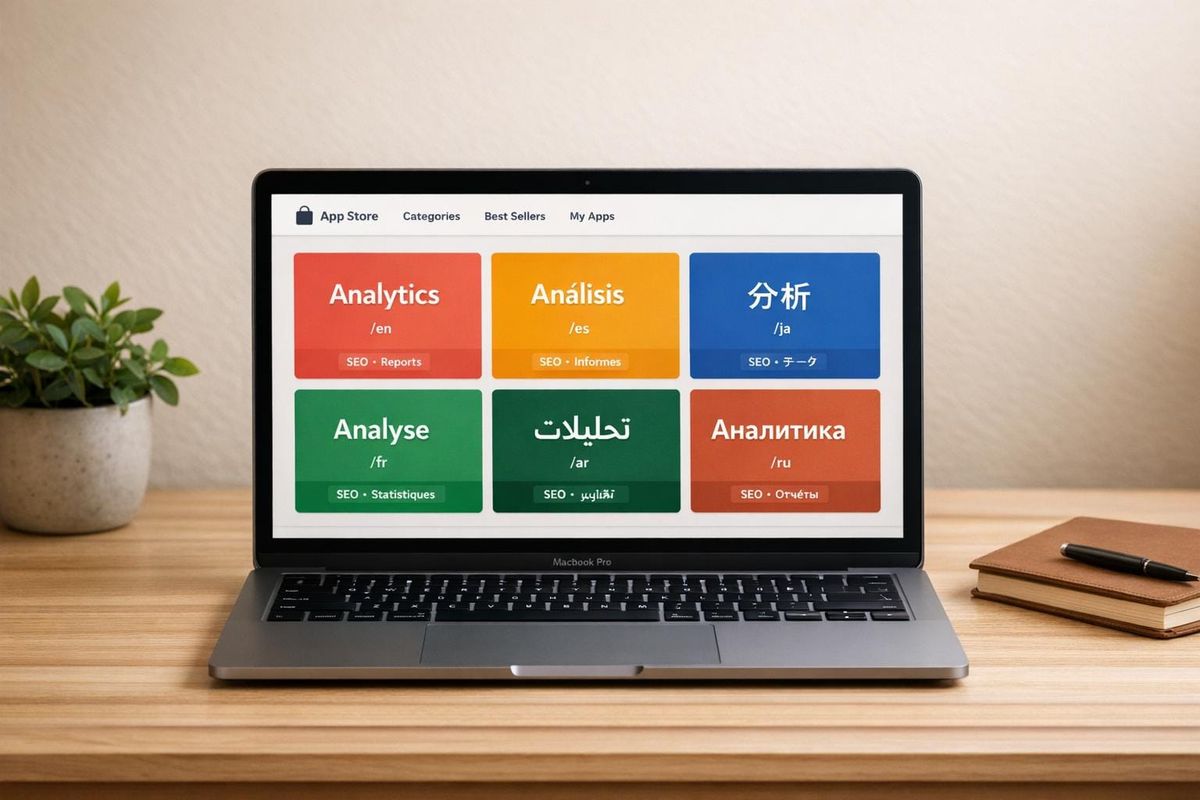
Localized SEO for Shopify apps is about more than just translating text. It’s about tailoring your app listing and in-app experience to meet the specific needs of merchants in different languages and regions. This approach can improve your app's visibility, drive installs, and boost trust with global users.
Key Insights:
- Shopify prioritizes localized apps in its App Store rankings.
- Only 5–7% of public Shopify apps are localized for key international markets, despite these markets growing faster than the U.S.
- Localization includes adapting keywords, URLs, metadata, and visuals to fit regional expectations.
- Tools like Google Analytics, Search Console, and AppJubilee can help track performance and refine strategies.
Challenges to Address:
- Misconfigured hreflang tags and canonical tags can harm your SEO.
- Direct translations often miss local keyword relevance.
- Localizing UI design requires flexibility to handle longer text and regional formats.
Steps to Get Started:
- Identify target markets using tools like Shopify Analytics and Google Search Console.
- Research region-specific keywords and validate them with native speakers.
- Structure URLs using subdirectories (e.g.,
/fr/) for better SEO. - Translate and localize app listings, visuals, and metadata.
- Monitor performance metrics like traffic, conversion rates, and reviews to fine-tune your strategy.
Localized SEO isn’t a one-time task but an ongoing process that can significantly expand your app’s reach and impact in global markets.
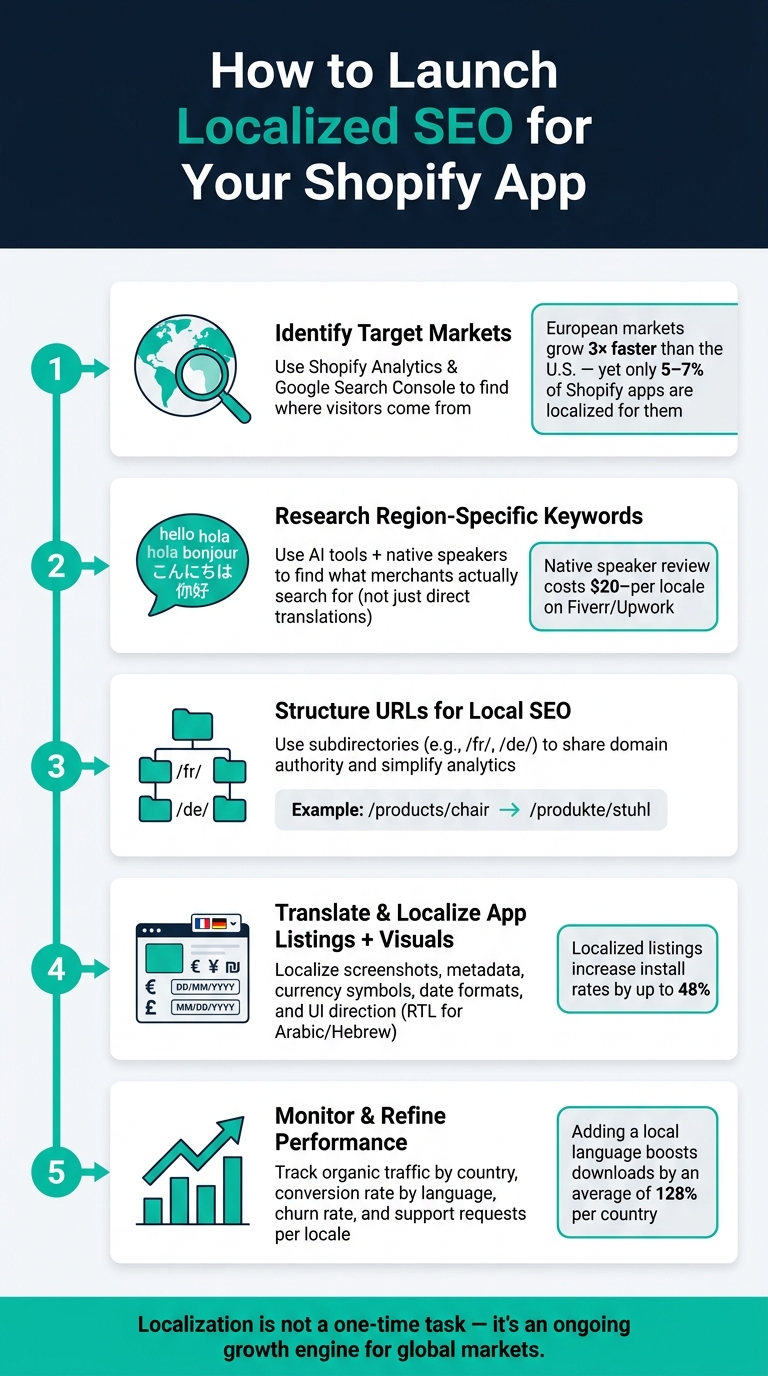
Localized SEO for Shopify Apps: 5-Step Launch Process
Building a Foundation for Localized SEO
How Merchants Find Apps on the Shopify App Store
Merchants typically discover apps through three main avenues: the Shopify App Store's internal search, Google search results, and personalized recommendations within the Shopify admin. Knowing how these channels work can help you optimize localized listings for better visibility.
Shopify's App Store search automatically gives priority to localized apps over English-only ones. This means localization isn't just a bonus - it directly impacts your app's ranking. Additionally, earning the "Built for Shopify" badge can further boost your app's placement and build trust with international merchants.
Search behavior varies across regions. For example, European merchants often look for tools related to compliance and taxes, while merchants in Japan are more likely to search for integrations like LINE messaging. These differences highlight why it's essential to adapt your keyword strategy for each market. By understanding these regional patterns, you can make more informed decisions about which markets to target.
How to Choose Target Languages and Regions
Understanding how merchants discover apps can help you decide which markets to prioritize. Before translating your app, identify where the demand lies. Shopify Analytics and Google Search Console are useful tools for this. They can show where your current visitors are coming from - even if they’re landing on English pages. These insights can reveal untapped opportunities.
Next, evaluate market growth alongside competition. For instance, European markets are expanding nearly three times faster than the U.S., yet only 5–7% of public Shopify apps are localized for those regions. This mismatch presents a big opportunity.
You should also consider local functional requirements before entering a market. For example:
- Japan: LINE messaging integration, loyalty programs
- Spain / Italy: Support for cash on delivery (COD)
- Europe: GDPR compliance, VAT/invoice reporting
- UAE / India: VAT/GST-compliant invoice formatting
If your app doesn’t meet these basic expectations, localization alone won’t be enough to attract installs.
Organizing URLs and Metadata for Localized Listings
After selecting your target markets, focus on structuring URLs and metadata to improve local search visibility. URL structure is often overlooked, but it plays a critical role in localized SEO. For most Shopify app developers, subdirectories (e.g., /fr/) are the most practical option. They share the authority of your main domain and are easier to manage under a single analytics property. Alternatives like subdomains or country-code top-level domains (ccTLDs) can work but often require more upkeep. Plus, ccTLDs start with no existing domain authority.
Manually translating URL slugs can also improve your app’s discoverability in local search engines. For instance, changing /products/chair to /produkte/stuhl targets local queries more effectively. Shopify simplifies this process by automatically adding hreflang tags to language-specific URLs, ensuring Google serves the right version to the right audience. However, meta descriptions need to be translated and optimized separately to match local search intent.
As Antonio Santarsiero, Senior SEO Specialist at Shopify, points out:
"Understanding the nuances of each market and tailoring your approach to local search behaviors is definitely the starting point." - Antonio Santarsiero
To further refine your strategy, use the Search Terms field in the Shopify Partner Dashboard to include regional spellings and synonyms without cluttering your app title. This way, you can capture long-tail local queries while keeping your brand name front and center.
sbb-itb-ce93587
Researching and Implementing Localized Keywords
Building a Multilingual Keyword List
Keyword research isn’t as simple as translating English terms into another language. As StoreLit explains:
"Directly translating English keywords wastes keyword characters on rarely searched terms."
Literal translations often fail to align with local search habits, leaving you with a list that doesn’t resonate with your audience. Instead, start with your most effective English keywords and adapt them. Use AI tools and native speakers to uncover what people in your target market are actually searching for. For example, asking a model like ChatGPT or Claude, "What would a native Spanish-speaking Shopify merchant search for when looking for an invoicing app?" can yield more relevant suggestions than a basic translation. However, always validate these terms with a native speaker - services like Fiverr or Upwork typically charge $20 to $50 per locale for a quick review.
Once you have your list, ensure those keywords have enough local search demand to justify using them.
Checking Keyword Demand and Intent by Locale
After building your keyword list, the next step is confirming local search demand. People’s search behaviors differ by region, and the terms that work in one country might not perform well in another. Tools like Ahrefs, Semrush, and Google Keyword Planner allow you to filter search volume data by country, helping you compare performance across regions like Germany and the U.S. before finalizing your choices.
For additional insights, try valentin.app, which shows Google search results and autocomplete suggestions as they appear in specific countries. This can reveal regional synonyms and phrases you might otherwise miss.
Keep in mind that search intent varies by market, not just search volume. For instance, German and French-speaking merchants in Europe often prioritize compliance-related features like VAT reporting or GDPR tools. On the other hand, Japanese merchants are more likely to search for app integrations with messaging platforms like LINE. Your keyword list should reflect these differences to meet the specific needs of each audience.
Tracking Multilingual Keywords with AppJubilee
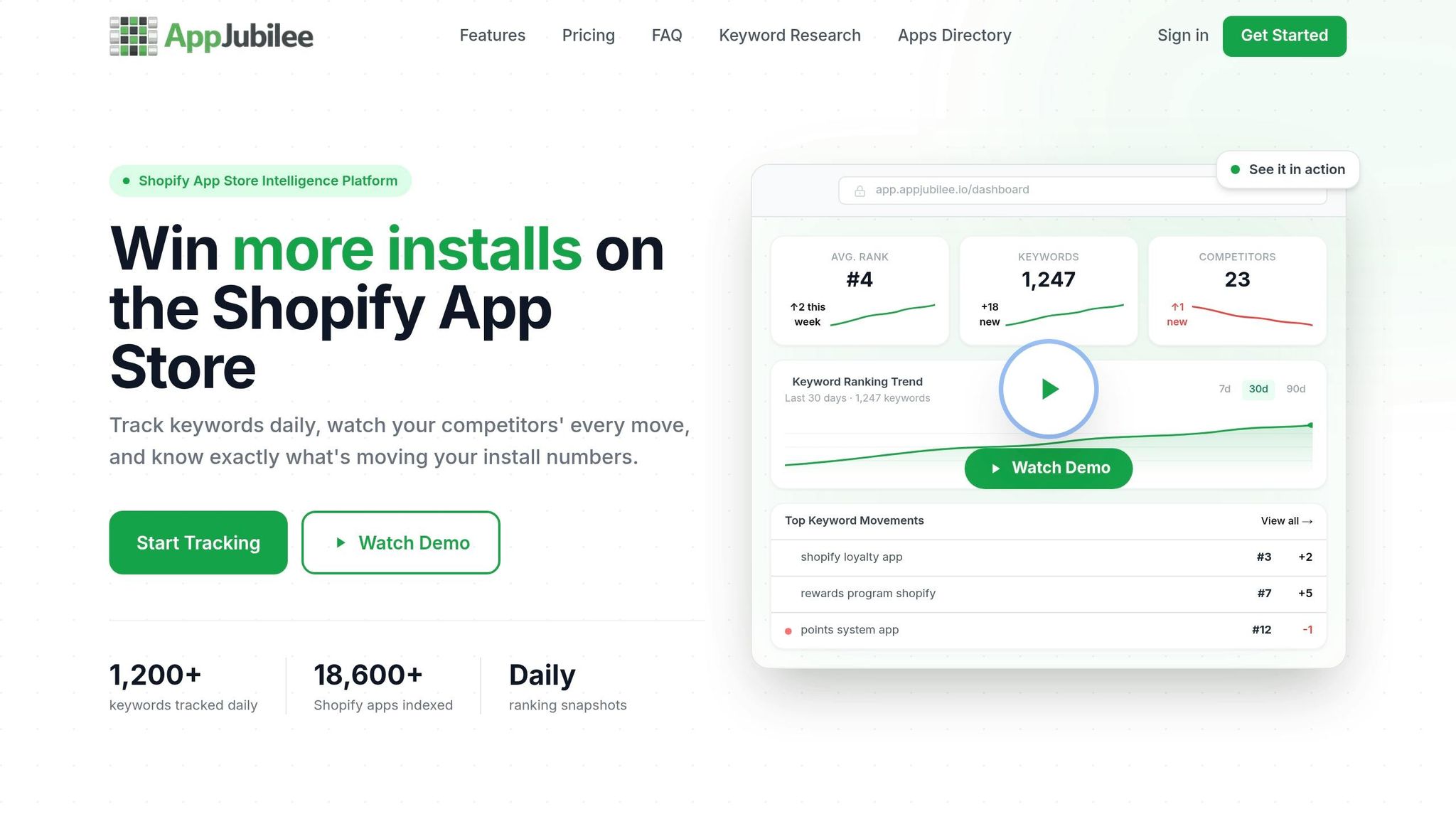
Once you’ve validated your keywords, tracking their performance becomes crucial. Creating the list is just the beginning - you need to monitor whether those terms are actually improving your app’s rankings in each market.
AppJubilee offers daily keyword tracking, helping you link ranking changes to updates in your listings. It also provides competitor keyword analysis, so you can see what terms rival apps are ranking for in each locale. If, for example, a German keyword hasn’t boosted your Shopify App Store ranking after a month, it might be time to replace it or tweak your listing copy. The Competitor Universe feature also helps you identify gaps in your strategy, ensuring you stay ahead before missed opportunities start affecting your installs.
Optimizing Shopify App Store Listings for Local Markets
Translating and Localizing Your Listing Content
Localization goes beyond just translating words - it shapes the entire experience for your users. To ensure your content feels natural and resonates with local merchants, start with AI-generated drafts, but always have a native speaker refine the text. This helps maintain authenticity and ensures consistent terminology. Matching the language used in Shopify's own Admin translations is another way to build trust with your audience.
Antonio Santarsiero, Senior SEO Specialist at Shopify, emphasizes this point:
"You can use AI to draft a first version, but you should never publish what a machine spits out. You need to capture the nuances of the language and make sure your message feels authentic."
Also, remember that text in other languages can take up more space - sometimes up to 50% more. Ensure your app's interface can handle this expansion smoothly. Shopify also prioritizes localized listings in its App Store rankings, so this effort can directly impact your visibility.
Once your text is ready, turn your attention to the visuals.
Adapting Media Assets for Local Relevance
Screenshots and preview videos are often underestimated, but they are critical. Merchants in non-English markets will immediately notice if your visuals include U.S.-specific details like dollar signs, MM/DD/YYYY date formats, or English-only interfaces. These elements can make your app feel out of place for local users.
To build trust, make sure your screenshots showcase a localized UI. This means:
- Displaying the correct currency symbols and date formats.
- Showing the app interface in the target language.
- Using overlay text on graphics so it can be easily updated for different locales without redesigning the entire image.
Here's a quick guide to what you should localize and why:
| Element | What to Localize | Why It Matters |
|---|---|---|
| UI Screenshots | Language, currency symbols, date formats | Builds immediate trust with local merchants |
| Text in Images | Overlay text instead of embedding it | Easier to update per locale |
| Image Alt Text | Translate into the target language | Improves discoverability in local search results |
| Layout Direction | Mirror UI for RTL languages (e.g., Arabic, Hebrew) | Prevents broken, unusable interfaces |
Cultural nuances also play a big role. Colors, symbols, and even gestures that seem neutral in the U.S. may carry unintended meanings elsewhere. To avoid missteps, have a native speaker or local designer review your visuals before they go live.
Once your media assets are localized, it’s time to evaluate their performance.
Measuring Localization Impact with AppJubilee
After implementing changes to your localized listings, it's essential to measure their effectiveness. Tools like AppJubilee allow you to track the impact of your updates, helping you connect specific changes to improvements in rankings. If a localized update doesn’t yield results within a few weeks, you’ll know it’s time to refine your strategy further. This feedback loop ensures your localized SEO efforts remain effective and aligned with your goals.
Measuring and Improving Multilingual Performance
Key Metrics to Track for Multilingual Apps
Once you've launched localized app listings, it’s crucial to track specific metrics to understand how well they’re performing.
- Visibility: Measure organic traffic from each country to see how well your app is being discovered.
- Intent: Analyze the top search queries used by local merchants to gauge their needs.
- Conversion: Track installation rates in different languages to evaluate how localization impacts downloads.
- Retention: Compare retention rates across language segments to identify which localizations are keeping users engaged.
- Support Efficiency: Look at the volume of support requests by language to spot potential gaps in documentation or translation.
| Metric | Insights | Where to Track It |
|---|---|---|
| Organic Traffic by Country | Understand which markets are discovering your app | Google Analytics (Geo), Shopify Analytics |
| Top Search Queries per Locale | Learn what local merchants are searching for | Google Search Console |
| Conversion Rate by Language | Determine if localized content drives installs | Shopify Analytics, GA4 |
| Churn Rate (Non-English vs. English) | See if localization improves long-term retention | Shopify Partner Dashboard |
| Support Requests per Language | Identify where documentation or translation falls short | Help desk tools (e.g., Zendesk, Gorgias) |
For example, if you notice a surge in support requests from French or German merchants, it might indicate missing localized features or translation issues rather than a product bug. These insights help you fine-tune your strategy and stay competitive.
Using Reviews and Feedback to Improve Localization
Customer reviews written in local languages offer a goldmine of information that raw analytics might miss. These reviews can highlight issues like merchants relying on browser translation tools, confusion over specific terms, or requests for region-specific features. For instance, Spanish and Italian merchants might ask for Cash on Delivery options, while Japanese users could want LINE messaging integration.
Norbert Ordog, Founder of Sufio, explains the challenge of localization:
"Every language version slows down the app development process because every new piece of in-app content has to be translated before updates to the app can be released."
Despite the extra effort, localization can pay off significantly. When Sufio launched German and French versions of its interface in 2019, 20% of new installations came from merchants using these languages. Tracking reviews by language not only helps identify where your app is excelling but also reveals areas where users face friction. Pairing this with competitor benchmarking can further enhance your localization strategy.
Using Competitor Analysis to Sharpen Your Localization Strategy
Beyond tracking your own performance, analyzing top-ranking local apps can provide valuable insights. Look into apps that perform well in specific regions - such as Japan or Germany - and study their titles, descriptions, and feature sets to uncover local preferences.
The numbers don’t lie: adding a local language to your app listing can boost downloads by an average of 128% per country, and localized listings can increase install rates by up to 48% in multilingual markets. Yet, only 5–7% of public Shopify apps currently cater to priority European markets, even though these regions are growing nearly three times faster than the U.S..
Tools like AppJubilee make competitor analysis easier by mapping strategic gaps. You can monitor how competitors update their localized listings, track ranking changes in specific markets, and even set alerts for when they make updates. This ensures you stay informed and adapt your localization strategy effectively, turning it into a continuous driver for global success.
Conclusion: Driving Global Growth with Localized SEO
Key Takeaways for Localized SEO
Localized SEO for multilingual Shopify apps is a long-term effort, but the potential rewards are substantial. Here's why: only 5–7% of public Shopify apps are currently available in priority European markets, even though these markets are growing nearly three times faster than the U.S..
To get started, focus on these key steps:
- Market Research: Identify where your organic traffic is coming from to prioritize your efforts.
- Technical Setup: Ensure your site structure supports multiple locales effectively.
- Localized Keywords: Research how merchants in each region search, and have native speakers fine-tune your listings to reflect the subtleties of their language.
"You can use AI to draft a first version, but you should never publish what a machine spits out. You need to capture the nuances of the language and make sure your message feels authentic." - Antonio Santarsiero, Senior SEO Specialist, Shopify
Don't overlook the finer details like adjusting date formats, currency symbols, and number separators. Even your interface design matters - if it can handle long German compound words, it’s likely ready for other languages too. These small adjustments can make a big difference in creating a seamless experience for users.
Next Steps for App Developers
To scale your localization efforts efficiently, start small. Choose one pilot market and fully localize for that audience. Testing your approach in a single region allows you to measure its impact and make adjustments before expanding further.
Once you've launched, treat localization as an ongoing process. Regularly check keyword rankings by locale, keep an eye on conversion rates in new markets, and audit your hreflang tags to ensure everything is working as intended. Tools like AppJubilee can simplify this by tracking multilingual keyword rankings, monitoring competitor activity in specific regions, and identifying potential gaps before they hurt your performance.
Approaching global growth as a continuous effort, rather than a one-time project, helps app developers achieve sustained visibility in markets that are often overlooked. By staying proactive, you can unlock opportunities in regions where many apps have yet to make their mark.
FAQs
What’s the difference between translating and localizing my Shopify app?
Translating your Shopify app involves converting content like text and labels into various languages, making it accessible to a broader audience. Localization takes it a step further by tailoring the app to meet regional preferences, such as currency symbols, date formats, and local user expectations. While translation addresses language, localization ensures the app aligns with cultural norms and market-specific needs, improving usability and ensuring it meets regional standards.
How do I pick the first country and language to localize for?
Start by identifying a country with strong market potential or a significant portion of your existing customer base. Look for regions where demand for your product or service is growing, ensuring your efforts align with customer preferences and business opportunities.
Once you've chosen the country, focus on the language most commonly spoken by your target audience. For example:
- English (en-US) is ideal for the U.S., a market with vast consumer spending power.
- Spanish, Italian, or French work well for various European markets, depending on the region you're targeting.
The key is to align your localization strategy with both growth opportunities and the preferences of your audience. This ensures your efforts resonate with the people you're aiming to reach.
What’s the best URL setup for multilingual SEO on my app site?
When it comes to multilingual SEO, the most effective approach is to create separate URLs for each language or region. This can be done using subdomains, subdirectories, or localized domain extensions. To further assist search engines in understanding the connection between these pages, implement hreflang tags. These tags ensure that users are directed to the right version of your site based on their language or location.