
Shopify App Store SEO: 7 Ways to Rank Higher
Data-driven ASO tactics for the Shopify App Store: keywords, install velocity, reviews, listing copy, and competitor tracking.
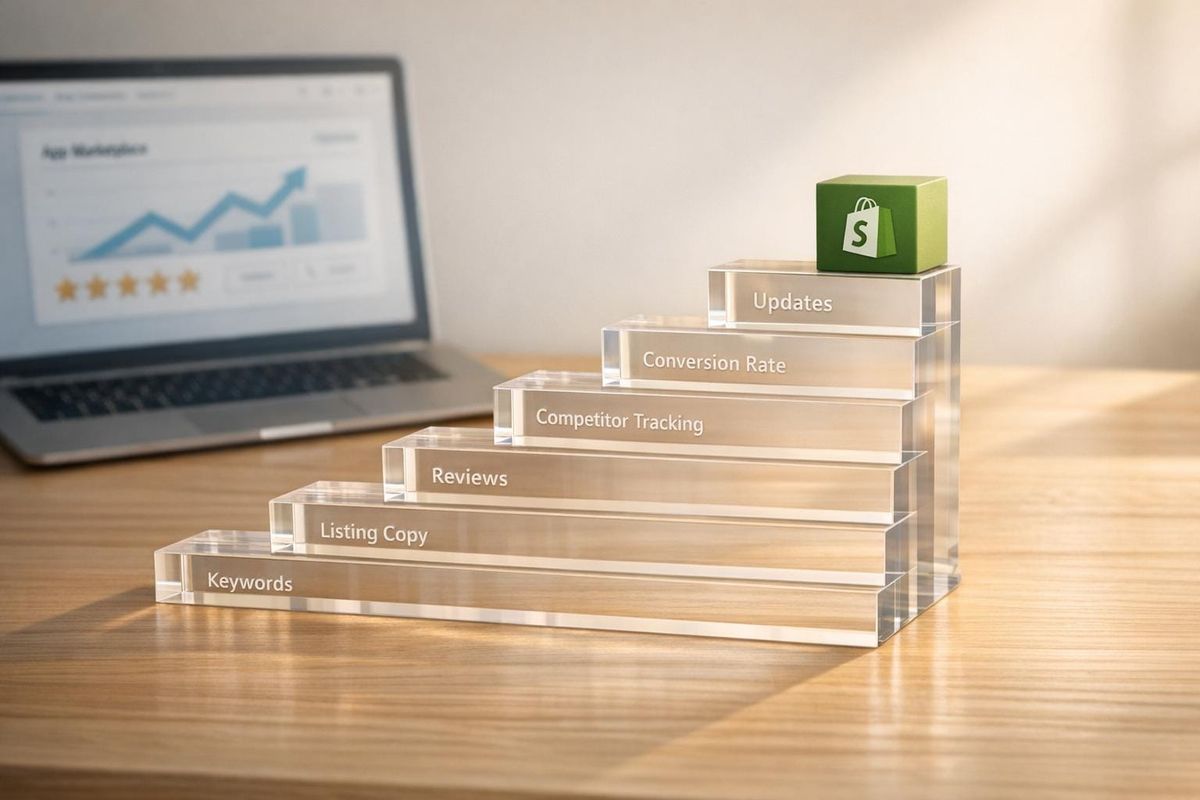
Want to rank higher on the Shopify App Store? Here’s how: With over 13,000 apps available and 450 added monthly, standing out requires more than just a good product. Shopify App Store SEO (or ASO) helps you optimize your app listing to improve search rankings, attract installs, and increase retention.
Key Takeaways:
- Focus on Keywords: Use merchant-friendly terms in your app name, subtitle, and tags.
- Improve Install Velocity: A steady flow of installs boosts rankings.
- Leverage Reviews: Positive, recent reviews and the "Built for Shopify" badge can significantly impact visibility.
- Optimize Listings: Clear, benefit-driven app names, subtitles, and descriptions convert more users.
- Track and Test: Regularly compare Shopify App Store optimization tools to monitor performance and test one change at a time for measurable improvements.
These strategies work together to improve your app’s discoverability and conversion rates. Ready to dive deeper? Let’s break it all down.
Shopify App Store Ranking: Key Drivers
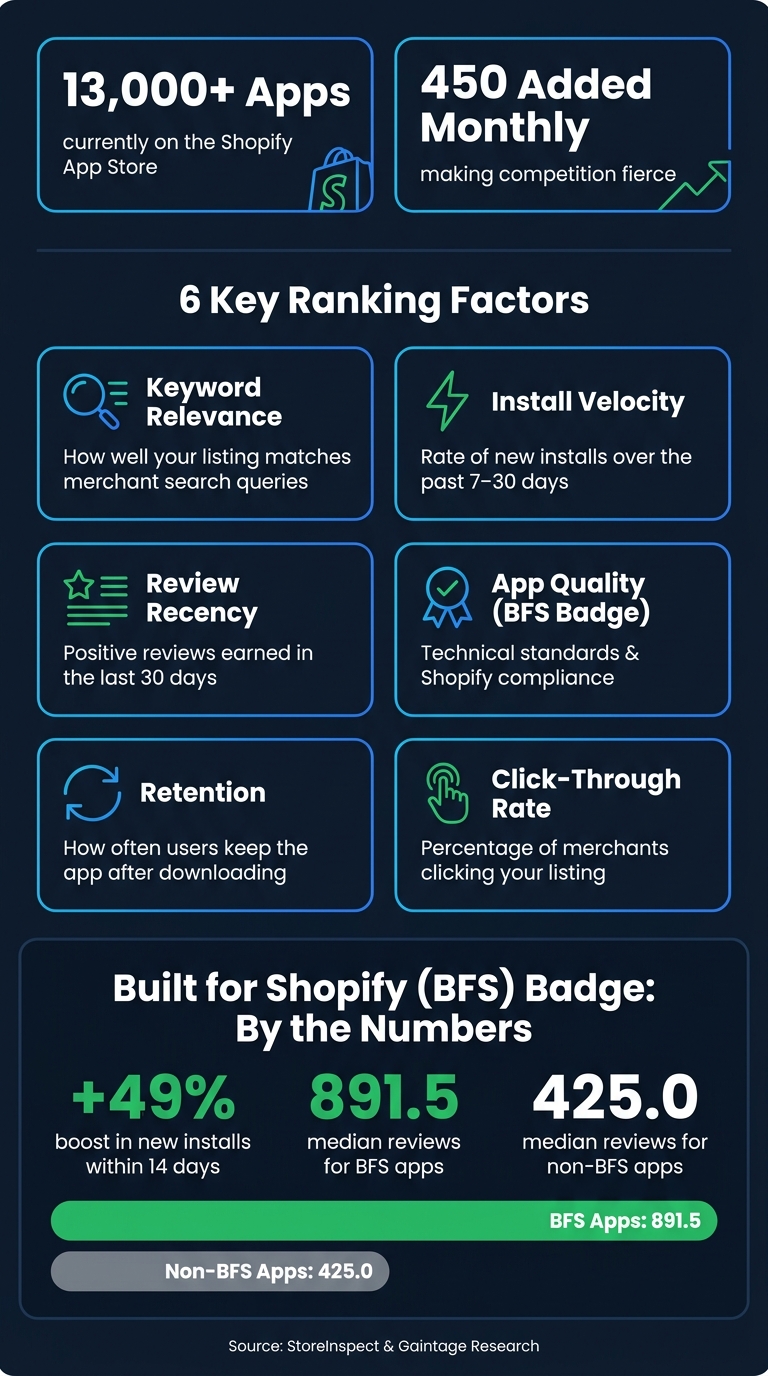
Shopify App Store Ranking Factors: Key Signals & Stats
Shopify's ranking algorithm focuses on specific signals to determine how apps appear in search results. It evaluates structured fields such as the app name, subtitle, and keyword tags to match merchant searches. Among these, the app name holds the most influence. Beyond relevance, Shopify also considers behavioral metrics like click-through rates, install speeds, and ongoing app usage. A high uninstall rate, for instance, can indicate that the app's performance doesn't match the expectations set by its listing. These insights can help refine your listing to better align with merchant needs and expectations.
Install velocity - the speed at which an app gains new installs over a recent period - is another critical factor for rankings. As Chris, Founder of Gaintage, explains:
"In the Gaintage panel, rank moves often appear after a velocity change, not before it. The rank chart is the result. The install slope is often the warning."
In addition to velocity, user feedback plays a significant role in shaping rankings. Recent and credible reviews, along with earning the BFS (Built for Shopify) badge, signal quality to Shopify. Apps with the BFS badge see a 49% boost in new installs within 14 days and tend to earn a median of 891.5 reviews, compared to 425.0 reviews for apps without the badge. To secure the BFS badge, focus on meeting Shopify's Built for Shopify requirements. This not only enhances visibility but also strengthens your broader SEO efforts.
It's also important to remember that rankings are relative. Your app's position can change as competitors improve their listings, earn badges, or gain more reviews. This makes it essential to continuously monitor and adapt to competitor activity. Using tools for competitor monitoring can help you stay ahead of these shifts.
sbb-itb-ce93587
1. Understand How Shopify App Store Rankings Work
Shopify's ranking system is built on a balance of relevance and performance. Relevance determines whether your app appears in search results for a specific query, while performance dictates how high it ranks once it shows up. These two factors work together, not separately.
To rank well, your app’s listing fields must align with the keywords merchants are searching for. But getting visibility is just the first step. After that, the algorithm focuses on merchant behavior: are people clicking on your app? Are they installing it? Do they stick around and continue using it?
This means your listing needs to do more than just attract attention - it has to convert that attention into installs and long-term engagement. These signals, such as clicks, installs, and reviews, directly influence your ranking. Mastering this process is key to turning visibility into success.
As Gaintage explains:
"Shopify doesn't publish a ranking formula. That means you can't optimize from a public weighting table. You have to work from the signals Shopify documents, the behavior you can measure, and the rank moves you see."
One developer who cracked this system is Axel Cassou. In February 2026, he achieved a Top 10 ranking in two Shopify App Store categories and grew an A/B testing app to over 13,000 merchants. He did this by reverse-engineering the algorithm, fine-tuning his app title, and increasing review rates through in-app prompts. This strategy didn’t just improve his rankings - it created a feedback loop that kept driving growth.
Here’s a breakdown of the key ranking factors and what each one evaluates:
| Ranking Factor | What It Measures |
|---|---|
| Keyword Relevance | How well your listing matches merchant search queries |
| Install Velocity | The rate of new installs over the past 7–30 days |
| Review Recency | The number of positive reviews earned in the last 30 days |
| App Quality (BFS Badge) | Technical standards and compliance with Shopify’s guidelines |
| Retention | How often users keep the app installed after downloading it |
| Click-Through Rate | The percentage of merchants clicking on your listing |
Focusing only on keywords without ensuring your listing drives conversions is a wasted effort. Similarly, driving installs without a clear, engaging listing can lead to high churn rates - something the algorithm interprets as a negative signal.
2. Do Keyword Research for Your Core Listing Fields
Did you know that over 65% of Shopify app downloads happen immediately after a merchant performs a search? This means the words you choose for your app's listing fields are crucial to whether your app gets discovered - or overlooked.
One common mistake developers make is writing in technical jargon rather than using language merchants actually search for. Take this example: "metafield enrichment workflow" might be a precise term for bulk data editing, but no merchant types that into a search bar. As Chris, Founder of Gaintage, explains:
"The mistake is building a keyword list that sounds right to a developer and invisible to a merchant. 'Metafield enrichment workflow' might be accurate. 'Bulk product edit' is what gets typed."
Start with the merchant’s perspective. Think about the outcome they’re trying to achieve. Phrases like "recover abandoned carts" are far more effective than something like "cart recovery automation engine." From there, focus on two main types of keywords:
- Problem-first keywords: These describe specific pain points, like "inventory sync."
- Tool-first keywords: These target merchants already searching for alternatives, such as "Klaviyo alternative."
If your app is newer and has fewer than 50 reviews, tool-first keywords can help you break into competitive categories more effectively.
How to Find High-Impact Keywords
To pinpoint the best keywords, try these approaches:
- Leverage Shopify search autocomplete: Type partial queries into Shopify’s search bar to see what suggestions pop up.
- Analyze competitor reviews: Scan 3–5 star reviews of similar apps. Merchants often describe their needs in these reviews, giving you valuable keyword ideas.
- Test with ads: Run a short Shopify App Ads campaign to test which keywords drive the most impressions and clicks before committing them to your organic listing.
Where to Use Your Keywords
Once you’ve identified your keywords, prioritize where they’ll have the most impact in your listing fields. Here’s a quick guide:
| Listing Field | Character Limit | Priority | Best Practice |
|---|---|---|---|
| App Name | 30 | Highest | Use "Brand: Function" format (e.g., Judge.me Product Reviews App) |
| Subtitle | 62 | High | Highlight a core outcome or benefit |
| Keyword Tags | 5 tags | High | Include synonyms, variants, and related terms |
| Description (opening) | ~100 visible | Medium | Start with your highest-intent keyword |
Research shows that 81.1% of top-performing app names include at least one functional keyword. Your App Name is the most critical field, so use the "Brand: Function" format to make it clear and searchable. Next, use your Subtitle to emphasize a key benefit or outcome, and optimize your Keyword Tags with related terms. While the Description is less important for search rankings, the first 100 characters are visible in search results, so lead with a high-intent phrase to grab attention.
3. Analyze Competitor App Listings Step by Step
Keyword research tells you what merchants are searching for, but competitor analysis reveals how top apps are winning - and where you can do better. Start by pinpointing the top 10 apps ranking on the first page for your target keywords. These are the listings you’ll break down.
Take a close look at each listing field. For the App Name, see how competitors use the "Brand: Functional Descriptor" format. Then move to the Subtitle, which, despite its 62-character limit, carries significant keyword weight. As Big Moves Marketing explains:
"Your name and subtitle are 80% of your keyword power."
Next, focus on the first 100 characters of each app's description - the part that appears in search results before users click. Check which keywords are prioritized and whether the copy highlights a benefit or a feature. For feature headings, avoid generic phrases like "Save Time." Instead, use keyword-rich and specific titles such as "Automated Invoice Printing", which align with merchant searches.
One often-overlooked step is review analysis. Dive into 3- to 5-star reviews to understand how merchants describe the app’s value in their own words. Merchant language often differs from the technical jargon developers use and can reveal search terms merchants are likely to use.
To make this process manageable, organize your findings in a spreadsheet. Track details like rank, review count, ratings, and any recent changes to competitor listings on a weekly basis. This helps you identify recurring keywords and uncover untapped terms. As the StoreInspect team notes:
"The category term gets you considered. The workflow term gets you chosen."
The key is bridging the gap between being "considered" and being "chosen." By applying insights from competitor analysis, you can refine your own app listing to improve visibility and conversions, paving the way for even more optimization using user reviews.
4. Use User Reviews to Improve SEO and Conversions
User reviews play a crucial role in boosting both your app's search rankings and its ability to attract more users. Shopify's own guidelines emphasize this:
"Positive reviews make your app appear higher in Shopify App Store search results and category pages."
To make the most of this, request reviews at the right moments - like after a merchant successfully recovers their first abandoned cart or has a great experience with your support team. Space out these requests to ensure a steady flow of reviews, as maintaining consistent review activity is more impactful than a one-time surge. Be mindful of Shopify's policies and use neutral phrasing like "Let us know how we're doing" instead of explicitly asking for positive reviews, as violating this rule can lead to penalties.
Reviews also provide a goldmine of insights into how merchants describe your app in everyday language. These descriptions often include search-friendly terms that developers might miss, such as "photo reviews", "review imports", or "real-time inventory sync". Identifying and incorporating these phrases into your app's subtitle and description can make your listing more relatable and searchable. If a negative review highlights a fixed issue, update your listing to reflect the improvement and politely ask the reviewer to reconsider their feedback. This approach not only keeps your listing accurate but also strengthens its freshness.
Hitting 100 reviews with a minimum 4.0 rating unlocks Shopify's AI-powered review summaries. These summaries, displayed directly on your app's listing, highlight recurring themes from user feedback, acting as a powerful conversion tool. According to a StoreInspect study, apps with 100–999 reviews achieve a median rating of 4.6, while those with over 1,000 reviews climb to a median rating of 4.8. This shows the value of building a strong review base over time.
5. Structure Your Listing for Clarity and Higher Conversions
Think of your app listing as a decision-making hub. When merchants browse the Shopify App Store, they spend only a few seconds skimming listings before deciding to explore further or move on. Chris, Founder of Gaintage, emphasizes this point:
"If a merchant only reads the app card and the first screen of the listing, can they say what the app does, who it is for, and why it is different from the app above it? If the answer is no, rewrite."
This initial clarity is essential for turning those fleeting glances into actual installs.
To improve conversions, structure your listing in a way that quickly guides merchants from discovery to installation. With the average view-to-install rate on the Shopify App Store hovering between 5% and 10%, every detail matters. Start with Shopify's recommended naming format: Brand Name: Core Function (e.g., "Klaviyo: Email Marketing & SMS"). Your subtitle is critical - it should answer the question, "What's in it for me?" in a single, impactful sentence that highlights one key benefit for merchants.
When crafting your description, lead with the merchant's problem and explain how your app provides the solution. Most merchants won’t scroll beyond the "Read more" fold, so make those first lines count. Pair this with a strong visual strategy: include 4–6 screenshots that flow logically from identifying the pain point to showcasing the solution, app dashboard, and final results. For demo videos, keep them short and engaging - 30–60 seconds is ideal - using a "Hook → Pain → Feature → Result" structure.
Here’s an example of success: in September 2018, Shippo revamped its listing for a Shopify "Staff Pick" feature. They added bold subheadings, bullet points, and a clean banner with packaging iconography, resulting in 3x more signups than their usual weekly numbers. Michelle McNamara from Shippo explained:
"We added bold subheadings and bullet points to make it easier to read to make it clear how our app can help them."
Finally, don’t underestimate the power of trust signals. Display the "Built for Shopify" badge prominently, and be clear about pricing - 96.2% of top apps offer a free entry point. By combining clarity, visuals, and trust elements, your listing transforms into a page designed for conversions, not just information.
6. Iterate on Your Listing Using Data, Not Guesswork
Once your listing is live, the real work begins: measuring, testing, and refining. Many developers rely on intuition to tweak their listings and then wonder why their rankings stay flat. The solution? A consistent, data-driven process that helps you adapt and improve.
Start by building a weekly review routine. Each week, track your keyword rankings, category position, and install numbers for the past 7 and 30 days. This habit will help you identify trends early - before they snowball into bigger issues. As Chris, Founder of Gaintage, explains:
"The rank chart is the result. The install slope is often the warning."
In other words, shifts in install trends often predict ranking changes. Spotting these shifts early gives you time to respond effectively.
When testing changes, focus on one element at a time. Since the Shopify App Store doesn’t allow simultaneous A/B testing, you’ll need to test sequentially. For example, run Version A for a set period, then switch to Version B and compare the results. Avoid changing multiple elements - like your icon, title, and screenshots - at once. Doing so makes it impossible to pinpoint what actually worked. Instead, test each change for 7–14 days to account for natural traffic variations. Once you find a winning version, set it as your new baseline and move on to the next experiment.
It’s also crucial to distinguish between ranking changes and conversion changes. Adjustments to your app name, tagline, or description primarily influence how the search algorithm ranks your listing. On the other hand, updates to visuals like screenshots, icons, or videos affect your view-to-install rate. Understanding which aspect you’re targeting helps you interpret your results accurately.
Don’t forget to consider external factors that might skew your data. For example, a surge of negative reviews, seasonal events like Black Friday, or a competitor earning the "Built for Shopify" badge can all impact your metrics. These shifts might have little to do with your listing changes. To stay organized, maintain a detailed changelog of every edit you make. Comparing this log with your performance data will give you valuable insights into what’s driving results - and why.
7. Use AppJubilee to Track Rankings and Monitor Competitors
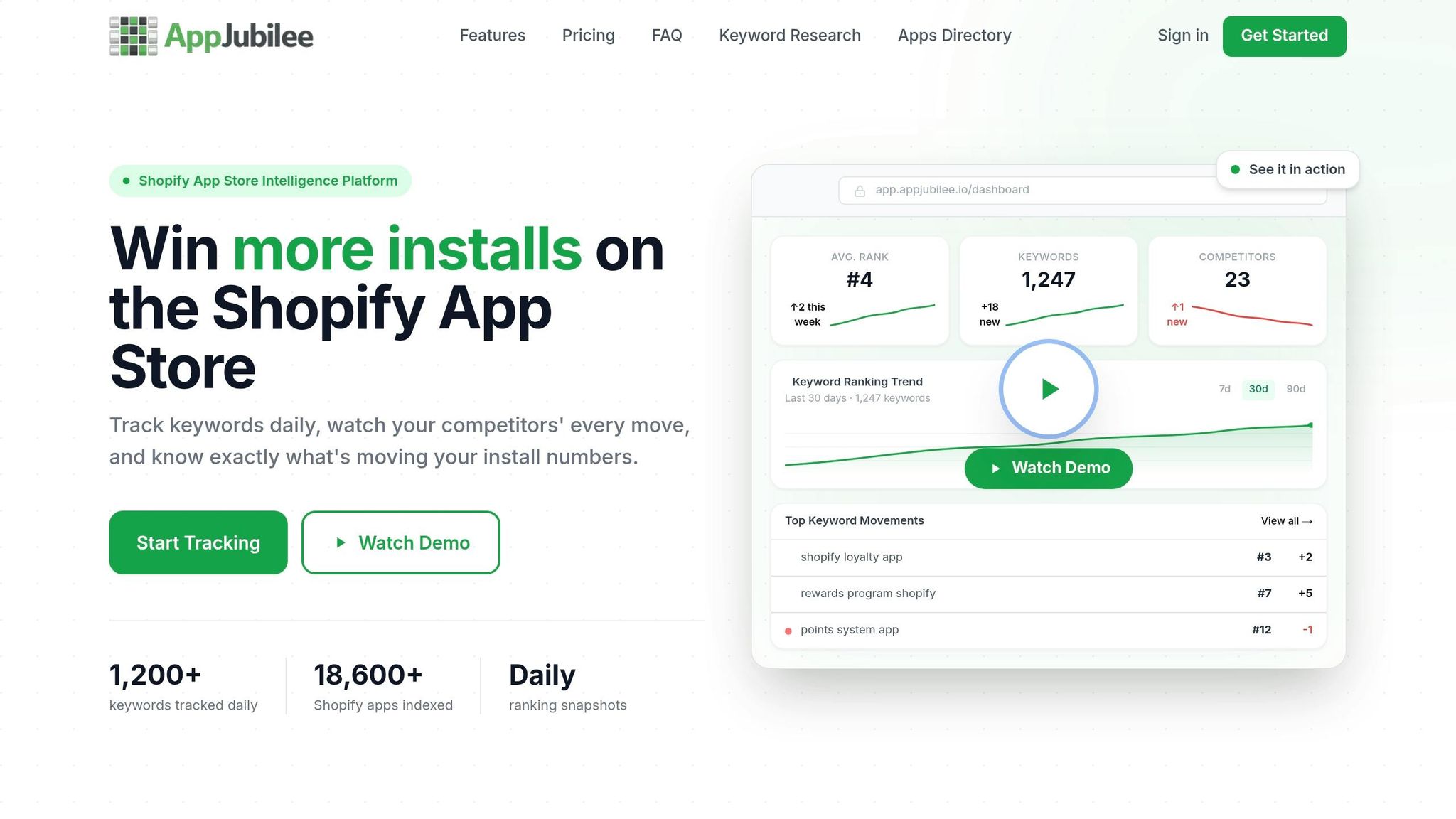
When it comes to turning insights into long-term growth, having the right tools makes all the difference. That’s where AppJubilee steps in. This Shopify App Store intelligence platform is designed specifically for app developers, offering features that help you make smarter, data-driven decisions every day.
AppJubilee simplifies the process of tracking and improving your app's performance. Its daily tracking feature keeps you updated on every ranking shift, so you can quickly link changes to any updates you’ve made to your listing. The competitor mapping tool is a game-changer - it uncovers the keywords your competitors are using in their app names, subtitles, and tags, helping you spot keyword gaps and opportunities. Plus, the listing change analysis feature shows exactly how specific edits impact your rankings, eliminating the guesswork and giving you clear, actionable feedback.
With over 13,000 apps already on the Shopify App Store and about 450 new ones added every month, staying ahead of the competition requires constant vigilance. AppJubilee's Competitor App Watch feature sends alerts whenever your competitors update their copy, screenshots, or pricing. This helps you understand whether a ranking shift is due to your own efforts or changes made by others.
To make things even more seamless, AppJubilee integrates with Google Analytics 4 and Shopify Partners, giving you a comprehensive view of your app’s performance analytics, including installs and revenue. Pricing starts at $49/month for a single app, with plans scaling up to $499/month for agencies managing up to 30 apps. Every plan includes the essential features needed to execute the strategies covered in this guide.
If you’re serious about optimizing your app listing, AppJubilee is the tool you need. It ensures your experiments translate into measurable results, giving you the clarity and confidence to keep improving.
Conclusion
Climbing the ranks in the Shopify App Store isn't about uncovering a single magic formula - it's about layering small, consistent improvements over time. The seven strategies shared here work together like pieces of a puzzle: understanding how rankings operate guides your keyword research, which then sharpens your competitor analysis. These insights, in turn, help you refine your app listing and respond effectively to user feedback. Together, these steps create a roadmap for ongoing growth.
"ASO creates a compounding growth engine. Higher rankings lead to more impressions, more impressions produce more installs, more installs generate more reviews, and more positive reviews boost rankings further." - BigMoves Marketing
This compounding effect hinges on consistent effort. The Shopify App Store algorithm favors "freshness signals" - like steady install rates, recent reviews, and regular updates to your listing. For example, apps targeting the product review category must maintain high engagement to stay competitive. These signals are crucial for maintaining and improving your rankings over time.
Data-driven developers have the edge here. Guesswork won't cut it. Tools like AppJubilee make the difference by offering daily ranking updates, competitor alerts, and insights into how listing changes impact performance. Whether you're managing a single app on the Starter plan ($49/month) or an entire portfolio with the Agency plan ($499/month), every edit you make can have a measurable impact.
"Track the signals that explain rank, not rank alone. Rank tells you what happened. Signals tell you what to do next." - Gaintage
Start with one strategy, measure the results, and refine your approach. This iterative process is what drives long-term success in the Shopify App Store.
FAQs
How long does it take for Shopify App Store SEO changes to affect rankings?
SEO adjustments in the Shopify App Store typically take 3 to 6 months to influence rankings. The exact timeline can vary depending on several factors, including the app's domain age, its backlink profile, and the level of competition. These elements play a crucial role in determining how quickly results become noticeable.
What are the best keywords to use if my app has very few reviews?
If your app doesn’t have many reviews yet, concentrate on specific, functional keywords that highlight its main features and align with common search terms merchants might use. Place these keywords thoughtfully in your app's title and description. Focusing on precision and relevance can boost your app's visibility and help you connect with users actively searching for solutions that match what you offer.
How can I ask for reviews without violating Shopify’s policies?
To align with Shopify’s review policies, it's important to encourage merchants to provide honest feedback after using your app. Avoid offering any kind of incentives or explicitly asking for positive reviews - Shopify values unbiased and genuine input from users. Instead, concentrate on delivering top-notch service and creating a great user experience. When users are genuinely satisfied, they’re more likely to share their thoughts naturally, which supports Shopify’s commitment to maintaining trustworthy and authentic reviews.