
How Review Sentiment Impacts App Rankings
How recent review tone, complaint patterns, and review velocity affect app rankings and recovery.
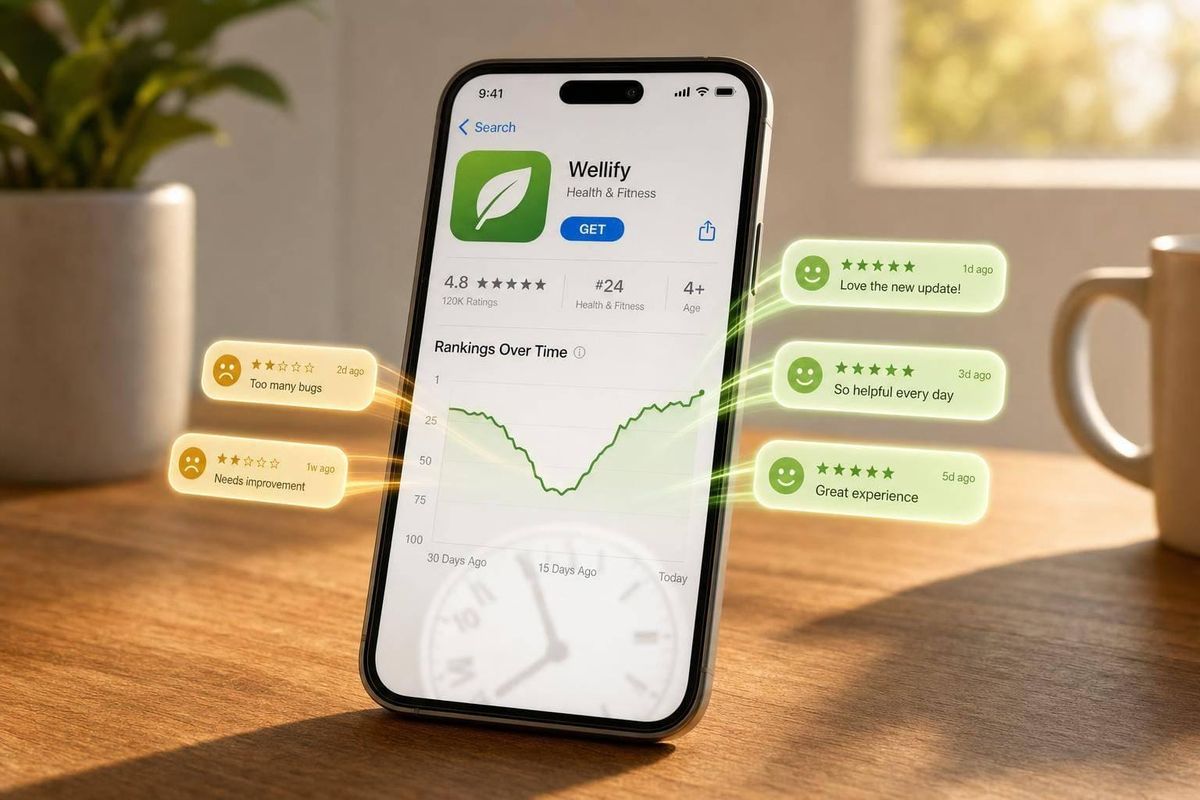
Bad review sentiment can hurt your Shopify app ranking before your average star rating drops in a big way.
If I boil this down, the message is simple: Shopify likely looks at more than just your rating. It also looks at recent review tone, how specific reviews are, how often new reviews come in, and whether merchants still seem happy after install. That means a short wave of 1-star or mixed reviews can slow installs, increase churn, and push rankings down.
Here’s the short version:
- Recent reviews matter most, with extra weight on the last ~90 days
- Detailed negative reviews can hit harder than vague praise
- Slow review flow can stall ranking growth, even with a solid lifetime rating
- Common causes include bugs, setup friction, support delays, pricing surprises, and listing mismatch
- Recovery starts with fixes, not with asking for more reviews
- You should track review themes, release dates, installs, and keyword movement together
One point stood out to me: a few bad reviews usually won’t tank an app. Patterns are the problem. If merchants keep mentioning the same issue - like broken syncs, manual workarounds, or poor support - that’s often the signal that starts the slide.
So if you want to protect rankings, I’d focus on three things first: find the repeat complaint, fix the root issue, and watch the trend over time.
How Review Sentiment Affects Rankings and Installs
Review sentiment shapes both search visibility and listing conversion. You can see that impact in search placement and in how merchants decide whether to install.
Why Negative Sentiment Lowers Visibility
When sentiment slips, the app can fall because churn goes up and the pace of new reviews slows down. Recent reviews carry more weight than older ones, so a wave of negative feedback can cancel out earlier praise. And if negative reviews sit there with no reply, that can signal that the app is no longer actively supported.
That hits installs too. For merchants, reliability and performance issues play a big role in install decisions. So when sentiment turns negative, it hurts ranking and conversion.
Positive, Mixed, and Negative Sentiment Compared
| Sentiment Type | Merchant Trust | Install Conversion | Search Visibility |
|---|---|---|---|
| Positive | High; strong proof of value | High; 4.8+ ratings drive most organic installs | Strong; fresh rate of new reviews supports upward movement |
| Mixed | Moderate; merchants look for deal-breakers | Average; often keeps merchants comparing options | Stagnant; lacks the new-review pace needed to climb |
| Negative | Low; ratings below 4.0 are a warning sign | Low; negative reviews are a strong signal that merchants won't stay | Suppressed; high churn and low ratings push apps down in search |
The next question is what drives that negative feedback in the first place.
sbb-itb-ce93587
What Causes Review Sentiment to Turn Negative
When sentiment drops, the reason usually shows up right in the review text. In most cases, negative sentiment comes from product, onboarding, support, or listing issues. That matters because these problems hurt review quality, slow down new positive feedback, and weaken visibility.
Product, Onboarding, and Support Issues
The most common trigger is a bug introduced by an update. When an app breaks after a release, merchants spot it fast.
A long time to first result can also frustrate people. If a merchant installs an app and doesn’t see a meaningful result within the first few days, they may churn quietly or leave a review that walks through every confusing step.
Poor support makes both problems worse. Unanswered negative reviews can signal weak support and push sentiment down even more. Slow or missing support turns one bad experience into public proof that the app can’t be counted on.
It also helps to scan reviews for words like "manually", "spreadsheet," or "Excel." Those terms often point to workaround-driven complaints. And that type of complaint hits harder than a generic gripe because it shows the app failed at a core job.
When the app isn’t the only issue, the listing often shows where the mismatch starts.
Expectation Gaps Created by the App Listing
Some negative sentiment starts with the listing, not the app itself. Vague claims or screenshots that show little about outcomes can pull in merchants whose needs don’t match the app.
If a listing promises more than the app delivers, uninstall rates can go up, and those uninstalls can suppress ranking. Pricing language can cause trouble too. Phrases like "starts at" without clear usage tiers can lead to surprise renewal costs and negative reviews.
A simple check is to compare listing claims with recent reviews. If the same gap keeps showing up, the copy may be pulling in the wrong installs.
Once you know the likely cause, the next step is sorting reviews by theme and version.
How to Diagnose Sentiment Problems Before Rankings Drop Further
Catch sentiment shifts early, before rankings slide more. After you spot likely causes in review text, use review patterns and rank data to check them before the drop gets worse.
Tag Reviews by Theme, Version, and Support Topic
Sort each new review into clear buckets: bugs, setup friction, support delays, pricing complaints, or missing features.
Then add version and date. Look at which app release was live when each review came in. If a wave of bug complaints lines up with one release date, that gives you a likely cause instead of a hunch. You can also match review themes with support tickets to spot onboarding problems before they spread.
Start with the newest negative cluster. Recent feedback tends to have the strongest short-term effect, so fix that group first.
Once the pattern is clear, connect it to rank movement.
Connect Review Trends to Rank Movement with AppJubilee
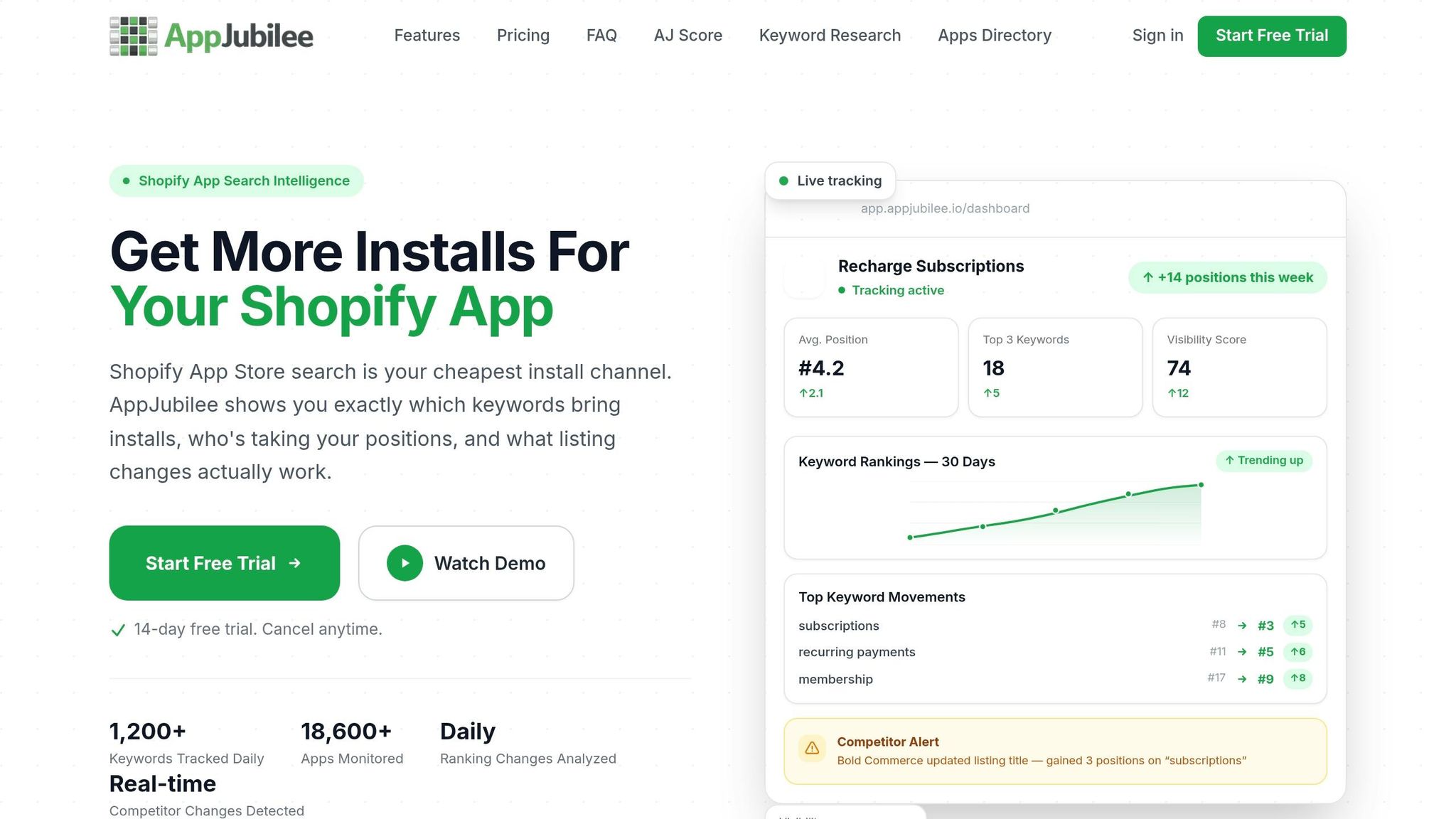
Turn tagged reviews into rank evidence. Use AppJubilee to line up sentiment shifts with keyword movement.
AppJubilee tracks daily rankings across 1,200+ keywords and stores 18+ months of history. Pull the keyword chart, find the drop date, and compare it with nearby reviews. If one-star bug complaints showed up before the ranking drop, the timeline points to the link.
Review velocity matters more than static review count.
AppJubilee's listing change tracking adds one more layer. If you changed your listing copy around the same time sentiment shifted, you can check whether that update helped or hurt visibility instead of guessing later.
Use manual reading for depth. Use automated tracking for scale.
Manual Review Reading vs. Automated Sentiment Tracking
Use both methods for different jobs:
| Manual Review Analysis | Automated Sentiment Tracking (AppJubilee) | |
|---|---|---|
| Speed | Slow; requires reading and logging individually | Fast; data refreshed daily |
| Consistency | Subjective; depends on the reader | Standardized; uses consistent logic to tag themes |
| Scale | Hard to maintain as review volume grows | High; handles thousands of reviews |
| Best for | Deep qualitative feedback and nuanced merchant context | Identifying trends, velocity, and rank changes |
Manual reading is best when you need the why behind a complaint, especially in workaround-heavy reviews that point to product gaps. Automated tracking is better when you're looking across hundreds of reviews and trying to catch ranking signals before they show up as a clear drop.
How to Recover Rankings After Negative Reviews
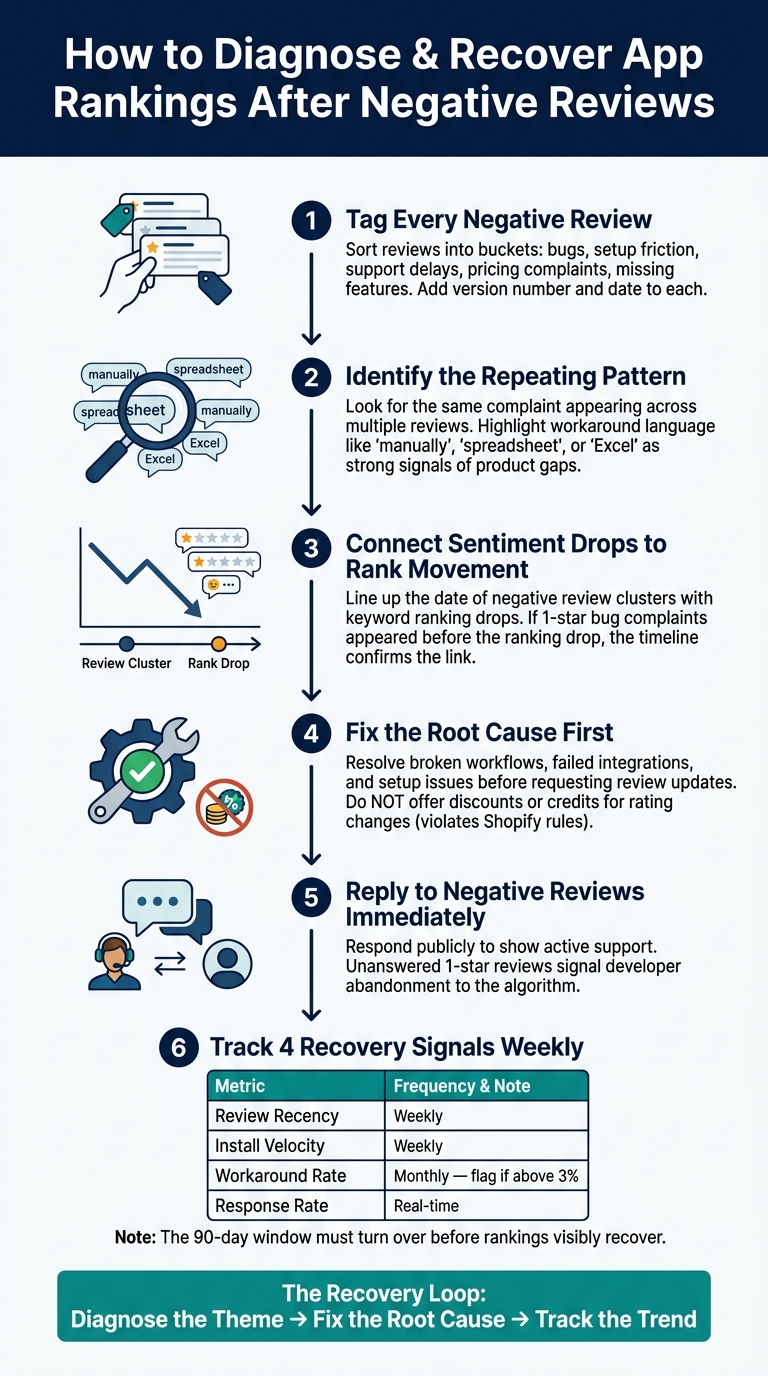
How to Diagnose & Recover App Rankings After Negative Reviews
Recovery starts with the problem itself. You don't fix weak rankings by piling on new reviews. You fix the reason people left bad reviews in the first place.
Fix Root Causes Before Asking for Better Feedback
Use the review themes you've already tagged to decide what to fix first. Start with complaints tied to broken workflows: failed integrations, setup steps that never finish, or data that doesn't sync the way it should. Reviews that mention workarounds matter a lot here. They usually mean merchants had to build manual steps for something the app should've handled on its own.
Fix the issue first. Then ask for the review update. Do not offer discounts or credits in exchange for a rating update. That goes against Shopify's rules and can put the review at risk of removal.
Reply fast to negative reviews to show active support. Those reviews can help in two ways: they can point to product issues you need to fix, and they can show future merchants how your team responds when something goes wrong.
Track Whether Sentiment Improvements Lead to Rank Recovery
After the fix ships, watch for two things moving in the same direction: better feedback and better rankings.
This part can feel slow. Recent reviews carry the most weight, so recovery doesn't happen overnight. After each fix, track four signals: new-review tone, review recency, installs, and keyword ranks. Use the same review tags and rank data in AppJubilee to check whether the fix had an effect. If sentiment is getting better but rankings haven't moved yet, the 90-day window likely hasn't turned over enough. In that case, watch the trend line, not just a single snapshot.
| Recovery Metric | Tracking Frequency | Why It Matters |
|---|---|---|
| Review Recency | Weekly | Shopify weights the last 90 days most heavily |
| Install Velocity | Weekly | Rising installs signal recovery and improve ranking momentum |
| Workaround Rate | Monthly | Rates above 3% mean merchants are still patching around product gaps |
| Response Rate | Real-time | Unanswered 1-star reviews signal developer abandonment to the algorithm |
If the mismatch came from your listing, fix that too. Clean up pricing tiers, remove claims that don't match what the app actually does, and update screenshots. Then watch to see whether rankings start to follow.
Conclusion: Key Points to Remember
Review sentiment shapes both rankings and installs. And those two signals tend to feed each other. If sentiment slips, visibility often drops too. Then fewer people see the app, installs slow down, and ranking signals can weaken over time.
A handful of bad reviews usually won't tank your app. Patterns are what matter. If the same complaint keeps showing up, that's the problem to focus on. In plain English: recurring complaint themes matter more than one-off negative reviews.
Recent feedback carries the most weight. So if you're trying to recover, start by fixing the churn issue at the source. After that, let new reviews build up over time. That's usually how recovery sticks.
To check whether things are moving in the right direction, track the same signals over time with AppJubilee. Watch review tone, keyword ranks, and listing changes. If sentiment is getting better but rankings haven't moved yet, don't rush the call. Give the 90-day window time to turn over before you decide what's happening.
The loop is simple: diagnose the theme, fix the root cause, and track the trend.
FAQs
How fast can bad reviews hurt rankings?
Bad reviews can drag down rankings fast because Shopify’s algorithm puts a lot of weight on recency and review velocity, not just the total number of reviews.
There’s roughly a 90-day recency window. That means new negative feedback can outweigh older positive ratings. If poor reviews start piling up, an app’s position can slip in a hurry.
AppJubilee helps you catch those changes early with ranking snapshots, competitor alerts, and review intelligence.
Which review complaints matter most?
Complaints about technical issues, bugs, or product-market fit gaps matter most because they can hit rankings directly. If people install your app and then uninstall it soon after, that can signal poor product quality and push your listing down.
Unanswered negative feedback matters too. Shopify uses developer responsiveness as a ranking signal, so unresolved complaints can make it look like the app isn’t being actively maintained. When you reply and fix the issue, you may solve the problem and even earn an updated review.
When should I ask for updated reviews?
Ask for an updated review after you’ve fixed the issue behind the negative review, like a bug or other technical problem. Keep the request neutral, don’t offer incentives, and always give the merchant room to say no.
Also, merchants can leave or update reviews only after they convert to a paid plan. Requests sent during a trial won’t be published.