
10 Tools for Shopify Competitor Rank Tracking
Compare 10 Shopify App Store tools and six signals to monitor: keywords, listing edits, reviews, ads, category rank, and installs.

If you track rank alone, you miss the reason installs go up or down. In a Shopify App Store with 17,891 active apps and about 584 new apps each month, I’d track six things: keyword rank, category visibility, listing changes, review pace, ad presence, and install traffic.
Here’s the short version:
- I use ASO platforms when I want rank tracking plus alerts
- I use free market tools when I want a broad store view
- I use scrapers or exports when I want raw data for my own reports
- I compare tools based on:
- keyword tracking
- competitor change tracking
- reviews
- ads
- traffic or install data
- pricing and team fit
The 10 tools covered here are:
- AppJubilee
- Ablestar AppNavigator
- AppstorePulse
- Letsmetrix
- Asomify
- AppWatch
- Ranksy
- Gaintage Rank Tracker
- Apify Shopify App Keyword Rank Scraper
- Shoplist
My main takeaway: the right pick depends on how you work. A solo founder may want one simple ASO tool. A growth team may need rank data plus GA4 and Shopify Partners. A data team may care more about exports, paid vs. organic splits, and custom joins.
Quick Comparison
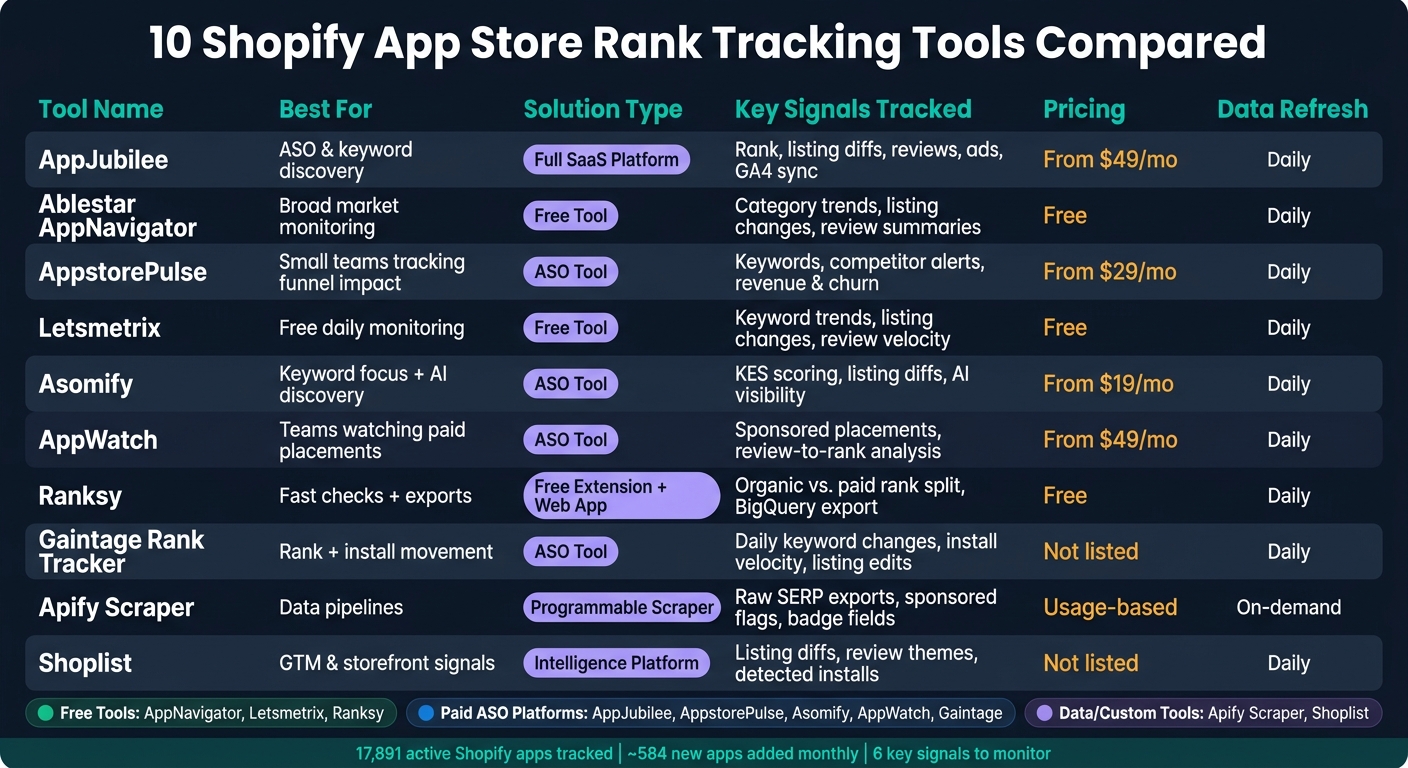
10 Shopify App Store Rank Tracking Tools Compared
| Tool | Best for | What stands out |
|---|---|---|
| AppJubilee | Shopify app ASO teams | Rank tracking, listing diffs, reviews, ads, GA4 sync |
| Ablestar AppNavigator | Broad store watching | Free market view, category trends, top movers |
| AppstorePulse | Small teams tracking funnel impact | Keywords, competitor alerts, revenue and churn snapshots |
| Letsmetrix | Free daily monitoring | Keyword trends, listing changes, review pace |
| Asomify | Keyword focus plus AI discovery checks | KES scoring, listing diffs, AI visibility |
| AppWatch | Teams watching paid placements | Sponsored placement detection, review-to-rank analysis |
| Ranksy | Fast checks plus exports | Organic vs. paid rank split, Chrome extension, BigQuery |
| Gaintage Rank Tracker | Rank plus install movement | Daily keyword changes tied to installs and listing edits |
| Apify Shopify App Keyword Rank Scraper | Data pipelines | Raw SERP exports, sponsored flags, badge fields |
| Shoplist | GTM and storefront signals | Listing diffs, review themes, detected installs |
If I were choosing fast, I’d start with the signal I need most, then add tools only where there’s a gap.
sbb-itb-ce93587
What Shopify App Teams Should Track Beyond Raw Rankings
Raw rankings only tell part of the story. In the Shopify App Store, merchants find apps through search, category pages, and ads. So if you only watch rank positions, you miss other signals that shape visibility and conversions. A broader view helps teams tie optimization work back to installs and revenue in Google Analytics 4 and Shopify Partners.
The six signals to track are keyword position and volatility, category visibility, listing changes, review velocity, ad presence, and traffic or install behavior.
Keyword positions are the starting point. But the job isn't just to check where your app ranks today. You also want to see how much those rankings swing from day to day and how much of your core keyword set competitors already cover. A rank that looks fine on Monday can slip by Friday, and that kind of movement often tells you more than a static snapshot.
Category visibility matters on its own. Plenty of merchants browse by category instead of typing a search. That means a drop in category placement can cut installs even if your keyword rankings barely move.
Listing changes are easy to miss, but they often explain sudden shifts. If a competitor changes its title, screenshots, or pricing, rankings can move fast. The best way to read that impact is to compare those edits against before-and-after keyword positions, conversion rate, and install velocity. That makes it easier to isolate what changed.
Review velocity often matters more than total review count. A steady stream of new reviews can say more about current momentum than a large review total built over a long stretch.
Ad presence adds another piece to the puzzle. If a competitor bids on your top keywords, they can pull clicks away even when you hold the #1 organic spot. So it helps to know who is bidding on which terms, especially when traffic doesn't line up with your rank.
Finally, traffic and install signals connect visibility to business results. Listing views, install conversion rate, and uninstall rate show whether attention is turning into growth or leaking out after the click.
No single tool covers every signal. Most teams pair one core ASO platform with other data sources to fill the gaps. The tools below cover these signals in different mixes.
1. AppJubilee
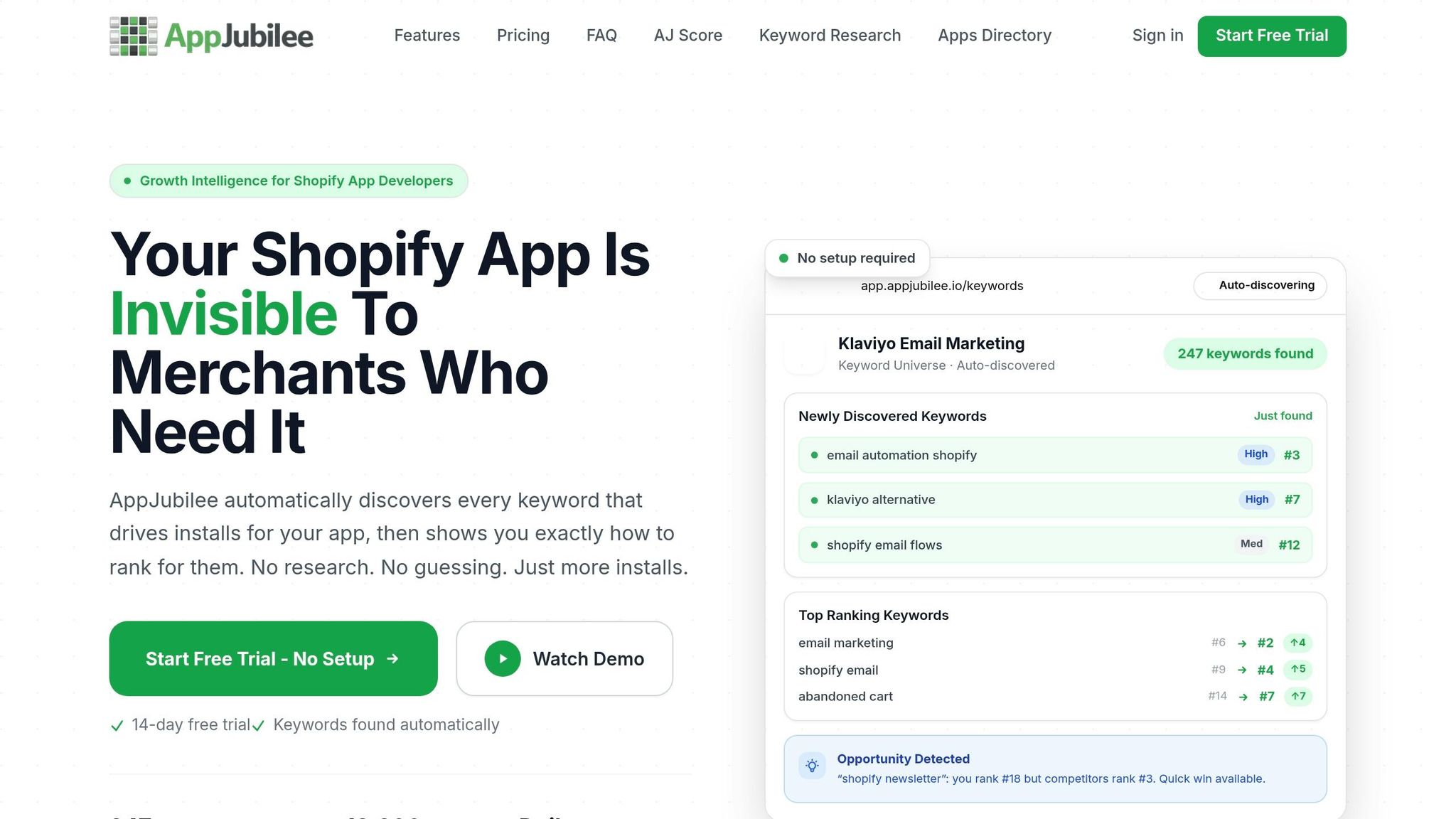
AppJubilee is a Shopify App ASO platform made for Shopify app teams. It brings rank tracking, competitor moves, listing updates, reviews, and ad data into one dashboard. Below is a closer look at the signals it tracks.
Keyword rank tracking
AppJubilee runs nightly crawls across about 1,200 Shopify App Store keywords and shows more than 90 days of rank history. That gives teams a steady view of how rankings shift over time instead of relying on one-off checks.
It also includes the AJ Score, a 0–100 score based on keyword coverage, rank quality, and competitive position. The Keyword Opportunities report points out Core Keywords - terms that 40% or more of your competitor set ranks for. That can help you spot gaps fast.
Competitor listing change monitoring
AppJubilee saves side-by-side snapshots of competitor titles, descriptions, pricing, screenshots, and icons. It also flags listing edits within 24 hours.
Its Change Impact Tracking feature connects those edits to ranking changes over 7-day and 30-day windows. So if a competitor updates screenshots on Monday and starts moving up by the next week, you can see that pattern instead of guessing.
Review and rating intelligence
AppJubilee tracks review velocity and measures how keyword rankings change in the 7 days after each review. It also sorts competitor alerts by severity:
- critical
- high
- medium
- low
On top of that, it tracks review sentiment across 8 topic categories. According to its data, review velocity may matter more than total review count.
Ad, traffic, and custom data signals
On Growth, Pro, and Agency plans, AppJubilee’s Ads Intelligence shows which keywords competitors are bidding on, plus estimated share of voice and ad density for each keyword.
If you connect Google Analytics 4 and Shopify Partners, you can map impressions, clicks, CTR, and installs by traffic source. That makes it easier to tie store visibility back to acquisition data.
Pricing starts at $49/month for one app. Higher tiers add more apps, ads intelligence, GA4 and Partner sync, and longer history. All paid plans come with a 14-day free trial.
2. Ablestar AppNavigator
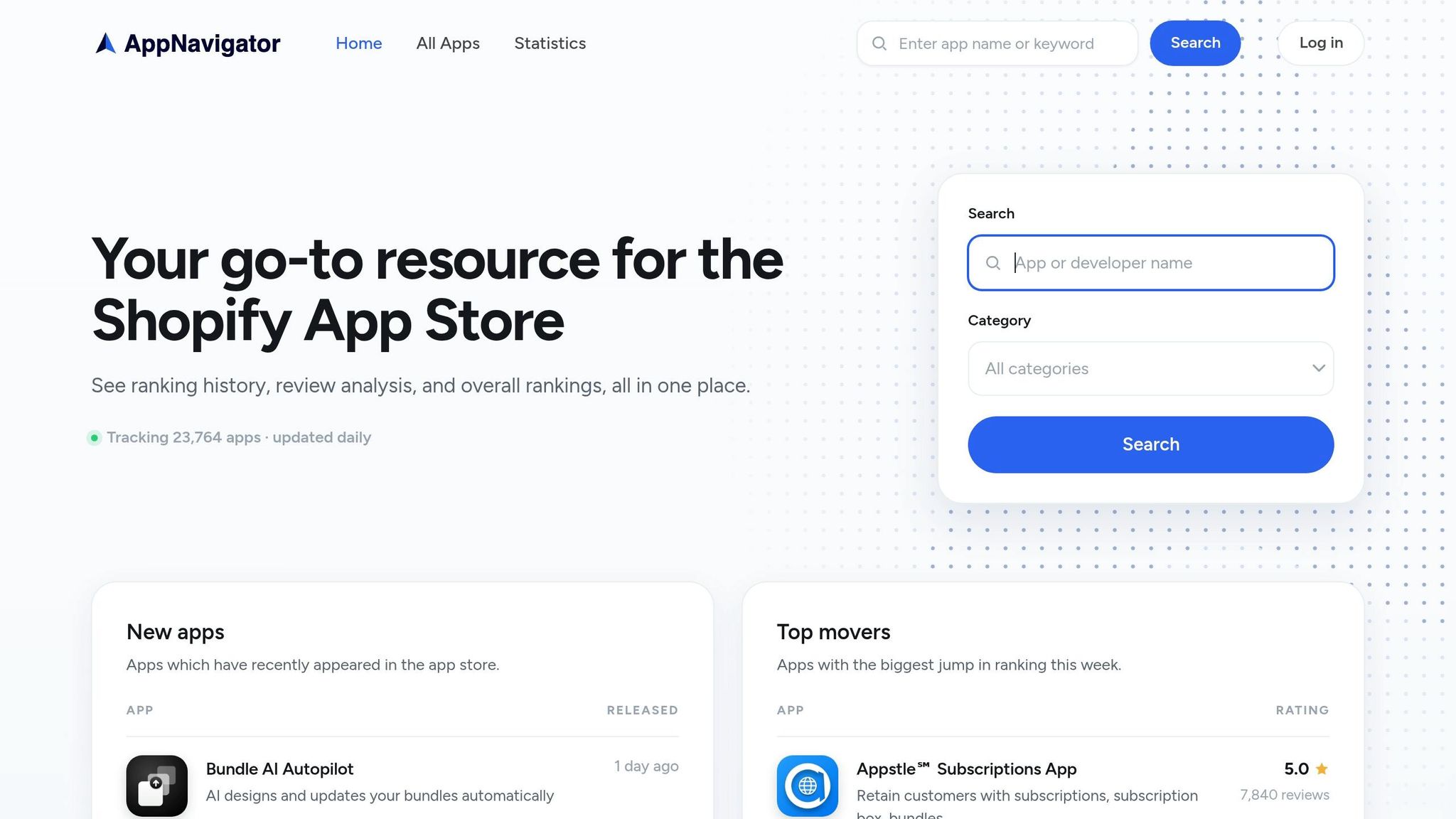
Ablestar AppNavigator is a free Shopify App Store intelligence tool that tracks 23,677 apps every day, which gives teams a broad look at what’s happening across the store. It’s a good fit when you want to watch competitor movement, reviews, and category shifts at a market level. Put simply, this tool is best used as a market-intelligence layer, not as a keyword-by-keyword rank tracker.
Category rank tracking and market signals
AppNavigator tracks overall rank trends and category placement, with views for six months, one year, or full history. It also shows daily lists for "top movers", "most reviewed," and "new apps," which can act as early market signals.
Competitor listing change monitoring
The daily history makes it easier to review changes to a competitor’s title, description, category, tags, and pricing and compare those updates against rank movement. If you want the fastest way to spot apps worth checking, start with the "top movers" list.
Review and rating intelligence
Review summaries can help explain why a competitor is moving up or down. AppNavigator generates AI review summaries and highlights, and it also shows how long reviewers have used the app, which helps teams judge review credibility.
Ad and traffic signals
If direct ad data isn’t available, use rank swings as a proxy. AppNavigator does not show ad spend or traffic-source data. Instead, look for rank jumps and review spikes as signs that an app may be getting promoted, then verify that pattern in GA4.
3. AppstorePulse
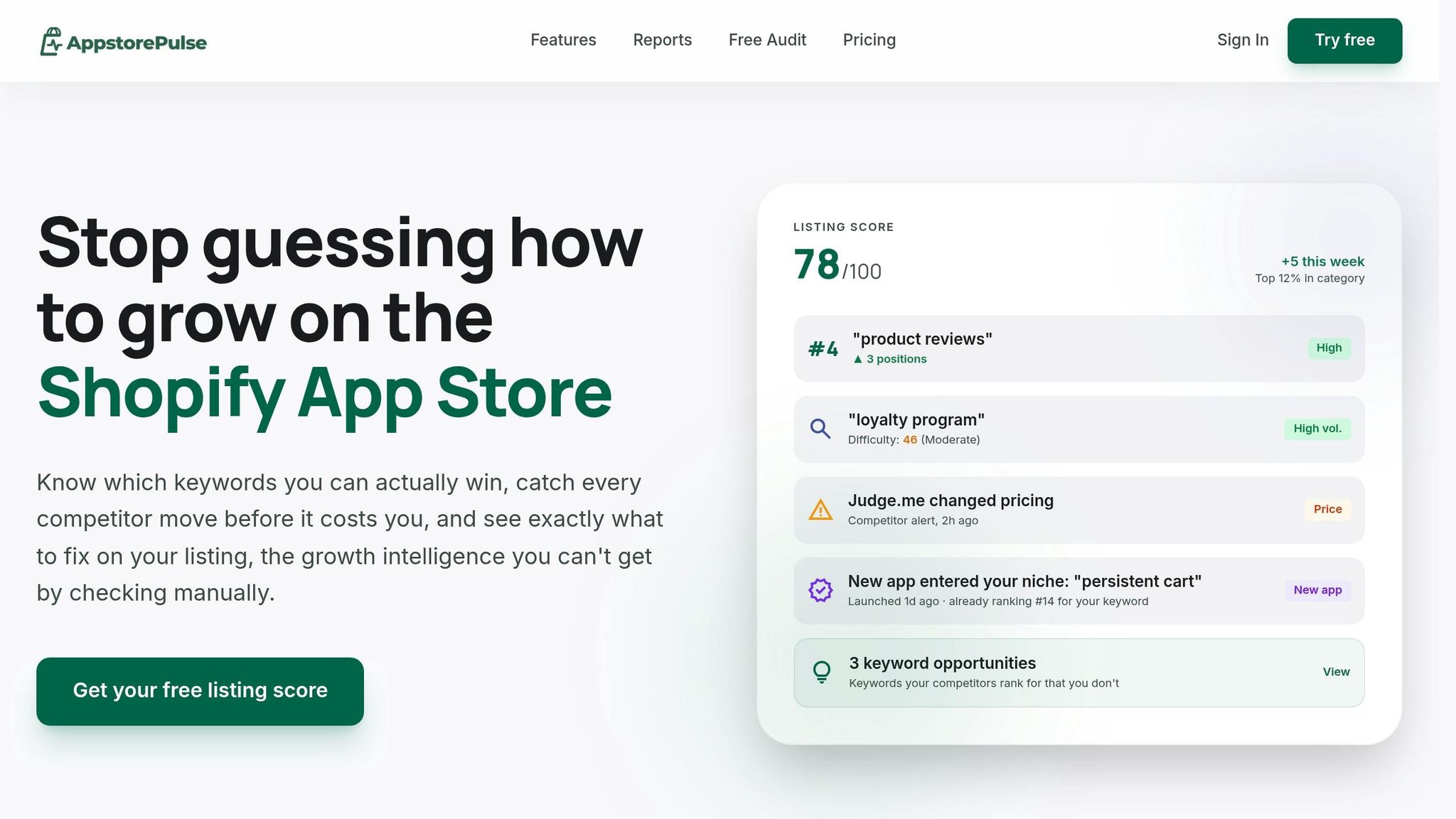
AppstorePulse monitors 21,509 public Shopify apps and 950,996 reviews, with daily updates. The sections below show how it keeps rank tracking, competitor edits, reviews, and funnel signals in one place.
Keyword rank tracking
AppstorePulse tracks keywords you choose: 3 on Free and up to 20 on Pro, which starts at $29/month in launch pricing and later moves to $49/month. You can see daily rank positions, trend lines, keyword difficulty, and search volume labels by tier. Historical data begins when you sign up, with 14 days of history on Free and 90 days on Pro.
That matters because rank movement on its own only tells part of the story. It gets a lot more useful when you can connect those changes to edits on your listing.
Competitor listing change monitoring
You can track 1 competitor on Free or up to 5 on Pro, and AppstorePulse flags listing changes within 24 hours. It watches for updates to price, screenshots, badges, taglines, categories, and languages.
So if a competitor changes pricing on Monday and starts moving up by midweek, you’re not stuck guessing what happened.
Review and rating intelligence
AppstorePulse tracks review volume and rating shifts for both your app and your competitors. It also sends weekly digests and review-spike alerts.
That kind of review data helps you spot momentum early. A sudden burst of reviews, good or bad, can hint at a launch, a pricing change, or a product issue that needs a closer look.
Traffic and funnel signals
AppstorePulse goes past raw rankings with Listing Analytics and Revenue & Churn snapshots. These views show which keywords drive installs, where users drop off from views to clicks to installs, and how live MRR, churn, and trial counts change over time.
That’s where rank data starts to connect with business results. If "reports" ranks #12 but drives 60% of new installs, it makes more sense to work on that term than to chase a higher-ranking keyword that brings in less conversion.
4. Letsmetrix
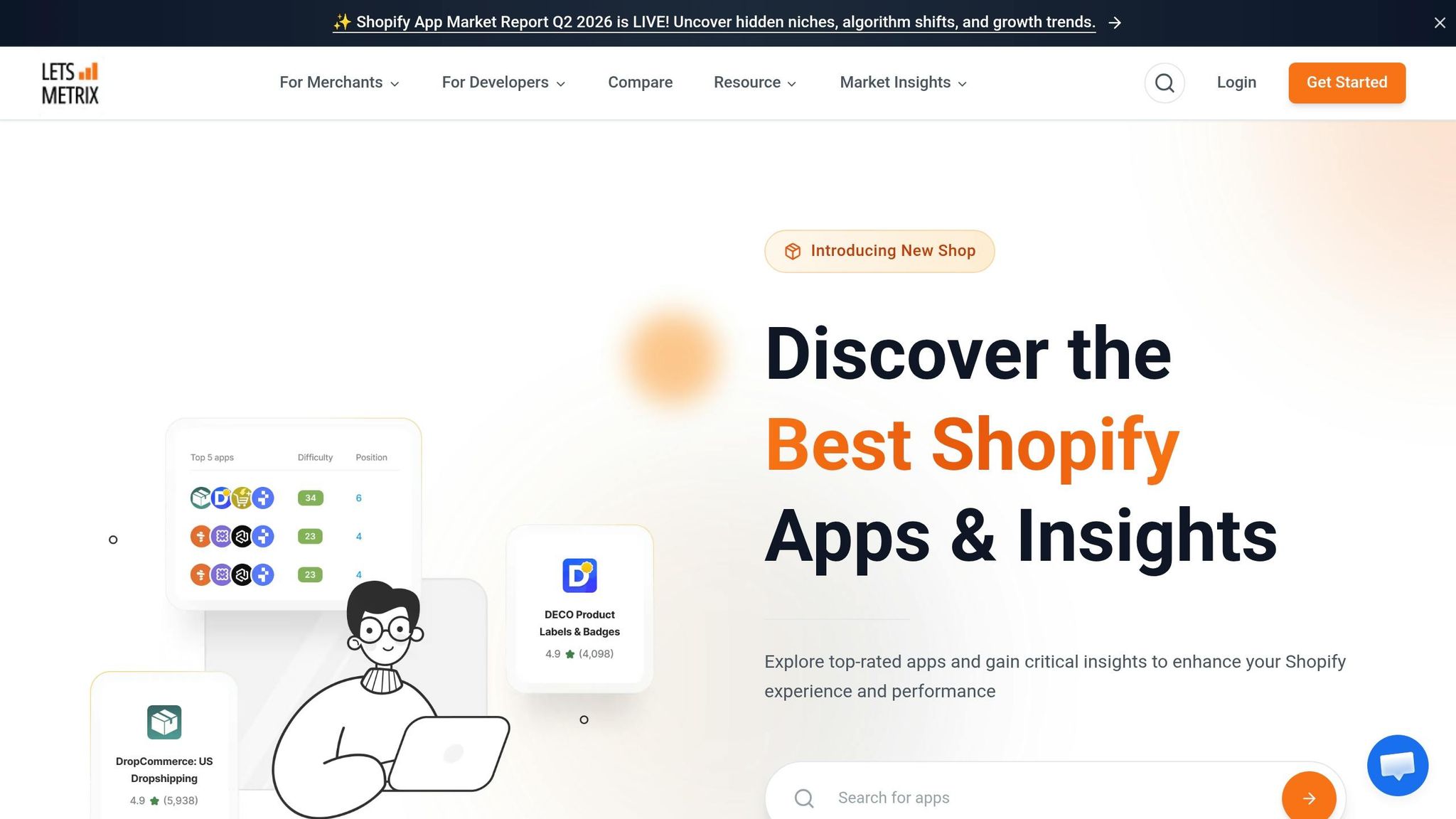
Letsmetrix is a free Shopify App Store intelligence tool that tracks keywords, competitors, and reviews every day. It runs on a live index of 14,300+ apps and watches movement across 25,000+ active apps. If you want one place to check keyword swings, listing edits, and review changes each day, this is the kind of dashboard built for that.
Keyword rank tracking
Letsmetrix tracks daily keyword rankings for every term you follow. You can see your current position, keyword difficulty, the top five results, and a day-by-day trend line.
You can add keywords by hand or use AI-generated suggestions based on search trends. Each keyword also connects to page views, installs, and conversion rate, which helps you see more than just rank movement.
Competitor listing change monitoring
Letsmetrix records changes to competitor listings on the public Shopify App Store, including:
- Title
- Subtitle
- Description
- Pricing
- Key features
It also tracks category, subcategory, and keyword position changes, so teams can spot where a competitor gained ground or slipped after an update. That context matters. If rankings move right after a listing change, review shifts become a lot easier to read.
Review and rating intelligence
Review data updates daily, with metrics like average rating, review velocity, and review volume trends for your app and competing apps. This makes it easier to catch repeated feedback themes and rating drops before they pile up.
Traffic and custom data signals
The main draw here isn't traffic data by itself. It's the link between traffic and keyword performance. Letsmetrix pairs rankings with page views, installs, and conversion rate at the keyword level.
You can also connect custom funnel events to see which search terms lead to actual outcomes.
5. Asomify
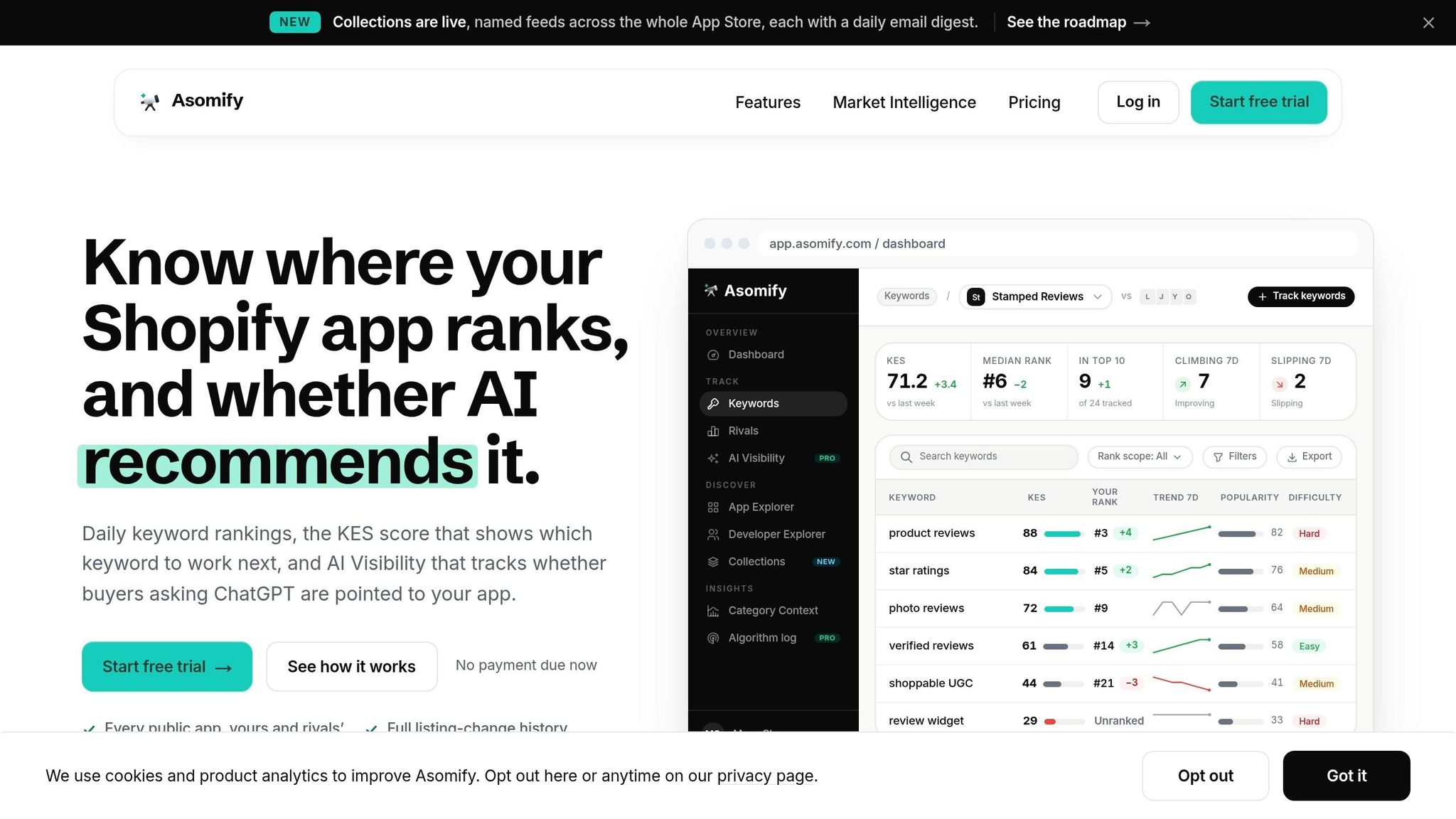
Asomify is a Shopify App Store intelligence tool built for daily keyword tracking, competitor mapping, and visibility monitoring. If you want a day-by-day view of which keywords matter, which competitors are moving, and where visibility is shifting, this is the kind of tool you’d use.
Keyword rank tracking
Start with KES if you need a fast way to sort high-value keywords from lower-priority terms. KES is Asomify’s main prioritization metric. It blends estimated search volume, rank, and 7-day trend to surface keywords with the most upside. Asomify also auto-discovers the keywords your app already ranks for, and the Starter plan tracks up to 10 keywords per app.
Competitor listing change monitoring
Asomify auto-maps the apps that rank next to you for shared keywords. It also shows side-by-side diffs when a competitor changes its title, description, category, or other listing fields. On top of that, you get a daily email with the top movers and the latest listing changes.
Review and rating intelligence
Asomify stores review and listing history, which makes it easier to line up rank changes with rating trends over time.
AI visibility and anomaly detection
Search rank is only part of the picture. Asomify also tracks how often your app shows up in AI-driven discovery. The Pro plan adds AI Visibility, which checks daily buyer prompts to see whether your app appears, a competitor appears, or no app appears at all.
Its anomaly log also flags broad ranking shifts. That helps teams tell the difference between market-wide movement and issues tied to a single app.
Starter costs $19/month for up to 3 apps and 10 keywords per app. Pro costs $49/month for unlimited apps and keywords, plus AI Visibility and anomaly logging. Both plans come with a 3-day free trial and no credit card required.
6. AppWatch
AppWatch adds sponsored-placement detection to daily rank and review tracking. It follows keyword rankings, competitor moves, and review activity across 18,600+ Shopify apps and 1,200+ daily keywords.
Keyword rank tracking
AppWatch tracks daily keyword positions for your target terms and calculates a Keyword Difficulty (KD) score for each one. That score is based on competing apps’ review volume, ratings, and the number of apps going after that keyword.
One useful detail: when you add an app, AppWatch shows 90+ days of historical ranking data right away. So you don’t have to sit around waiting for a new history to build.
Rank data on its own only tells part of the story. It gets much more useful when you can line ranking swings up with changes on the listing.
Competitor listing change monitoring
AppWatch snapshots competitor listings, including the title, descriptions, pricing, screenshots, and icon, then flags changes in a side-by-side diff viewer.
The Activity Feed ties those edits to ranking shifts, and alerts are grouped by severity:
- Critical
- High
- Medium
- Low
That setup makes it easier to spot what changed, when it changed, and whether the move lined up with a jump or drop in rankings.
Review and rating intelligence
AppWatch tracks review velocity, star ratings, and review spikes for both your app and competing apps. Its Review-to-Rank Impact analysis measures how keyword positions move in the 7 days after a new review comes in.
It also includes an overlap warning for cases where a listing change happened in that same window. That matters because a rank move after a review doesn’t always mean the review caused it. Sometimes the listing was edited at the same time, which muddies the picture.
Reviews can help explain momentum, but ad placement and traffic help show whether that momentum turns into installs.
Ad, traffic, and custom data signals
AppWatch identifies competitors running ads by detecting sponsored placements in search results. It only flags a keyword as advertising after a sponsored placement lasts more than 3 days. Ad intelligence is available on the Growth plan and above.
It also connects to GA4 and Shopify Partners so you can tie rank changes back to installs and traffic.
Pricing starts at $49/month for Starter. Growth is $99/month, Pro is $199/month, and Agency is $499/month.
7. Ranksy
Ranksy is a free Chrome extension with a companion web app, Ranksy DB, for deeper analysis. The setup is simple: use the extension for a fast competitor check, then jump into Ranksy DB when you want a closer look at trends over time.
Keyword rank tracking
Ranksy tracks ranking data for about 30,000 Shopify App Store keywords, across both organic and paid placements. That gives you a clear view of how your app stacks up against competitors on the same search terms.
The extension shows how your app and rival apps move across shared keywords. It also displays a 30-day category rank trend, ranking distribution by position bucket (Top 4, 5–24, 25–48, 48+), and the top 10 highest-ranking keywords with rank-change indicators. In plain English, you can see not just where an app ranks, but whether it’s climbing, slipping, or holding steady.
Competitor listing change monitoring
Ranksy records app updates and listing edits alongside ranking and review data. That makes it much easier to line up competitor changes with rank movement.
If a rival updates its title, screenshots, or copy and then jumps in rankings, you can spot that pattern without digging through notes by hand. That kind of side-by-side view can save a lot of guesswork.
Review and rating intelligence
Ranksy's database stores roughly 850,000 Shopify App Store reviews and tracks removed reviews too. That matters because review totals alone don’t always tell the full story.
The extension also shows average daily new reviews, 30-day review growth, and where reviews come from, which helps you spot review momentum and regional concentration. So if an app is picking up reviews fast in one market, or losing traction after reviews get removed, you’ll see it.
Ad, traffic, and custom data signals
Ranksy separates organic and paid rankings, so you can tell when visibility is coming from paid placement instead of organic relevance. That’s a big distinction. A high rank can look great at first glance, but paid visibility and earned visibility mean different things.
For teams that export data, BigQuery ties visibility to downstream performance. Ranksy supports BigQuery integration for full-funnel attribution, so teams can connect visibility to installs and revenue.
8. Gaintage Rank Tracker
For teams that want a daily read on rank changes tied to listing edits and installs, Gaintage stays focused on the main visibility signals.
Gaintage is a Shopify App Store rank tracker built for daily keyword movement and competitor visibility.
Keyword rank tracking
Gaintage checks keyword positions each day and shows how rankings move over time. It also highlights merchant searches that drive installs, which can help teams spot new keywords worth targeting. When a ranking changes, Gaintage marks whether that move lines up with install velocity or a listing edit.
That extra context matters. A jump or drop in rank is easier to read when you can see why it may have happened, instead of staring at the number on its own.
Competitor listing change monitoring
Gaintage tracks the apps ranking above you for the same keywords and follows their movement next to yours. If competitors update copy, screenshots, pricing, or badges, Gaintage shows those edits alongside rank changes.
That makes weekly reviews a lot less messy. A team can look at competitor listing changes, keyword position, category rank, 7- and 30-day installs, and the latest review dates in one pass.
9. Apify Shopify App Keyword Rank Scraper
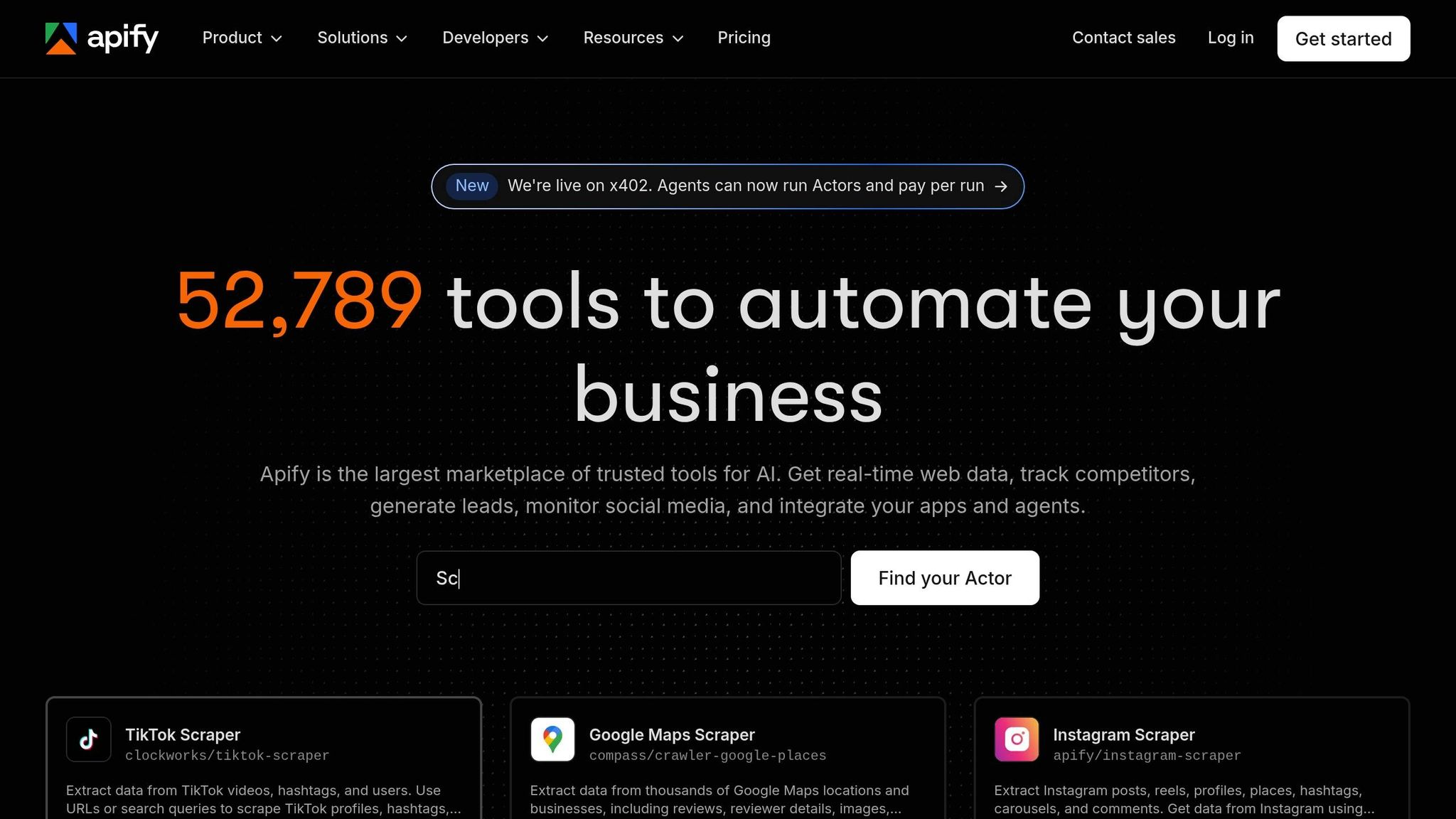
If your team wants raw, exportable rank data, Apify's Shopify App Keyword Rank Scraper is built for that. It crawls Shopify App Store search results for one or more keywords and exports structured ranking data.
Keyword rank tracking
You can run the scraper with multiple keywords at once. It paginates through search results for each keyword and outputs one row per app per keyword.
Each row includes:
- Rank position
- Whether the result is sponsored or organic
- Whether the app has the Built for Shopify badge
That makes it easy to push the output into a warehouse and chart rank trends, volatility, and top-3 or top-10 share over time.
Ad, traffic, or custom data signals
The sponsored flag helps you spot when competitors are paying for placements and how much search-result space those ads take up. From there, you can join the export with your own install and traffic data to measure impact.
Competitor listing change monitoring
Because the export is structured, you can line up rank changes with listing edits and ad movement inside your own system. The scraper returns rank and placement metadata, not listing copy.
So if you want the full picture, pair it with a separate listing scraper. That second scraper can log title, tagline, description, pricing labels, and badge status. Then you can compare snapshots against rank shifts and look for patterns over time.
Best for teams that want raw data and can build their own pipeline.
10. Shoplist
Shoplist is a Shopify go-to-market intelligence platform built on public App Store and storefront data. In plain English, it helps you read public market signals so you can spot competitor traction before it shows up in your own install numbers.
Keyword rank tracking
Shoplist tracks rank changes through public category lists and Top apps lists. Its Shoplist 100 ranking only includes apps with at least 50 detected stores and positive install momentum during the current 28-day window, so the list reflects adoption signals instead of just app listing copy or metadata.
That matters because a jump in Top apps placement can hint at stronger search visibility. And when you look at rank movement next to listing edits, the picture usually gets a lot clearer.
Competitor listing change monitoring
Its Change Intelligence feature tracks every public edit a competitor makes and shows each update as a before/after diff with timestamps. Follow a competitor once, and future edits appear in your feed automatically.
So if a rival updates pricing, positioning, screenshots, categories, or rank, Shoplist shows exactly what changed and when it changed. That kind of timeline is useful because those edits often surface first in review patterns and rating shifts.
Review and rating intelligence
Shoplist's Market Voice groups up to 24 months of public reviews into repeat praise and pain themes, such as confusing onboarding or fast support.
Instead of reading review after review by hand, you can look for patterns. If the same complaint keeps popping up, that's usually where the story is.
Public ecosystem signals
Shoplist tracks detected app installs on Shopify storefronts, co-installed app stacks, pricing changes, and listing edits. You can use detected store counts and install momentum next to GA4 or Shopify Partners data to see whether competitor changes line up with traffic or install movement.
It also supports displacement prospecting. That means you can filter for brands using a competitor's app but not yours, then export those segments to CSV for outreach.
The comparison table below shows where Shoplist fits in the mix.
Quick Comparison Table
Here’s the fastest way to size up the tools side by side. The table below shows the main signals each one tracks.
| Tool | Primary Focus | Solution Type | Competitor Signals Tracked | Data Refresh | Best Fit |
|---|---|---|---|---|---|
| AppJubilee | ASO and keyword discovery | Full platform (SaaS) | Listing changes, review velocity, ads | Daily | Teams needing deep ASO with automated discovery |
| Ablestar AppNavigator | Market intelligence | Free intelligence tool | Category rank trends, listing changes, review summaries | Daily | Broad market monitoring across the full app store |
| AppstorePulse | Single-app ASO | ASO tool | Listing changes, review spikes, funnel signals | Daily | Teams wanting keyword tracking plus revenue and churn snapshots |
| Letsmetrix | Keyword and competitor tracking | Free intelligence tool | Listing changes, review velocity, keyword-level install data | Daily | Daily keyword and competitor monitoring at no cost |
| Asomify | Keyword prioritization and AI visibility | ASO tool | Listing diffs, review history, AI-driven discovery signals | Daily | Teams tracking both search rank and AI-driven app discovery |
| AppWatch | Keyword and ad tracking | ASO tool | Listing diffs, review velocity, sponsored placements | Daily | Teams that need ad detection alongside rank and review tracking |
| Ranksy | Organic and paid rank tracking | Free extension + web app | Listing edits, review trends, organic vs. paid split | Daily | Fast competitor checks with BigQuery export for custom attribution |
| Gaintage Rank Tracker | Daily rank and install signals | ASO tool | Listing changes, install velocity, competitor movement | Daily | Teams focused on connecting rank shifts to install outcomes |
| Apify Shopify App Keyword Rank Scraper | Data extraction | Programmable scraper | Raw SERP data, keyword positions, sponsored flags | On-demand or scheduled | Data teams building custom dashboards or pipelines |
| Shoplist | Go-to-market intelligence | Intelligence platform | Listing diffs, review themes, detected install momentum | Daily | Teams tracking competitor traction and storefront adoption signals |
For ASO work, daily updates are usually enough. In most cases, the bigger choice isn’t refresh speed. It’s how much depth your team needs, how hands-on you want to be, and whether you want a ready-to-use tool or raw data you can shape yourself.
Use this table to trim the list fast. Then pick the option, or mix of options, that lines up with your team’s workflow and data needs.
How to Choose the Right Mix for Your Team
Use the comparison table above to match tools to signals. Use this section to match those tools to your team size and day-to-day workflow.
Start with the signals you need to track right now. That keeps your stack lean and stops you from paying for data you won't use.
Solo developers should keep things simple. One ASO platform is usually enough for daily keyword tracking, competitor mapping, and listing-change alerts. At this stage, the two signals that matter most are keyword rankings and listing changes from close competitors.
Growth teams need more than raw rankings once they start competing with several close rivals and running paid campaigns. When paid acquisition and frequent competitor moves make rank swings harder to read, add GA4 and Shopify Partners so visibility ties back to installs. Review monitoring and ad-presence tracking start to matter here too.
Agencies handling multiple client apps need visibility across many apps at once, not just deep analysis on one. Use a multi-app ASO platform with reporting exports and API access. For high-value keywords that need more frequent checks, layer in a programmable scraper for targeted pulls.
Data teams usually have the most specific needs: raw data, long time ranges, and the ability to join ranking data with internal metrics. A common setup is a commercial ASO front end for stakeholders, plus a custom pipeline for churn, LTV, and experiment joins.
The table below turns those use cases into a quick decision guide.
| Team Type | Core Tool | When to Expand |
|---|---|---|
| Solo developer | ASO platform | When listing-change alerts aren't enough |
| Growth team | ASO platform + GA4/Shopify Partners | When ads and reviews start affecting installs |
| Agency | ASO platform + API or BI export | When multi-client reporting gets hard to manage |
| Data team | ASO platform + custom pipeline | When internal metrics need to join rank data |
Conclusion
Rank #1 is a starting line, not the plan.
Strong teams track why rankings move, not just where they end up. That’s where the signal is. The ranking itself is only the surface. The bigger story is what pushed it up or pulled it down.
When a competitor climbs, the key question is simple: what caused it? Did they rewrite their title? Did a burst of new reviews give them a push? Did they begin bidding on your top keyword? In most cases, rank movement follows listing edits, review momentum, or paid placements.
AppJubilee can support that workflow with:
- Daily keyword tracking
- Competitor alerts
- Listing-change impact tracking
- Review intelligence
- Ad monitoring
That gives teams a clearer view of what’s changing, so they can respond before rank drops turn into install drops.
Success should be measured by better CTR, higher install rates, and stronger review trends than competitors. That’s how rank tracking becomes an ASO workflow.
FAQs
What should I track besides keyword rank?
Look beyond keyword positions. Track:
- Competitor listing changes, including titles, descriptions, and pricing
- Review velocity, since new reviews can matter more than total count
- Ad presence on your main keywords
- GA4 and Shopify Partner data so you can connect rank shifts with installs and traffic conversion
That last point matters a lot. A ranking bump looks good on paper, but it doesn't always lead to more installs. By tying keyword movement to GA4 and Shopify Partner data, you can see what’s actually happening: more traffic, better conversion, or just more impressions with no payoff.
How do I choose the right rank tracking setup?
Choose a setup that leans on automated, Shopify-specific data instead of a bunch of manual setup.
What does that look like in practice? You want:
- Broad keyword tracking across the Shopify App Store
- Competitor mapping based on actual search results, not a rival list you had to build by hand
- Listing change impact analysis
- Daily competitor alerts
- Keyword gap analysis
- Integrations with GA4 or Shopify Partners so you can tie ranking shifts to business results
That last point matters more than it seems. A ranking jump is nice, but it means a lot more when you can connect it to installs, traffic, or revenue. Without that link, you're only looking at movement on a chart.
How often should I review competitor rank changes?
Review competitor rank changes weekly so you can spot drops early and act before they snowball. Daily tracking can help if you want timely data, but a lot of day-to-day movement is just noise.
Instead of fixating on one snapshot, look at 7- or 30-day trends. They give you a better read on what’s actually changing. It also helps to set up automated alerts for major listing changes or sudden ranking shifts.