
What Shopify Rank Studies Show About Scores
Shopify App Store rank hinges on relevance plus quality—keyword placement, review momentum, install velocity, retention, and competitor moves.

Shopify App Store rank is mostly about two things: relevance and quality. From what I see in the article, the signals that show up most often are keywords in the app name and subtitle, review velocity, install growth, retention, and competitor changes.
If I had to boil the full piece down into a few plain takeaways, it would be this:
- There is no public Shopify “score” formula.
- App name, subtitle, description, and category fit help Shopify match an app to a search.
- Recent reviews and review pace seem to matter more than old totals.
- Install spikes can move rank fast, but retention and low churn help keep those gains.
- Listing edits may take about 7 days or more to show up in rank changes.
- Your rank is relative. A competitor’s title update, screenshot change, or review burst can push you down even if your app stays the same.
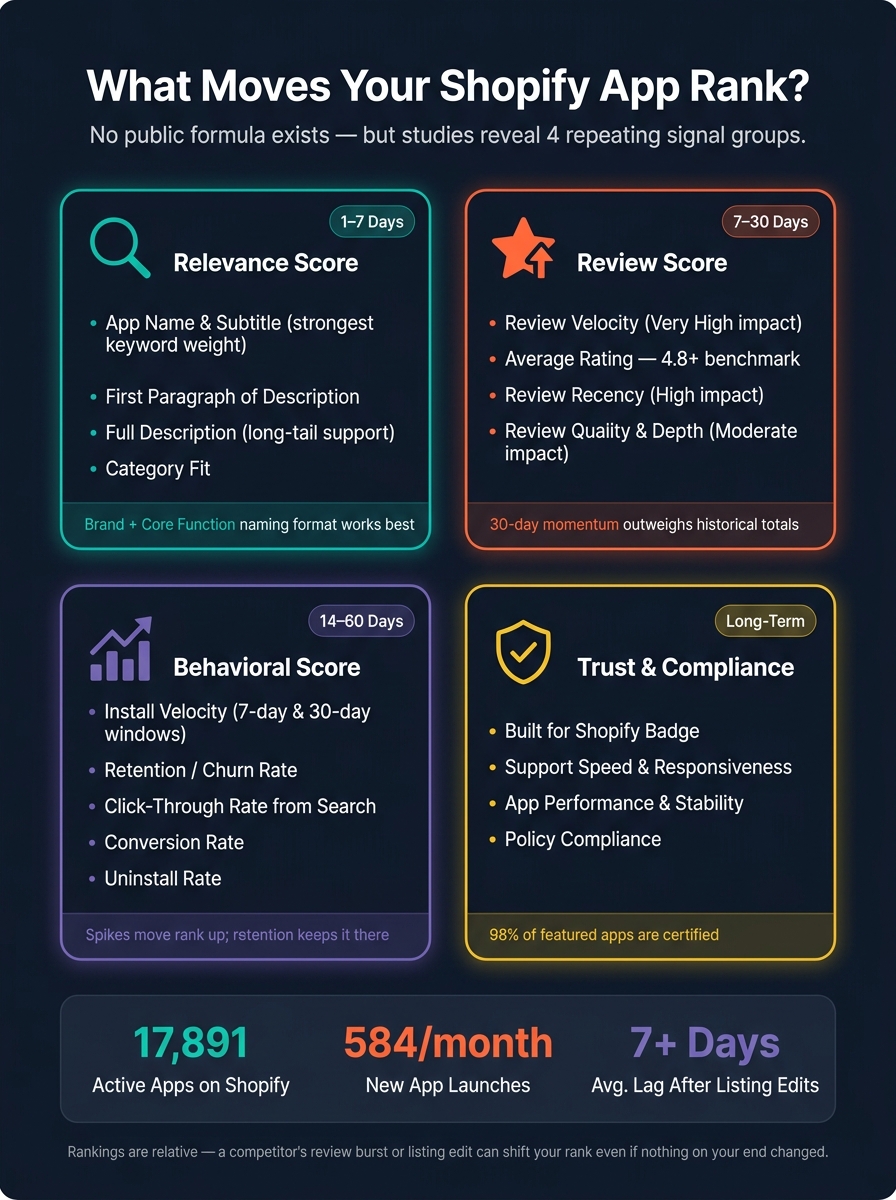
The article also puts the market size in context: there are 17,891 active apps and about 584 new launches per month. That means small ranking shifts matter.
In simple terms, I’d use this article as a working model: first fix keyword relevance, then track reviews, installs, retention, and competitor moves over 7-day and 30-day windows. That gives you a clearer way to explain why rankings move instead of guessing.
| Area | What seems to matter most | What I’d watch |
|---|---|---|
| Relevance | App name, subtitle, category fit | Keyword rank, search coverage |
| Reviews | Recency, rating, review pace | New reviews per month, rating trend |
| Behavior | Install velocity, churn, conversion | 7-day and 30-day installs, uninstall rate |
| Competition | Rival edits and review bursts | Daily rank movement by keyword |
That’s the main point of the article: Shopify rank studies do not show a fixed score, but they do show a repeat pattern of signals that tend to move rankings.
Shopify App Store Ranking Signals: A Complete Score Model
How to rank high in the Shopify AppStore - App Store Optimisation

sbb-itb-ce93587
The Main Signal Groups Behind Shopify App Store Scores
Most Shopify ranking studies boil scores down to two buckets: relevance and quality. The next section gets into which signals tend to move rankings most often in practice.
Relevance Signals: App Name, Subtitle, Description, and Category Fit
The app name and subtitle carry the most keyword weight. A simple naming format that works well is Brand + core function. For example, Acme Upsell Funnels. The main keyword should match the app’s primary job. Then the subtitle can add one or two benefit-driven phrases, like “Increase AOV with product add-ons and upsell offers.”
The description supports those fields. It helps reinforce topic coverage through clear sections like overview, key features, benefits, use cases, and integrations, where related phrases and synonyms show up naturally instead of being repeated over and over. Keyword stuffing is still a bad move. Shopify’s ranking logic leans toward copy that fits search intent, and merchants don’t respond well to spammy text.
Category selection matters too. If the category is off, visibility can drop even when keyword targeting looks strong. That’s because the algorithm uses category to match apps with merchant intent and query type.
Once relevance lines up with the query, quality signals start shaping the score.
Quality Signals: Reviews, Installs, Retention, and Engagement
Review velocity often matters more than lifetime totals. Install velocity, meaning the pace of new installs, can also help rankings, even when an app has only a small number of reviews. Several sources suggest the algorithm tracks the install/uninstall ratio, so churn may affect score. In plain terms, an app with rising installs and low churn sends a stronger quality signal than one sitting on flat lifetime totals. Click-through and conversion rates act as secondary quality inputs alongside retention and review recency.
The table below maps each signal group to the metrics developers can track:
| Signal Group | Key Inputs | What to Measure |
|---|---|---|
| Relevance | App name, subtitle, description, category fit | Keyword rankings, autocomplete coverage, category-query match rate |
| Quality | Review velocity, average rating, review recency, installs, retention, click-through and conversion rates | New reviews per month, rating trend, weekly installs, uninstall rate, retention |
Next: reviews, keywords, and listing edits are the signals studies most often tie to rank changes.
What Studies Show About Reviews, Keywords, and Listing Edits
These signals show up most clearly in three places: review momentum, keyword placement, and edit timing.
Reviews and Ratings: Average Score, Recency, and Review Velocity
The pattern that comes up again and again is simple: review velocity matters more than total review count. An app that gains reviews fast can outrank one with a bigger but flat review base. Shopify has also moved from a plain historical average to a weighted average that gives more weight to recent reviews. So if you're watching what moves the needle, momentum matters more than lifetime totals.
It’s not just about getting more reviews. The type of review matters too. Detailed reviews that describe outcomes carry more weight than generic praise, especially when they come from established merchants.
| Review-Related Input | Observed Impact Strength | Key Finding |
|---|---|---|
| Review Velocity | Very High | 30-day momentum outweighs historical totals |
| Average Rating | High | 4.8+ is a common benchmark for featured placements and top-tier visibility; a baseline credibility signal |
| Review Recency | High | Recent reviews trigger faster ranking shifts than older, static feedback |
| Review Quality Signals | Moderate | Helpfulness, depth, and tenure amplify the effect of core metrics |
Keyword Placement and Listing Edits: Where Rank Changes Often Start
Keyword weight is front-loaded. Put bluntly, keywords in the app name and subtitle tend to line up more closely with rank than the same terms buried deeper in the description. The first paragraph adds another relevance signal. The full description helps more with long-tail searches and broader semantic meaning. This is particularly evident when optimizing for competitive categories like Shopify analytics apps.
Why do keyword edits matter so much? Because they can change how Shopify recrawls and re-scores the listing.
Listing freshness plays a part too. After a rewrite or screenshot update, give it at least seven days before judging rank movement. Changes in rank often trail edits by days or even weeks. That timing pattern comes from repeated rank-tracking observations, not from any published Shopify rule.
| Metadata Field | Inferred Ranking Weight | Notes |
|---|---|---|
| App Name (Title) | Strongest | Primary keywords belong here; changes tend to create the largest rank movement |
| Subtitle | Strong | Best used for secondary keywords and value-driven phrases |
| First Paragraph | Moderate–High | Early description lines are crawled more heavily than later text |
| Full Description | Moderate | Supports long-tail discovery; diminishing returns beyond natural usage |
| Screenshots and Video | Indirect | Drive click-through rate, which feeds install velocity |
Those edit effects also make competitor changes easier to spot in the next section.
Behavioral Signals and Competitor Movement in Score Models
Once metadata lines up, user behavior decides if rank gains stick or fade.
Install Velocity, Retention, and Short-Term vs. Durable Rank Gains
A 7-day jump in installs often matches fast upward rank movement. But the 30-day trend is usually what helps an app stay in that higher spot after a campaign wraps up. If retention is weak, those install-led gains tend to slip away. If 30-day retention is strong, they tend to hold.
Here are the main behavior signals developers can watch:
| Behavioral Signal | Measurement Window | Impact on Rank Movement | Impact on Rank Stability |
|---|---|---|---|
| Install Velocity | Trailing 7 / 30 days | High; spikes drive short-term upward movement | Weak if growth flattens or reverses |
| Retention / Churn | Day 7 / Day 30 | Poor retention can cap or reverse install-driven gains | Strong 30-day retention supports durable top positions |
| CTR from Search | Trailing 7 / 30 days | Sudden increases after listing edits can lift specific queries | Elevated 30-day CTR helps sustain placement |
| Conversion Rate | Trailing 7 / 30 days | Short-term jumps support upward movement where demand exists | Sustained high conversion improves baseline score |
| Uninstall Rate | Trailing 7 / 30 days | Early uninstall spikes dampen benefits from new installs | Lower 30-day uninstall rate correlates with fewer sharp drops |
The pattern is pretty simple: short bursts can move rank, but longer trends help keep it there. A spike may get you up the hill. Retention, CTR, conversion, and lower uninstall rates help you stay there.
That leads straight to competitor movement, because rankings are relative, not fixed.
Competitor Edits, Review Bursts, and Rank Volatility
You can lose position even when your own listing and metrics stay flat. If a competitor improves faster, your app can slide. Post-search interactions make rankings more volatile. So yes, your rank can drop even if you did nothing at all.
The process is direct. A competitor sharpens their listing with a tighter title, better screenshots, or a clearer value proposition. That can push up their CTR and conversion on the same keywords you target. They win a bigger share of new installs, and your position slips.
The same thing happens with review bursts. If a competitor gets a wave of fresh, positive reviews (or even fake reviews), those quality signals can tilt in their favor and move rankings around a target keyword.
AppJubilee tracks daily keyword changes, competitor alerts, and listing-change impact, so you can connect a position drop to a rival’s move.
A Working Shopify Score Model for Developers
An Inferred Weighting Framework Based on Observed Evidence
You can group those signals into a simple working score model. Shopify rankings seem to blend four layers: relevance, reviews, behavior, and trust.
Relevance and trust set the floor. Reviews and behavior often decide which apps move up.
| Score Component | Key Metrics to Watch | Evidence Type | Typical Time Frame |
|---|---|---|---|
| Relevance Score | Keywords in the app name, subtitle, description, and category fit | Algorithmic match to search intent | 1–7 days |
| Review Score | Review velocity, average rating, and review recency | Review velocity tends to outweigh total count | 7–30 days |
| Behavioral Score | Install velocity, retention, uninstall rate, and listing conversion rate | Growing install rates can lift rank | 14–60 days |
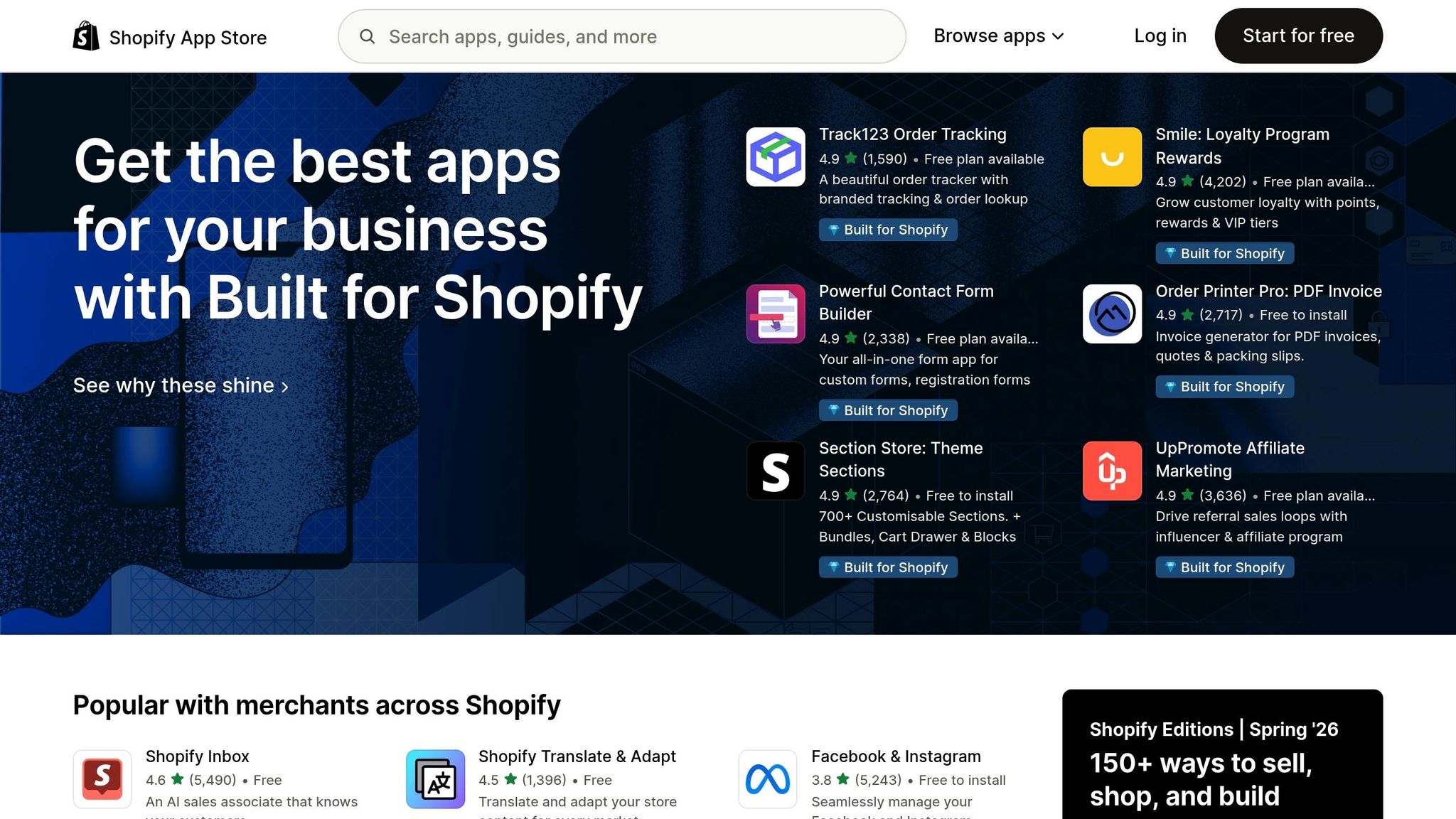
| Trust & Compliance | Built for Shopify badge, support speed, performance, and stability | 98% of featured apps are certified | Long-term, durable |
Treat these as directional benchmarks, not fixed cutoffs.
This model only helps if you can connect rank swings to actual listing changes or competitor activity. Otherwise, you're just guessing. AppJubilee keyword research links daily movement, review shifts, listing edits, and competitor alerts to rank changes, which makes cause and effect much easier to spot.
Conclusion: Key Takeaways from the Studies
That framework points to one practical rule: track changes as a system, not as one-off events. Watch 7-day and 30-day changes against competitor moves so you can tell the difference between durable gains and short spikes.
FAQs
How long do Shopify ranking changes usually take?
Shopify ranking changes often start showing up within 2–4 weeks after you update keywords or product listings. For key fields, indexing can happen in about 7 days.
It’s smart to track rankings daily. But when you’re trying to judge whether something is actually working, look at movement over 7–14 days or across 30-day trends. Single-day swings, or even intraday changes, are often just noise.
Why can my app rank drop without any listing changes?
Your app’s rank can fall even when you haven’t changed the listing. That’s because Shopify rankings don’t rely on one fixed factor. They shift based on moving signals like review velocity, install momentum, keyword relevance, and how much ground competitors are making up.
Sometimes the change has less to do with your app and more to do with the App Store itself. Store-wide ranking shifts, re-indexing after updates, and short-term volatility can all move positions around.
Before you treat it like a lasting drop, look at 7–30 day trends. A one-day dip can just be noise.
Which metrics matter most after keyword optimization?
Review velocity and install velocity matter most after keyword optimization. Why? They tend to line up with ranking gains more closely than total review count.
That means a steady flow of new reviews and installs often matters more than having a big review number sitting on the listing.
You should also watch listing freshness. Update your listing every 30–60 days so it doesn’t go stale. And make sure your title and description match search intent. Say what users are looking for, but don’t cram in keywords.
To check whether your keywords are doing their job, track:
- Keyword positions
- Conversion rate
- Install velocity by keyword
- Bounce rate
- 7-day uninstall rate
These metrics help you see whether the keyword promise matches what users expected when they landed on the page.