
Ultimate Guide to Competitor Keyword Strategy
How to find competitor keywords, spot gaps, and optimize Shopify app listings to boost search rankings and installs.
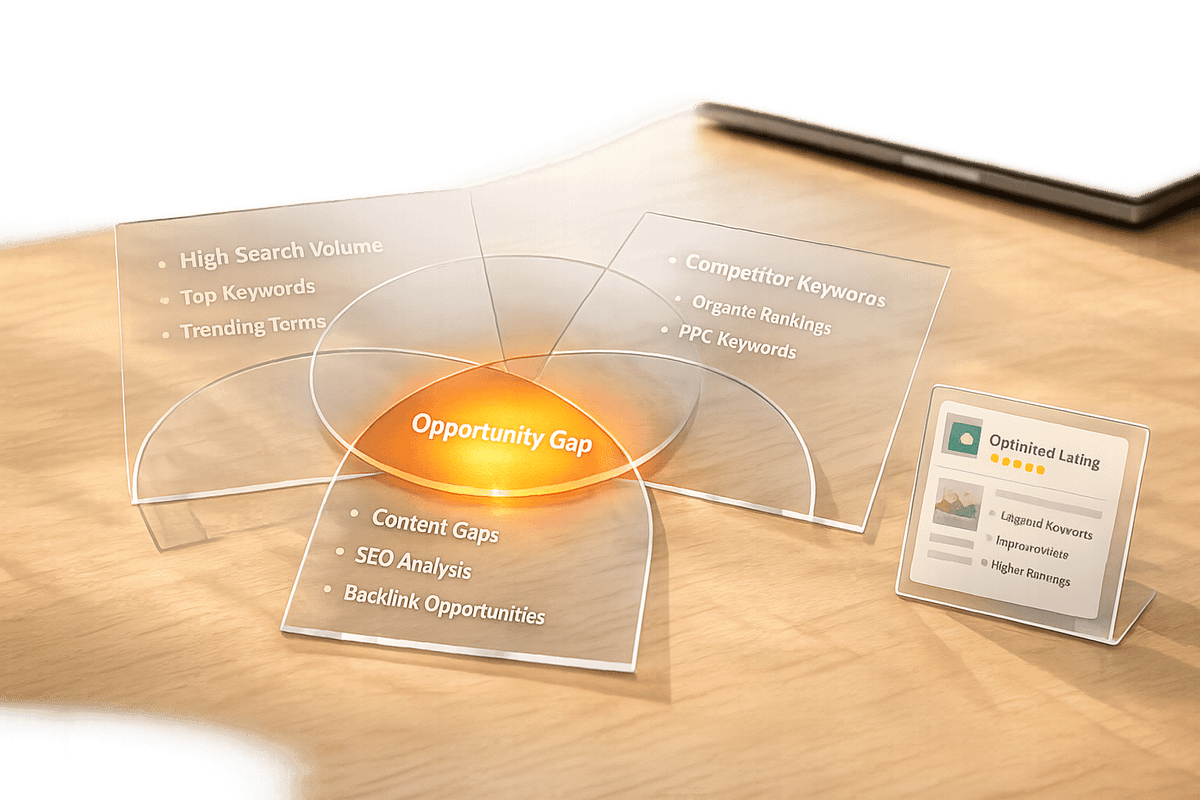
If you're a Shopify app developer, your app's visibility in a crowded marketplace of over 13,000 apps can make or break your success. A competitor keyword strategy helps you identify and leverage the keywords your competitors rank for, giving you a roadmap to improve your app's search rankings and attract more installs.
Key Takeaways:
- Merchants search for solutions, not technical jargon. Focus on problem-solving keywords like "abandoned cart recovery" instead of technical terms like analytics.
- Keyword gaps are opportunities. These are search terms where competitors rank, but you don't.
- Strategic placement is critical. Use primary keywords in your app name, secondary keywords in subtitles, and long-tail terms in hidden fields.
Quick Steps to Get Started:
- Identify competitors in your niche (direct, adjacent, and aspirational).
- Research their keywords using app titles, descriptions, and tools like Shopify's search bar.
- Use tools like AppJubilee to track keyword gaps and prioritize based on popularity and difficulty.
- Update your app listing with targeted keywords in key fields like the app name and subtitle.
- Continuously monitor performance and adjust based on data.
This guide will show you how to find the right keywords, optimize your app listing, and stay ahead of competitors.
Finding Competitors and Their Keywords
How to Identify Your Competitors in the Shopify App Store
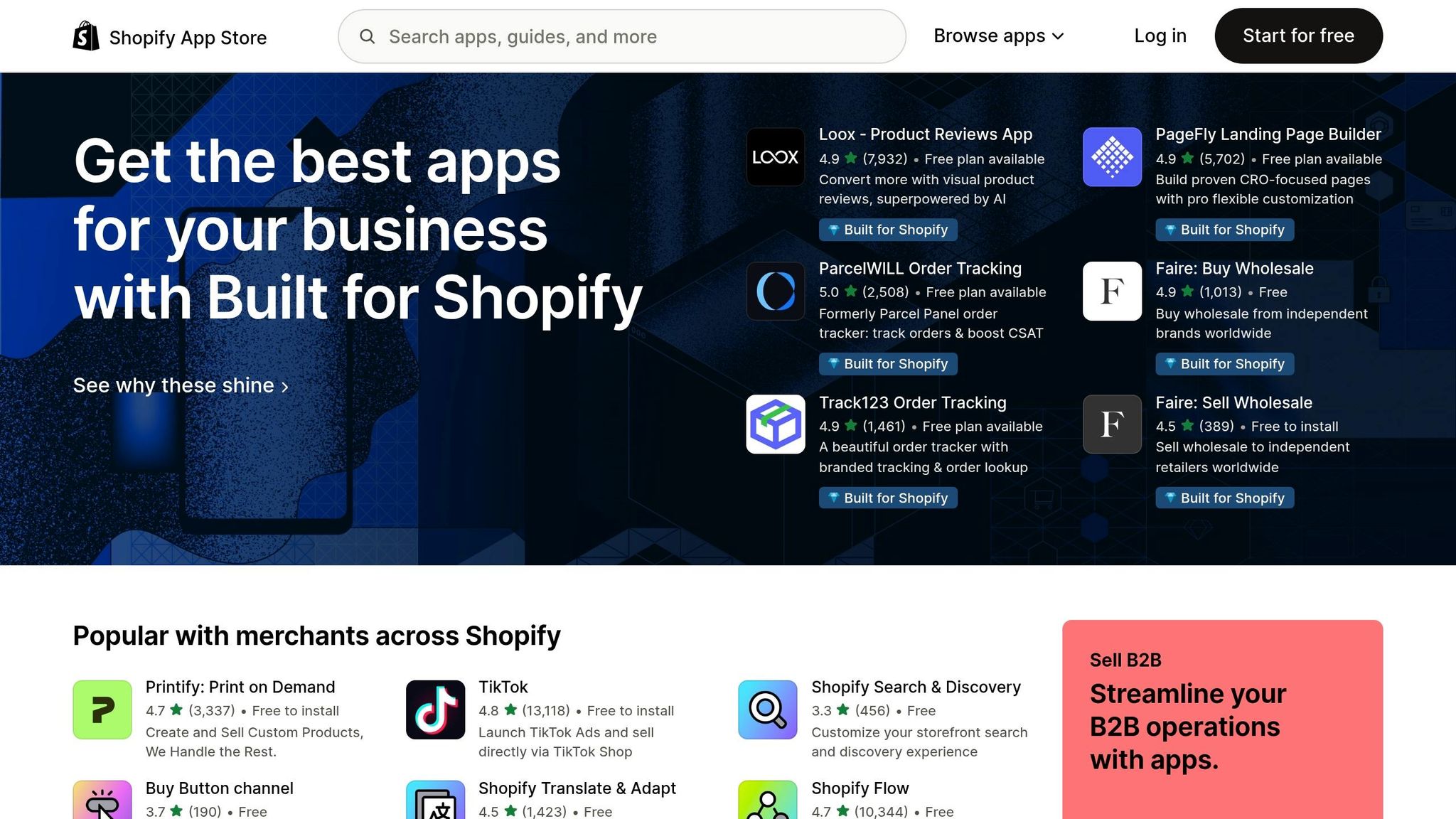
When analyzing competitors in the Shopify App Store, it's helpful to break them into three categories: direct competitors (apps solving the same problem), adjacent competitors (apps addressing related needs), and ASO competitors (apps that dominate search results for your target keywords).
Start by browsing relevant categories in the Shopify App Store to identify leading apps in your niche. Then, search for your primary keywords and note which apps consistently rank in the top 5 results. These apps are your key ASO competitors. Pay special attention to apps with the "Built for Shopify" badge or those featured in the Spotlight section, as these often signal strong performance.
For a focused analysis, aim to track about 4–5 direct competitors, 3–4 adjacent competitors, and 2–3 aspirational competitors (market leaders you'd like to emulate). Once you've built your competitor list, the next step is uncovering the keywords that drive their visibility.
How to Discover Competitor Keywords
To reveal the keywords your competitors are targeting, examine their app titles, taglines, and descriptions. Many developers use a format like "Brand Name - Keyword Descriptor" in their titles, while taglines often include secondary keywords.
Merchant reviews can be a goldmine of insights. For example, analyzing the product review category can reveal common terminology used by your target audience. These reviews often reflect the exact language merchants use to describe their challenges - language that frequently matches their search terms:
"The mistake is building a keyword list that sounds right to a developer and invisible to a merchant." - Gaintage
Another great tactic is using Shopify's search bar. Type partial phrases and note the autocomplete suggestions. These suggestions provide a window into real merchant search behaviors. Additionally, explore Shopify Community forums and Reddit threads. Merchants often discuss their pain points in these spaces, even before they've identified which app they need.
Using Keyword Tracking Tools
While manual research is a great starting point, it has its limitations, which is why many developers compare Shopify App Store optimization tools to find the right automation for their needs. Tools like AppJubilee can simplify the process by automating keyword mapping for competitors and highlighting opportunities where your app could rank higher. Features like daily tracking ensure you're working with up-to-date data, and the Competitor App Watch function notifies you of updates to competitor listings.
sbb-itb-ce93587
Keyword Gap Analysis
What Are Keyword Gaps?
A keyword gap refers to a search term where your competitor ranks within the top 10–20 search results, but your app either ranks poorly or doesn’t appear at all. Addressing these gaps can lead to a significant increase in organic installs by capitalizing on existing search demand. As the Sonar Blog explains:
"Competitor keyword analysis shortcuts the entire discovery process. If a competing app ranks in the top 10 for a keyword, that keyword has proven demand." – Sonar Blog
This approach allows Shopify app developers to avoid wasting resources on highly competitive, saturated keywords. Instead, it directs their attention to sweet spot keywords - terms that competitors are leveraging but haven’t yet reached oversaturation.
How to Find Gaps Between Your App and Competitors
Using competitor keyword insights, you can pinpoint ranking gaps that present opportunities for optimization. Start by gathering keyword data for 3–5 direct competitors (from the shortlist you created earlier). For each competitor, identify the keywords they rank for in the top 10 but where your app doesn’t rank at all. This raw list of keyword gaps reveals terms with proven search demand.
To organize this data, create a spreadsheet where keywords are listed as rows and competitor rankings as columns. Look for keywords where at least 2 out of 5 competitors rank well - this indicates strong demand without complete market saturation.
Tools like AppJubilee can simplify this process. Its Competitor Universe feature identifies keyword overlaps and gaps across your competitors, using daily-updated ranking data to save you hours of manual work.
Once you’ve compiled your keyword gap list, the next step is to prioritize these opportunities based on competitive difficulty.
How to Prioritize Keywords for Optimization
Once you’ve identified the gaps, focus on keywords that strike a balance between popularity and manageable competition. Keywords with a difficulty score under 55 are worth targeting, while those above 55 are often too competitive to pursue.
To streamline this, categorize your gap keywords into three groups:
- Quick Wins: Difficulty < 35. These should be added to your metadata immediately, as they’re likely to rank quickly.
- Stretch Goals: Difficulty between 35 and 55. Include these in key areas like the Title or Introduction, but note they may require strong ratings or reviews to rank well.
- Monitor Only: Difficulty > 55. Track these keywords for changes, but don’t invest metadata space in them for now.
You can also rank keywords within each bucket by calculating an Opportunity Score. Use the formula:
(Search Popularity ÷ Difficulty) × Relevance Multiplier.
For relevance, assign multipliers based on how closely the keyword aligns with your app’s features:
- 1.0 for core features
- 0.7 for related features
- 0.4 for loosely related terms
If your app has fewer than 1,000 reviews, aim for keywords with an Opportunity Score above 1.5, as lower scores may be too competitive for your current authority.
For Shopify apps specifically, the ideal keywords fall within a Search Popularity (SP) range of 25–55 and a difficulty score under 50. Keywords with an SP below 20 often represent minimal search traffic and may not justify taking up valuable metadata space.
Adding Keywords to Your Shopify App Listing

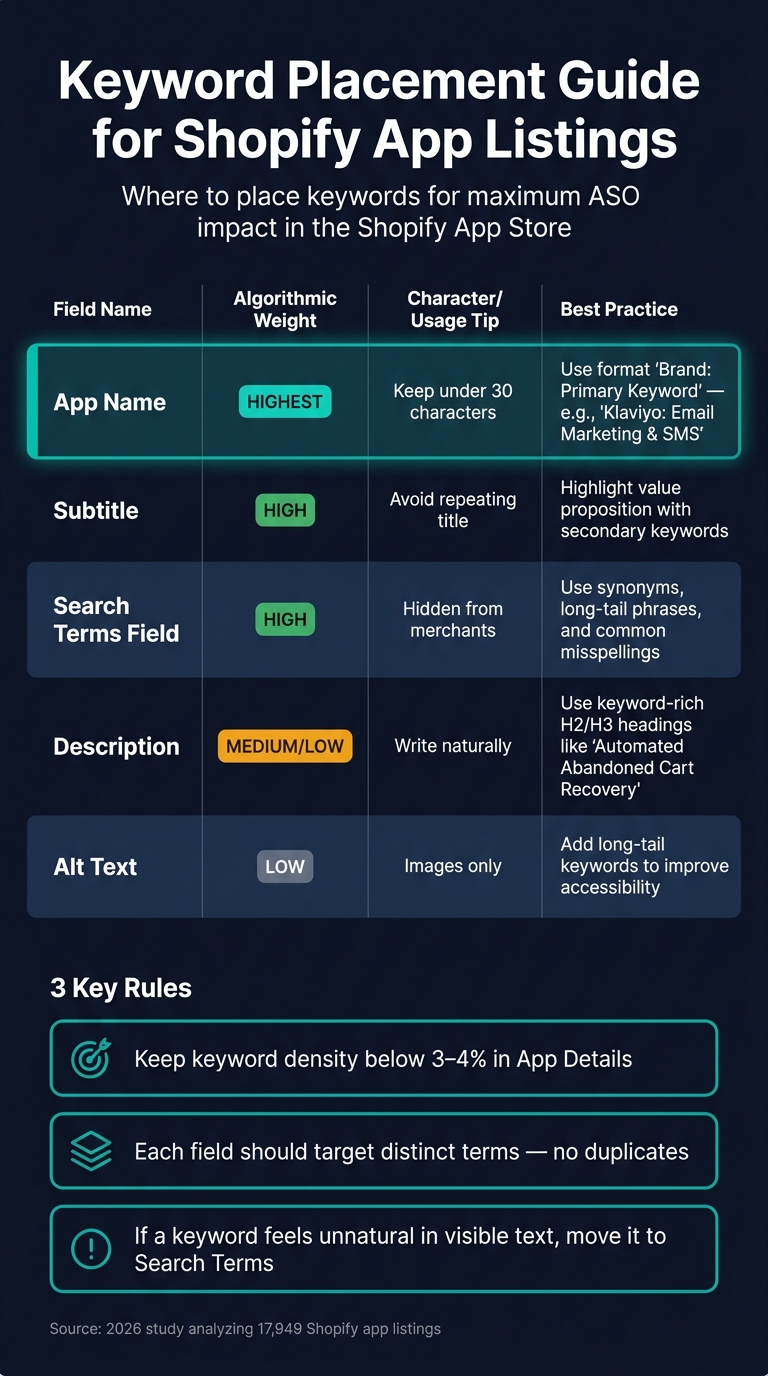
Keyword Placement Guide for Shopify App Listings
Once you've identified your keyword opportunities, the next step is to weave them into your app listing in a way that feels natural and engaging. Prioritize your keywords and place them strategically to avoid making the listing sound robotic.
Where to Place Keywords in Your Listing
Different fields in your app listing carry varying levels of importance. The App Name is the most impactful field, so it's where your primary keyword should go. A good structure to follow is "Brand Name: Primary Keyword." For example, "Klaviyo: Email Marketing & SMS." Keep the name concise - 30 characters or fewer. A 2026 study analyzing 17,949 listings found that all top-performing app names adhered to this limit.
The Subtitle comes next in importance. Use it to highlight your value proposition with secondary keywords, but avoid repeating the title. The hidden Search Terms field is perfect for synonyms, long-tail keywords, and common misspellings that might clutter your visible text.
| Field | Algorithmic Weight | Best Practice |
|---|---|---|
| App Name | Highest | Include your brand and 1–2 primary keywords; keep it under 30 characters |
| Subtitle | High | Incorporate your value proposition and secondary keywords; avoid title repeats |
| Search Terms | High | Use synonyms, long-tail phrases, and misspellings; avoid duplicates |
| Description | Medium/Low | Write naturally; use descriptive headings with targeted keywords (H2/H3) |
| Alt Text | Low | Add long-tail keywords to improve accessibility |
To boost relevance, use descriptive headings in your app description. For instance, swap out a generic heading like "Features" with something more specific, such as "Automated Abandoned Cart Recovery." Shopify indexes these headings, which strengthens your app's relevance signals.
How to Avoid Keyword Stuffing
One common pitfall is treating every field as a dumping ground for keywords. As the StoreInspect Team explains:
"The best Shopify App Store SEO is not keyword stuffing. It is precise classification plus clear merchant language."
A good rule of thumb is to keep keyword density in your App Details section below 3% to 4% to avoid being flagged as spam. Instead of repeating the same keyword across multiple fields like the title, subtitle, and search terms, aim for a strategic approach. Each field should target distinct terms to maximize your indexing potential.
If a keyword feels unnatural in visible text, move it to the hidden Search Terms field. This allows you to maintain clear, merchant-focused language while still capturing the keyword.
How to Update Your Listing Based on Keyword Data
Optimizing your listing is not a one-and-done task. For new apps, monitor keyword performance every two weeks for the first eight weeks post-launch. Once your listing stabilizes, you can shift to monthly reviews and perform a full keyword refresh every quarter.
After making updates to your metadata, track performance on days 3, 7, and 14. Changes to titles and search terms typically show results within a week, while updates to alt text and json ld for seo meta descriptions may take up to two weeks. Keep a record of every change to connect ranking shifts to specific edits.
Tools like AppJubilee's Listing Changes & Impact Analysis feature can simplify this process. It helps you track how updates affect your keyword rankings over time, so you can identify which changes are driving results and which ones aren't. Regular updates ensure your listing stays aligned with current keyword trends and performance.
Tracking and Measuring Keyword Performance
How to Track Keyword Rankings Over Time
Once you've implemented your keyword strategy, the next step is tracking its performance to fine-tune your approach. The key isn’t just knowing what changed but understanding why it changed and what actions to take next. As Chris, Founder of Gaintage, explains:
"Rank tells you what happened. Signals guide your next steps."
Alongside keyword rankings, focus on these critical metrics:
- Install rate: The percentage of new installs over 7- and 30-day periods.
- Review recency: A steady inflow of fresh feedback from users.
- Click-through rate (CTR): The percentage of users who click your listing after seeing it in search results.
For Shopify app listings, a healthy CTR typically ranges between 8% and 15%, which is significantly higher than the industry average of 5% to 8%. Monitoring these metrics together provides a much clearer picture of performance than rankings alone.
Tools like AppJubilee offer daily keyword tracking and historical ranking data, helping you identify trends instead of reacting to day-to-day fluctuations. Using a 7-day moving average can smooth out short-term swings and reveal genuine momentum.
Once you've gathered these insights, tie them back to specific listing changes to understand what's driving the results.
How to Measure the Impact of Listing Changes
To link your listing updates to performance improvements, keep a detailed record of every change, including the date and the specific fields updated. This step is essential for turning one-off optimizations into a repeatable process.
After making updates, monitor performance at intervals of 3, 7, and 14 days to account for the full indexing cycle. Pay special attention to your install rate, which indicates how well your listing converts search impressions into downloads. High-intent keywords generally convert at rates between 5% and 12%. If a keyword generates plenty of impressions but few installs, it may signal a mismatch between your listing copy and user intent.
To simplify this process, AppJubilee's Listing Changes & Impact Analysis feature connects your edits directly to ranking performance. This allows you to quickly identify which updates worked - and which didn’t.
Once you’ve established this connection, streamline your efforts with automated alerts to stay ahead of changes.
Setting Up Alerts and Reports
Automated alerts help you respond quickly without the need for constant manual monitoring. Set up alerts for major ranking shifts - such as changes of 10 or more positions - to avoid being overwhelmed by minor fluctuations.
Additionally, track your competitors. Configure competitor alerts to notify you when rivals update their app name, subtitle, or keyword tags. Such changes often hint at strategic adjustments, and catching them early gives you a chance to respond. For example, when a competitor earns the "Built for Shopify" badge, it could signal potential ranking shifts in your category.
AppJubilee's Competitor App Watch feature automates this process, sending email alerts whenever tracked competitors make updates. Review your dashboard weekly to stay informed and keep your strategy sharp - without it becoming a daily task.
Conclusion and Next Steps
Key Takeaways
The strategies outlined earlier highlight one critical truth: competitor keyword strategy isn't something you do once and forget. It’s a continuous process that builds momentum over time. Higher rankings lead to more visibility, more installs lead to better reviews, and better reviews help improve rankings even further. It’s a cycle that thrives with consistent effort.
A few essential principles stand out. Your true competitors are the apps ranking in the top 5 for your target keywords - not just those offering similar features. The biggest opportunities lie in keyword gaps. Success comes from focusing on these gaps, weighing search volume against difficulty to prioritize efforts and avoid wasted time. As one expert puts it:
"ASO is an iterative process. Find relevant keywords, try them in the store, give it a bit of time, then replace what doesn't work and double down on what does."
Scheduled updates are key to staying competitive. The process of refining your app listing and monitoring competitors should be ongoing, reinforcing the need for regular adjustments and data-driven decisions.
Next Steps to Get Started
To turn these insights into action, start small but focused. Identify which competitors rank in the top 10 for your most important keywords. Then, conduct a gap analysis to uncover where they’re visible, and you’re not.
Tools like AppJubilee are designed to simplify this workflow. With features like Keyword Universe and Competitor Universe, you can map out the competitive landscape, identify keyword gaps, and track ranking changes daily - all in one platform. Their Starter plan ($49/month) supports one app, offering full keyword and competitor tracking to help you complete your first optimization cycle. Plus, the Listing Changes & Impact Analysis feature pinpoints which updates had the biggest effect.
FAQs
How do I choose the right competitors to track?
When identifying competitor apps to track, focus on those that are similar in purpose and scale to your own. Ideally, aim for 3-5 competitors that are actively updated and have a user base comparable to or slightly larger than yours.
Here’s what to prioritize:
- Apps that consistently rank for your target keywords.
- Apps targeting the same audience or niche as yours.
Keep your list manageable - 8-12 competitors is a good range. This allows for a deeper, more focused analysis without getting overwhelmed by irrelevant data. A streamlined approach like this can reveal useful insights and highlight keyword opportunities worth pursuing.
What’s the best way to find keyword gaps for my app?
To identify keyword gaps, take a close look at where competitors rank for terms your app doesn't. Pay special attention to keywords where they rank within the top 10-20 positions while your app either ranks poorly or is missing entirely. When prioritizing these gaps, consider factors like search volume, ranking difficulty, and relevance to your app.
Focus on high-volume, low-difficulty keywords when updating your metadata. Keep revisiting and tweaking your strategy to maintain a competitive edge in the ever-changing landscape.
How long do keyword changes take to improve rankings?
When you make keyword changes, the time it takes to see an impact on rankings varies depending on the platform and competition. On the Shopify App Store, updates to titles, search terms, and app details usually show results within about 7 days, though it can take up to 2 weeks for longer-term effects to become clear. On other platforms, the timeline can range from 24 hours to several weeks.
To stay on top of changes, consistent tracking is essential, as rankings often stabilize within 2 to 6 weeks.