
How Competitor Keywords Improve App Descriptions
Competitor keywords tailor Shopify app descriptions to merchant searches, boosting visibility, relevance, and installs.

Competitor keywords are a game-changer for improving app descriptions on the Shopify App Store. By analyzing the keywords used by top-performing apps, you can align your app description with merchant search behavior, boosting visibility and installs. Here’s why this works and how to get started:
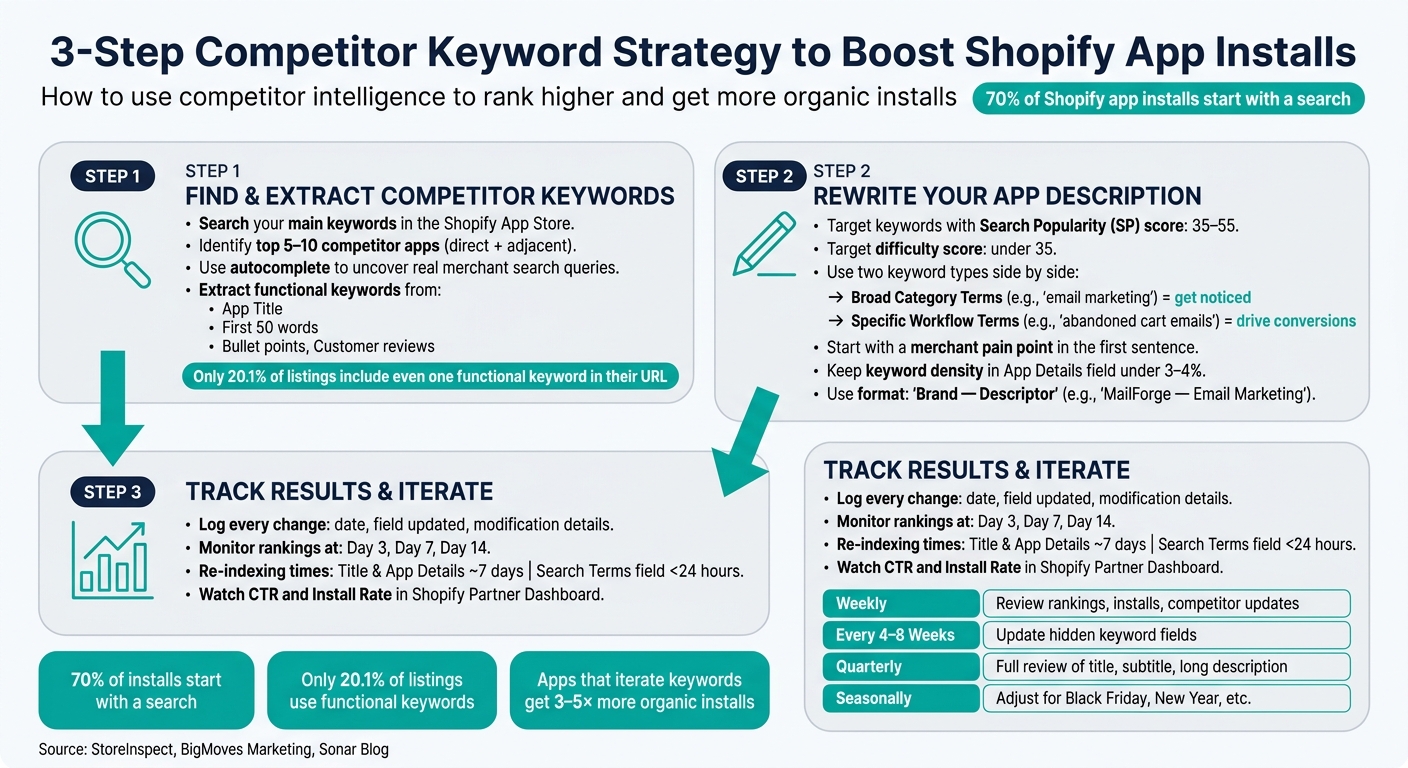
- 70% of Shopify app installs begin with a search query. If your description doesn’t match what merchants are searching for, your app may go unnoticed.
- Top apps already reflect proven search patterns. Studying their keywords saves you time and helps you focus on terms that drive traffic.
- Keywords should target both broad categories (e.g., “email marketing”) for visibility and specific workflows (e.g., “abandoned cart emails”) for conversions.
- Avoid keyword stuffing. Keep keyword density in the “App Details” field under 3–4% to ensure readability and avoid being flagged by Shopify’s algorithm.
Key Steps:
- Identify Competitors: Search your main keywords on the Shopify App Store to find the top apps in your category.
- Extract Keywords: Focus on functional terms used in titles, descriptions, and customer reviews.
- Rewrite Descriptions: Use competitor-validated keywords to address merchant-specific problems while maintaining your brand voice.
- Track Results: Monitor changes in rankings, click-through rates, and installs after updating your keywords.
Tools like AppJubilee can simplify keyword tracking and competitor analysis. Start optimizing your app description today to align with merchant search behavior and boost organic installs.
3-Step Competitor Keyword Strategy for Shopify App Store Optimization
Why App Descriptions Underperform
Common Problems in Shopify App Descriptions

Most app descriptions fall short because they focus too much on technical jargon intended for developers, leaving merchants without a clear understanding of how the app solves their problems. Instead of reading like a compelling pitch, these descriptions often feel like internal documentation.
Another issue? Overloading descriptions with keywords in a misguided attempt to boost rankings. This approach backfires, as Shopify's algorithm flags excessive keyword density as spam. Even worse, merchants who encounter these keyword-stuffed listings are quick to lose trust. To stay on the safe side, experts recommend keeping keyword density in the "App Details" field under 3–4%.
"The biggest mistake is treating the listing as a keyword container instead of a merchant decision page." - StoreInspect Team
Vague messaging also sabotages conversions. Descriptions that try to appeal to everyone end up resonating with no one. A better tactic is to call out a specific audience, such as "Designed for Shopify Plus merchants." This targeted approach is far more effective than generic language that could apply to any app in the category. By studying competitors, you can craft messaging that aligns with proven search behavior and addresses these pitfalls directly.
How Poor Descriptions Hurt Rankings and Installs
A weak app description does more than fail to convert - it can actively harm your app's ranking. Shopify's search algorithm prioritizes structured fields like the app name, subtitle, and keyword tags. If these fields contain vague or irrelevant language, the algorithm won’t connect your app to the right searches.
Statistics highlight the importance of nailing the description's opening lines. Only 23% of merchants click "read more", so the first few sentences carry the weight of converting potential users. With 70% of all Shopify app installs starting with a search, failing to match merchant search behavior means losing out on the majority of potential installs before merchants even see your listing.
Why Competitor Keywords Fill the Gap
Standard keyword research tools can tell you how often a term is searched, but they don’t reveal which specific terms are driving results in the Shopify App Store. This is where competitor intelligence becomes invaluable.
Top-performing apps in your category have already tested and refined their language. Their titles, subtitles, and descriptions reflect what works. Competitor analysis helps you identify two crucial types of keywords: broad category terms (e.g., product bundles), which get your app noticed, and specific workflow terms (e.g., "post-purchase upsell"), which drive conversions.
"The category term gets you considered. The workflow term gets you chosen." - StoreInspect
Competitor research also prevents you from wasting time on overly competitive keywords. For smaller apps, targeting keywords with a Search Popularity (SP) score between 35 and 55 and a difficulty score under 35 is often the sweet spot. Without this data, you risk chasing high-volume terms dominated by established apps, leaving your app struggling to gain visibility.
Up next, we’ll dive into how to extract competitor keywords to sharpen your app description.
sbb-itb-ce93587
Step 1: Find and Extract Competitor Keywords
How to Map Your Competitors in the Shopify App Store
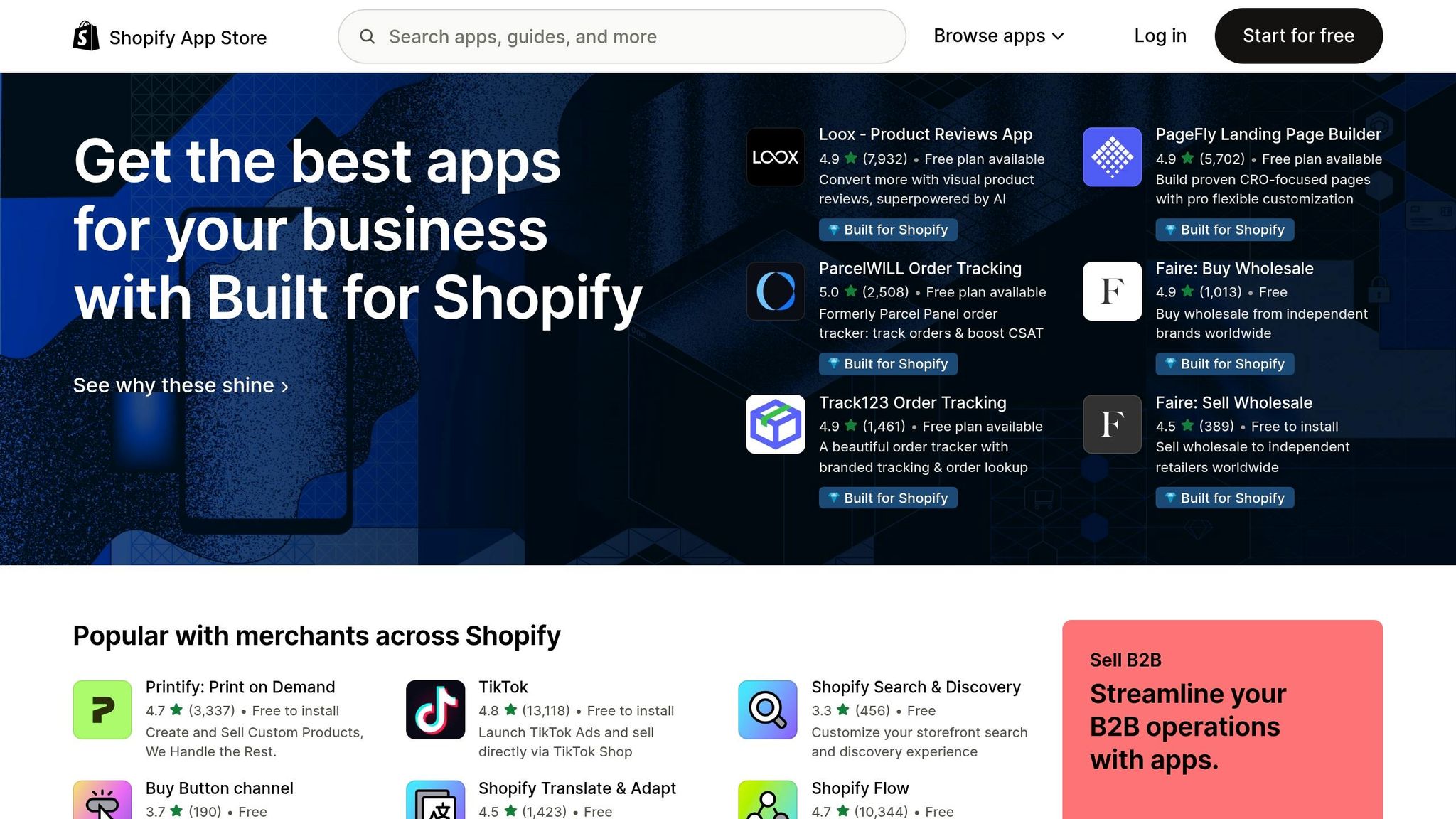
Before diving into keyword extraction, you need to identify your competition. Start by searching your main keywords directly in the Shopify App Store and jot down the top 5–10 apps that appear. These are the ones you’ll need to outshine to boost your visibility.
But don’t stop at direct competitors. Look for adjacent competitors - apps in other categories that address the same merchant challenges. For instance, an A/B testing app might find better opportunities by targeting "Store Design" searches instead of competing in the crowded "Conversion" category. These less obvious niches can be easier to dominate.
Take advantage of the autocomplete feature in the Shopify App Store's search bar. By typing partial queries, you can uncover real merchant search suggestions based on actual behavior. Once you’ve built your competitor list, the next step is to dig into their keyword strategies.
How to Pull Keywords from Competitor Listings
With your competitors mapped out, it’s time to analyze their keyword use and placement. Successful apps tend to feature key search phrases prominently in their app title, the first 50 words of their description, and bullet points - areas that heavily influence Shopify's search algorithm.
When reviewing competitor listings, separate brand-specific terms (like "Klaviyo") from functional terms (like "email marketing automation"). Functional terms reflect what merchants are actively searching for, making them the ones worth focusing on. Also, pay close attention to customer reviews. These often reveal the language merchants use to describe their pain points and needs.
Here’s an eye-opening stat: only 20.1% of Shopify App Store listing URLs include at least one functional keyword, and just 2.5% include two or more. This highlights a major opportunity for developers who strategically integrate keywords into their listings. Use this insight to refine your approach, and consider comparing Shopify ASO tools to take your analysis further.
Using AppJubilee to Get Deeper Keyword Data
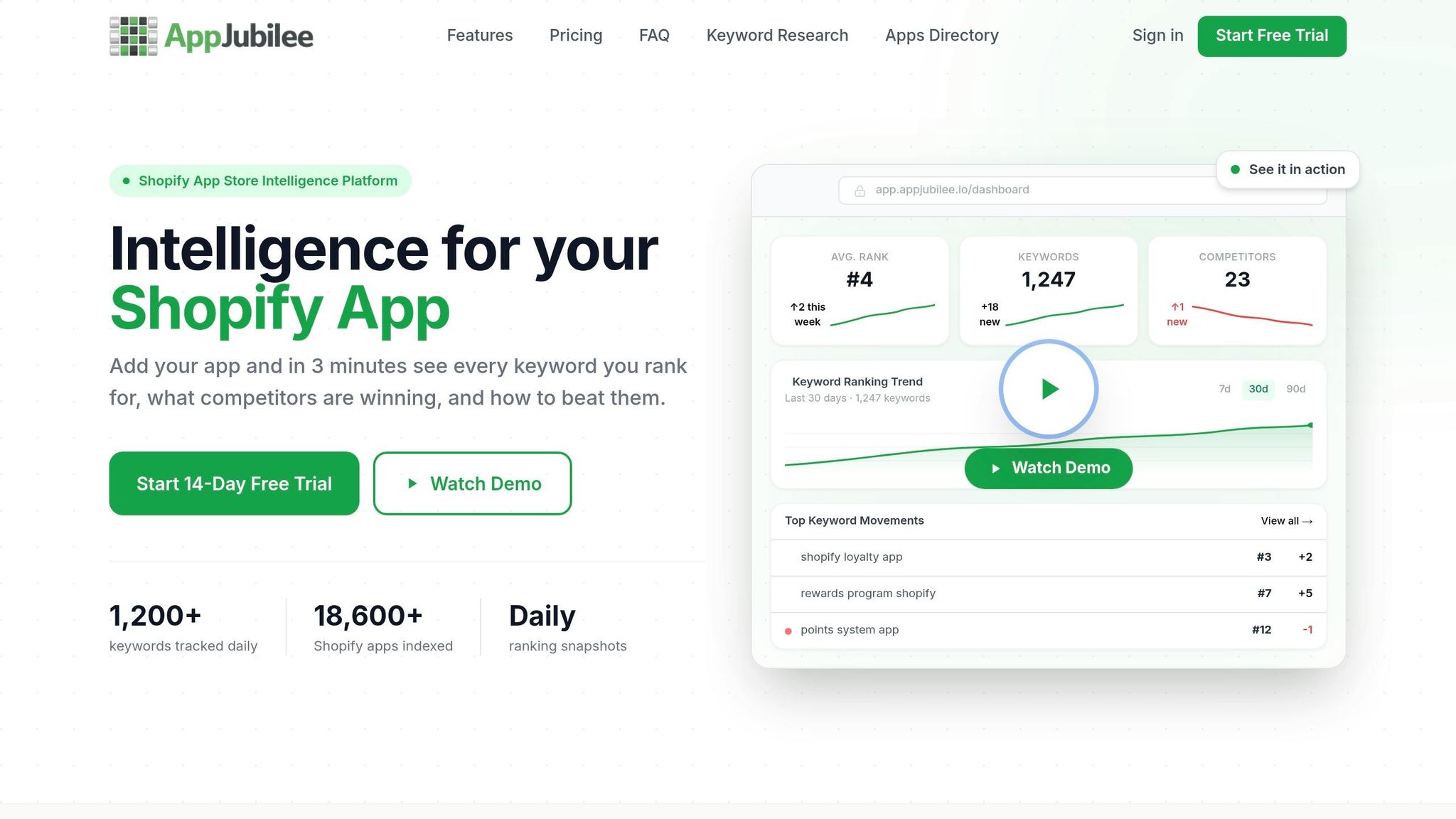
While manual research is a great start, it has its limits. That’s where AppJubilee comes in. This platform offers daily keyword tracking and competitor analysis tailored specifically for Shopify app developers. Its Keyword Universe and Competitor Universe tools help you identify the keywords your competitors rank for, spot gaps where you can gain visibility, and prioritize terms based on data like search volume, competition level, and effectiveness scores.
AppJubilee also tracks historical keyword rankings, making it easy to see how changes in a competitor’s listing impact their performance over time. For developers new to keyword research, the Starter plan ($49/month) offers full access for one app, giving you everything you need to build a strong keyword list before scaling up. Daily tracking through AppJubilee ensures your keyword strategy stays grounded in data, not guesswork.
Step 2: Rewrite Your App Description Using Competitor Keywords
How to Pick the Right Keywords to Focus On
When choosing competitor keywords, focus on those that provide a realistic chance of ranking and reflect what merchants are actively searching for.
To narrow your options, compare search volume and difficulty. The sweet spot? Keywords with high search volume but low difficulty. If you're working with a smaller or newer app, aim for keywords with a Search Popularity score between 35 and 55 and a difficulty score under 35. These are the terms that should shape your app description. Avoid overly broad or competitive terms like "marketing" or "email", as they make it harder to stand out against well-established competitors with thousands of reviews.
"The difference between a keyword with difficulty 20 and difficulty 60 can be the difference between page one and page nowhere - even if your app is better than everything above it." - Sonar Blog
Another key factor is merchant intent. Think about how merchants phrase their problems. For example, a term like "abandoned cart emails" reflects a merchant's actual search query, while "automated transactional email sequencing" sounds more like developer jargon. The first term will always resonate better with merchants.
Use these keywords to structure your app description in a way that addresses merchant needs directly.
How to Rewrite Descriptions Around Merchant Needs
Once you've identified the right keywords, craft your app description to focus on solving merchant problems rather than just listing features.
Start with a pain point. For instance, "Losing revenue from abandoned carts?" immediately grabs attention and shows relevance to merchants scanning through listings. Then, naturally incorporate competitor-validated keywords as you explain how your app solves these issues. This strategy aligns with Shopify's algorithm, which places the most weight on structured fields like the App Name, Subtitle, and Search Terms. However, the description body still plays a role in reinforcing relevance.
"Merchants don't install apps because of technical specifications. They install them because they have a problem that needs solving." - BigMoves Marketing
To make your description easy to scan, use short paragraphs, bold important phrases, and include bullet points. Also, front-load the most compelling keywords and value propositions within the first two to three sentences - this is often all merchants read before deciding to move on.
Finally, weave these keywords into your description while maintaining a tone that reflects your brand identity.
Balancing Competitor Language with Your Own Brand Voice
Using competitor keywords effectively doesn’t mean sacrificing your brand’s unique voice. Over-relying on competitor language can make your app listing feel generic and forgettable.
Instead, include competitor-validated keywords in structured fields but keep the description itself authentic to your brand. For example, if competitors frequently use "loyalty rewards program", you can include that term in your search terms while describing your app in a way that highlights what sets it apart - whether it’s simplicity, affordability, or catering to a specific merchant niche.
| Approach | Pros | Cons |
|---|---|---|
| Competitor-Validated Keywords | Matches merchant search behavior; helps Shopify's algorithm classify your app. | May sound generic; faces heavy competition for common terms. |
| Brand-First Language | Builds recognition; harder for competitors to imitate; boosts click-through for known brands. | Could lower search visibility if your brand isn't already well-known. |
A balanced approach like "Brand - Descriptor" (e.g., "MailForge - Email Marketing") works well. It communicates what your app does to both merchants and Shopify’s algorithm while preserving your brand identity. Avoid keyword-stuffed names like "Best Product Reviews App" - they may seem optimized but often come across as spammy, forgettable, and could even be rejected by Shopify.
Step 3: Track Results and Keep Improving
How to Measure the Impact of Your Keyword Changes
Every update you make to your app's description should be tracked to see how it performs. Keep a detailed log of each change, including the date, the field updated, and the specifics of the modification. Then, monitor your keyword rankings on days 3, 7, and 14 after the update. Typically, Shopify re-indexes the Title and App Details fields within about 7 days, while updates to the Search Terms field can show results in under 24 hours.
These methods work hand-in-hand with the competitor keyword strategies mentioned earlier, helping ensure your app listings align with merchant search habits.
But rankings aren’t the only thing to watch. Pay close attention to your Click-Through Rate (CTR) and Install Rate in the Shopify Partner Dashboard. These metrics show whether your new keywords are bringing in the right audience - not just impressions, but actual interest and installs.
For a more precise approach, tools like AppJubilee can simplify this process. Its Listing Changes & Impact Analysis feature connects your description edits to ranking changes. When combined with daily keyword tracking and GA4 integration, it offers a clear picture of which keywords are driving meaningful traffic to your app.
Once you’ve analyzed the effects of your own updates, shift your focus outward to monitor how competitors are adapting.
How Competitor Alerts Keep You One Step Ahead
Set up alerts to catch competitor listing changes as soon as they happen. For example, a top-ranking app might quietly add a new keyword to its Search Terms field and start appearing in search results you weren’t targeting - sometimes within just a day. If a competitor removes a keyword, it could be a sign that the term didn’t perform well for them. On the other hand, if they add a keyword, it might signal an emerging trend worth exploring. Acting quickly is crucial, especially for high-intent, low-competition terms where being first can secure a strong ranking.
With tools like AppJubilee's Competitor App Watch and Competitor Alerts, you can stay informed about updates to competitor listings without having to manually check each one. This is particularly helpful if you’re tracking several apps within a specific category.
Frequent monitoring and timely updates are essential to maintaining an effective optimization routine.
Building a Regular Optimization Schedule
One round of keyword updates won’t keep your app competitive indefinitely. Apps that consistently refine their keyword strategies tend to achieve 3–5× more organic installs. The key difference often comes down to maintaining a disciplined schedule.
Here’s a practical timeline to follow:
| Frequency | Task |
|---|---|
| Weekly | Review keyword rankings, install trends, and competitor listing updates |
| Every 4–8 Weeks | Update hidden keyword fields; replace underperforming keywords after 8 weeks |
| Quarterly | Conduct a full review of your app's title, subtitle, and long description |
| Seasonally | Adjust keywords for high-traffic events like Black Friday or New Year |
After making updates, wait 48 hours to confirm your app appears in search results. This helps identify any indexing issues early on.
"Apps that iterate on their keyword strategy outperform apps that 'set it and forget it' by 3-5× in organic installs." - Big Moves Marketing
The secret to ongoing success lies in making small, data-backed adjustments and consistently measuring their impact. This cycle of refinement is what separates apps that grow steadily from those that stagnate.
How to Find the RIGHT Keywords to Make Your App Rank
Conclusion: Using Competitor Keywords to Improve Your App Store Presence
Now that we've covered the strategies, it's time to put competitor insights to work for lasting results. Elevate your app's visibility by tailoring your description to match what merchants are searching for. Shifting from product-focused language to addressing merchant-specific needs can set your app apart from the competition.
Here’s how to get started: identify competitor keywords like analytics, rewrite your app description to address merchant needs, and monitor the results. With 70% of installs coming from searches and only 20.1% of listings using functional keywords, the data shows this approach works - and it highlights a big opportunity for those willing to optimize.
"Competitor keywords drive a compounding cycle: higher rankings yield more impressions, installs, and positive reviews." - BigMoves Marketing
Tools like AppJubilee simplify this process. They let you track daily keyword rankings, monitor changes in competitor listings, and directly link your description updates to ranking improvements. Whether you're launching your first app or managing multiple listings, having all this data in one place saves time and allows you to act faster when opportunities arise.
Take these insights and refine your strategy to fuel consistent growth.
FAQs
How many competitor keywords should I add to my app description?
When writing your app description, there’s no set rule for how many competitor keywords to include. Instead, aim to naturally weave in relevant keywords. Focus on creating keyword clusters and targeting long-tail, high-value, and related terms. This strategy not only boosts your app's visibility but also keeps the description user-friendly and engaging, increasing the chances of conversions.
Where should I place keywords in my listing for the biggest ranking impact?
When aiming for better rankings, prioritize keywords in the app title, subtitle, and keyword field, with the title being the most important. Naturally weave these keywords into the description and bullet points to boost visibility. Make sure they fit smoothly into the text so the content remains easy to read and impactful.
How long does it take for keyword changes to affect Shopify App Store rankings?
Keyword updates typically take about 1–2 weeks to be indexed and start influencing rankings on the Shopify App Store. However, more visible improvements usually show up within 4–8 weeks, depending on factors like competition and how well the keywords align with your app. Regularly tracking performance is key to fine-tuning your approach over time.