The Ultimate Guide to Shopify App Store Visibility
Improve Shopify App Store visibility with targeted keywords, better listings, review strategy, and regular rank monitoring.
If your app does not show up for the right searches, it will not get installs. With 17,591 Shopify apps listed as of April 2026 and store growth of about 52% year over year, I’d treat visibility as a system: match the right keywords, turn views into installs, keep merchants happy, and watch competitors closely.
Here’s the short version:
- Search drives about 60% of installs, so keyword fit matters most.
- Shopify looks at keyword match first, then merchant response signals like installs, reviews, and retention.
- Recent reviews matter more than old review totals, with extra weight on the last 90 days.
- A weak active install ratio or high churn can push rankings down over time.
- Listing edits can change results fast. One app saw installs go up 11.8% after changing only its featured image.
- The Built for Shopify badge can lead to an average 49% install lift within 14 days.
- Clear pricing, strong screenshots, and a tight app name can help more merchants click and install.
- Category choice matters. In many cases, it is better to rank high in a narrow category than low in a broad one.
If I had to boil the whole guide down to a few actions, I’d do this:
- Pick keywords based on merchant wording and install intent.
- Put the main term in the app name and support it in the subtitle, search terms, and opening description.
- Use screenshots that show the result first, not the dashboard.
- Ask for reviews after a success moment, then reply to new reviews fast.
- Track rank, installs, churn, and competitor edits every week.
This article explains how I’d use those levers together so visibility leads to more installs, not just more impressions.
How Shopify App Store Ranking Works
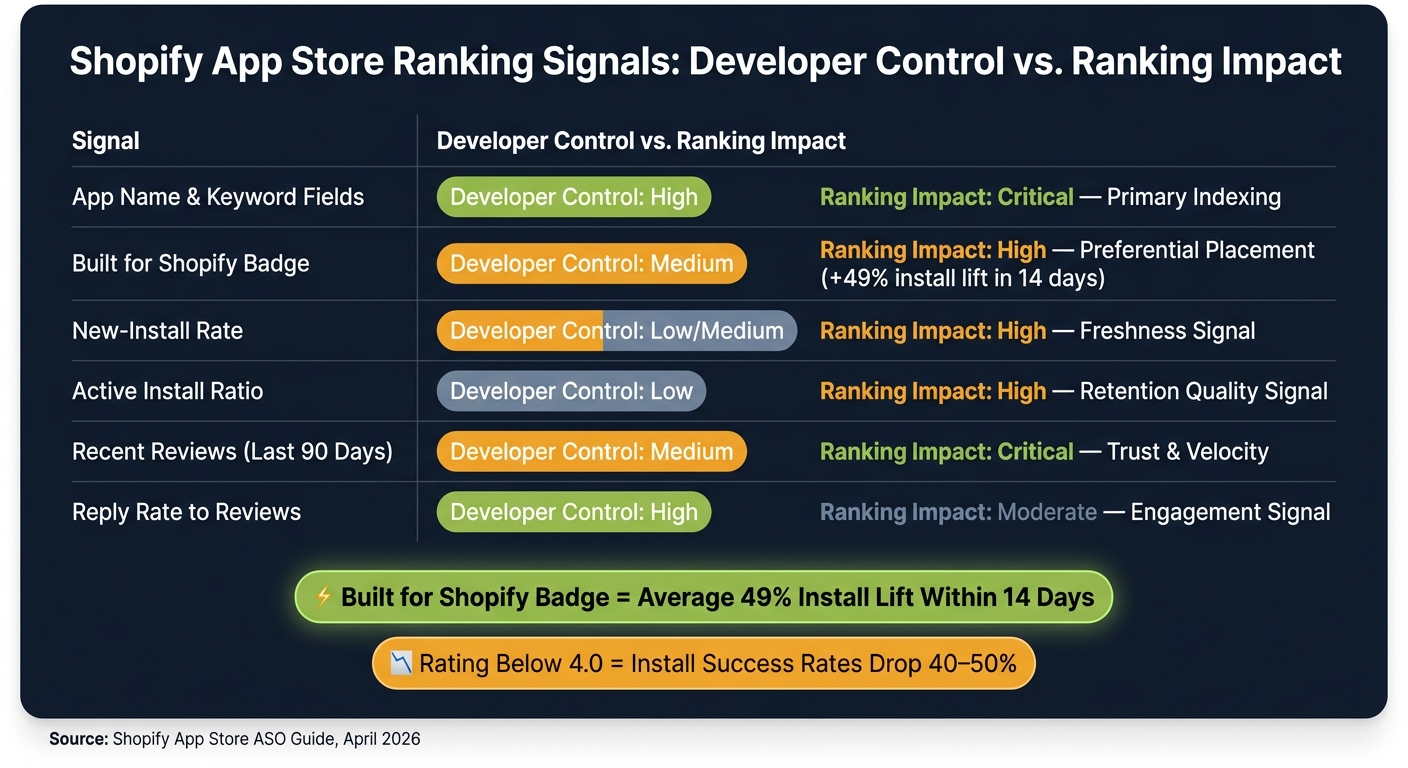
Shopify App Store Ranking Signals: Developer Control vs. Ranking Impact
Core Ranking Signals Behind Search and Category Placement
The metrics above matter because Shopify turns them into ranking choices. The process works in two stages: keyword match first, then relevance and quality among the apps that qualify. Once Shopify finds listings that match a search, it decides which app lines up best with that merchant's intent.
Put simply, Shopify ranks apps for merchant fit, not developer goals.
That’s why it helps to watch new-install rate, active install ratio, and recent reviews. Apps that keep getting steady installs and hold onto merchants often stay in stronger spots than apps that get an early spike but lose users soon after.
The Built for Shopify badge brings an average install lift of 49% within 14 days of earning it.
Here’s a simple way to look at the signals you can shape directly versus the ones driven more by merchant response:
| Signal | Developer Control | Ranking Impact |
|---|---|---|
| App name and keyword fields | High | Critical - primary indexing |
| Built for Shopify Badge | Medium | High - preferential placement |
| New-install rate | Low/Medium | High - freshness signal |
| Active Install Ratio | Low | High - retention quality signal |
| Recent reviews (last 90 days) | Medium | Critical - trust and velocity |
| Reply rate to reviews | High | Moderate - engagement signal |
How to Read Ranking Changes Without Guessing
Ranking shifts usually have a cause. As Chris, Founder of Gaintage, puts it:
"Rank moves usually follow one of five events: a listing starts matching the search term better, install velocity rises or falls, review recency changes, a competitor earns/loses a trust signal, or Shopify rechecks quality after an edit." - Chris, Founder of Gaintage
Before you change the listing, read the pattern. A drop on one keyword often points to a relevance change or a competitor update. A broad drop can point to a quality problem or an algorithm change. A slow slide often means review recency or new-install rate has cooled off.
Use those signals to figure out why rankings changed before you start editing the listing.
Next, apply these ranking signals to keyword targeting and listing optimization.
sbb-itb-ce93587
Keyword Strategy and Listing Optimization for More Installs
Build and Prioritize a High-Intent Keyword Set
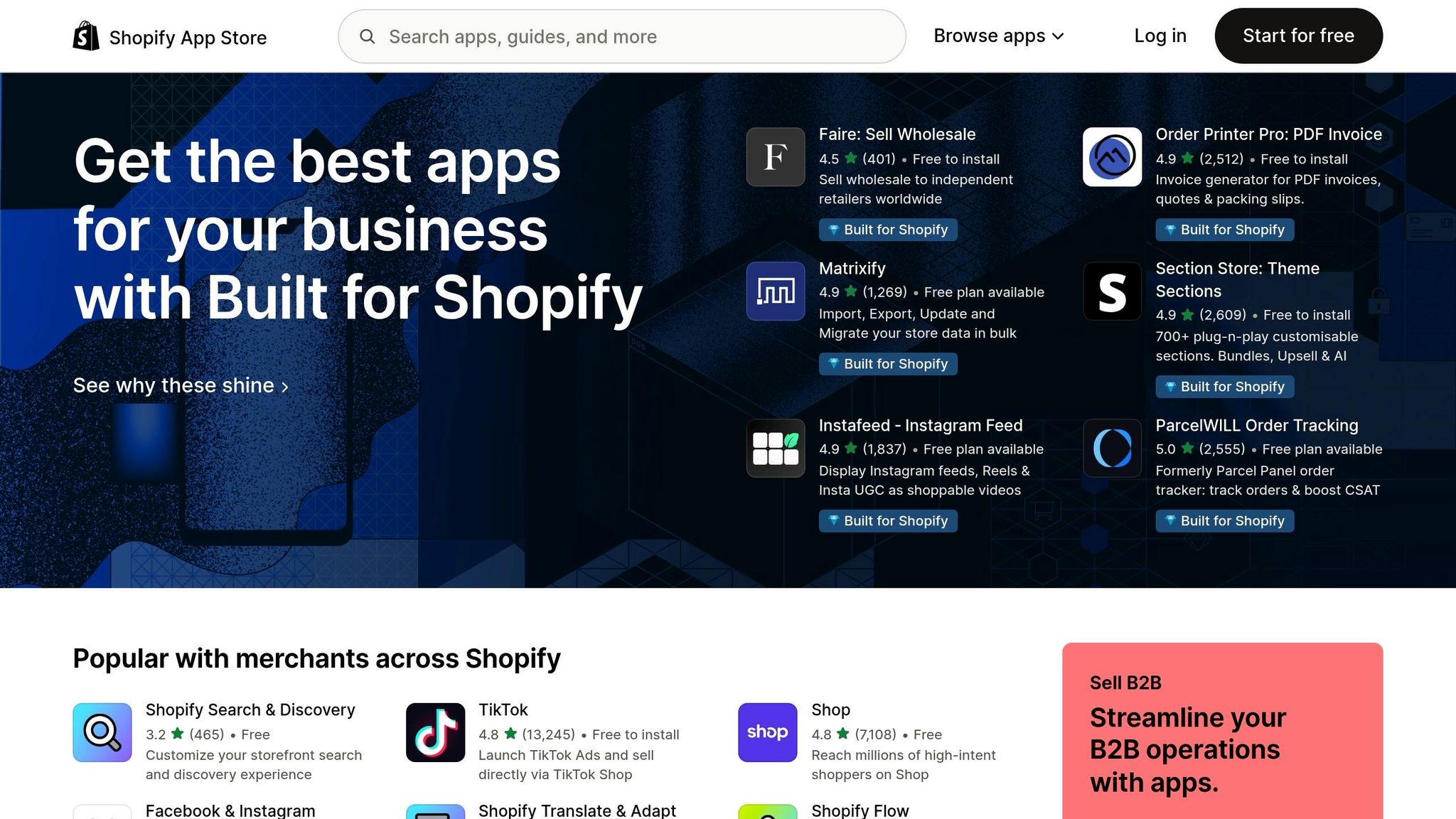
Once Shopify’s ranking signals are clear, the next move is keyword relevance. Searchers in the Shopify App Store usually aren’t browsing for fun. They’re often ready to install right away. A merchant searching “bulk product edit” wants a fix today, not next week.
This is where many app listings go off track. Developers tend to describe features. Merchants search for results. That mismatch can quietly hurt visibility.
A good starting point is Shopify App Store autocomplete. Type in a partial phrase like “email m” and write down every suggestion that appears. Then dig into competitor reviews and relevant Reddit threads. The goal is simple: find the exact words merchants use before they even know what kind of app they need.
After that, score each keyword using three filters:
- Relevance: Does the term match what your app actually does?
- Install intent: Does this search suggest the merchant is ready to install?
- Competitive pressure: Are high-review apps already dominating the term?
Focus on terms that hit all three: strong match, clear install intent, and moderate competition.
Optimize the App Name, Subtitle, Description, and Visuals
Once you’ve picked the right terms, put them where both Shopify and merchants will notice them. Not every listing field carries the same weight.
The App Name matters most for indexing, so it should follow a Brand + Function format and stay at 30 characters or less. In a 2026 study, 100% of top-performing app names were 30 characters or fewer.
| Listing Field | Key Rule |
|---|---|
| App Name | Brand + primary keyword; 30 characters or fewer |
| Search Term Slots | 5 slots; never repeat keywords already in the App Name |
| Subtitle | Lead with the outcome using secondary keywords |
| First 200 characters of the description | Address the merchant's core problem |
| Screenshots | Show the merchant result - not the dashboard - across 4–6 images |
A name like “Rivo: Loyalty & Rewards” works because the brand comes first, and the main keyword follows right away.
The description should do the same job. Open with the problem the merchant wants to solve, not a pile of features. Those first 200 characters matter, so use them to speak to the pain point fast.
Visuals should follow that same logic. Screenshot #1 should show the result for the merchant, not your dashboard. If your app helps stores get more repeat purchases, show that outcome first. Let the merchant picture the win before they see the interface.
Pricing also needs to be plain and specific in USD, such as “$9.99/month for up to 500 orders.” Specific limits can build trust because they remove guesswork. A free plan or free install option also helps. 96.2% of highly visible apps include one.
Measure Which Listing Changes Actually Improve Visibility
In April 2026, the app Essential Grid Gallery changed only its featured image on the Shopify App Store. Over the next two weeks, installs went up by 11.8%, and paid subscriptions nearly doubled.
That’s a good reminder that listing optimization works best when you treat it like a two-stage funnel.
First, measure whether your keywords are helping people find the app: impressions, keyword rankings, and category position. Then measure whether the listing turns that attention into installs: click-through rate and install velocity across 7-day and 30-day windows.
The pattern tells you where the problem sits. High rankings with low installs usually point to weak copy or visuals. High installs with weak retention usually point to the product itself or the onboarding flow.
"A well-targeted listing with a lower install rate but a low uninstall rate will outperform an aggressively positioned listing with a high install rate and high churn over a long enough time horizon." - BigMoves Marketing
From there, reviews, category fit, and competitor listings shape how long that visibility lasts.
Reviews, Category Positioning, and Competitor Benchmarking
Use Reviews and Ratings to Improve Ranking and Conversion
Reviews shape both ranking and trust. Fresh reviews help with ranking and click-through rate, and Shopify puts more weight on recent reviews than older ones. The biggest impact comes from roughly the last 90 days. So a steady flow of new reviews can beat a bigger review count that has gone stale.
A good time to ask is 7–14 days after install, or right after a merchant hits a clear success point, like a first sale or a finished workflow. Native in-app prompts tend to work better than email review requests, so use those when you can.
Ask for an honest review, not a positive one. That part matters. Discounts, credits, or longer trials in exchange for reviews break Shopify's terms and can get your app removed.
Ratings also hit conversion hard. If your average rating drops below 4.0, install success rates can fall by 40%–50%. And when negative reviews show up, don't go silent. A reply that acknowledges the issue, offers a fix, and gives direct contact info shows merchants the app is still being worked on and supported.
Choose Categories, Tags, and Positioning That Match Search Intent
Once merchants trust your app, category fit decides where that trust has a chance to pay off. After reviews, your category choice plays a big role in where your app appears while merchants browse.
Pick the most specific category that fits. In most cases, ranking high in a narrow category brings in more installs than sitting low in a broad one.
Before you lock in a category, review the top 10 apps already there. If every one of them has a rating of 4.7 stars or higher, you're walking into a packed field of well-liked apps, which means you need a sharp point of difference to stand out. On the other hand, if the top app is below 4.0, that can be a clear opening. Merchants may already be searching for something better.
Tags should follow actual search demand, not guesswork. A solid tag usually has 3–25 competing apps and high total review volume.
"If you cannot name your wedge in one sentence, the category is too crowded for you specifically." - Shawn North, Founder, GapQuery
Your positioning should speak to the result merchants want. Say "increase average order value" instead of leaning on feature-first wording like "product add-ons."
Compare Competing App Listings with a Structured Table
Competitor listings can show weak spots in positioning, trust, and pricing. The trick is to review each rival using the same lens so the comparison stays objective. You're not trying to copy them. You're trying to spot where they're weak and where your app can claim a clear gap.
| Element | What to Look For |
|---|---|
| App Title & Subtitle | Are they signaling clear primary and secondary keyword targets? |
| Review Count & Velocity | How many reviews have they gained in the last 90 days? |
| Average Rating | What is the quality floor for the category? If the leader is below 4.0, the door is open. |
| Pricing Structure | Is there a clear free plan or free trial? Are there pricing gaps competitors skip? |
| Screenshots | Do they emphasize outcomes or just UI? |
| Differentiation Angle | What differentiator do they own - support, niche integration, or a specific merchant type? |
AppJubilee brings ranking changes, listing edits, and review velocity for competing apps into one place. If a competitor has strong past review volume but only a handful of reviews in the last 90 days, that's often a sign of weaker momentum - and a chance for a better-positioned app to step in.
Build a Repeatable Shopify App ASO Process
A Weekly, Monthly, and Quarterly Optimization Cadence
Visibility slips when you stop watching it. It tends to improve when you check it on a set schedule. That’s why rankings, reviews, and conversion signals should be reviewed on a fixed cadence.
Weekly, focus on monitoring. Track keyword rank, category rank, 7-day and 30-day installs, recent reviews, and competitor changes. Developer responsiveness is a documented ranking signal that Shopify tracks in the Partner Dashboard.
Monthly, update screenshots or featured images, then use review sentiment to fine-tune keyword angles, product messaging, or how you present pricing. Those changes can also help you decide which listing elements to test next month.
Quarterly, do a full keyword refresh based on search demand and competitor changes, review your category position, and check Built for Shopify eligibility.
| Cadence | Focus | Key Actions |
|---|---|---|
| Weekly | Monitoring | Keyword/category rank, install velocity, review responses, competitor changes |
| Monthly | Conversion | Visual refresh, copy updates, review sentiment analysis |
| Quarterly | Strategy | Keyword targeting refresh, category audit, Built for Shopify eligibility review |
Using AppJubilee to Track Rankings, Listings, and Competitor Changes in One Place
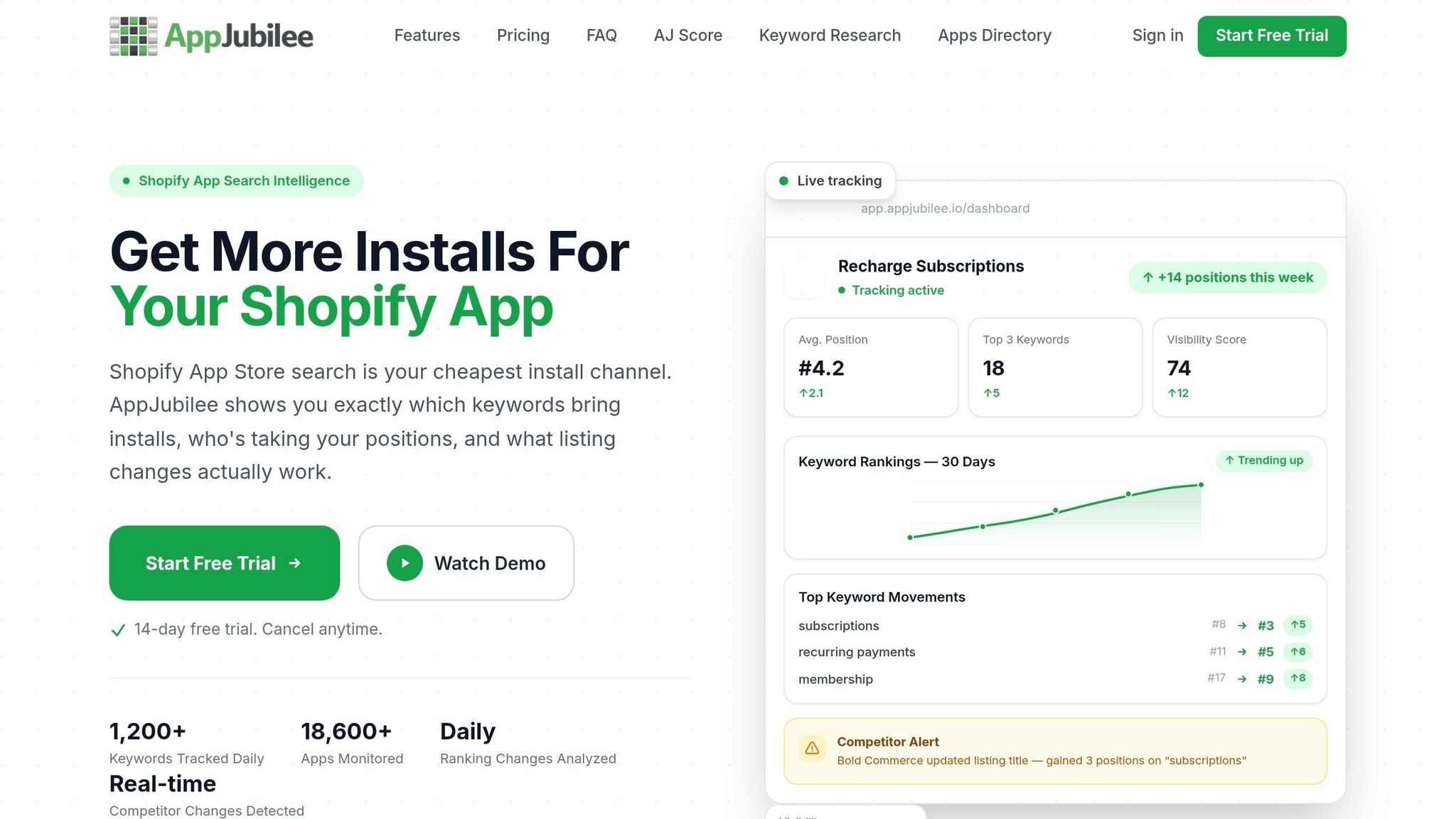
AppJubilee brings keyword tracking, competitor mapping, and listing-change impact into one place so you can see which edits affect visibility. Instead of piecing data together across tools, you can use one dashboard to connect rank shifts to listing updates, review movement, and competitor activity.
Review intelligence and competitor alerts complete the workflow. If a competing app slows down on reviews or changes its pricing, AppJubilee flags it early so you can react before the change shows up in your own ranking data. That gives you a cleaner path from visibility shifts to next steps.
Conclusion: The Key Levers That Drive More Shopify App Store Discovery
With 17,591 apps in the Shopify App Store as of April 2026, visibility takes steady optimization. The developers who keep winning installs usually treat ASO like product development: they follow a defined process, measure on a regular basis, and adjust when the data points in a new direction.
Keyword targeting helps people find you. Listing optimization helps turn that visibility into clicks. Reviews, category fit, and competitor benchmarking help keep that momentum going.
FAQs
How long does Shopify ASO take to show results?
There’s no fixed timeline in the sources provided. Results depend on downstream signals, like review recency, which appears to carry a lot of weight over roughly 90 days, along with performance and velocity shifts that happen after your edits.
Because those signals need time to refresh, meaningful ranking movement can take weeks to a few months.
Which listing change should I test first?
Start with metadata optimization. It gives you the most control, and it can help your app show up before you’ve built up reviews or a strong install rate.
Make sure your primary keyword appears naturally in your app title. Then tighten up your search terms, introduction, and app details using merchant language instead of technical wording.
What if my app has few reviews?
If your app has only a few reviews, focus on your keyword foundation. That’s the main ranking signal you fully control. And you need visibility before you can earn installs and reviews.
Optimize your title, subtitle, and search terms around the exact queries merchants use. Don’t stuff in keywords just to cram them in. Instead, make sure your listing is clear about what the app does and why it matters, so the limited traffic you get has a better shot at turning into installs and honest feedback.