
App Listing SEO: Title and Subtitle Guide
Guide to writing Shopify app titles & subtitles—use merchant keywords, show outcomes, test changes over 8–12 weeks.
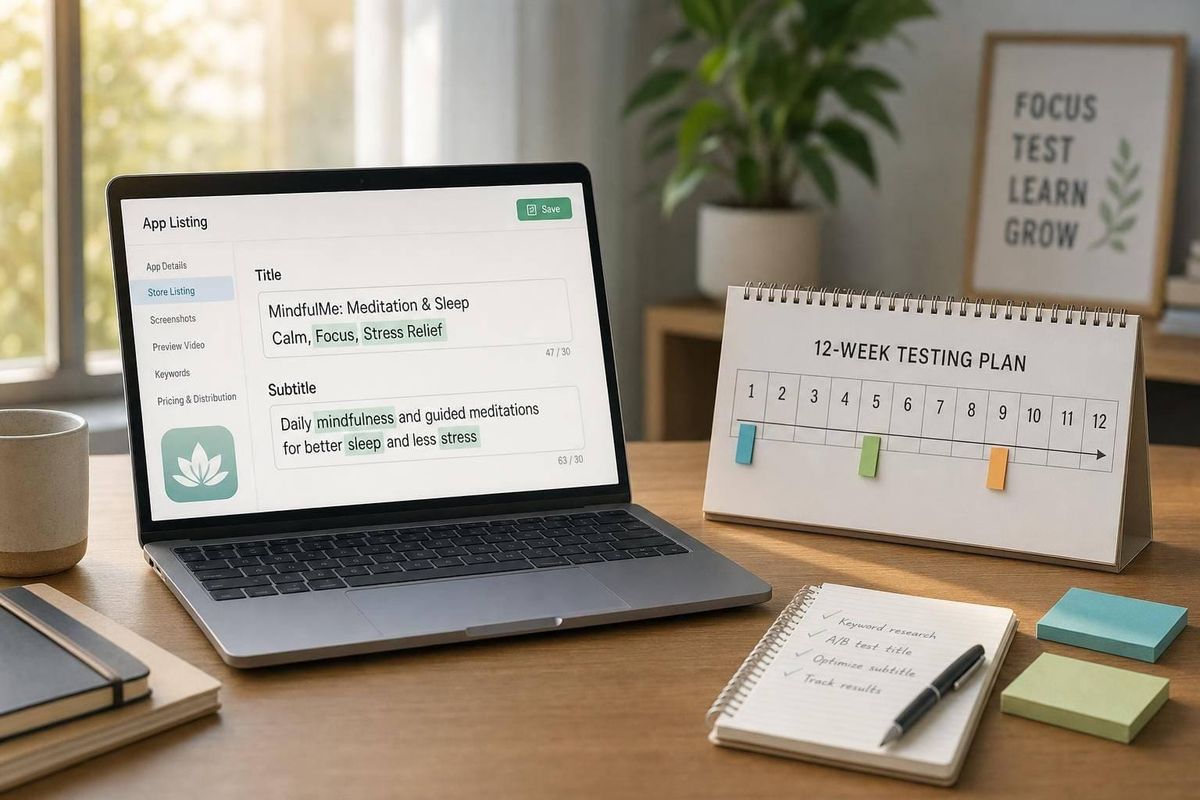
Your app title and subtitle can change both rank and clicks. If a merchant gives you about 3 seconds in search, your listing needs to say what the app does, who it helps, and why it matters right away.
Here’s the short version:
- Put your main keyword in the title
- Use the subtitle to show the result or problem solved
- Use merchant wording, not internal product terms
- Study top competitors to find repeated keywords and gaps
- Track rank and conversion before and after each change
- Wait 7–14 days before judging impact
- Run each test for 8–12 weeks before making the next call
I’d treat this like a simple SEO job: match search intent first, then clean up wording for clicks. That means using phrases merchants already say in support tickets, sales calls, and reviews, like “stop overselling” or “low stock alerts”, instead of feature-heavy terms.
A few numbers matter here:
- Merchants often decide in 3 seconds
- Daily rank shifts of 1–2 positions can be normal
- Shared terms used by 40%+ of competitors deserve a close look
- A clean test window is usually 8–12 weeks
If I were doing this, I’d build a keyword list, group terms into primary/secondary/supporting buckets, draft a clear title and subtitle, publish one change at a time, and use review language to tighten the subtitle later. This is especially effective when targeting high-intent terms like product review keywords.
That’s the whole playbook in one view: clearer keywords, clearer promise, cleaner testing.
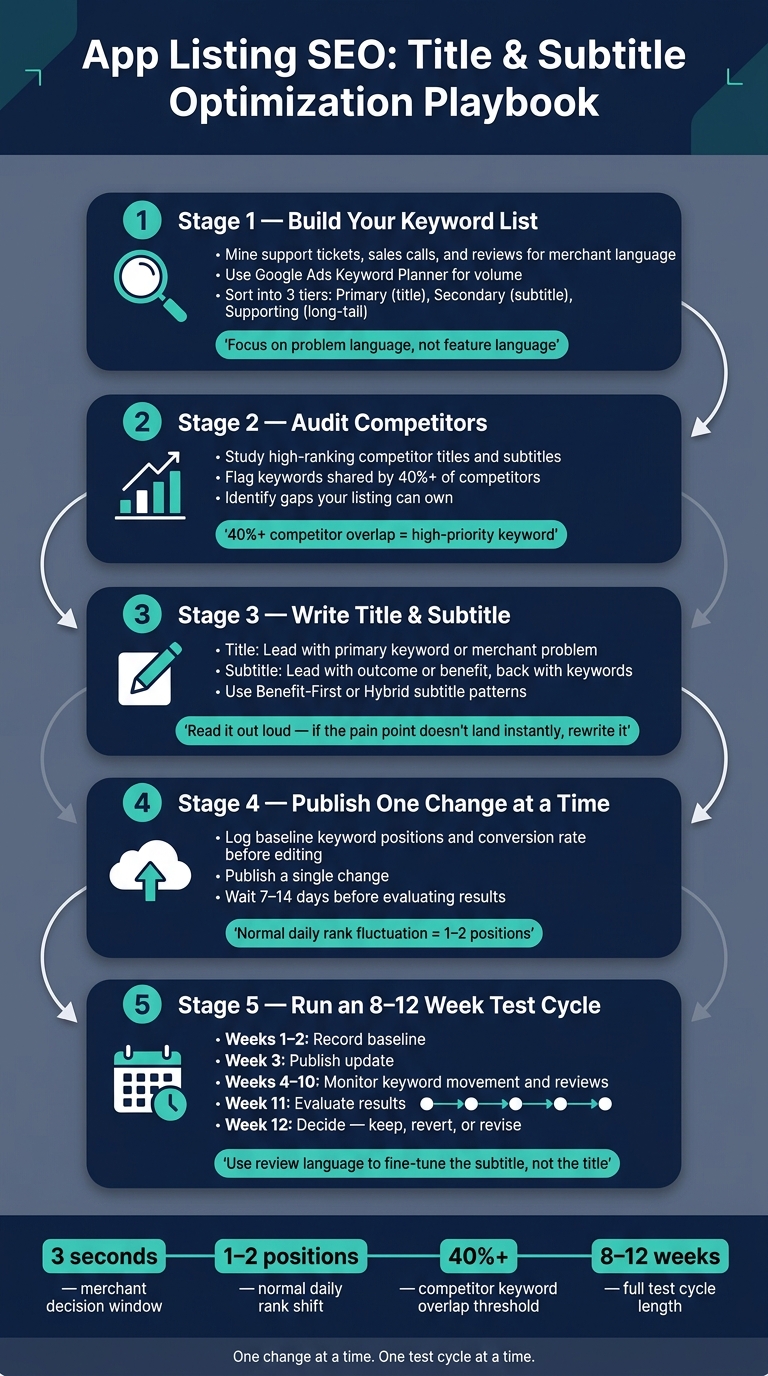
App Listing SEO: Title & Subtitle Optimization Playbook
Shopify app title and subtitle rules that affect SEO
Shopify puts a lot of weight on your app name and subtitle when it ranks apps. So your main keyword and core outcome should show up there first. That’s not just for ranking, either. These are the fields merchants notice first.
Where title and subtitle appear in the Shopify App Store
Your title and subtitle show up in search results and at the top of your listing, so they affect both visibility and clicks. Keep the title focused on the app’s main use case. Then use the subtitle to spell out the main benefit.
How to balance keyword use with readability
Once you’ve nailed the structure, shift to search language. Don’t stuff in keywords. Write the way merchants talk about their problems, not the way teams talk about product features. For example, say "stop overselling" instead of "inventory sync rules engine".
A simple gut check helps here: read it out loud. If the subtitle doesn’t instantly say what problem the app solves, rewrite it.
Use that approach to build your keyword list from merchant search terms and competitor gaps, such as json ld for seo.
sbb-itb-ce93587
Build your keyword list before you write
Before you touch the title or subtitle, build the keyword list that will guide both. Start with your app’s main job. Then branch out into the exact words merchants use when they talk about the problem they want to fix.
Find the terms merchants are likely to search
Merchants usually search in problem language, not feature language. They don’t type what your product does internally. They type the issue they need solved.
Start with your support tickets and sales calls. Those are often the best place to find plain-English phrases merchants use on their own. Then run those terms through Google Ads Keyword Planner to check search volume and find related phrases. The aim is to cut your list down to terms that match Shopify App Store search intent, not just broad web search intent.
Once you have a raw list, sort it into three tiers:
- Primary keywords: These define your category and belong in the title, which carries the most search weight.
- Secondary keywords: These focus on pain points or outcomes and usually fit best in the subtitle.
- Supporting keywords: These are long-tail terms that help expand search reach.
That simple structure keeps your list from turning into a junk drawer of half-useful phrases.
Audit competitor listings to spot keyword gaps
Next, study high-ranking competitor listings for your primary keyword. Check whether their titles lead with the brand name or the app’s main function. Then look at the benefits they call out in their subtitles.
Pay close attention to the core keywords shared by at least 40% of ranking competitors, and then look for gaps your app doesn’t cover. This gives you a clearer read on which terms already own the category and which angles still look open.
If every competitor leans on the same vague benefit language, that’s usually your cue to get more specific. A tighter outcome in your title or subtitle can help your listing stand out without drifting away from search intent.
Compare keyword sources before choosing targets
Each source gives you a different signal. Merchant language helps with relevance. Google Ads Keyword Planner helps with volume, while tools like AppJubilee provide Shopify analytics for specific terms. AppJubilee helps with Shopify-specific ranking and competitor data.
Those terms become the raw material for your title and subtitle drafts.
Write titles and subtitles that match search intent
Turn your keyword research into copy. Start with the title, then shape the subtitle using your primary keyword list and competitor gaps from the last section.
Title formulas that keep the main keyword clear
Shopify search puts a lot of weight on your app title and subtitle, so lead with the core keyword or the merchant problem you solve. Then make the rest sound natural.
The rule is simple: put the primary keyword in the title, and the outcome in the subtitle. Show the app’s main job right away.
Subtitle patterns that add benefits and supporting terms
Use the subtitle to spell out the problem solved or the result delivered. Lead with the benefit, then back it up with keywords.
Three common patterns work well here:
| Subtitle Pattern | Clarity | Keyword Coverage | Merchant Appeal | Example |
|---|---|---|---|---|
| Benefit-First | High | Moderate | High | Stop overselling and automate low stock alerts |
| Hybrid | High | High | High | Sync inventory in real-time to prevent overselling |
Use the hybrid pattern when you need both plain wording and strong keyword coverage. Go with specific outcomes like product personalizer options, abandoned cart recovery, or inventory sync.
Review your drafts with a simple checklist
Read the title and subtitle out loud. If the pain point or result doesn’t land right away, rewrite them. A good test is simple: would a merchant understand the problem and the outcome in one quick scan?
When you review keyword coverage, check that you haven’t missed the core terms that 40% or more of competitors in your category rank for. That’s often where the biggest visibility gaps show up.
After you publish, track keyword movement and merchant feedback before you change the listing again.
Track ranking impact, reviews, and update timing
Check keyword movement after each listing change
Once your new title and subtitle are live, pause before changing anything else. If you tweak multiple parts at once, it gets hard to tell what actually moved the needle.
Start by logging your baseline before you edit anything: keyword positions and conversion rate. After the update goes out, give it 7–14 days before you judge results. That window helps you spot movement that goes beyond the usual 1–2-position day-to-day fluctuation. Use AppJubilee to monitor daily keyword movement, ranking snapshots, and competitor alerts tied to each change, or compare Shopify App Store Optimization tools to see how different platforms track these metrics.
Use merchant reviews to improve subtitle wording
Sometimes rankings go up, but conversions stay flat. When that happens, reviews are often the best place to look.
Pay attention to the phrases merchants use again and again when they describe the app’s value. If the same wording keeps showing up, work those terms into the subtitle. Negative reviews matter too. They point to pain points your subtitle should speak to more clearly. It also helps to watch for changes in sentiment or review volume, since those shifts may affect visibility.
Use review language to fine-tune the subtitle, not the title.
Use an 8–12 week test cycle
After those first checks, decide whether the new wording is worth a full test cycle.
Run each test for 8–12 weeks:
- Record a baseline in weeks 1–2
- Publish in week 3
- Monitor in weeks 4–10
- Evaluate in week 11
- Decide in week 12
At the end of the cycle, make a clear call based on the data: keep the new copy, revert it, or revise and test again.
FAQs
How do I choose one primary keyword?
Start with specific, high-intent long-tail keywords that line up with the problems your target merchants want to solve or the outcomes they want to get. Use the language merchants use every day, not feature-heavy product talk.
Use AppJubilee to check competitors and spot the core keywords that 40% or more of them rank for. From there, focus on 3 to 5 low-competition terms that give you a realistic shot at the top 10, especially keywords where you already rank between positions 8 and 15.
Should I change the title or subtitle first?
Yes. Start with title and subtitle updates. They’re often the fastest listing wins because they can change click-through rate and search visibility.
Before you edit anything, check keyword alignment across your app name, search terms, and listing details. Use AppJubilee to find keyword gaps and monitor the impact over the next seven days.
Keep the title in a brand-plus-function format. For the subtitle, focus on the main value your app offers instead of cramming in extra keywords.
What should I do if rankings rise but clicks do not?
If rankings go up but clicks stay flat, your title or subtitle probably isn't lining up with what merchants want to find. The keyword may be getting you seen, but the copy isn't doing enough to win the click.
Update your listing copy so it lines up more closely with keyword intent. AppJubilee can help you track these metrics, measure the impact of listing changes, and fine-tune your messaging to improve click-through rate.