
Impact of Categories on App Rankings
Categories don't directly raise Shopify app rank; they control browse placement, competition, and relevance that affect installs and retention.
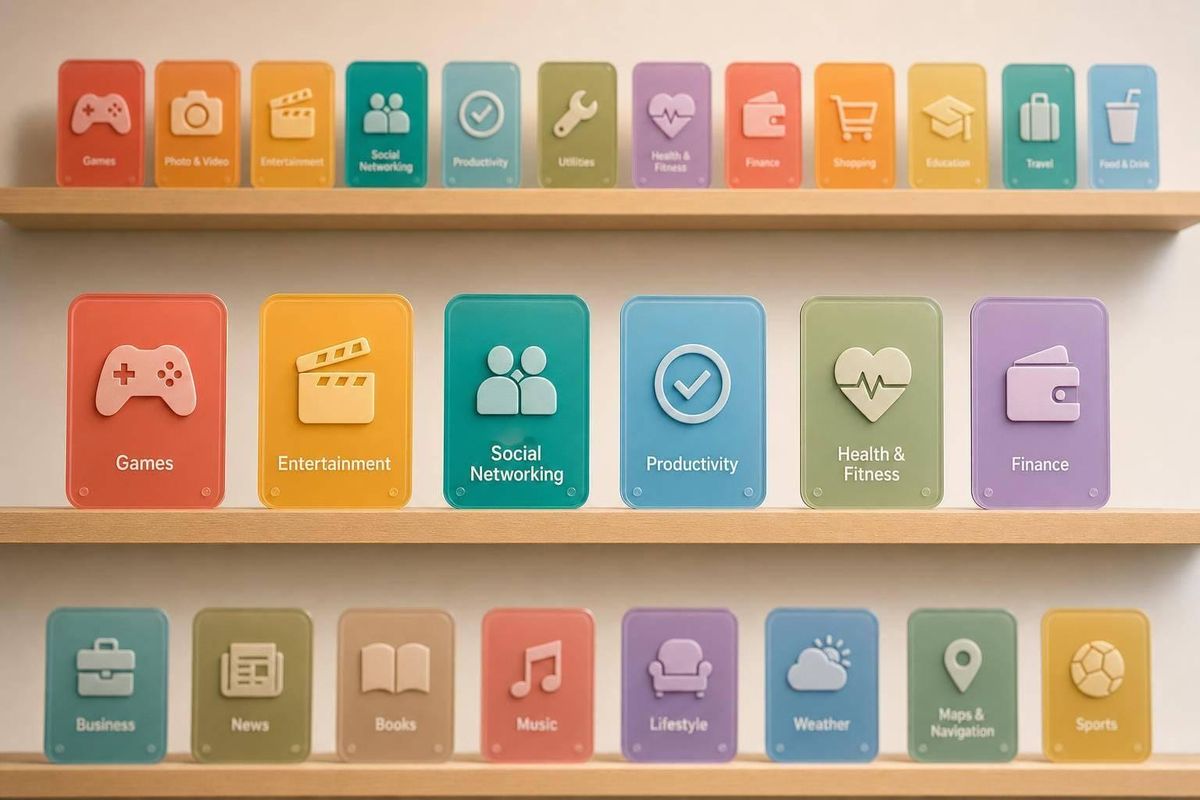
Categories do not push your Shopify app higher by themselves. What they change is where your app can appear, who you compete with, and how well your listing matches merchant intent.
Here’s the short version:
- Shopify App Store categories act more like a filter than a rank booster.
- Your category affects browse discovery more than search.
- In search, keywords, clicks, installs, and usage matter more.
- In browse, your category sets the peer group you need to beat.
- With 17,891 active apps in mid-2026, category crowding can change your position a lot.
- The same app with 500 monthly installs could be #5 in a niche category or #45 in a broad one.
- About 60% of installs come from search, so category fit still matters for relevance, even if it does not directly move rank.
- A bad category match can hurt click-to-install rate, active install ratio, and retention.
Put another way: if you pick the wrong category, you may get in front of the wrong merchants. That often means more bounces, more churn, and weaker store signals over time.
[SaaS Opportunity] Top 5 Categories on the Shopify App Store - According to Shopify
Quick Comparison
| Area | What category changes | What it does not do on its own |
|---|---|---|
| Browse pages | Eligibility, peer set, merchant fit | Guarantee a top spot |
| Search results | Relevance signal, query fit | Override weak keywords or weak conversion |
| Performance over time | Intent match, install quality, retention | Fix poor product-market fit |
If I had to boil the whole article down to one line, it would be this: <u>category choice is about placement and fit, not a direct ranking boost.</u>
How Categories Affect Discoverability
Categories work more like a filter than a direct ranking boost. So their biggest effect isn't on search. It's on browse discovery. In plain English: category choice matters most when merchants are scrolling, filtering, and comparing apps on browse pages.
Categories as a Classification Signal
A category tells Shopify what your app does and helps place it in the right browse filters. If that label doesn't match the app, things can go sideways fast. You may get fewer clicks, fewer installs, and weaker engagement after the click. That impact tends to show up most when merchants browse by category instead of searching for a specific term.
Browse Visibility vs. Search Visibility
Search leans mostly on keywords. Browse leans mostly on category structure. On category pages, Shopify ranks apps based on signals like relevance, installs, reviews, and engagement. Those signals change over time, so category order can shift as an app picks up more installs, reviews, or engagement.
That also means category choice shapes two things at once: where your app appears and who it's up against. Pick the right category, and you're more likely to show up in front of the right merchants instead of getting buried next to apps that don't match your core use case.
What Category Selection Can Realistically Influence in Rankings
The main issue here is the competitive field your app enters. Category selection shapes where your app can show up and how tough that field is. Pick the wrong category, and your app may miss the browse surfaces or search queries that matter most. That hits hardest on category pages, where the category decides who you compete against.
Ranking Within a Category vs. Ranking in Search
These are two different ranking surfaces, and category choice affects each one in its own way.
On category pages, your category sets the ranking pool. Shopify ranks apps using install velocity, review activity, and engagement, and those positions can change all the time. A strong app may rank much higher in a narrow category than in a broad one. So the category you choose puts a ceiling on how high you can climb there.
Search is different. In search results, category is only one signal among many. Search placement leans much more on keyword relevance in your title and subtitle, along with behavior signals like click-through rate and install rate. Category can help the algorithm understand fit, but it won't make up for weak metadata or poor engagement.
Indirect Effects Through Relevance and Conversion
The quieter effect of category fit shows up in your app's performance data over time. When merchants find your app in a category that matches what they need, they’re already trying to solve a problem. That usually makes them more likely to install the app and keep using it. That fit often leads to higher install-to-active ratios, which Shopify has increasingly treated as a quality signal.
The other side matters just as much. Choosing a broad category just to sidestep competition can backfire. Merchants who land on your listing without the right intent tend to leave faster, uninstall sooner, and send weaker behavior signals. Over time, that mismatch can pull rankings down, even if early visibility looks better.
"If you assign your app to an irrelevant category, potential users might never find it. Correctly categorizing your app can make it visible to the merchants that need it most." - Ashley Taylor, Product Manager, Cleverence
A well-matched category can build on itself over time: better fit leads to more relevant installs, stronger retention signals, and more organic reach. The next section shows how official guidance and category-level competition data shape those trade-offs.
sbb-itb-ce93587
What Platform Guidance and Market Data Say About Categories
What Official Sources Explicitly Support
Shopify requires every app to have a primary category tag that matches its main job. It can't be based on a side feature or used to chase search demand. A secondary tag only makes sense when the primary one doesn't fully explain what the app does. Shopify's app review team checks whether the classification is accurate, and it can change an app's category or tags during category updates. If an app is misclassified, that can lead to penalties.
Shopify also lets apps use up to 25 structured features per category. These appear on the listing and help merchants compare apps based on the features that matter in that category. So category choice doesn't just change the label. It changes the set of apps you're being compared against.
Shopify does not publish the formula that ties category fit to install velocity or review recency.
What Market Data Shows About Category Competition
Once the rules are set, category size shapes how tough it is to rank in that group. As of mid-2026, the Shopify App Store has about 17,891 active apps. Those apps are not spread evenly across categories. The biggest groups - Store Design, Marketing, and Sales & Conversion - have the most crowded field.
On browse pages, visibility depends on where you rank inside the category. Market data points to install velocity, review activity, and recent performance against nearby rivals as factors that matter. That means the same app can look strong in one category and much weaker in another. An app with 500 monthly installs might sit at #5 in a narrow category but only #45 in a broad one. That's not strange. It's just a different comparison pool.
About 60% of Shopify App Store installs come from search queries. That gives category fit two jobs at once: it acts as a search eligibility signal and a browse placement factor. Put simply, categories help decide whether an app is relevant enough to enter the set for a query before the store applies relative ranking signals.
The main signals break into two buckets: what Shopify states directly, and what market data suggests.
| Ranking Factor | Documented by Shopify? | Inferred from Market Data? |
|---|---|---|
| Primary Category Fit | Yes | Yes |
| Review Recency (90-day window) | No | Yes |
| Post-install Behavior | No | Yes |
| Structured Features | Yes | Yes |
Category movement over time is the clearest way to judge fit.
Primary Category Choice and Competitive Pressure
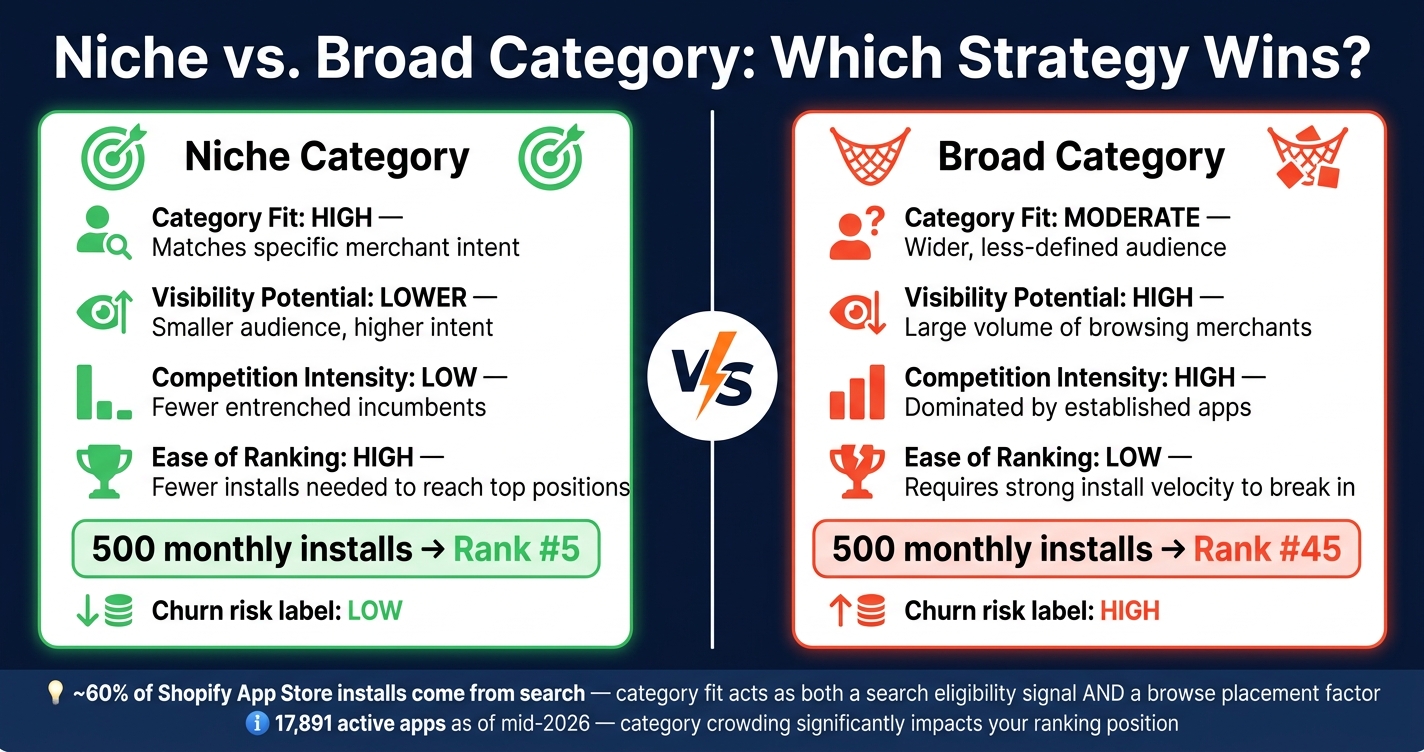
Shopify App Store: Niche vs. Broad Category Strategy Compared
Once fit and competition are clear, the next call is simple: which primary category gives you the best mix of reach and ranking pressure?
Category Fit, Reach, and Competition Trade-Offs
Your primary category decides the peer group you need to beat on browse pages. That choice is a trade-off between fit and crowding.
Bigger categories can bring more browse volume. But they also bring more rivals. An app with 500 monthly installs might rank #5 in a niche category but #45 in a crowded one. Same app. Same performance. The difference is the peer set around it.
Going after a broader category for more volume can also hurt you if the fit is weak. If merchants install your app, realize it is not what they needed, and then leave, that churn can signal weak relevance. Over time, that can push rankings down.
Here’s how these trade-offs usually look:
| Category Strategy | Category Fit | Visibility Potential | Competition Intensity | Ease of Ranking |
|---|---|---|---|---|
| Most Accurate (Niche) | High: Matches specific merchant intent | Lower: Smaller total audience, higher intent | Low: Fewer entrenched incumbents | High: Fewer installs needed to reach top positions |
| Broader / Crowded | Moderate: Appeals to a wider, less-defined group | High: Large volume of browsing merchants | High: Often dominated by established apps | Low: Requires strong install velocity to break into top positions |
In crowded categories, certification can add even more pressure. Built for Shopify apps often fill page one. When most top spots go to BFS apps, BFS starts to look less like a nice-to-have and more like a practical requirement.
Why Developers Should Track Category-Level Movement Over Time
A one-time rank check can fool you. Tracking category-level movement over a 7–14 day window gives a much better read on what is happening.
If browse impressions stay flat or start to drop after a category change, that is a sign to pay attention to. And if a nearby category has less competition and a better fit, moving sooner can save you time.
AppJubilee tracks daily ranking changes, competitor listing updates, and category shifts, which makes category-level movement easier to watch.
Track category movement over 7–14 days to see whether visibility is improving or weakening.
Conclusion: Key Takeaways for Developers
The data points in the same direction: categories don't boost rank on their own. What they do change is the playing field around rank. In practice, categories shape browse visibility and merchant fit, while their effect on search is more indirect, through relevance and engagement.
One pattern stands out more than any other: category mismatch hurts. That matters because fit shapes who installs the app and who bails soon after. When people install an app that doesn't match what they expected, churn tends to climb. And that sends bad signals back to the algorithm.
The safest move is simple: choose the primary category that lines up with the app's main use case. For specialized apps, a tighter category usually beats chasing a bigger one with more volume.
Before changing categories, keep an eye on a few metrics:
- Category-level position
- Click-to-install rate
- Active install ratio
Also, don't switch too fast. A category change can reset ranking history and wipe out momentum you've already built.
Category choice is positioning, not metadata.
FAQs
How do I choose the best primary category?
Choose a primary category that matches your app’s main function and what merchants are looking for. Shopify uses this category to decide where your app shows up.
A good place to start is with the categories and subcategories used by similar apps. But don’t just copy them. Keep it accurate.
Pick a category your app actually fits. Skip broad or off-topic options, and make sure your listing language and keywords back up that choice.
When should I change my app category?
Change your app category only when the app’s core function has changed in a major way. The right category helps line up with merchant search intent and can support better placement.
That said, changing categories can reset past ranking data and make merchants less clear on what your app is for. In most cases, that disruption outweighs any discovery upside.
If you need to make a change, you can request it through your Partner Dashboard. Any extra changes after that require an appeal and approval from the Shopify review team.
Can the wrong category hurt installs?
Yes. Putting your app in the wrong category can hurt both installs and visibility.
It can lower conversion rates, trigger negative reviews from confused merchants, and weaken search relevance. Since categories help Shopify judge topical fit, a bad match can make it harder for your app to rank for the terms your target audience uses.