
How User Behavior Impacts App Store Rankings
How merchant activation, retention, reviews, and uninstall rates drive Shopify App Store rankings—and which product fixes move rank.

If your app is already showing up in search, merchant behavior is what usually moves it up or down.
I’d sum it up like this: Shopify can use your title, keywords, and category to figure out what your app is. But rankings tend to shift based on what merchants do after install. That means activation, retention, recent reviews, and uninstalls often matter more than listing text once you’re in the results.
With 17,591 apps in the Shopify App Store as of April 2026, and store growth at 52% year over year, small behavior changes can have a big effect on visibility. If I were trying to improve rank, I’d focus on these five things first:
- Get merchants to first value in the first 7–14 days
- Cut early churn, especially in the first 24 hours and first 14 days
- Improve Day 30 retention and aim for 55%+
- Increase recent review volume, not just lifetime review count
- Track rank changes next to behavior metrics so I can see what changed
Here’s the core idea in plain English:
- Listing factors help you appear
- Behavior signals help you stay near the top
- Poor activation and high uninstall rates can pull rankings down
- Recent, detailed reviews often matter more than old ones
- Product fixes after install usually do more than listing edits alone
A simple way to think about it: installs are only the start. What merchants do next is the part that can shape rank over time.
User behavior signals that affect Shopify App Store rankings
Shopify’s algorithm doesn’t stop at install count. It also looks at what merchants do after they install your app. The strongest signals come from post-install behavior: activation, retention, and reviews. That’s what turns a short spike in visibility into staying power.
Start with activation. It’s the first clear sign that the app fixed a real merchant problem.
Installs, activation, and early engagement
Raw installs matter less than the percentage of installs that turn into active users. If a merchant installs your app, drops off within the first 1–14 days, and never finishes setup, that usually points to friction or a mismatch. High early churn tells Shopify the app may not be solving the problem merchants expected it to solve.
On the flip side, if merchants hit a clear first value moment, like a first sale attributed or a first campaign launched, within the first 7–14 days, they’re more likely to keep using the app and leave better feedback. That early traction matches the signals Shopify tends to reward.
When activation slips, retention often falls right after it.
Retention, repeat use, and uninstall rate
Retention shows that the app keeps delivering value over time. Installs by themselves can’t do that. If merchants continue using an app month after month, Shopify can read that as a strong quality signal.
Uninstall rate acts like a drag on rankings. A high uninstall velocity, especially if it keeps happening over time, signals that the app is not meeting merchant needs. A burst of new installs followed by fast churn is a bad sign. Steady retention, by contrast, points to stronger product-market fit.
The next layer is public merchant feedback.
Ratings, product reviews, and review recency
Average rating and total review count both matter, but recent reviews matter more than old ones. In plain English: review growth in the last 90 days says more than a large pile of older reviews.
Review quality matters too. Detailed reviews from active merchants, plus timely replies to both positive and negative feedback, show that the app is supported and maintained .
These signals don’t all carry the same weight:
| Signal | Ranking Impact | What It Tells Shopify |
|---|---|---|
| Review Recency (90-day window) | Critical | Current merchant satisfaction |
| Recent Install Growth | High | Recent demand and relevance |
| Active Install Ratio | High | Long-term utility and fit |
| Uninstall Rate | Negative (suppressive) | Friction or lack of value |
| Developer Response Rate | Moderate | Active support and maintenance |
Next, these same signals show up on the downside when they start to weaken.
sbb-itb-ce93587
How weak user behavior lowers your rankings
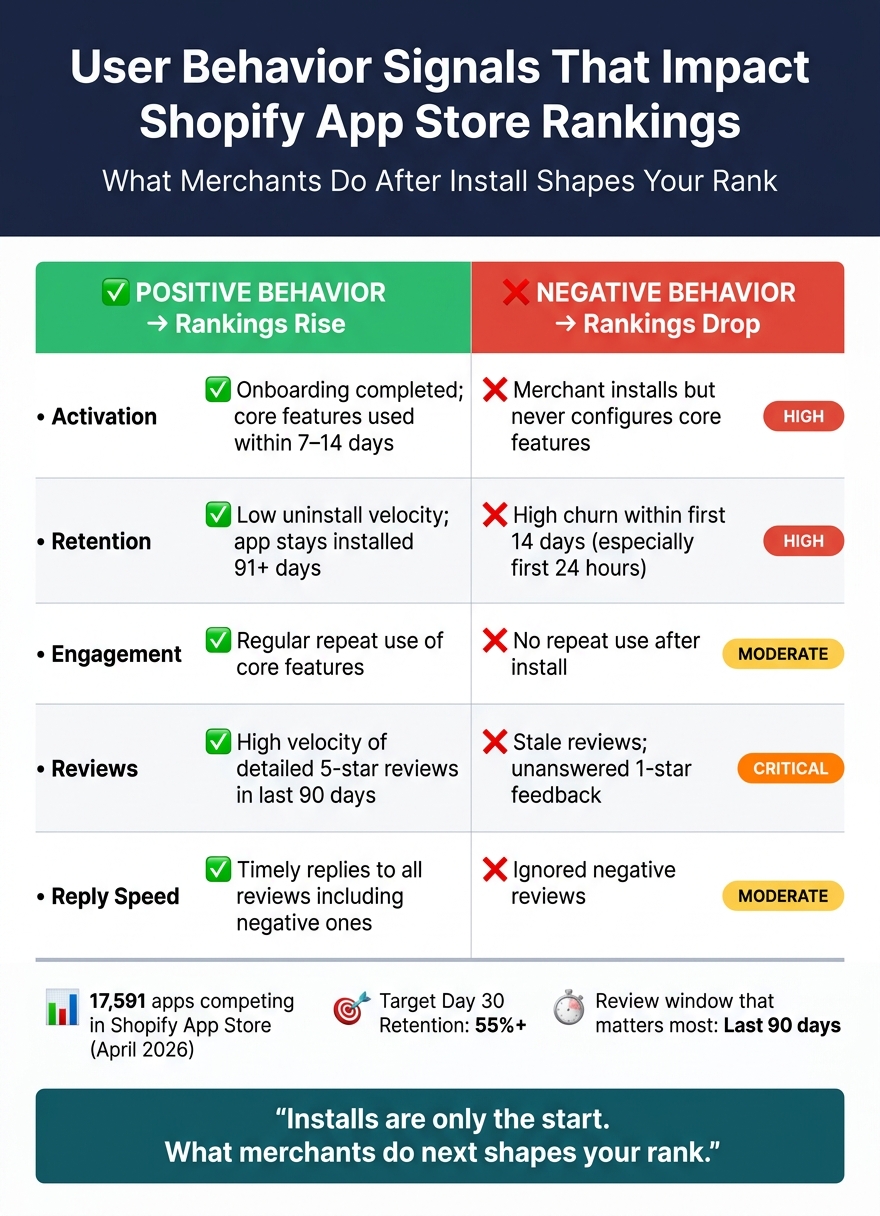
User Behavior Signals That Impact Shopify App Store Rankings
Weak post-install behavior can drag your rankings down. So the fix usually isn’t just in the listing, and often requires comparing Shopify ASO tools to identify where the product experience is falling short. It’s in the product experience that comes after the install.
Low activation sends weak quality signals
If a merchant installs your app but never gets through setup or skips the main features, Shopify gets a pretty clear message: the app didn’t deliver on what the merchant expected. Low activation suggests the app did not fix the problem the merchant came to solve. And when the listing promises more than the app delivers, merchants install, stall, and then disappear.
That kind of drop-off often leads straight to poor retention.
Poor retention reduces long-term visibility
High churn can wipe out the gains from new installs. It becomes a rough loop: churn hurts rankings, lower rankings slow installs and review growth, and that pushes rankings down even more.
Early uninstalls matter the most. If merchants remove the app in the first 24 hours or within 14 days, that points to onboarding friction or a gap between the listing and the actual product. Even later removals can still hurt. A merchant may stop using the app for months and only uninstall it later, but that action can still show up in current uninstall metrics.
Positive vs. negative behavior signals: a comparison
The same signal can help or hurt rankings. It all depends on what merchants do once the app is installed.
| Signal | Positive Behavior | Negative Behavior | Likely Ranking Impact |
|---|---|---|---|
| Activation | Onboarding completed; core features used | Merchants install but never configure core features | High: Signals app utility |
| Retention | Low uninstall velocity; app remains installed 91+ days | High churn within the first 14 days | High: Signals long-term fit |
| Engagement | Regular core-feature use | No repeat use after install | Moderate: Indirectly signals app health |
| Reviews | High velocity of detailed, recent 5-star reviews (last 90 days) | Stale reviews; unanswered 1-star feedback | Critical: Recent reviews carry the most weight |
| Reply Speed | Replies to all reviews, including negative ones | Ignored negative reviews | Moderate: Signals active support |
What happens after the install matters more than the install itself. A download is just the start. If merchants don’t activate, stick around, and leave strong feedback, rankings can slip fast.
That leads to the next step: which product changes help improve activation, retention, and reviews?
Product and lifecycle changes that improve behavior signals
You can ease ranking drag by fixing what happens after install. Day 1 and Day 7 retention often show whether the app is a good fit, while churn in the first 48 hours usually points to a mismatch. Start with onboarding. Then work on repeat use and review timing.
Cut onboarding friction and shorten time to first value
Time to first value means the gap between install and the first meaningful result. Define the first moment a merchant gets clear value, then strip out every setup step that slows that moment down.
A few practical ways to cut friction:
- Simplify setup steps
- Reduce required inputs to only what matters
- Use in-app guidance instead of email-based onboarding
In-app guidance keeps merchants inside the product flow, and it tends to get higher completion rates than email-based onboarding. Review requests also matter here. Ask for reviews right after the first success moment, when merchants have enough hands-on experience to say something useful.
Once merchants activate, the next job is simple: give them a reason to come back.
Increase repeat use through better feature adoption
Use progressive disclosure to introduce advanced features only after merchants succeed with the core workflow. That approach keeps the early experience from feeling heavy. If you have a North Star action that predicts 30-day retention, point merchants toward it as early as possible.
Some merchants will install but never hit that success moment. When that happens, re-engage them with targeted messages during the first week or two after install. The goal isn't to push more messages. It's to help them finish the action that makes the product click.
Use AppJubilee to connect behavior changes to rank movement
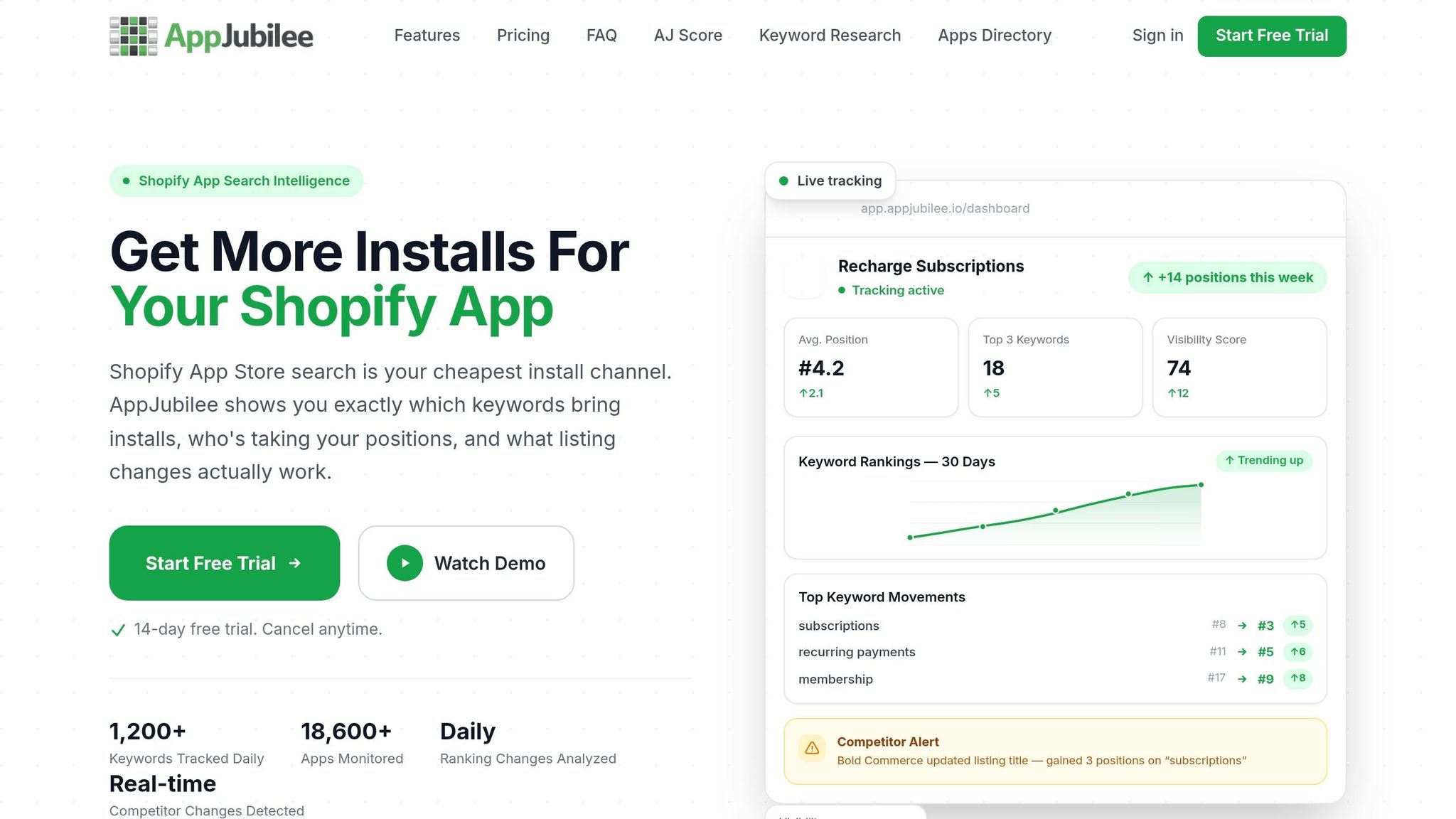
Making product changes is only half the job. You also need to know if those changes are moving rankings in the right direction.
AppJubilee tracks daily keyword positions, ranking snapshots, and review impact, so you can measure whether product updates improve visibility. Its review intelligence shows the 7-day ranking impact of each new review and highlights which features merchants mention most. That can shape what you push first in onboarding. Use those rank snapshots to check which product changes are actually moving visibility.
How to measure whether behavior improvements are working
Once your product changes go live, keep the scoreboard small. The goal is simple: see whether user behavior shifts at the same time your rankings change.
The metrics that matter most
Track the same post-install signals, but in hard numbers: install-to-activation rate, Day 30 retention, uninstall rate, review velocity, review recency, average rating, and keyword rank movement. Aim for a Day 30 retention rate above 55%. Put extra weight on reviews from the last 90 days. Review count matters, but only when those reviews are recent.
Comparing performance before and after changes
Before you change anything in the product, log baseline numbers for at least 30 days. Use that same 30-day window across every metric so you're comparing like with like. After the update, check results on days 3, 7, and 14, then again on day 30 to see if the pattern sticks.
If you stack multiple edits at once, you blur the picture. It becomes hard to tell which change moved rank.
A simple before-and-after framework looks like this:
| Metric | Baseline (Pre-Update) | Post-Update (14–30 Days) | Movement |
|---|---|---|---|
| Keyword Rank (Top 5 Terms) | Avg. Position #12 | Avg. Position #4 | +8 positions |
| Install-to-Activation Rate | 45% | 62% | +17% |
| Day 30 Retention | 48% | 55% | +7% |
| Monthly Churn Rate | 8.5% | 4.2% | −4.3% |
| Review Velocity | 2 per month | 12 per month | +500% |
Use AppJubilee's ranking snapshots to connect each update to rank movement. When rankings shift, your baseline helps you see what changed and why.
Installs matter less than what merchants do after they install. Teams that improve rankings over time tend to fix onboarding, cut early churn, and watch the right metrics closely enough to spot what worked. When activation, retention, and recent reviews improve, rank movement usually follows.
"Rank tells you what happened. Signals tell you what to do next." - Chris, Founder, Gaintage
FAQs
How fast can behavior changes affect rankings?
Shopify’s app store algorithm changes over time, so rankings can move as merchant behavior data - like clicks, installs, and retention - gets processed.
There’s no set timeline. In many cases, ranking changes show up after things like a jump in install velocity, new reviews, or updates to your listing.
AppJubilee helps developers keep an eye on these changes with daily keyword monitoring and ranking snapshots.
Which metric should I improve first?
If your app is new or still missing from search results, start with keywords and a clear listing. That gives the app store enough context to index your app for the queries you want to show up for.
Once your app is indexed, shift your attention to review velocity and your install-to-active-use ratio. Why? Because a high uninstall rate can drag down rankings. Strong retention and a smooth user experience send a clear signal that your app is worth surfacing.
Why do recent reviews matter more?
Recent reviews carry more weight because they show how the app is performing right now and whether the merchant is still active and responsive. In the Shopify App Store, newer feedback matters more than older reviews.
The algorithm also pays attention to review velocity. That means how fast new reviews are coming in. So an app with a steady flow of recent, high-quality reviews can rank above an app that has more total reviews but very little recent activity.