
Shopify App Store Ranking Trends: Case Study
Title edits, filled search terms, and fresh reviews moved an app from #42 to #11 and doubled organic installs in months.
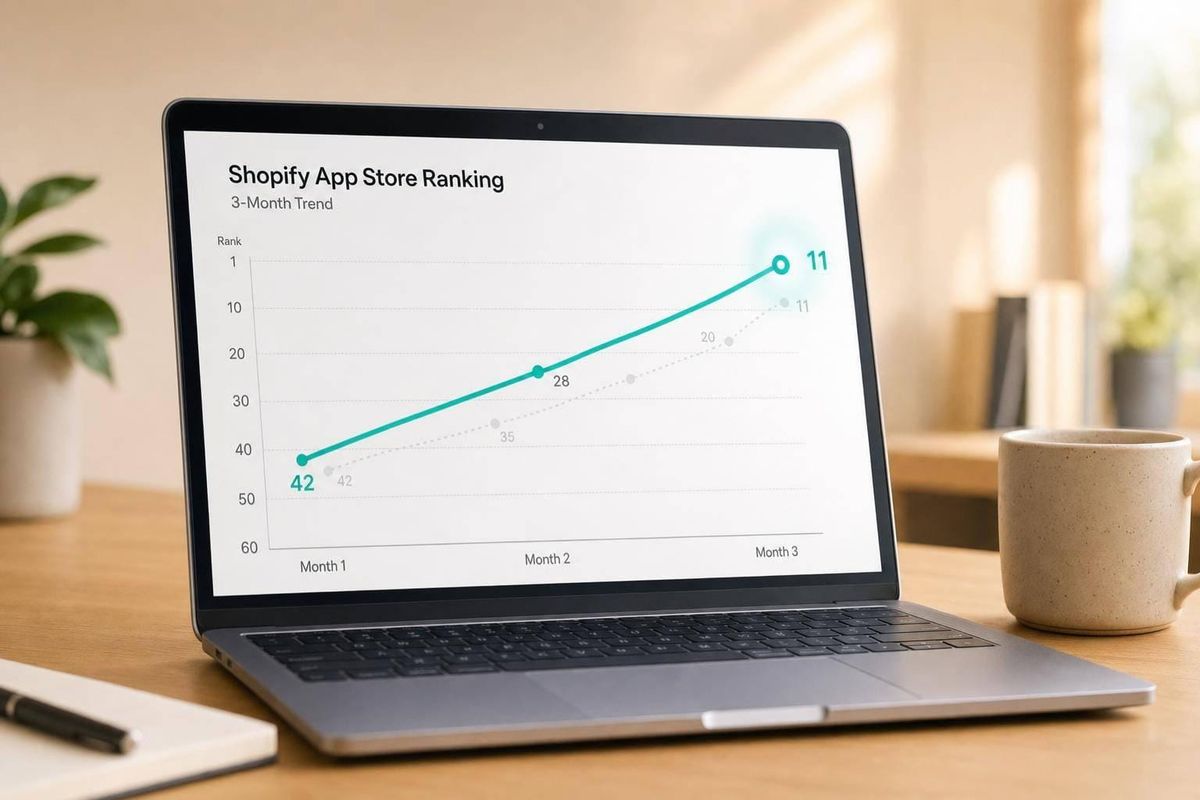
Here’s the short answer: I found that this app’s growth came from three simple moves: put the main keyword in the title, fill all search term fields, and keep new reviews coming in. Those changes helped move the app from about #42 to #11 for its main keyword, lift organic installs from 50–60 a month to 100+, improve the view-to-install rate from ~8% to ~15%, and grow from ~100 active stores to 1,000+ within 3 to 6 months.
If you want the main takeaway fast, it’s this:
- Rank tracking alone is not enough. I need to tie rank changes to installs and conversion.
- Title and search term edits had the fastest effect, often within 7 days.
- New reviews mattered more than old review totals.
- Competitor listing edits often lined up with rank movement within days.
- A simple weekly process made it easier to tell cause from noise.
This case study follows a clear path: baseline data, keyword research, competitor watchlists, listing updates, and result checks on day 3, day 7, and day 14 after each change.
A quick snapshot of the app at the start:
| Metric | Baseline | Result |
|---|---|---|
| Active stores | ~100 | 1,000+ |
| Organic installs/month | 50–60 | 100+ |
| View-to-install rate | ~8% | ~15% |
| Main keyword rank | #42 | #11 |
In other words: better ranking came from simple listing edits backed by daily tracking, not guesswork. The article shows how I can read ranking trends, watch competitors, and make listing changes one at a time so results are easier to measure.
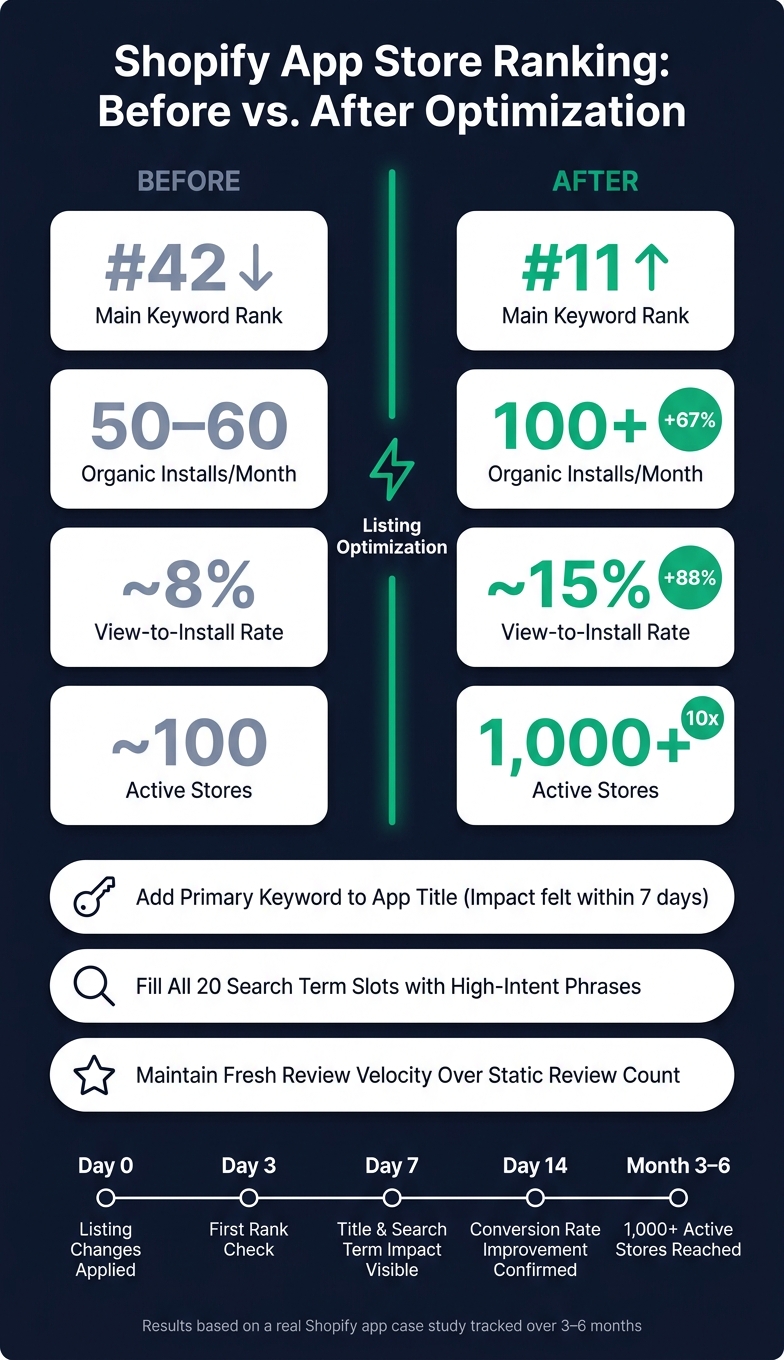
Shopify App Store Optimization: Before vs. After Results
How Ranking Trends and Competitor Tracking Were Set Up
Before changing the listing, the team needed a baseline they could trust. Without that, it would be hard to tell the difference between a real ranking shift and normal day-to-day movement. The point wasn't just to watch rankings move. It was to see whether those moves led to more installs. Each metric was picked to show if better rankings turned into merchant discovery and installs.
Keyword Set, Date Range, and Tracked Metrics
The team built a focused keyword set of 15 to 30 terms. That list covered primary terms like "conversion" and "product personalization," feature terms like "CRO" and "A/B testing," and integration-specific terms like "Klaviyo Shopify integration." These keywords came from Shopify autocomplete, which reflects merchant search behavior.
The baseline covered 60 to 90 days. That window matters because Shopify's algorithm puts heavy weight on a 90-day review recency window. If the team had used a shorter baseline, they could have missed part of the pattern.
Daily crawls captured search-result snapshots. From there, the team reviewed 7-day and 30-day trends to separate signal from noise. Across that window, they tracked keyword rank over time, category position, install velocity, review velocity, rating changes, and listing view-to-install conversion rate.
Competitor Selection and Listing Change Monitoring
The team selected 3 to 5 direct competitors, including Rebuy and LimeSpot, based on overlapping keyword rankings, a shared merchant segment, and similar pricing tiers. That kept the comparison tight. It also avoided muddying the data with apps aimed at a different buyer.
Competitor tracking went past rankings alone. The team watched for title edits, description updates, screenshot swaps, pricing changes, and review spikes. They also set 24-hour alerts for listing changes. If a competitor jumped 3 or more positions within 72 hours of a title update, the team flagged it for review. That helped them spot when a ranking gain may have come from a competitor's listing change instead of normal movement. Those signals were logged daily so later ranking shifts would be easier to read.
| Metric | Tracking Cadence | Why It Matters |
|---|---|---|
| Keyword Rank | Daily | Measures search visibility for high-intent terms |
| Review Velocity | Daily/Weekly | Stronger signal for current relevance than total review count |
| Category Position | Daily | Benchmarks performance against direct competitors |
| Listing updates | Every 30–60 days | Signals active development to the algorithm |
| Install-to-active-store ratio | Monthly | Indicates whether the app solves the merchant's problem |
With the baseline and competitor tracker in place, the next section shows which keywords moved, which stayed flat, and which competitors gained momentum.
sbb-itb-ce93587
Baseline Findings: What the Ranking Data Showed
The baseline made three things clear: which keywords were volatile, which held steady, and which competitors were picking up speed. That gave the team a simple way to decide what needed attention first.
Keyword Volatility, Steady Positions, and Day-of-Week Patterns
Keyword movement fell into three buckets: sharp swings, slow declines, and stable positions. A sudden drop often suggested a competitor had edited its listing. A slow slide looked more like stale review recency.
The app had 110 reviews and a 4.2 rating, but recent review growth was limited. That mattered because review velocity tends to matter more than a static lifetime total. Weekly review cycles also helped separate actual movement from normal indexing noise.
Competitor Momentum and Listing Change Correlations
The competitor data showed a few repeat patterns. One competitor had BFS certification, and that lined up with strong authority and a steady high rank. Another was moving up because of stronger recent review activity, even without the highest total review count. In that case, fresh review momentum was driving the climb.
| App | Main Keyword Avg. Rank | Review Count | Rating | Pricing Tier | Observed Trend |
|---|---|---|---|---|---|
| Target App (Baseline) | #42 | 110 | 4.2 | Free Plan | Slow decline - stale review velocity |
| Competitor A | #3 | 2,593 | 4.5 | Paid Only | Steady - high authority, minimal movement |
| Competitor B | #8 | 891 | 4.8 | Freemium | Rising - recent BFS badge earned |
| Competitor C | #15 | 425 | 4.5 | Free Trial | Volatile - high recent review velocity |
The target app was slipping on freshness. At the same time, one competitor stayed steady while another kept climbing. That gap helped show where listing edits could produce the fastest gains.
Competitor listing edits often matched rank jumps within days. Using AppJubilee's listing change impact tracking, daily monitoring made it easier to tell the difference between listing-driven movement and normal noise. Those baseline patterns shaped which listing changes the team tested first.
Optimization Actions and Measured Results
Listing Updates Guided by Ranking and Competitor Data
The team tested three changes: the title, search terms, and screenshots. They picked each one for a clear reason: competing apps were already doing a better job with freshness, specificity, or visual presentation.
First, they rewrote the title to include the app’s main functional keyword while keeping it under 30 characters. That matched what top-performing apps were doing in a 2026 study, where leading apps kept titles at 30 characters or less.
Next, they filled all 20 available search term slots using merchant search demand data. No empty space, no guessing.
Then they replaced the screenshots with workflow images that showed the merchant interface. Instead of generic visuals, the listing now gave people a direct look at how the app worked.
Each update went live on its own. That way, the team could track ranking shifts and install movement after every single edit, instead of changing everything at once and hoping for the best.
Before-and-After Ranking and Install Results
The team wanted a direct answer: did these updates change rankings, installs, and conversion?
| Metric | Before | After |
|---|---|---|
| Main keyword avg. rank | #42 | #11 |
| Organic installs per month | 50–60 | 100+ |
| View-to-install rate | ~8% | ~15% |
| Active stores | ~100 | 1,000+ |
Source: Big Moves Marketing case study
How Each Change Was Attributed to Results
To isolate impact, the team checked results on days 3, 7, and 14 after each edit. That gave them a simple way to see what changed, and when.
Ranking snapshots linked each update to movement in the trend line. They also reviewed competitor trend lines to see whether a lift came from the listing edit itself or from broader movement across the category. In plain terms, they weren’t just watching the app go up or down. They were checking whether the whole market was moving with it.
Key Lessons and a Repeatable Process
Once the team had enough data, the next job was simple: figure out which signals showed up often enough to turn into a repeatable playbook.
What Had the Strongest Effect on Rankings and Installs
The fastest ranking lifts came from title optimization and Search Terms updates. In most cases, those changes showed impact within 7 days. That matches a December 2024 experiment: adding a keyword to the Search Terms field made an app appear in search results the next day, and removing that keyword pushed the app from the top tier down to #20 within 3 days.
Listing updates also improved view-to-install conversion. That matters because better rankings only help if the listing can turn visits into installs.
Fresh reviews had more impact than total review count, even when compared to the risks of fake reviews. New reviews signal relevance and help hold rank gains over time. A good timing window is 7–14 days after install, once the merchant has reached a clear success moment.
Those were the levers worth adjusting on a set schedule.
A Simple Ongoing Process for Shopify App Store Optimization
The repeatable lesson here is a weekly cadence that keeps the data clean and the decisions easy to trace. For this app, daily rank checks and a weekly competitor review made ranking shifts much easier to read.
Here’s the process:
- Track keyword positions daily
- Review the same set of top competitors each week
- Log every listing change with the exact date
- Write one sentence each week explaining the most likely cause of any ranking movement
- If the move doesn’t make sense yet, wait for more data before changing the listing again
- Refresh screenshots, description, and pricing every 30–60 days to keep the freshness signal the algorithm rewards
- Connect App Store visibility data to install counts so ranking gains can be tied to actual conversion
That’s what makes attribution possible. Without that paper trail, ranking movement is just noise.
Conclusion: Why Ranking Trend Analysis Leads to Better App Store Decisions
A single ranking check shows where you are. A trend shows where you’re headed - and what likely caused the change. That shift turns ranking data from a simple report into a decision tool.
In this case study, the team didn’t just improve rankings. They built a process that made each decision traceable. That’s the difference between steady growth and lucky timing.
The three strongest takeaways were clear: putting the primary search term in the app title produced the fastest visibility gains; filling all Search Terms slots with high-intent phrases drove indexing within days; and keeping fresh review momentum beat a large but static review count. Each lever can be repeated, and each one can be measured.
FAQs
How long should I track rankings before making listing changes?
Track ranking trends for at least 30 days if you want a signal you can trust. Yes, changes to your listing can affect Shopify App Store rankings within 24 hours. But one day of data is just a snapshot, not the full story.
The better move is to monitor rankings on a steady basis and watch how listing edits line up with changes over time. That makes it much easier to see what helped, what didn't, and where the shift came from.
Also, avoid making frequent back-to-back updates before the results are clear. If you change too many things too soon, it's hard to tell which edit moved the needle.
Which listing change should I test first for faster ranking gains?
Test listing freshness first. Update your app listing - description, screenshots, and pricing - every 30–60 days.
In the case study, this freshness signal lined up with higher rankings and faster gains when the goal was to move up fast.
How can I tell if a rank increase actually led to more installs?
Compare ranking changes with install data. If installs go up at the same time your keyword positions improve, that’s a strong sign the better ranking helped drive more installs.
AppJubilee makes this easier by tracking keyword rankings every day. That lets you spot when listing edits, competitor changes, or App Store algorithm updates improved visibility - and whether that extra visibility turned into new merchants.