
How Keywords Impact Shopify App Installs
Align app keywords with merchant intent - use specific name, subtitle and search terms, track installs and refine every 3-6 months.
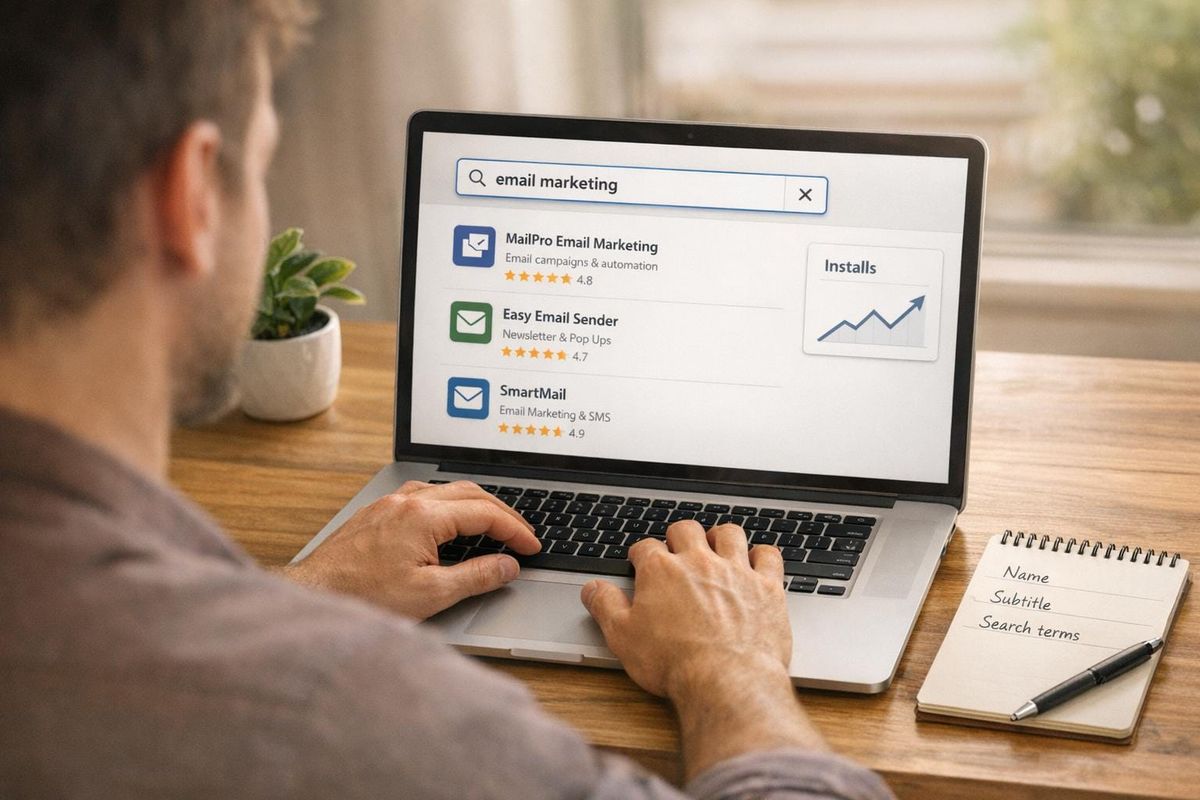
Over 65% of Shopify app installs happen right after a search query. This means keywords in your app listing are not just about SEO - they directly determine whether merchants find and install your app. High-intent keywords like "abandoned cart recovery" can drive install rates up to 15%, while broad terms like "marketing" often fail to convert.
Here’s the key takeaway: Align your app’s keywords with what merchants are actively searching for. Use specific, problem-focused terms in critical fields like your app name, subtitle, and search terms. Monitor keyword performance regularly, refine based on install data, and track metrics like impressions, click-through rates, and installs. Tools like AppJubilee can simplify this process, helping you stay competitive in a marketplace with over 13,000 apps.
Key Insights:
- Keywords in your app name and subtitle contribute 80% of ranking strength.
- Problem-based and solution-based keywords have the highest install potential (5–15%).
- Regular updates to keywords and listing copy can triple organic installs.
Optimizing keywords isn’t a one-time task - it’s an ongoing process that directly impacts your app’s visibility and growth.
How Keywords Affect Shopify App Visibility and Installs
What Is Keyword Alignment?
Keyword alignment is all about speaking the same language as your audience. It involves tailoring your app's metadata to match the exact phrases merchants use when searching. For example, a merchant trying to recover lost sales isn’t typing "automated transactional email sequencing" into the search bar. They’re looking for something simple, like "abandoned cart emails".
"Merchants don't search for 'automated transactional email sequencing' - they search for 'abandoned cart emails'." - BigMoves Marketing
This disconnect between how developers describe their apps and how merchants search for solutions is where many potential installs are lost. Bridging that gap is the essence of keyword alignment.
The Keyword-to-Install Funnel
Every app install starts with a search query and follows a predictable path. Keywords are a critical factor at each stage of this funnel:
- Impression: Your app appears in search results when its Name, Subtitle, or Tags include keywords that match the query.
- Listing View: A compelling title and subtitle affect click-through rates (CTR). Merchants click when your app's title clearly addresses their problem.
- Install: Your app description needs to confirm that your app solves the merchant’s specific issue, converting interest into installs.
Here’s the key: broad category terms like "reviews" might get your app noticed, but more specific workflow terms like "photo reviews" or "UGC" (user-generated content) are what drive actual installs. This specificity ensures merchants see your app as the precise solution they need. Once your keywords are in place, it’s essential to understand how they interact with Shopify’s ranking algorithm and compare Shopify App Store optimization tools to find the best fit for your needs.
Where Keywords Fit in Shopify's Ranking Signals
While keywords are essential, they’re just one piece of the puzzle. Shopify’s ranking algorithm evaluates several factors, including:
- Query relevance: How well your keywords match what merchants are searching for.
- Install velocity: The speed at which your app gains new installs.
- Review quality: The overall rating and feedback from users.
- Behavioral signals: Metrics like click-through rates and post-search install rates.
Your App Name and Subtitle are especially powerful, accounting for approximately 80% of your keyword ranking strength. Beyond these, the Search Terms field, which allows up to five phrases, is another valuable tool. Updates to this field reflect in rankings within 24 hours. Here’s a breakdown of how different fields contribute to your app’s visibility:
| Field | Character Limit | Impact Level | Indexing Speed |
|---|---|---|---|
| App Name | 30 | Critical (Highest) | Fast (< 7 days) |
| Search Terms | 5 phrases | High | Very Fast (< 24 hours) |
| Subtitle | 62 | High | Fast (< 7 days) |
| Introduction | ~100 | Medium | Fast (< 7 days) |
| App Details | Flexible | Low/Medium | Moderate (7–10 days) |
| Meta Description | ~155 | External SEO only | Slow (up to 14 days) |
Apps with the Built for Shopify (BFS) badge also enjoy a significant advantage in rankings. On average, BFS-badged apps have 891.5 reviews compared to 425.0 for apps without the badge. While keyword relevance ensures your app is discoverable, trust factors like reviews and the BFS badge can help secure a top spot in the rankings.
sbb-itb-ce93587
How to rank high in the Shopify AppStore - App Store Optimisation
Finding and Optimizing Keywords That Drive Installs
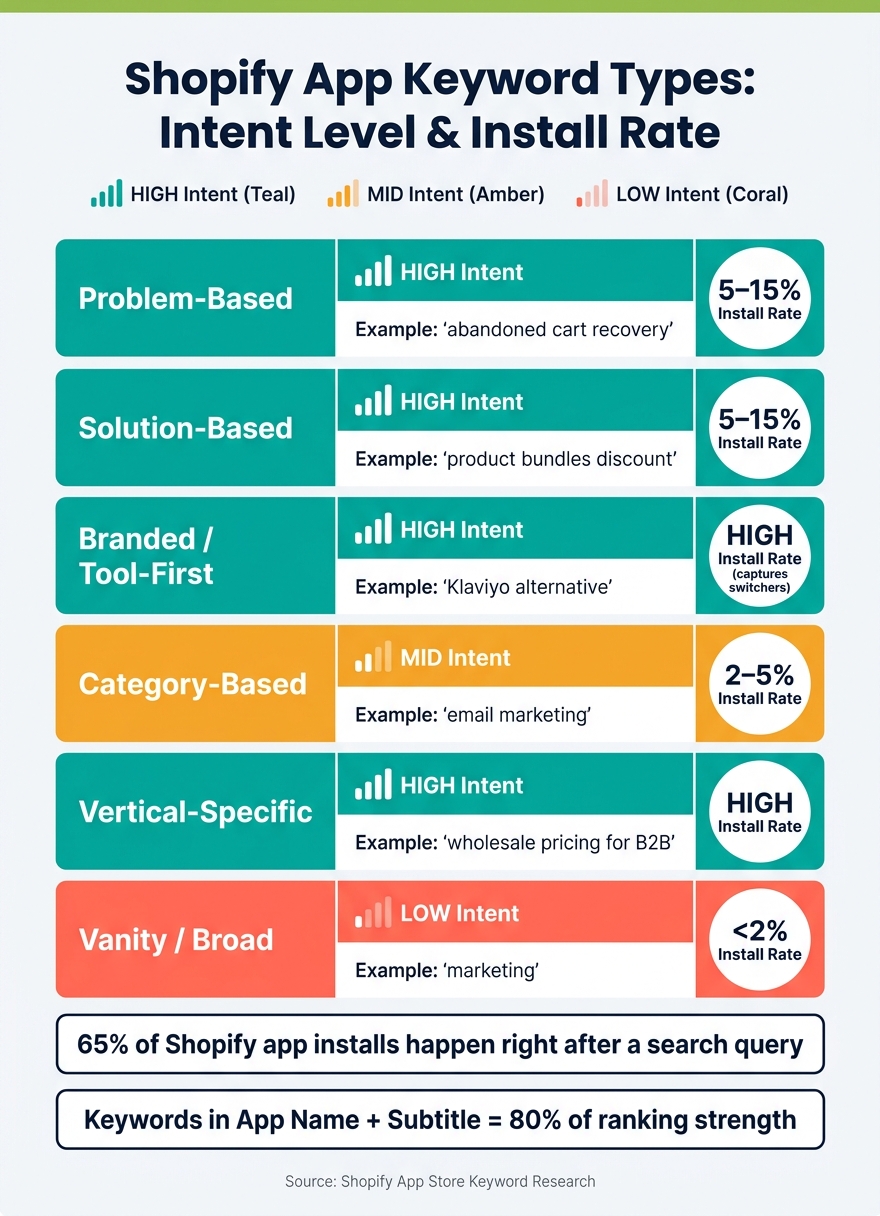
Shopify App Keyword Types: Intent Level vs. Install Rate
Types of Keywords and Merchant Intent
Merchants rely on six distinct keyword types, each reflecting a different decision stage and varying levels of conversion potential:
| Keyword Type | Intent Level | Example | Install Rate |
|---|---|---|---|
| Problem-Based | High | "abandoned cart recovery" | 5–15% |
| Solution-Based | High | "product bundles discount" | 5–15% |
| Branded / Tool-First | High | "Klaviyo alternative" | High (captures switchers) |
| Category-Based | Mid | "email marketing" | 2–5% |
| Vertical-Specific | High | "wholesale pricing for B2B" | High |
| Vanity / Broad | Low | "marketing" | <2% |
Problem-based keywords show that users are actively comparing options, while branded or tool-first terms indicate readiness to switch solutions. For newer apps with fewer than 50 reviews, focusing on these alternative keywords can be a smart move since they align well with clear merchant intent.
"Category language helps you enter the search set. Use-case language helps you win the click and install." - StoreInspect Team
Once you've identified relevant keyword types using Shopify App Store keyword research tools, keep a close eye on their performance to spot any potential misalignment.
Signs of Keyword Misalignment
Two common patterns can reveal when your keywords aren't resonating with merchant intent:
- High impressions but low clicks: This suggests your app is visible in search results, but its title or subtitle doesn't match what users are looking for.
- High clicks but low installs: This indicates merchants are visiting your app listing but leaving without installing. This often points to a mismatch between the keyword's promise and what your app actually delivers.
Another, more subtle indicator is when your app reviews don't mention the problem associated with your target keyword. This could mean you're attracting the wrong audience, which might hurt your behavioral signals and, ultimately, your ranking.
Identifying misalignment is just the first step. The next challenge is to focus on keywords that are more likely to lead to installs.
How to Prioritize Install-Focused Keywords
To prioritize keywords that drive installs, focus on two key factors: merchant intent and competition level. Merchant intent should always outweigh search volume. For example, a keyword with 100 monthly searches and an 8% install rate will bring better results than one with 1,000 searches but only a 0.5% install rate.
"Shopify app keyword research is about install intent, not traffic. A keyword with 100 searches and an 8% install rate beats a keyword with 1,000 searches and a 0.5% install rate every single time." - Big Moves Marketing
Evaluate each keyword by asking:
- Does it directly address a specific problem or outcome (merchant intent)? For instance, a merchant searching for returns and exchanges has a very specific operational pain point compared to one searching for general 'customer service'.
- How competitive is it? For example, if the top-ranking apps for a keyword have fewer than 200 reviews, it's an "Easy" target - perfect for newer apps. On the other hand, keywords dominated by apps with 1,000+ reviews and stellar ratings (around 4.8 stars) may require more effort to compete.
Test your keyword candidates in the Shopify App Store. If a keyword doesn't trigger autocomplete, it might indicate low merchant interest. Additionally, dive into 3–5 star reviews of competitor apps to uncover the exact phrases merchants use to describe their challenges. This feedback can provide the final pieces of your keyword research puzzle.
Using Data to Track and Improve Keyword Performance
Building a Keyword Tracking Framework
Targeting the right keywords is just the start - you need to track performance and adjust as needed.
A good tracking system begins with a weekly review. Every week, log your rankings for key terms and categories, track install counts over the past 7 and 30 days to gauge momentum, note the date of your most recent review, and analyze your top three competitors for changes in copy, screenshots, pricing, or badge status. Document the key factors influencing rank changes.
Pay close attention to how ranking drops occur. A sudden drop might be linked to a recent listing edit or algorithm update, while a slower decline could indicate reduced install velocity - fewer merchants downloading your app over time.
To simplify this process, consider using a dedicated tool for tracking and analysis.
Using AppJubilee for Deeper Keyword Insights
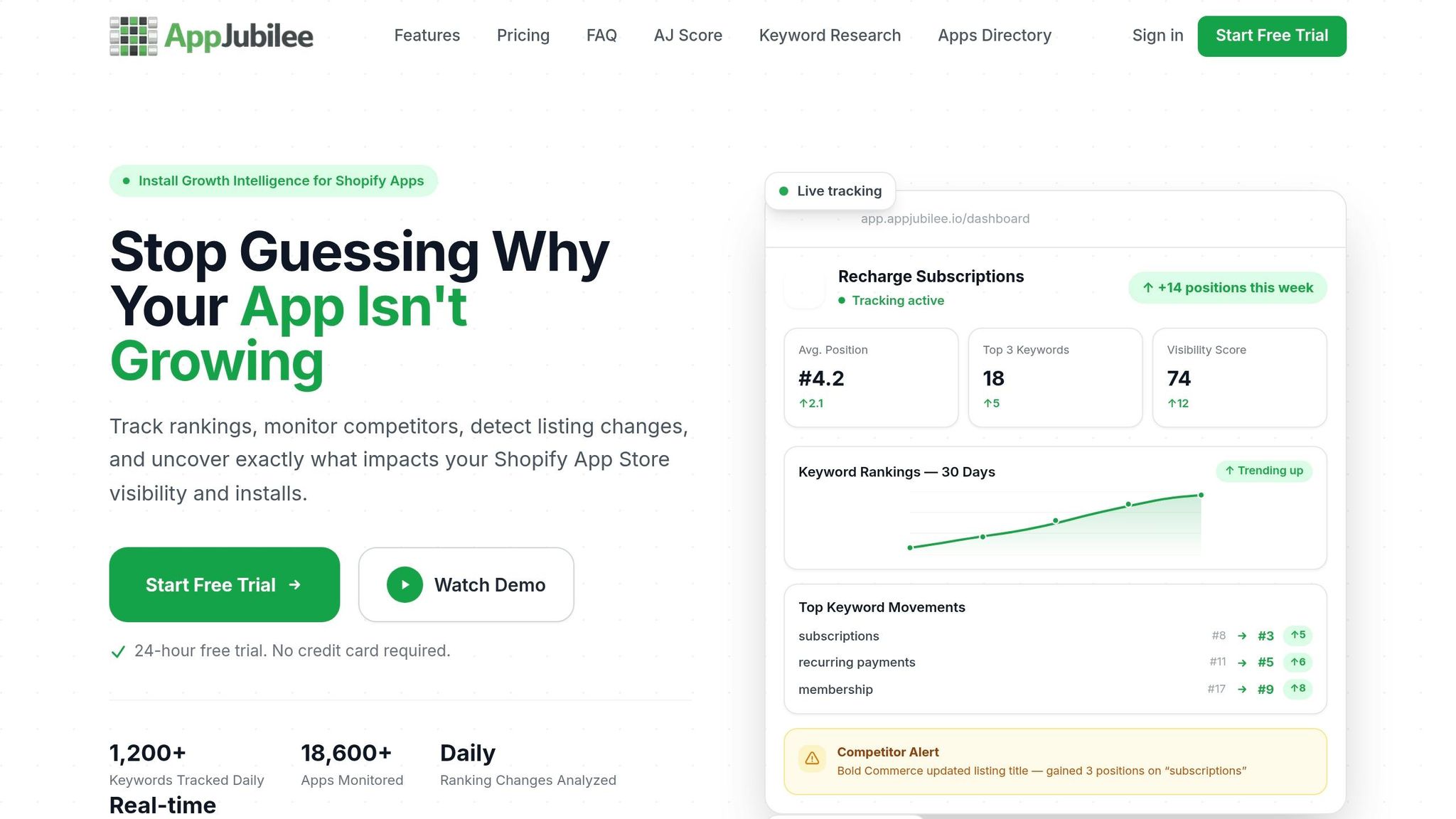
While spreadsheets can work for small-scale tracking, they often become cumbersome as you monitor more keywords. This is where tools like AppJubilee shine. Designed specifically for Shopify App Store metrics, AppJubilee integrates with the Shopify Partner API and GA4, offering precise tracking and a clear view of keyword rankings alongside install and conversion data.
AppJubilee’s keyword ranking analysis provides daily updates, allowing you to spot changes immediately instead of weeks later. Its listing change feature links edits to ranking shifts, helping you understand cause and effect. Since indexing for high-impact fields like Titles and Search Terms usually happens within 7 days, AppJubilee’s daily tracking helps you evaluate changes at key intervals - days 3, 7, and 14.
The competitor mapping feature is another standout. It shows which keywords your competitors are targeting and alerts you to listing changes or when they earn the "Built for Shopify" badge - both of which can signal upcoming rank changes. For $99/month, the Growth plan integrates GA4 and the Shopify Partner API, offering a unified view of keyword performance, installs, and conversions.
Reading Keyword Performance Metrics
Once your tracking system is in place, these metrics can guide your next steps:
| Metric | Insight | Action |
|---|---|---|
| Daily Position | Your current ranking for a keyword | Investigate competitor updates or listing changes |
| Average Position | Long-term ranking trends, smoothing out daily fluctuations | Use this to identify consistent movements rather than short-term noise |
| Conversion Rate (%CR) | Percentage of page views that lead to installs | Adjust your listing copy to better align with keyword intent |
| Unique Events (Installs) | Keywords driving the most installs | Focus more effort on terms with high conversion rates |
| Bounce Rate | Percentage of visitors leaving without installing | Refresh your app introduction or update screenshots |
| Install Velocity | Rate of new installs over the past 7 or 30 days | Launch campaigns or partnerships to boost installs |
Tracking install velocity alongside ranking changes can offer early warnings. As Chris, Founder of Gaintage, explains:
"The rank chart is the result. The install slope is often the warning."
Updating Your App Listing to Match Target Keywords
These steps are essential for turning merchant searches into app installs, focusing on aligning your keywords effectively. Every adjustment - whether it's auditing, rewriting, or refining based on data - can significantly influence your install rates.
How to Audit Your Current App Listing
Start by reviewing the fields that Shopify uses for keyword indexing: App Name, Search Terms, Introduction, and App Details. Misalignment in these areas can hurt your rankings.
For your App Name, stick to a "Brand + Function" format (maximum 30 characters) and include at least one functional keyword. In the Search Terms field, use all five slots for distinct, high-intent phrases that aren't already in your App Name. Avoid duplication - Shopify indexes these fields separately. Keywords in this field are typically indexed within one to three days.
For your listing URL, including a functional keyword can help with external SEO, even though it's not the most critical internal ranking factor.
"The category term gets you considered. The workflow term gets you chosen." - StoreInspect Team
Once your fields are optimized, shift your focus to writing copy that directly addresses merchant intent.
Crafting Keyword-Focused Copy
Place your primary keyword within the first two sentences of your Introduction. This ensures you immediately address the merchant's problem and offer a solution.
In the App Details section, use action-driven language instead of simply listing keywords. For example, instead of "cart recovery", write something like, "Recover abandoned carts before customers leave for good." This approach balances keyword relevance with persuasive messaging. Keep keyword density between 3–4% to avoid triggering spam filters.
For subtitles, avoid keyword stuffing. Shopify emphasizes that subtitles should convey value to merchants, not act as another keyword field. A subtitle like "Boost sales with automated email flows" is far more effective than "Email marketing automation Shopify app."
Once your copy is ready, use install data to refine your keyword strategy further.
Refining Keywords Based on Install Data
Keyword optimization is an ongoing process. Apps that consistently update their keyword strategy see 3x to 5x more organic installs than those that don't. After making changes to your listing, monitor performance at intervals of 3, 7, and 14 days. Updates to your Title and Search Terms typically index within a week.
Use these benchmarks to evaluate your keywords:
- Zero impressions after four weeks: Remove the keyword.
- Strong impressions but CTR below 3% after four weeks: Adjust the listing copy to better align with the keyword's promise.
- Installs occurring but uninstall rates spiking within seven days: Drop the keyword. High early-uninstall rates suggest a feature mismatch that can hurt your rankings in the long run.
To keep up with changes in merchant search behavior, conduct a full keyword research and copy update every three to six months.
Conclusion: How to Get More Installs Through Keyword Alignment
Getting more installs starts with speaking the same language as your target audience. When your keywords align with what merchants are searching for, your app becomes easier to discover - and that’s the first step toward more downloads.
Using high-intent keywords in your App Name, Search Terms, and listing copy helps address merchant needs directly, which can significantly boost installs. Tools like AppJubilee can simplify the process by providing daily tracking, ranking snapshots, and analysis of keyword impact. Monitoring keyword performance over 3, 7, and 14 days allows you to adapt your strategy to match shifting merchant behavior. This consistent review ensures your keyword approach stays relevant and effective.
To maintain growth, revisit your keywords and app copy every three to six months. Combine this with regular monitoring of install data to stay ahead in a marketplace with over 13,000 apps. By aligning your keywords with merchant intent (like sourcing keywords), tracking their performance closely, and keeping your app listing fresh, you set the stage for steady, organic growth in the competitive Shopify App Store.
FAQs
Which keywords should I target first to get more installs?
Zero in on high-intent, specific long-tail keywords that tie directly to your app's main features or the challenges it addresses. For example, terms like "abandoned cart emails" or "product reviews" speak directly to potential users' needs.
Start small by focusing on 3-5 low-competition keywords. These should reflect how merchants are searching and give you a realistic chance to rank within the top 10 search results. Tools like Shopify autocomplete, competitor analysis, and dedicated keyword research platforms can help you uncover these valuable terms.
Once you’ve identified the right keywords, make sure to weave them naturally into your app listing. This approach ensures your content feels authentic while improving its discoverability.
How do I know if a keyword is attracting the wrong merchants?
You can tell if a keyword is bringing in the wrong audience by digging into key performance metrics. Here’s what to look for:
- High impressions but low CTR: If lots of people see your app but aren’t clicking, the keyword might not be appealing to the right audience.
- Low install rates after clicks: When users click through but don’t install, it’s a sign the keyword may not align with their needs.
- High uninstall rates within 7 days: If many users uninstall shortly after installing, it points to a mismatch in expectations.
Another red flag is the absence of reviews mentioning the keyword. This suggests the keyword isn’t resonating with your target merchants. Keeping an eye on metrics like install velocity, review mentions, and uninstall rates can confirm whether a keyword is missing the mark.
How long does it take keyword changes to affect rankings and installs?
Keyword adjustments usually take about 2–4 weeks to show noticeable changes in rankings and installs. However, if you're targeting highly competitive or loosely related keywords, the process might take longer - sometimes several weeks or even months. This depends on factors like how quickly your app gains installs, the freshness of user reviews, and how relevant your app listing is to the keywords.
In most cases, you can anticipate seeing measurable results within a few weeks, but the exact timeline will depend on competition levels and how well your app performs overall.