
Shopify App Keywords: Title vs Subtitle
Put the main keyword in the app title; use the subtitle for supporting terms, merchant intent, and clear benefits. Test one field at a time.
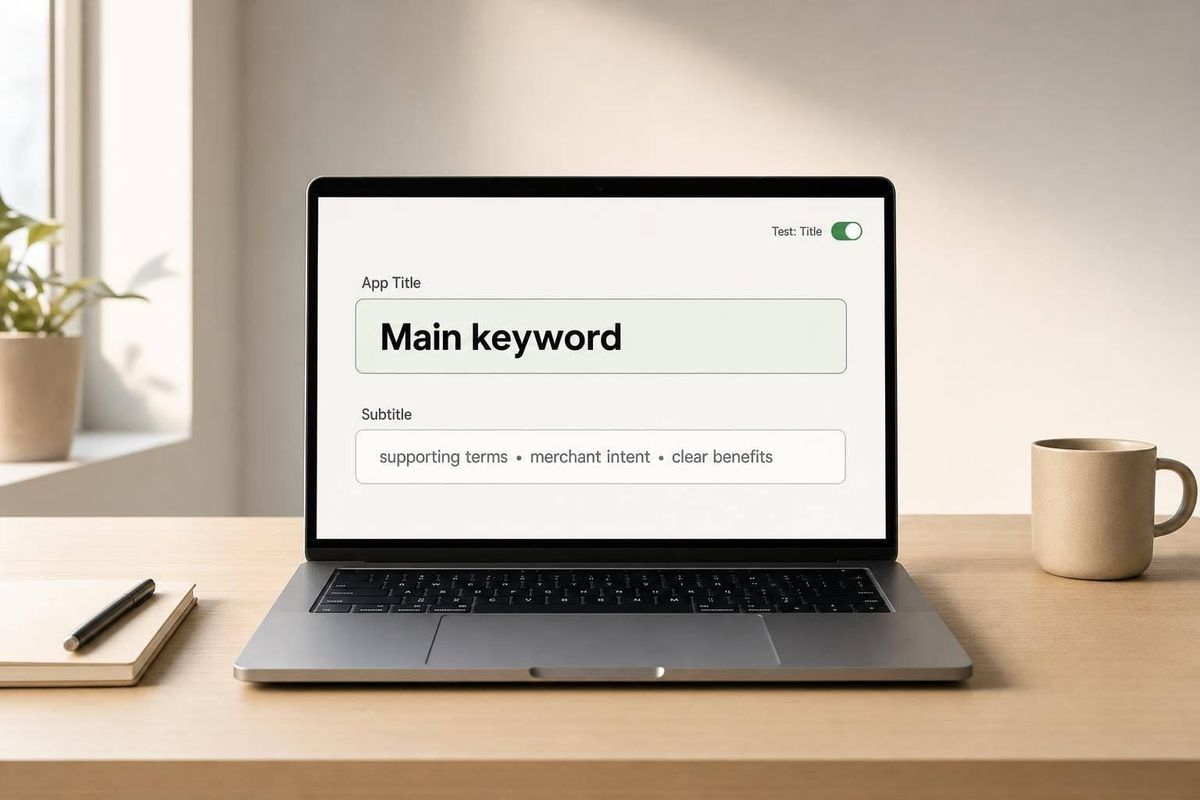
If I had to boil this down to one rule, it’s this: put the main keyword in the title, and use the subtitle to add context, search intent, and a plain-English benefit.
That’s the whole game. The title has the strongest keyword signal, but it only gives me 30 characters. The subtitle gives me up to 80 characters, so that’s where I can place related terms, longer phrases, and a clearer reason to click. If I repeat the same keyword in both, I waste space that could help me rank for more searches and explain the app better.
Here’s the short version:
- Title = main job
- Subtitle = supporting terms + value
- Don’t stuff keywords
- Don’t test both fields at once
- Track rankings, CTR, views, installs, and revenue in $ using Shopify App Store optimization tools
If I’m naming a Shopify app listing, I treat the title as the category signal and the subtitle as the extra detail. That split helps with both search visibility and conversion clarity.
Quick comparison
| Field | Best use | Limit | What I place there | Main mistake |
|---|---|---|---|---|
| Title | Core keyword | 30 characters | Main function or category term | Missing the main term or stuffing too many words |
| Subtitle | Support and detail | 80 characters | Secondary terms, long-tail phrases, outcomes, use cases | Repeating the title keyword or sounding vague |
A few fast examples:
-
Title: Back in Stock Alerts
Subtitle: Notify shoppers by email or SMS when items return -
Title: Wholesale Pricing
Subtitle: Tiered B2B discounts and customer-specific price lists -
Title: BrightFlow
Subtitle: Inventory forecasting and demand planning for Shopify stores
My takeaway: the title tells Shopify and merchants what the app is. The subtitle tells them what the app does for them. That’s the split I’d follow before making any metadata change.
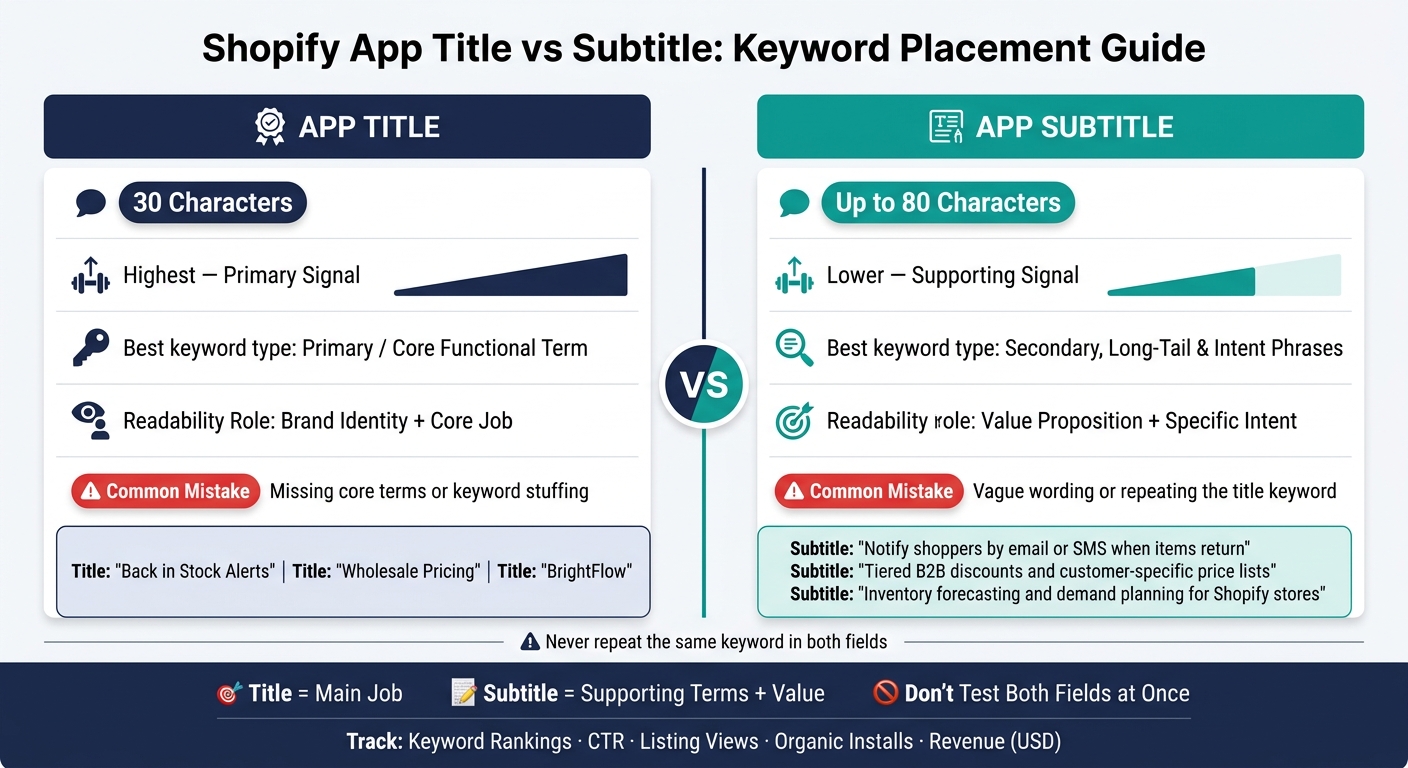
Shopify App Title vs Subtitle: Keyword Placement Cheat Sheet
Title vs subtitle: core differences
The title sends the strongest keyword signal. The subtitle adds related terms and extra context.
| Feature | App Title | App Subtitle |
|---|---|---|
| Keyword weight | Highest - primary signal | Lower - supporting signal |
| Character limit | 30 characters | Up to 80 characters |
| Best keyword type | Primary/core functional term | Secondary, long-tail, and intent phrases |
| Readability role | Brand identity + core job | Value proposition + specific intent |
| Common mistake | Missing core terms; keyword stuffing | Vague wording; repeating the title keyword |
The gap between these two fields comes down to weight and purpose. The title has more influence, so it should name the app's main job in a clean way. The subtitle has more room, so it should add detail and search context.
Why the title carries the primary keyword
The title is the first field merchants see in search results and previews. That makes it a short but strong signal for both merchants and Shopify. It should include the one term that best describes what the app does.
In most cases, the best format is brand + one core functional term, written in a natural way. Think "ShipMate Returns" or "Flowly Upsell". Don't try to jam several keywords into 30 characters. A clean, easy-to-scan title builds trust and shows relevance at the same time.
Why the subtitle supports secondary terms
The subtitle should extend the listing's relevance without repeating the title. With up to 80 characters, it can include related terms like product review along with a short benefit statement.
For example, if the title targets "inventory sync," the subtitle might read: "Multi-store updates and real-time stock control." That wording adds related search terms while also telling the merchant what they'll get. That's why the subtitle works best when it does two jobs at once: add secondary keywords and spell out the value.
The most common miss is repeating the title keyword. That burns space you could use for something else. A better move is to use the subtitle for adjacent intent: related features, outcome-driven language, or a clear use case like mobile app builder that didn't fit in the title.
That split leads straight into the next step: deciding which terms belong in each field.
sbb-itb-ce93587
How to place primary and secondary keywords
Now take that split and use it on actual keyword choices using a research tool. Put the main term in the title, then use the subtitle for related terms. This gives the title a clear category signal, while the subtitle reaches for extra search coverage tied to features, outcomes, and the words merchants use.
Primary keyword in the title, supporting intent in the subtitle
Place the keyword that most plainly describes your app's main job in the title. Then let the subtitle do more work by adding related features, outcomes, and merchant search terms.
Don't repeat the exact same keyword in both fields. That repetition doesn't give you more ranking power, and it burns space you could use for other relevant terms. Instead, use the subtitle to add something new rather than echoing the title.
When long-tail phrases belong in the subtitle
Long-tail phrases - specific, multi-word searches like "automated review request emails" or "VIP loyalty tiers for repeat customers" - usually fit better in the subtitle. They're often too long or clunky for a short title, and they read more naturally as part of a sentence.
For example, a hypothetical reviews app might use "Product Reviews & UGC" as its title. The subtitle could take on the longer, more specific searches: "Email requests, photo reviews, and star ratings to boost social proof." That way, the phrase stays searchable without cramming the title.
How to avoid keyword stuffing while keeping relevance
Once a phrase fits, check one more thing: does the subtitle still sound clean? A pile of comma-separated keywords is one of the clearest signs of keyword stuffing: "reviews, ratings, UGC, photos, videos, testimonials, social proof." Even if every term fits the app, that format can look spammy and hurt merchant trust.
A short sentence works better: "Collect verified reviews and UGC to build trust and increase conversion." It tells merchants what the app does and why it matters. If a term feels jammed in, cut it.
Which field to prioritize based on your app's positioning
Once you know which terms fit each field, your app’s positioning shapes how keyword-heavy the title should be. The field that carries the strongest keyword signal depends on three things: brand strength, category competition, and how broad the app’s use cases are.
Use the matrix below to line up your title strategy with your listing type.
| Scenario | Title Focus | Subtitle Focus |
|---|---|---|
| One dominant keyword | Primary category keyword (e.g., "Subscription Management") | Merchant outcome + 1–2 modifiers (e.g., "Recurring orders and membership billing for Shopify stores") |
| Multiple mid-priority terms | Clustered category term (e.g., "Product Reviews & Loyalty") | 2–3 secondary intents (e.g., "photo reviews, points, and referral rewards for Shopify") |
| Brand-heavy naming | Brand + minimal category cue (e.g., "Acme Commerce") | Search-driven phrases and value proposition (e.g., "Shopify email marketing, automation, and abandoned cart campaigns") |
| Niche long-tail targeting | Short category anchor (e.g., "Wholesale Pricing") | Long-tail phrase (e.g., "Tiered B2B discounts and customer-specific price lists for Shopify") |
Apps with one clear job to do
If your app does one thing well, put the category term in the title first. Then use the subtitle to explain the function and the result.
A back-in-stock notification app is a good example. A title like "Back in Stock Alerts" says what the app is right away. Then the subtitle can do the rest: "Notify customers by email or SMS when products are restocked in your Shopify store."
That setup works because the title sends a strong category signal, while the subtitle gives merchants plain-English context.
Apps balancing brand visibility and discovery
A brand-led title like "BrightFlow" is easier to remember, but it gives up some keyword signal. That tradeoff can work, but only if the subtitle does more of the heavy lifting.
In this setup, the subtitle should carry the discovery terms. Include 2–3 search-driven phrases in natural language, and skip repeating the brand name.
For example, "BrightFlow" paired with "inventory forecasting and demand planning for Shopify stores" gives merchants enough context to understand what the app does while keeping the brand front and center.
Put simply, a brand-led title like "BrightFlow" works when the subtitle carries the search terms and the value proposition.
Measuring title vs subtitle changes and key takeaways
How to track the impact of metadata edits
Once you decide where a keyword should go, test that edit on its own. Track every title or subtitle change. If you don’t, you’re just making your best guess.
The main rule is simple: change one field at a time. If you edit the title and subtitle at once, there’s no clean way to know which one caused the shift. Start with a title test, leave the subtitle as-is, and give the update a few weeks to settle before you touch anything else.
Before making a change, record your baseline:
- keyword rankings
- listing CTR
- listing views
- organic installs
- revenue in USD
A tracking tool makes it easier to tie those shifts back to rank changes and installs. After the update goes live, look for steady movement across a few weeks, not random one-day jumps.
AppJubilee supports this with daily keyword tracking, ranking snapshots, change-impact logs, and GA4 and Shopify Partners integrations.
Conclusion: a simple rule for title vs subtitle
Put the primary keyword in the title and supporting terms in the subtitle.
The title carries the most keyword weight, so place the main term there first. Then use the subtitle to add related terms without repeating the title. Keep duplication limited - using "Shopify" in both fields can be fine when it makes the listing clearer - but avoid obvious keyword stuffing. Write both fields for merchants first. A subtitle that reads like a pile of keywords may help discovery, but it often hurts readability and conversion.
FAQs
Should I put my brand name in the title?
Only do this if you’re using a Brand + Function title and still include at least one functional keyword.
Shopify puts a lot of keyword weight on the App Name and Subtitle. But the subtitle should speak to merchant value, not pile on more keywords.
Keep the title short - up to 30 characters. That helps the functional keyword stay clear. And don’t stuff extra terms into it.
Can I repeat keywords in the title and subtitle?
Yes, but don’t overdo it. Shopify leans heavily on your app’s Name and Subtitle when it matches keywords, and it warns against stuffing the subtitle with too many terms.
A better move is simple: put your main keyword in the title, then use the subtitle to support that topic in a clear, natural way instead of repeating the exact same phrase.
How long should I wait before testing another metadata change?
After updating your Shopify app listing metadata, check performance after 3, 7, and 14 days.
That timing matters. High-impact fields like Titles and Search Terms can take up to 1 week to index, so don’t rush into another edit before you’ve looked at what the last change did.
In most cases, keyword updates need 2 to 4 weeks before you’ll see noticeable shifts in rankings and installs. And if you’re going after highly competitive keywords, expect that timeline to stretch out a bit more.