
Shopify App Store SEO vs. Traditional SEO
Compare Shopify App Store SEO and traditional web SEO—ranking signals, timing, metrics, and when to prioritize installs vs research.
If I want installs, I focus on Shopify App Store SEO first. If I want early research traffic, I invest in web SEO too. That’s the short answer.
Here’s the key difference in plain English:
- Shopify App Store SEO is about ranking an app listing inside Shopify’s marketplace.
- Traditional SEO is about ranking pages on Google and other search engines.
- Shopify leans more on app name, search terms, product review recency, install rate, and retention.
- Google leans more on crawlability, page content, backlinks, site structure, and page experience.
- Shopify changes can show impact in days. Web SEO often takes weeks or months.
- About 63% to 65% of Shopify app discovery comes from App Store search, while about 27% comes from web search.
- As of April 2026, the Shopify App Store had 17,591 apps, so ranking inside the store is hard and focused.
If I’m working on a Shopify app, I treat these as two different search systems with two different jobs:
- Use App Store SEO when merchants already know what they want and are close to install.
- Use web SEO when merchants still need education, comparisons, or proof.
- Use both when I want full-funnel growth: web pages bring in research traffic, and the App Store listing turns that demand into installs.
A few numbers stand out:
- Apps with the Built for Shopify badge see an average install lift of 49% within 14 days.
- Reviews from the last 90 days matter more than old review totals.
- Apps under 4.5 stars can see conversion rates drop by more than 60%.
- Shopify’s hidden Search Terms field can start affecting indexing within days. You can track these changes using keyword tracking tools to monitor daily ranking shifts.
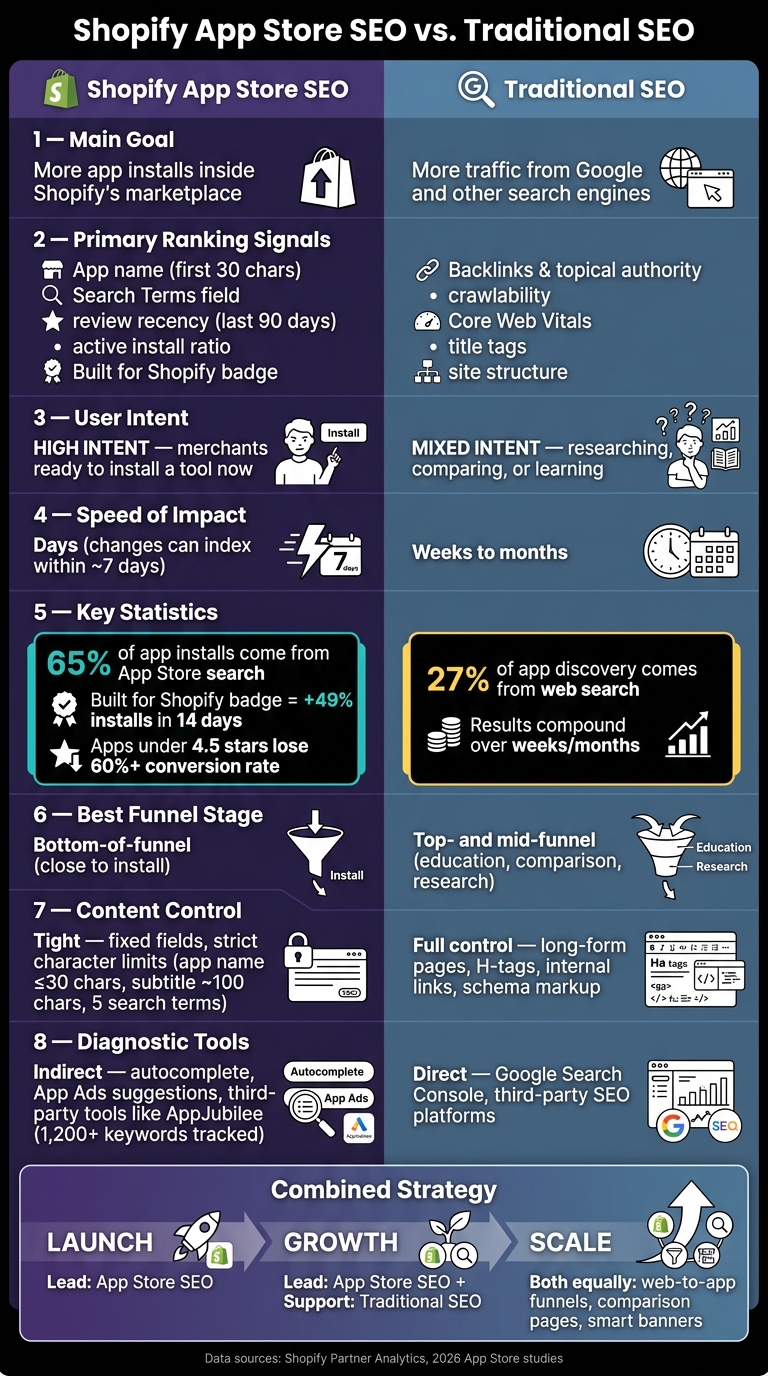
Shopify App Store SEO vs. Traditional SEO: Key Differences at a Glance
Quick Comparison
| Area | Shopify App Store SEO | Traditional SEO |
|---|---|---|
| Main goal | More app installs inside Shopify | More traffic from Google and other search engines |
| User intent | High intent; merchants want a tool now | Mixed intent; research, comparison, brand, or problem learning |
| Main ranking signals | App name, search terms, reviews, installs, retention, badge status | Content, backlinks, crawlability, site structure, page speed |
| Content space | Tight listing fields | Full control of pages and content |
| Speed of feedback | Often within days | Often slower |
| Best use case | Bottom-of-funnel demand | Top- and mid-funnel demand |
My takeaway: Shopify App Store SEO wins when I need in-store visibility fast. Web SEO matters when I need to build demand before merchants are ready to install.
sbb-itb-ce93587
How Ranking Works: Shopify App Store Algorithm vs. Search Engine Algorithm
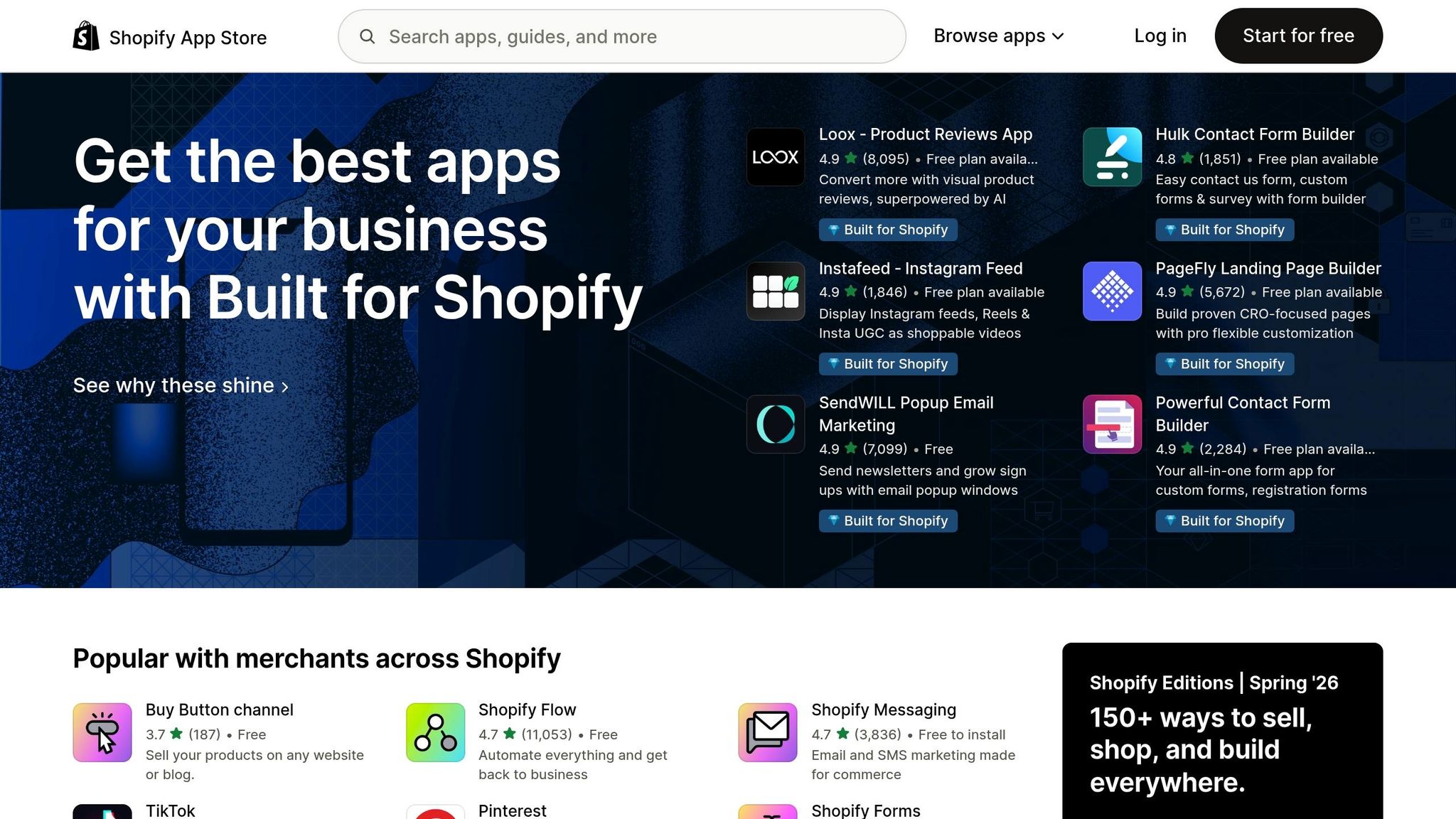
Both systems try to show the best result for a search. But they don’t judge “best” the same way.
Google leans on crawlability, content depth, site structure, and authority. Shopify leans much more on installs, retention, and reviews, with far less query data. That changes the playbook. It also changes how fast rankings can move.
Core Shopify App Store Ranking Signals

Inside Shopify, visibility comes from a tighter group of signals.
One of the biggest is the app name. It’s one of the top metadata fields, and the first 30 characters carry the most weight. In a 2026 study, 100% of top-performing apps kept their names at 30 characters or fewer. The Search Terms field can also start indexing within days.
Behavior matters a lot too. Review recency counts more than total lifetime review volume, and the last 90 days matter the most. The active install ratio also matters. If merchants install an app and remove it soon after, rankings can drop because that points to weak fit or poor retention.
Built for Shopify certification is another strong signal, especially in crowded categories. Apps that earn the badge see an average install lift of 49% within 14 days. To get the badge, an app must meet these requirements:
- GraphQL
- 95th-percentile dashboard response under 500 ms
- 50 active installs
- 5 reviews
Core Traditional SEO Ranking Signals
Traditional SEO starts with technical access. If Google can’t crawl and index a page, that page won’t rank.
After that, Google looks at on-page relevance, content depth, site structure, backlinks, and other authority signals. Core Web Vitals and mobile usability matter too.
Google is also more open about how people can track performance. With Search Console and published guidance, SEO is easier to measure and test in a systematic way, even if results often take weeks or months to build.
Ranking Factors Compared: A Side-by-Side Table
| Dimension | Shopify App Store SEO | Traditional SEO |
|---|---|---|
| Primary quality signal | Review velocity, active install ratio, and Built for Shopify certification | Backlinks and topical authority |
| Key metadata | App name, Search Terms field, and listing copy | Title tags, headings, meta descriptions, and schema |
| Technical focus | GraphQL support, app speed, and stability | Crawlability, Core Web Vitals, HTTPS, and mobile usability |
| Algorithm transparency | Opaque; no official query or impression data | More transparent through Search Console and published guidance |
| Speed of iteration | Fast; changes can index within about 7 days, and rankings can shift quickly | Slower; changes usually take weeks or months to compound |
| Diagnostic tools | Indirect signals such as autocomplete, App Ads suggestions, and competitor review trends | Direct data from Search Console and third-party SEO tools |
| Retention as a signal | High; active install ratio affects rank directly | Moderate; engagement affects performance indirectly |
The big difference is simple: Shopify ranking depends more on listing fit and merchant outcomes, while traditional SEO depends more on crawlable content and authority.
And that matters a lot. With roughly 65% of app installs coming directly from App Store search, even small gains in the right signals can have a big effect. That’s also why Shopify listing work is narrower than standard on-page SEO. The next step is to look at the fields you can control directly.
Listing Optimization vs. Website Optimization: Where the Work Differs
The main difference comes down to control.
With a website, you can shape almost everything: page structure, headings, internal links, content length, and the technical setup behind the scenes. A Shopify App Store listing is much tighter. Shopify gives you a small set of fields, strict character limits, and far less room to work. So instead of tuning a full page, you're tuning a small box.
That gap shows up most clearly in the parts you can edit.
Keyword Strategy and Search Intent
Merchants searching the App Store usually have a clear goal. If someone types in "abandoned cart recovery" or "product add-ons", they’re often close to installing a tool. The intent is direct and product-focused.
Traditional SEO works across a much broader funnel. A Google search like "how to reduce cart abandonment" is more informational. That person may be learning, comparing options, or just trying to understand the problem. They might not be ready to install anything yet.
For App Store SEO, focus on functional terms that line up with merchant intent. For website SEO, build content around a broader mix of informational and navigational searches.
Fixed Listing Fields vs. Flexible Web Pages
In the App Store, a few short fields carry most of the load. On a website, you have much more space to work with: long-form copy, H2s, H3s, internal links, and schema markup. In the App Store, you get a short list of editable fields with tight limits.
The app name is the tightest field, so every character matters. The subtitle runs to about 100 characters. The hidden Search Terms field allows five keywords and can shift indexing fast when updated. There’s also an important detail here: keywords in the app name tend to carry more weight when they also appear in the Search Terms field. The long description is indexed, but it tends to matter more for conversion than ranking.
App Listing Elements vs. On-Page SEO Elements: A Side-by-Side Table
The table below shows how App Store fields line up with familiar website SEO parts.
| App Listing Element | SEO Equivalent | Optimization Constraint | Primary Goal |
|---|---|---|---|
| App Name | Title Tag / H1 | 30-character limit; brand-led format | Discoverability & brand recognition |
| App Card Subtitle | Meta Description | ~100 characters; outcome-focused | Click-through rate |
| Search Terms | Meta Keywords (legacy) | Hidden; 5-keyword limit; high indexing impact | Search eligibility |
| App Introduction | Above-the-fold copy | First ~200 characters visible before "read more" | Immediate value proposition |
| App Details / Features | Body copy | Indexed but lower weight; no H-tags or internal links | Long-tail context & conversion |
| Screenshots | Product gallery / media | Up to 8 images; text overlays are increasingly indexed | Visual proof & conversion |
| App Categories | Site structure / content silos | Limited to primary and secondary; defines browse placement | Browse visibility |
| Reviews & Ratings | User-generated content / trust signals | Recent feedback from the last 90 days carries the most weight | Trust & ranking momentum |
The pattern is simple: App Store SEO leans on a handful of short fields, while website SEO is spread across the full page.
Measurement, Analytics, and Ongoing Optimization
The feedback loop changes by channel. In the Shopify App Store, updates can show up fast. A tweak to your listing can affect rankings, installs, and reviews in short order. By contrast, standard SEO often takes weeks or months to show movement.
That’s why short-cycle measurement matters here. You may see install behavior shift well before your broader SEO numbers catch up.
Key Metrics for Shopify App Store SEO
For App Store SEO, the main metrics fall into three buckets: visibility, conversion, and retention.
Keyword rankings and impressions show whether people can find your listing. Listing conversion rate shows whether your icon, screenshots, and reviews are doing their job and turning page views into installs.
Then there’s what happens after the install. Active install ratio and churn help show whether merchants stick with the app, and Shopify rewards that behavior. If uninstall velocity climbs, rankings can slip. If review velocity stays healthy, rankings may improve. Review recency also matters, since Shopify seems to give more weight to reviews from the last 90 days.
It also helps to watch install velocity across 7-day and 30-day windows. Rank often moves with those changes.
One stat stands out: apps with an average rating below 4.5 stars see conversion rates drop by more than 60%.
The table below lines up App Store SEO metrics with the rough equivalent in standard SEO:
| Funnel Stage | Shopify App Store SEO | Traditional SEO |
|---|---|---|
| Visibility | Keyword rankings, category rank, impressions | SERP positions, impressions |
| Interest | App listing page views | Organic sessions |
| Conversion | Install rate | CTR, landing page conversions |
| Trust | Review velocity, rating, review sentiment | Backlinks and authority |
| Post-Action | Active install ratio, churn, retention | Assisted conversions, organic revenue |
Data Sources and Experimentation Limits
The main data sources for App Store SEO are Shopify Partner Analytics, Google Analytics 4, and third-party tools like AppJubilee. Partner Analytics helps tie keywords to installs. GA4 helps trace the path from the web to the App Store.
The catch is simple: the App Store gives you less data than the open web. It’s a closed system with limited keyword data and fixed fields. So you get fewer keyword-level signals and have to lean more on proxy data. That’s where daily ranking snapshots and change tracking start to earn their keep.
Using AppJubilee to Close App Store Data Gaps
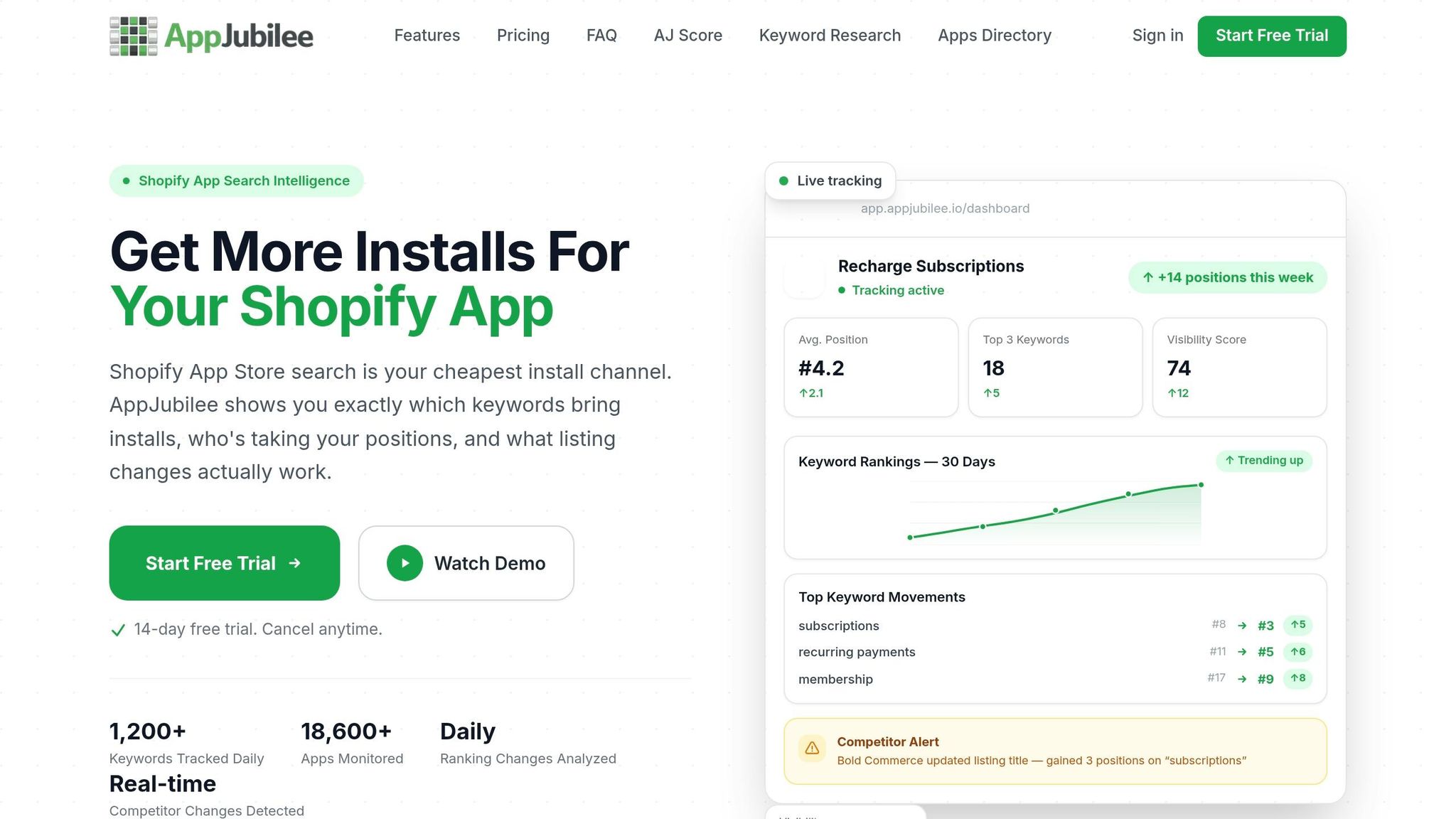
The biggest blind spot is keyword-level visibility. Partner Analytics doesn’t show which keywords drive installs or where you rank for those terms. That makes it tougher to tell what’s working.
AppJubilee helps close that gap. It tracks daily ranking snapshots across 1,200+ keywords and alerts you when competitors change listings or pricing. Its listing change impact analysis ties those updates back to ranking outcomes. If you want a clearer view across channels, AppJubilee also connects with GA4 and Shopify Partners, which helps link web discovery data to App Store install results.
Those gaps matter because they shape the split between channels: App Store SEO should lead where in-store visibility is the goal, while standard SEO supports discovery outside the store.
When to Prioritize Each Channel and How to Combine Them
The ranking gaps above point to one thing: your channel choice should follow search intent and funnel stage.
When to Lead With Shopify App Store SEO
If your app is new, lead with App Store SEO first. Updates to your listing can affect rankings and installs within days, so you can spot what drives clicks and conversions with Shopify App Store keyword research without waiting forever.
This channel works best when merchants already understand the problem and are looking for a direct fix. In that case, the Shopify App Store is often the shortest path from search to install.
When Traditional SEO Adds More Value
Traditional SEO starts to matter more when a merchant isn't ready to install yet. If they still need context, proof, or a side-by-side view, content does the heavy lifting.
Use traditional SEO when merchants need education before they install. Comparison pages, integration guides, and case studies do the work a fixed App Store listing cannot.
It also helps you reach demand outside the Shopify App Store, including Google App Pack results on mobile. To show up there, you need a dedicated landing page with SoftwareApplication schema.
Conclusion: Key Differences, Shared Principles, and the Best Combined Approach
A simple rule of thumb: use traditional SEO for merchants who are still researching the problem, and use App Store SEO for merchants who are closer to install. As your app grows and organic store installs start to level off, traditional SEO becomes much harder to ignore. That's how you reach top-of-funnel searches and tap into the 27% of app discoveries that come from web searches.
Here’s a simple way to map channel choice to funnel stage:
| Stage | Lead Channel | Supporting Channel |
|---|---|---|
| Launch | App Store SEO | - |
| Growth | App Store SEO | Traditional SEO (landing pages, integration guides) |
| Scale | Both equally | Web-to-app funnels, smart banners, comparison pages |
Match the channel to merchant intent, then make the next step feel easy.
FAQs
Which SEO should I prioritize first for a new Shopify app?
For a new Shopify app, put App Store Optimization (ASO) ahead of old-school SEO.
Why? Because about 65% of installs come from Shopify App Store search and browse. That means your main growth lever is visibility inside the Shopify App Store, not Google.
Start with the basics that move the needle fastest:
- Keyword fit so your app shows up for the right searches
- Clear listing copy that tells merchants what the app does and why it matters
- A steady stream of high-quality recent reviews to build trust and support conversions
Traditional SEO still has a place. It can help with long-term brand authority and top-of-funnel traffic. But if you want more immediate, qualified installs, ASO should come first.
Can traditional SEO directly increase Shopify app installs?
Yes, but it works a bit differently than App Store Optimization.
About 65% of installs come from searches inside the Shopify App Store. Another 27% come from external web searches.
That means SEO still matters. Why? Because Shopify App Store listings can show up in Google results. If you tighten up your title tag and meta description, you may bring in more installs from those searches.
That said, standard SEO plays a secondary role here. Internal App Store rankings are still the main source of installs.
How long does Shopify App Store SEO usually take to work?
Shopify App Store SEO isn’t a one-time setup. It’s a process that keeps moving, so there’s no fixed timeline for results.
In most cases, rank shifts happen after performance events, like:
- New reviews
- Listing updates
- Changes in install velocity
AppJubilee helps developers track those shifts with daily keyword tracking and listing change impact analysis. That makes it easier to see how each tweak affects visibility over time.