
Which Keywords Fit Shopify App Titles?
How to pick one primary keyword for Shopify app titles: brand + core term, avoid repetition, and test changes.
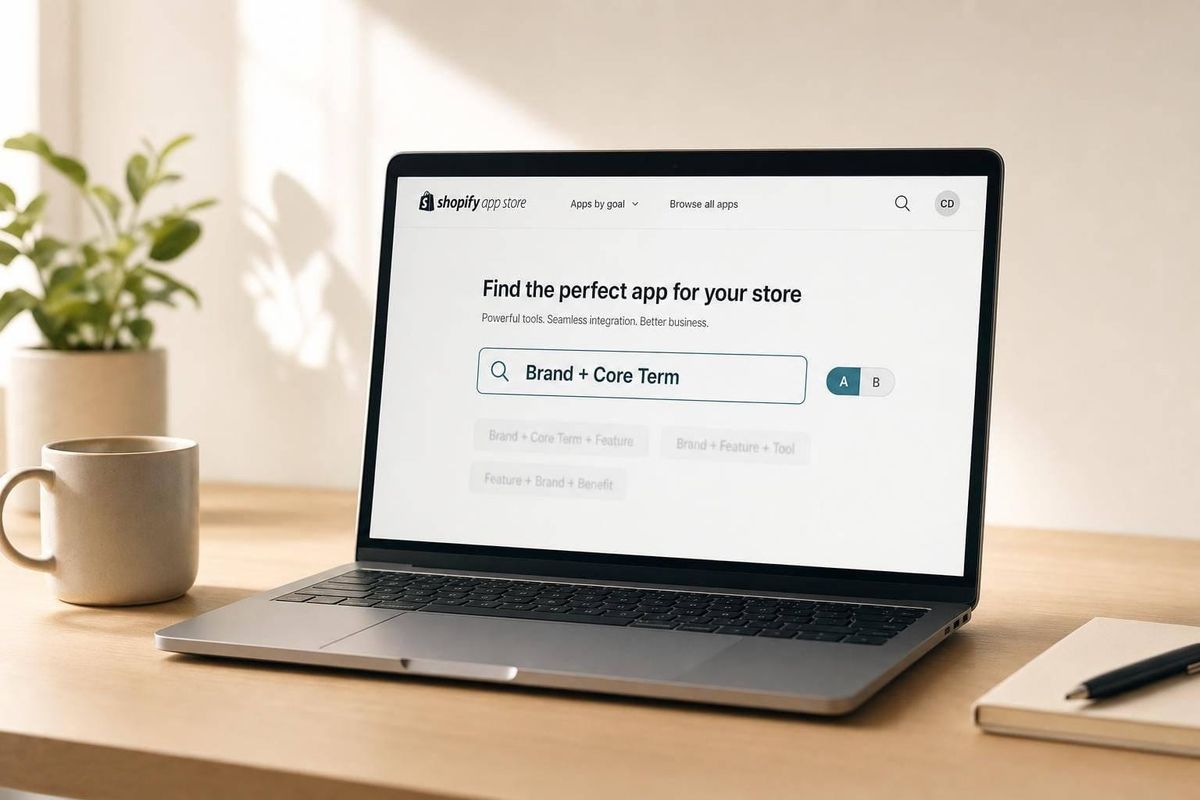
Your Shopify app title should do one job first: tell merchants what the app does in a few words. In most cases, I’d use brand name + one main keyword and leave extra terms for the subtitle and description.
Here’s the short answer:
- Use one primary search term in the title, not a list of features
- Pick merchant language, not internal product wording
- Favor broad category or feature terms over long phrases
- Avoid repeating the same keyword across title, subtitle, and description
- Test one title change at a time and watch results for 2–4 weeks using Shopify App Store Optimization tools
- Based on the article’s data, title updates can shift rankings by an average of 8.3 positions, and movement often shows up in about 7 days
I’d keep the rule simple: Brand + core keyword works because it helps with both discovery and clarity. A title like BrandX Subscriptions says what the app is , much like how a product review app title should be clear, reads like a product name, and fits how U.S. merchants search.
A quick way to think about keyword fit:
- Best for titles: head terms, category terms, feature terms
- Better for subtitle/description: long-tail phrases, benefit copy, support terms
- Usually weak for titles: slogans, stuffed keyword strings, internal jargon
If I were naming a Shopify app today, I’d make the title short, direct, and search-led - then use the rest of the listing to cover related terms and use cases.
Which Keyword Types Belong in the Title
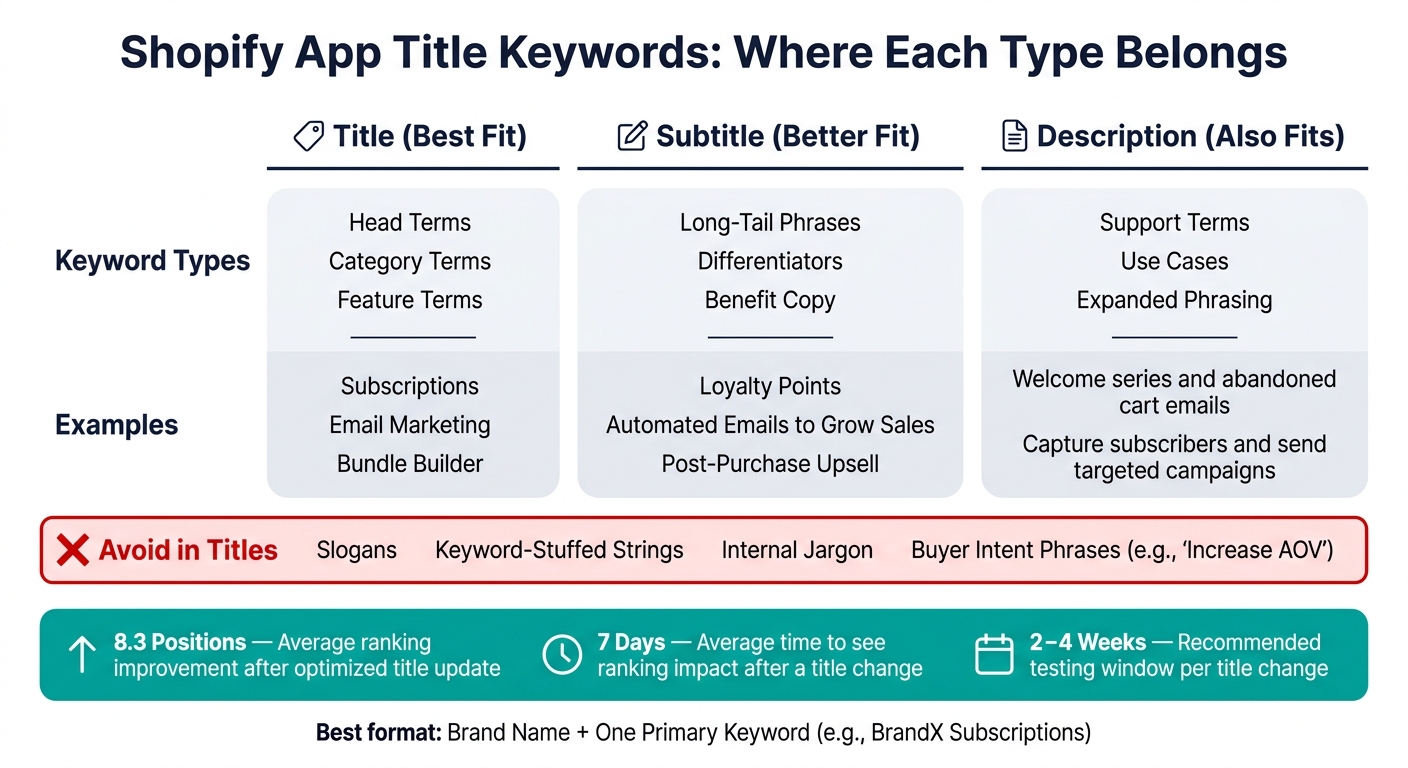
Shopify App Title Keywords: Where Each Type Belongs
Not every keyword type deserves a place in your app title, and identifying the right ones requires thorough Shopify App Store keyword research. The title needs to tell people what the app does, fast. In most cases, that means using one primary keyword with your brand name. The rest can do their job in other parts of the listing.
Head Terms vs. Long-Tail Terms
A head term is a short, broad phrase like "subscriptions", "email marketing", or "loyalty rewards." A long-tail term is more specific, like "Shopify subscription billing for membership boxes" or "post-purchase upsell popup."
Head terms usually make more sense in the title. They tend to have the most search volume and give a clear signal about your app's main category. Long-tail terms are better suited for the subtitle and description, where you have more room to add detail.
From there, the next call is simple: should the title lean more toward brand recognition or category discovery?
Brand Terms vs. Generic Feature Terms
Your brand name gives the title its anchor. It helps with branded searches from merchants who already know your app and type your name straight into the search bar. Generic category terms help new merchants find you when they don't know your brand yet.
The format that tends to work best is "Brand - Primary Category". Think BrandX Subscriptions or BrandX Email Marketing. It's short, easy to read, and covers both search habits. Shopify's guidance points in the same direction: start with your brand and make it clear what the app does. If you pile on too many generic terms after the brand name, the title starts to feel stuffed and harder to scan.
That brings up one more choice: feature language or outcome language.
Feature Terms vs. Buyer Intent Phrases
Feature terms describe what your app does, such as "recurring billing", "post-purchase upsell", or "bundle builder." Buyer intent phrases describe what a merchant wants, like "increase AOV", "reduce returns", or "grow subscriptions."
Those two keyword types do different jobs, so they shouldn't be treated the same way. Titles usually work better with feature terms because that's closer to how merchants search in the Shopify App Store. A merchant looking for an upsell tool is more likely to search for "upsell app" or "post-purchase upsell" than a phrase like "increase AOV."
Intent phrases sound more like benefit-driven copy than app names, which makes them a better fit for other parts of the listing.
sbb-itb-ce93587
How to Pick One Primary Title Keyword
Pick the keyword with the best mix of relevance, merchant intent, and rankability - not the one with the most search volume.
Score Candidates by Relevance, Intent, and Difficulty
Once you’ve narrowed down the keyword type, compare the exact phrases that fit your app.
A simple way to do this is to score each keyword from 1 to 5 across three factors: relevance, intent fit, and difficulty. Then stack the scores side by side and see which term gives you the best shot. For a subscription billing app, "Shopify subscriptions" might earn a 5 for relevance, while "Shopify marketing" might get a 1. That gap tells you a lot, fast.
Intent matters because it shows what the merchant wants to do. Someone searching "set up recurring billing" isn’t just browsing - they’re close to installing.
Difficulty carries just as much weight. If a keyword is packed with established apps that have thousands of reviews, it’s tough to break in. That’s why newer apps often do better with narrower phrases. "Shopify prepaid subscriptions" may get less volume, but it can also come with much lower competition, which makes page 1 more within reach. The best pick is the term that fits your app, matches buying intent, and gives you a fair shot at ranking.
Use Merchant Language, Not Internal Terminology
The best title keyword is usually the one merchants already type into search.
This is where teams often trip up. Developers name things based on how the product works. Merchants name things based on the problem they’re trying to fix. That difference matters. If your app is built around "order deferral," your title should still use "pre-orders" if that’s the phrase U.S. merchants search for, such as google analytics 4 ga4.
You can find this language in places like:
- support tickets
- reviews
- community threads
- onboarding calls
If merchants don’t use a term, leave it out of the title. AppJubilee's keyword ranking analysis and listing change impact tracking can then help validate whether a switch to merchant-facing language improves visibility and installs over time.
Once the primary keyword is set, use the subtitle and description for supporting terms.
How to Avoid Keyword Overlap Across Title, Subtitle, and Description
Once you’ve picked the title keyword, let the other fields do different work. Don’t keep repeating the same phrase in the subtitle and description if those spots could cover other related searches.
Give Each Listing Field a Distinct Job
Think of it like this: the title handles the main category term, the subtitle adds a point of difference, and the description fills in use cases and supporting features.
The title should carry one core search term, such as "subscription billing." The subtitle can add a differentiator, like "loyalty points." Then the description can go deeper with specific use cases and long-tail phrases written in plain, natural sentences.
Title space is tight. If a term appears more than once, it should have a clear reason to be there.
When Repetition Wastes Space and When Related Terms Help
AppJubilee notes that repeating the same phrase across fields limits keyword coverage and can weaken relevance.
Here’s a simple test: if deleting one repeated phrase gives you room for a different but still related term, that repetition was probably costing you coverage. Related support terms and expanded phrasing can help you match more searches without wasting space.
Use the examples below to keep the title, subtitle, and description from competing for the same search term.
| Pattern | Title | Subtitle | Description (opening) |
|---|---|---|---|
| Repeat | Email Marketing App | Email Marketing App for Shopify | This app helps with email marketing. |
| Support | Email Marketing & Automation | Automated emails to grow sales | Use welcome series and abandoned cart emails. |
| Expand | Email Marketing & SMS | Pop-ups, automation & abandoned cart recovery | Capture subscribers and send targeted campaigns. |
In the repeat row, the same phrase shows up again and again across all three fields. That cuts down the range of keywords you can cover.
In the support row, the subtitle and description bring in related phrases like "automated emails", "welcome series," and "abandoned cart emails." You’re still backing up the main topic, but you’re not burning space on the same wording.
In the expand row, each field reaches into a related phrase set. That gives the listing a better shot at matching a broader set of merchant searches while still staying centered on its main topic.
Track Title Keyword Performance and Adjust Over Time
After you pick a title keyword, don’t just set it and walk away. Track whether it actually improves visibility.
Search performance shifts over time, so start with a baseline. Then make one title change and watch what happens. Check rankings, CTR, and installs each week, then look at the longer pattern after a few weeks.
There’s one big guardrail here: don’t change the title too often. If you update it every few days, you won’t know what caused the movement. A window of 2–4 weeks per test gives the Shopify algorithm time to react, while still giving you enough time to catch early drops and adjust if needed.
Use AppJubilee to Measure the Impact of Title Changes
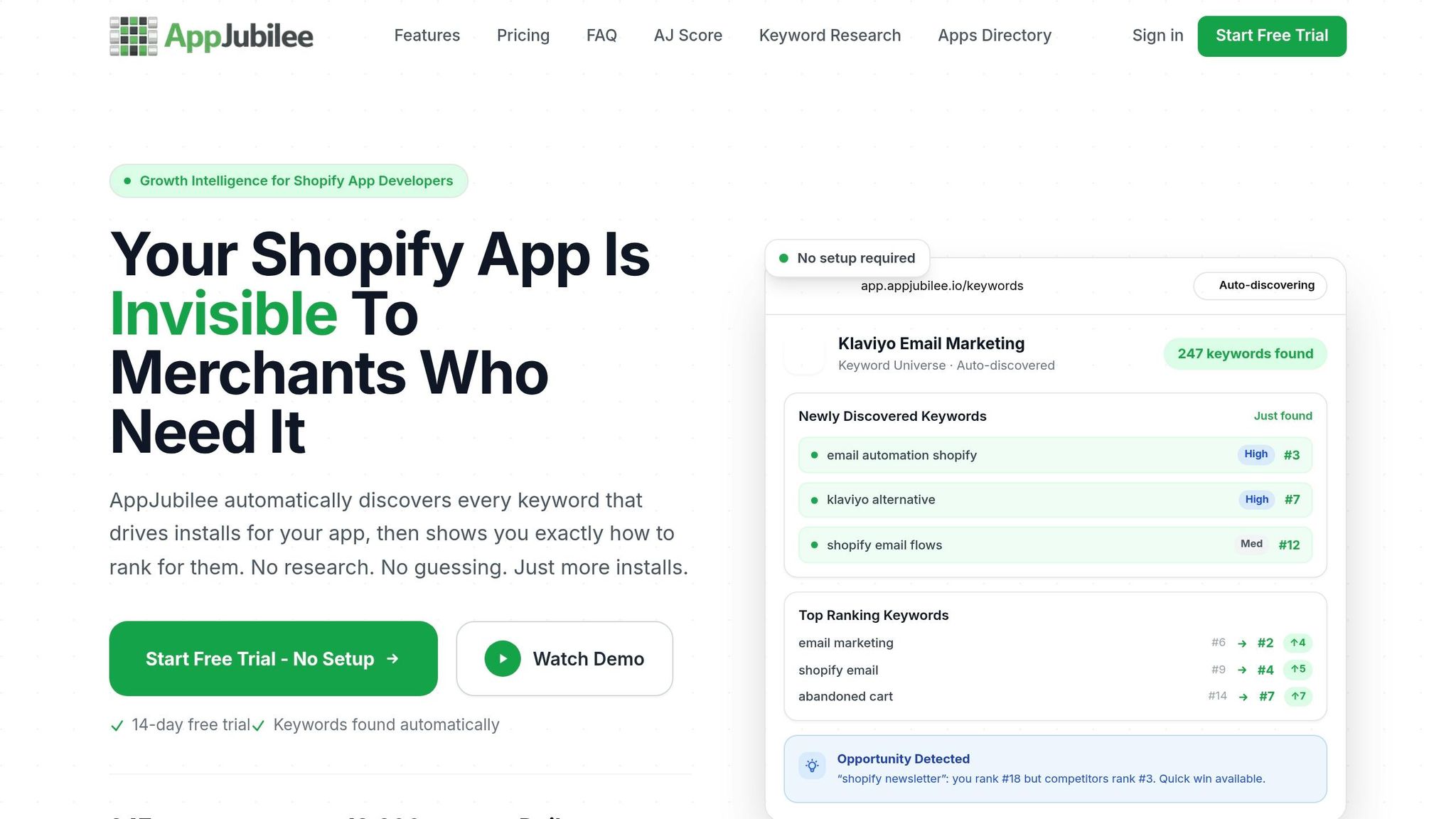
If you want a clean read on performance, compare ranking movement before and after each title update. AppJubilee’s listing change impact tracking lines up the date of a title change with ranking shifts across your tracked keywords. That makes it much easier to see if the update helped, hurt, or did nothing at all.
On average, it takes about 7 days to see the ranking impact after a title update, and optimized changes result in an average improvement of 8.3 positions. AppJubilee’s daily keyword tracking lets you follow that movement day by day. You can use ranking snapshots to check whether the title update pushed positions up or down over the next 7 days, and whether that lift sticks or fades into short-term noise.
Competitor mapping gives you one more useful angle. If a competing app like PageFly changes its title and starts climbing for a keyword you want, AppJubilee helps you track that shift across shared keywords. That kind of signal can show whether your head term, brand term, or feature term was the right bet - or if another option is worth testing.
Conclusion: The Simplest Rule for Shopify App Titles
Keep the title readable: brand name first, one primary keyword early, everything else in the subtitle and description.
That’s the core rule. From there, the rest gets simpler. You can decide which keyword type to push, avoid overlap across fields, and test new terms with a clear plan. Then tracking shows you when it’s time to refine the title again.
FAQs
Should I use a long-tail keyword in my app title?
Yes. Long-tail keywords can work well in app titles because they line up with specific, high-intent searches.
Broad terms may drive more traffic. But long-tail phrases often lead to better install rates because they mirror the exact language merchants use when they're looking for a solution.
AppJubilee helps spot these chances by showing keyword gaps - terms your competitors rank for that you don't.
How do I choose between a brand term and a feature term?
It depends on your app’s maturity and what you’re trying to do. Feature terms like abandoned cart recovery or product bundles can lead to more installs because they speak to clear merchant pain points. Brand terms like Klaviyo alternative tend to work best for merchants who are already in the market and thinking about switching.
If your app is newer and has fewer than 50 reviews, it often makes sense to focus on alternative and problem-based keywords first. That approach can help you compete without leaning too hard on brand recognition. AppJubilee can help spot keyword gaps and help you balance these terms in your title.
What should I do if my title keyword isn’t improving rankings?
First, figure out whether the problem is visibility or conversion.
If you’re getting high impressions but low clicks, your title or subtitle usually doesn’t line up with what merchants are searching for.
If you’re getting high clicks but low installs, the issue is different: the keyword sets an expectation that your app doesn’t meet once people land on the listing.
AppJubilee can help you:
- track keyword ranking history
- measure the impact of listing changes
- compare your rankings against competitors to spot missing, high-relevance terms